Beautiful.ai Pros and Cons
A balanced analysis of Beautiful.ai pros and cons, covering Smart Slides, AI creation, branding, collaboration, exports, pricing, and buyer fit.

Direct answer
Beautiful.ai’s main advantages are faster structured presentation creation, adaptive Smart Slides, consistent themes, reusable team resources, collaboration, and guided AI assistance. Its main disadvantages are constrained design freedom, export limitations, the need to verify AI output, subscription and seat costs, and governance work for shared content.
The product is most compelling when a business produces presentations frequently and spends too much time formatting or correcting inconsistent decks. It is less compelling when designers need unrestricted control, presentations are rare, or an existing PowerPoint or Google Slides workflow already works well.
This assessment uses official sources checked on August 23, 2026. It does not include hands-on testing, so workflow speed, generation quality, support responsiveness, and export fidelity should be validated in a pilot.
Beautiful.ai pros and cons summary
| Pros | Cons |
|---|---|
| Smart Slides reduce routine layout work | Guardrails can restrict unusual designs |
| Guided AI can accelerate outlines and first drafts | Generated content still requires factual review |
| Themes and shared resources support consistency | Libraries require ownership and maintenance |
| Collaboration and permissions support team workflows | Team pricing scales with creator seats |
| Sharing and analytics extend beyond slide creation | Analytics do not prove comprehension or intent |
| Multiple export options support downstream use | Exports can lose animations, transitions, or media |
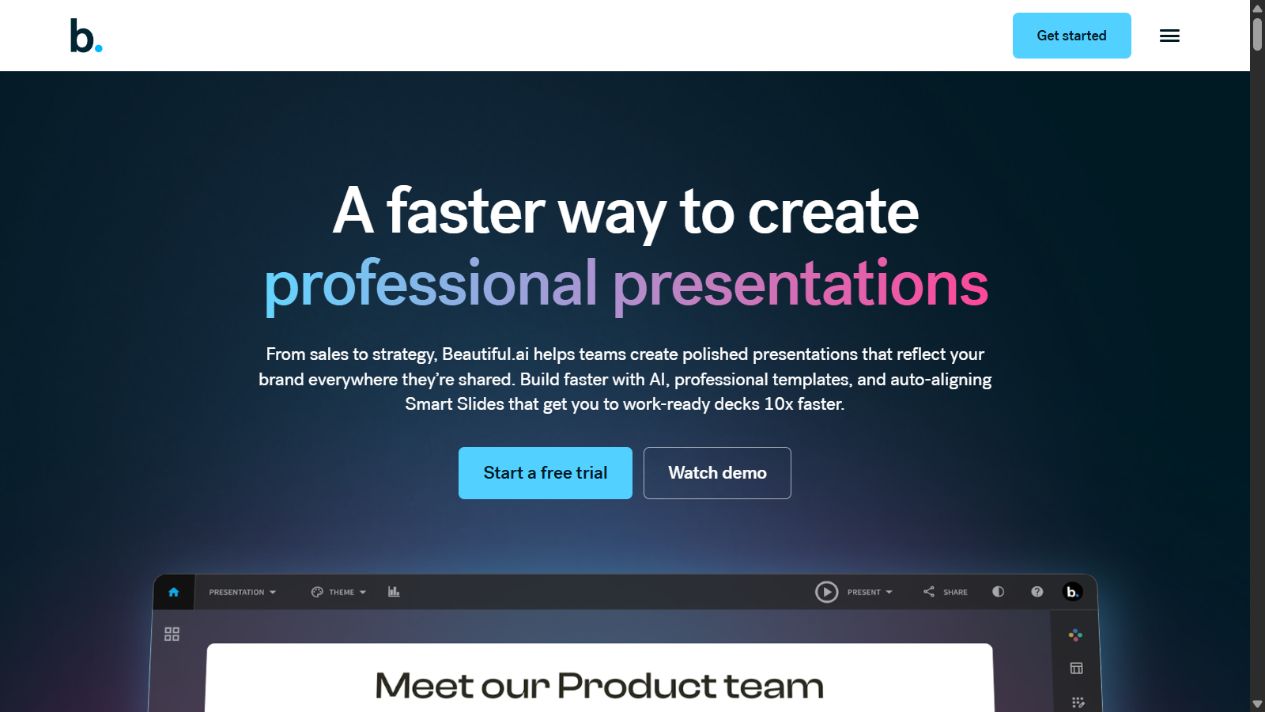
Pros of Beautiful.ai
1. Smart Slides can reduce repetitive formatting
Smart Slides automatically adapt spacing, sizing, alignment, and layout as content changes. This can reduce the time non-designers spend moving text boxes and correcting inconsistent visual hierarchy.
The benefit is most visible in repeatable business slides: timelines, processes, comparisons, team structures, charts, and summary pages. A creator can begin with a communication pattern rather than a blank canvas.
This advantage depends on fit. If the team’s content maps cleanly to supported layouts, Smart Slides can remove low-value formatting work. If every slide is unconventional, the system may create extra work.
2. The AI workflow is more structured than a one-click generator
Official Beautiful.ai material describes a staged process: start with a topic or outline, add source material, refine the story, choose a theme and visual direction, then generate and edit the deck.
That sequence encourages decisions about narrative and context before visual production. It can help a user turn approved notes into a coherent first draft faster than assembling slides manually.
The AI is an accelerator, not an authority. Users remain responsible for every fact, chart, quotation, recommendation, and image included in the final presentation.
3. Themes help preserve visual consistency
Beautiful.ai supports reusable colors, fonts, logos, icons, and footers. This can prevent common presentation problems such as inconsistent heading styles, off-brand colors, and unapproved logo treatments.
For an individual, themes reduce setup time. For a team, centralized themes and shared assets can create a common starting point across sales, marketing, customer success, finance, and leadership decks.
Consistency is particularly valuable when non-designers produce customer-facing material. It does not eliminate the need for judgment, but it narrows the range of avoidable visual errors.
4. Shared libraries can turn approved slides into reusable infrastructure
Team packaging includes shared slide and template libraries, assets, version control, locked slides, and related controls according to the official pricing page.
This can reduce repeated requests for standard company descriptions, product diagrams, customer proof, security statements, and financial slides. It can also make approved material easier to find than searching old presentation files.
The real value comes from reuse with governance. A library containing accurate, owned, current material can save time. A library without maintenance spreads stale information efficiently.
5. Collaboration and access controls support multi-person work
Official support documentation describes view and edit permissions. Team folders help groups organize shared work, while team-oriented plans add live editing and access management.
These capabilities can reduce version confusion when several people contribute to one deck. They also create a clearer distinction between creators, reviewers, and viewers.
Organizations should still test approval behavior. Collaboration is not the same as a formal review workflow, and regulated teams may require controls beyond ordinary editing permissions.
6. Sharing and analytics extend the presentation lifecycle
Beautiful.ai supports link-based sharing and presenting within the platform. Official Team materials reference engagement tracking, viewer analytics, alerts, and related capabilities.
These features can help a sales or customer-facing team see whether a shared deck was opened and how recipients interacted with it. That can inform follow-up.
The data should be treated as a signal, not a conclusion. Time on a slide does not prove understanding, agreement, or purchase intent.
7. Export options preserve a path to other ecosystems
Official documentation lists editable PowerPoint and Google Slides export on paid plans, plus PDF, static image, and offline options.
This flexibility matters because presentations often need to enter a customer’s template, a conference system, a shared Google workspace, or an offline environment. A platform without export would create much stronger lock-in.
The presence of an export option is a pro; perfect fidelity is not guaranteed. Teams should test their actual destination before relying on it.
Cons of Beautiful.ai
1. Design guardrails can become design constraints
Smart Slides improve consistency by controlling layout behavior. That same mechanism can frustrate users who need precise, unconventional composition.
Designers working with art-directed campaigns, complex scientific diagrams, dense financial models, or highly customized executive presentations may spend time fighting the template logic. Classic Slides may provide more flexibility, but the product’s core value still comes from structure.
The relevant test is whether the team needs creativity within a system or complete canvas control.
2. AI output creates a review obligation
AI-assisted outlines, text, translations, and images can accelerate production, but they can also introduce inaccurate, generic, or contextually weak material.
A polished deck can make an unsupported claim appear more credible. Every generated statistic, product capability, customer statement, market assertion, and chart requires verification against an approved source.
Teams should define who reviews generated material and what evidence must be attached. Without that process, speed can increase editorial risk.
3. Export behavior can break downstream workflows
Beautiful.ai’s official export documentation warns that animations and transitions may not carry into PowerPoint. Google Slides exports can also lose embedded video, audio, animations, and transitions.
This matters when the final recipient edits in another platform or when an organization’s existing templates depend on specific PowerPoint behavior. Rebuilding exported slides can erase the time saved during creation.
A pilot should include the most complex real presentation, not a simple test deck. Check fonts, charts, media, notes, accessibility, and editing behavior in the destination environment.
4. Team costs scale with creator seats
The public Team plan was listed at $40 per user per month on annual billing or $50 monthly for 2–20 seats when checked on August 23, 2026. That creates a meaningful annual commitment as the creator group grows.
The cost may be justified when the platform reduces production time and brand rework. It may be wasteful when many occasional users receive full creator seats without measurable use.
Map roles before purchase and verify current guest, viewer, collaborator, and seat rules. See the Beautiful.ai pricing guide for a detailed cost model.
5. A permanent free plan was not listed
The official pricing page advertised a 14-day trial rather than a permanent free plan when checked. A credit card is required, and the trial converts to paid billing unless cancelled.
That makes long, informal evaluation less convenient. Teams need a focused test plan and a clear cancellation owner before starting the trial.
The pricing page also listed a $45 monthly single-presentation option. That can support an ad hoc project, but buyers should verify current terms and whether one billing period is sufficient.
6. Shared resources require ongoing governance
Themes, templates, slide libraries, and locked content do not maintain themselves. Someone must review claims, update screenshots, retire old product information, manage permissions, and resolve conflicting versions.
Without ownership, a centralized library can become a trusted-looking source of outdated material. Governance work should be included in the implementation cost.
At minimum, high-risk slides should record an owner, source, approval date, and next review date.
7. Analytics have practical and privacy limits
Viewer analytics can help prioritize follow-up, but buyers should understand exactly what is collected, how recipients are informed, how long data is retained, and whether the workflow fits internal privacy requirements.
Analytics can also be overinterpreted. A recipient may leave a deck open, forward it, or move quickly through familiar slides. Engagement metrics need context from the actual relationship.
8. It adds another system to the content stack
Beautiful.ai may sit alongside PowerPoint, Google Slides, Canva, document repositories, asset libraries, CRM systems, and review tools. That creates account, access, training, billing, and lifecycle-management work.
The platform should replace enough effort to justify the additional system. If teams still rebuild every deck in PowerPoint and store all approved assets elsewhere, Beautiful.ai may become an extra production step rather than a simplification.
Who benefits most
Beautiful.ai is a stronger fit for:
- Business teams producing presentations frequently.
- Non-designers who need reliable visual structure.
- Organizations trying to standardize brand presentation.
- Teams that reuse approved slides and templates.
- Groups that value guided creation and collaboration.
- Customer-facing teams that can use link sharing and engagement signals.
It is a weaker fit for:
- Designers needing unrestricted composition.
- Teams with rare presentation work.
- Organizations requiring exact PowerPoint fidelity.
- Workflows dependent on specialized diagrams or complex offline editing.
- Buyers unwilling to govern generated content and shared libraries.
How to decide whether the pros outweigh the cons
Run a short pilot with representative users and real work. Include one straightforward deck and one difficult deck. Measure total production time, correction time, brand-review issues, export rework, and user adoption.
Use a simple decision model:
- Workflow fit: Do Smart Slides handle the team’s recurring slide patterns?
- Quality: Does the output meet editorial, brand, and accessibility standards?
- Governance: Can approved themes and libraries be maintained responsibly?
- Interoperability: Do exports survive required downstream editing?
- Economics: Does time saved exceed subscription, setup, and maintenance costs?
- Adoption: Will intended users choose the platform after the trial?
Do not purchase because the generated demo looks polished. Purchase when the full workflow performs better under realistic constraints.
Final assessment
Beautiful.ai’s advantages are coherent: adaptive design, guided creation, reusable branding, team resources, collaboration, sharing, and export. Its disadvantages are equally connected: reduced freedom, review obligations, export compromises, seat costs, and governance work.
That trade-off makes it a focused business presentation system rather than a universal design tool. For teams overwhelmed by repetitive formatting and inconsistent decks, the structure may be valuable. For teams already efficient in a flexible presentation environment, it may not justify migration.
FAQs
What is Beautiful.ai best at?
It is best at helping people create structured, visually consistent business presentations without manually formatting every slide.
What is the main Beautiful.ai disadvantage?
Its adaptive layout system can restrict unconventional designs, and downstream exports may not preserve every animation, transition, or media behavior.
Is Beautiful.ai suitable for non-designers?
That is one of its clearest use cases. Smart Slides and themes provide guardrails, although users still need judgment about message, evidence, and accessibility.
Is Beautiful.ai good for large teams?
It can support teams through shared resources and controls, but enterprise suitability depends on verified security, identity, administration, support, data, and contract requirements.
Can I test Beautiful.ai before paying?
The official pricing page listed a 14-day trial requiring a credit card when checked on August 23, 2026. Confirm current conversion and cancellation terms before starting.
Official sources
- Beautiful.ai official website
- Beautiful.ai pricing
- Beautiful.ai Pro
- Beautiful.ai export documentation
- Beautiful.ai collaboration documentation
- Beautiful.ai Team Folder documentation
Sources checked August 23, 2026. Product capabilities, prices, and plan packaging can change.
Frequently asked questions
What is the biggest advantage of Beautiful.ai?
Its strongest advantage is the combination of adaptive Smart Slides and reusable presentation controls, which can reduce routine formatting and improve consistency.
What is the biggest limitation of Beautiful.ai?
The same design guardrails that improve consistency can restrict unusual layouts, and exports may lose animations, transitions, or embedded media behavior.
Is Beautiful.ai good for teams?
It can be useful for teams that need shared themes, slide libraries, assets, collaboration, version control, and access management, provided those resources have clear owners.
Does Beautiful.ai replace PowerPoint?
It may replace routine presentation creation for some teams, but organizations with complex PowerPoint templates or strict export requirements should test compatibility before switching.
Did The SaaS Education test Beautiful.ai?
No. This assessment is based on official sources checked on August 23, 2026 and does not claim hands-on product experience.