Beautiful.ai Review (2026)
An evidence-based Beautiful.ai review covering Smart Slides, AI presentation creation, branding, collaboration, exports, pricing, and buyer fit.

Direct answer
Beautiful.ai is a focused presentation platform for people who want to create polished, on-brand decks without manually formatting every slide. Its strongest capabilities are adaptive Smart Slides, guided AI presentation creation, reusable themes, team libraries, collaboration, sharing, analytics, and paid-plan exports. It is less suitable for designers who require unrestricted layout control or buyers who need perfect compatibility with a complex PowerPoint workflow.
The central buying question is not whether Beautiful.ai can generate a deck. Many products can. The question is whether its design guardrails and presentation workflow reduce enough formatting, governance, and distribution work to justify another platform.
This review uses official Beautiful.ai sources checked on August 23, 2026. We did not test the product hands-on, benchmark generation quality, or verify export fidelity with real corporate templates.
Beautiful.ai review summary
| Area | Assessment |
|---|---|
| Best for | Individuals and teams producing frequent business presentations |
| Core strength | Smart Slides that adapt layout as content changes |
| AI role | Guided outline, slide, text, image, and translation assistance |
| Team value | Shared workspace, themes, slide libraries, assets, permissions, and collaboration |
| Main limitation | Guardrails can restrict unusual designs; exports can lose platform-specific effects |
| Research basis | Official product, pricing, help, collaboration, and export documentation |
What Beautiful.ai does
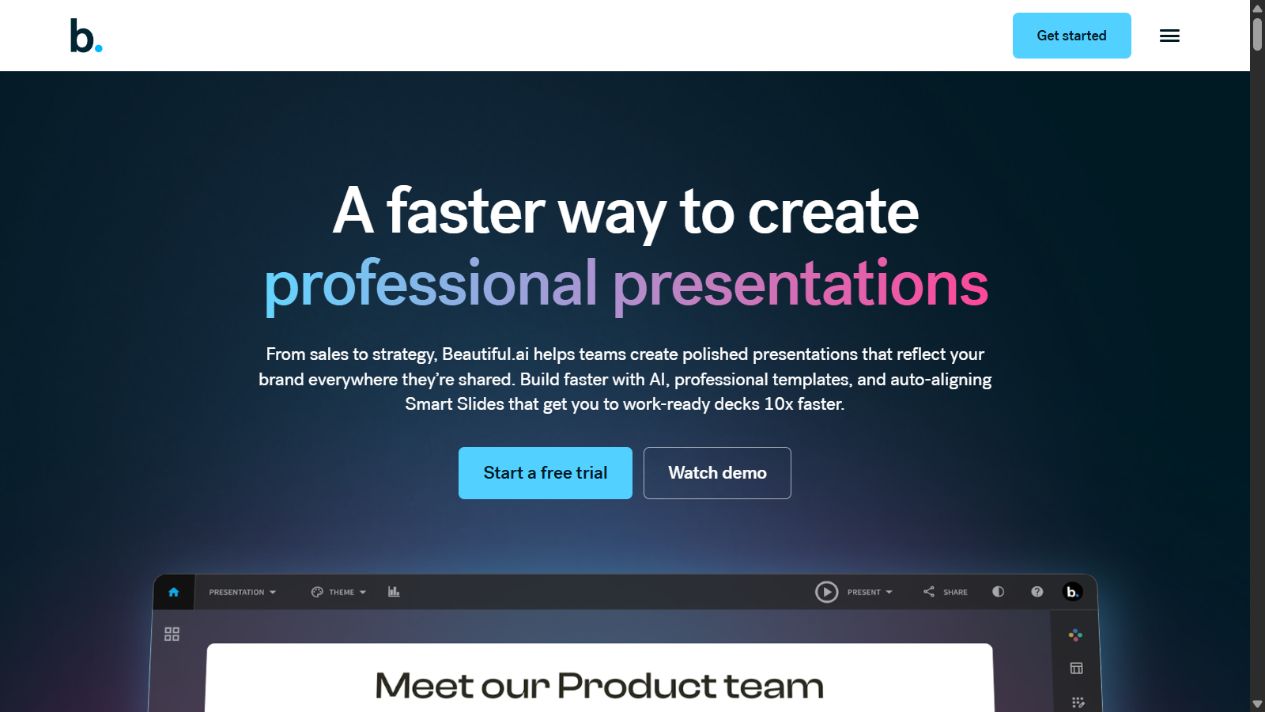
Beautiful.ai combines presentation generation, slide design, editing, collaboration, delivery, and analytics. The official homepage describes a workflow that can start from a prompt or outline, add source material, refine a slide-by-slide story, set a theme and visual direction, then generate a deck.
Its defining feature is Smart Slides. These are adaptive layouts that realign, resize, and animate content as a user edits. The product also provides Classic Slides for situations requiring more open-ended control.
The platform extends beyond creation. Official materials list themes, brand settings, charts, spreadsheet-linked data, image and video libraries, voice-over, secure sharing, viewer analytics, presentation templates, collaboration, and exports.
The strongest capabilities
Smart Slides reduce routine formatting
Smart Slides are designed to preserve spacing, alignment, and hierarchy as content changes. That can help a non-designer produce a coherent deck without repeatedly moving individual elements.
The benefit is consistency and speed. The trade-off is constraint. A user with a highly specific visual concept may spend time working around the layout system. Buyers should test difficult slides such as dense comparisons, complex timelines, unconventional diagrams, and financial charts rather than judging only the title slide.
Guided AI presentation creation
Beautiful.ai’s current homepage describes a staged AI workflow: start with a topic or outline, add source material, refine the story, choose themes and image direction, and iterate across Smart Slide layouts while preserving the content.
That sequence is more useful than a one-click promise because presentation quality depends on narrative decisions. However, source material still requires review. Generated facts, numbers, claims, and images remain the user’s responsibility.
Themes and brand controls
The platform allows users to define colors, fonts, logos, icons, and footers. Team-oriented plans add shared themes, slide and template libraries, assets, version control, and locked slides according to the pricing page.
This matters when several employees create customer-facing decks. Central libraries can reduce old slides and off-brand formatting, but only when someone owns the assets and retires outdated material.
Collaboration and presentation workflow
Official support documentation explains that collaborators can receive view or edit permissions. Team folders organize work for subgroups, while team workspaces support shared presentation resources.
The pricing page also lists live collaborative editing, centralized libraries, version control, engagement tracking, viewer analytics, and access controls for the Team plan. Enterprise packaging adds more administration and security capabilities, which should be verified during procurement.
Sharing, analytics, and delivery
Beautiful.ai can present decks within the platform, create shareable links, track engagement, and export to several formats. These downstream capabilities distinguish a presentation system from a general AI writing tool.
Analytics can indicate whether someone opened a presentation or which slides received attention. They do not prove comprehension or buying intent. Teams should use the signal alongside real follow-up rather than treating view data as a complete outcome.
Export considerations
Beautiful.ai’s official documentation lists editable PowerPoint, PowerPoint images, Google Slides, PDF, JPEG, print, and an offline player. Editable PowerPoint and Google Slides exports are available on Pro, Team, and Enterprise plans according to the help page.
The caveat is important: external platforms do not support every Beautiful.ai transition and animation. The documentation specifically notes that Google Slides exports lose embedded videos, audio, animations, and transitions. Font availability can also affect PowerPoint appearance.
An organization that finishes every deck in PowerPoint should run an export test before purchasing. Use its actual fonts, charts, media, theme, speaker notes, and editing process. “Export supported” does not guarantee exact visual or behavioral parity.
Pricing and plans
The official US pricing page listed the following when checked on August 23, 2026:
- Pro: $12 per month billed annually for an individual.
- Team: $40 per user per month billed annually or $50 per user monthly for 2–20 seats.
- Enterprise: custom pricing for larger organizations and additional control.
- Single presentation: a $45 monthly option for an ad hoc project.
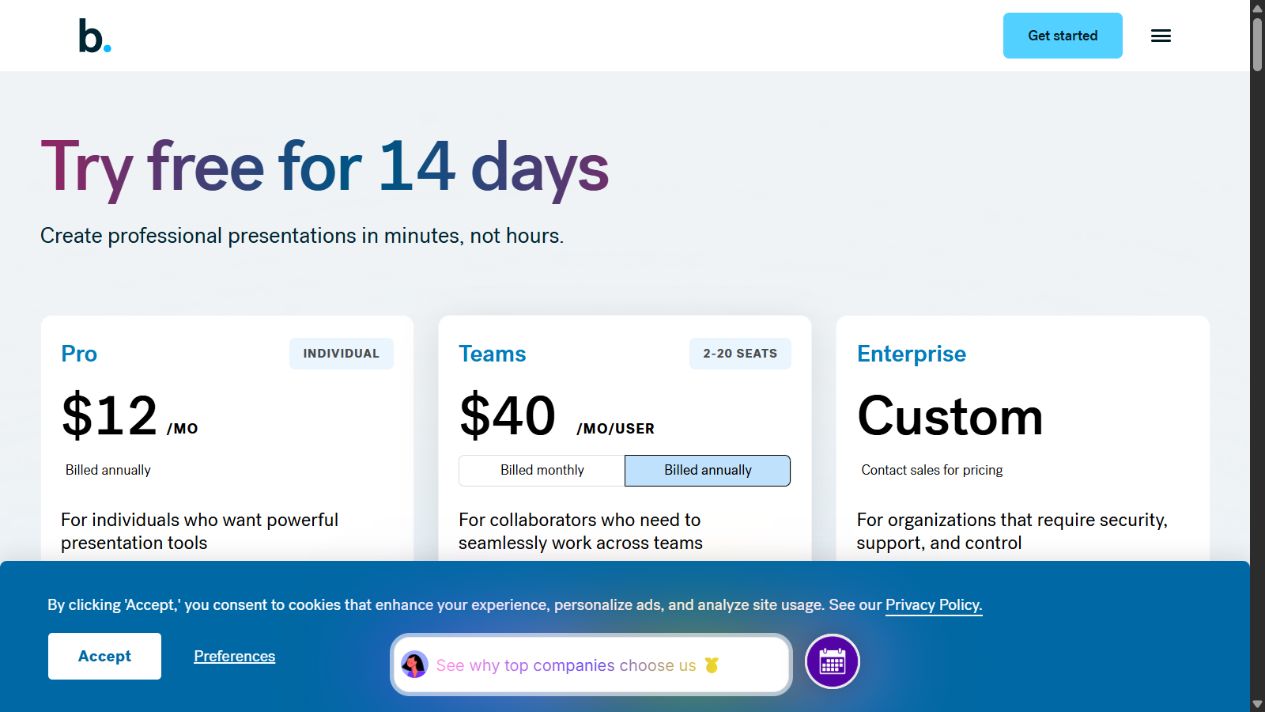
The page advertises a 14-day trial for Pro and Team. A credit card is required, and billing begins unless the trial is cancelled. Current cancellation and refund terms should be read before enrollment.
Price comparisons should include more than seats. Consider deck volume, time spent formatting, brand-governance needs, asset maintenance, export work, training, and overlap with Microsoft 365, Google Workspace, Canva, or other presentation software.
Usability and implementation
Beautiful.ai is positioned around reducing manual design work, but ease of use should be tested against the buyer’s real content. A structured pilot should include:
- a repeat sales or client deck;
- a data-heavy report;
- an existing branded presentation;
- a collaborative revision;
- the required export and delivery route.
Record total creation time, number of layout workarounds, brand corrections, reviewer comments, and export fixes. Do not measure only how quickly the first AI draft appears.
Implementation also needs ownership. Decide who maintains themes, templates, slide libraries, permissions, and approved source content. A library full of outdated slides creates more risk than an empty one.
Research methodology and what remains untested
This review compares Beautiful.ai’s documented workflow with the jobs a presentation buyer must complete: organize a story, create slides, apply branding, collaborate, distribute the deck, and move it into required file formats. Product and plan statements come from official pages rather than review-platform summaries.
That evidence can establish available capabilities and published terms, but it cannot establish output quality. We did not create the same deck in Beautiful.ai and competing products, measure editing time, test service uptime, contact support, or compare viewer analytics with an independent system. Vendor customer stories are not treated as results every buyer should expect.
A hands-on evaluator should use a fixed source pack and scoring rubric. Reviewers can score narrative accuracy, visual hierarchy, brand compliance, editing effort, collaboration friction, accessibility, and export fidelity. Record the product plan and test date because packaging and AI behavior can change.
Security and data questions
Presentation software may contain financial forecasts, product roadmaps, customer information, and confidential strategy. Before use, confirm the selected plan’s current security and privacy terms, data retention, AI-processing practices, sharing defaults, regional requirements, and administrative controls.
Enterprise buyers should ask about SSO, provisioning, audit events, permissions, domain controls, incident response, and contract terms. Public links and viewer analytics also require a clear policy. A convenient share link should not become an accidental disclosure route.
Do not upload sensitive source files during a trial until the organization has approved the environment. Use synthetic or public material for initial workflow testing, then expand only after security and legal review.
Strengths
- adaptive Smart Slides reduce repetitive alignment work;
- guided AI workflow supports story development before slide generation;
- themes and brand controls support repeatable presentation quality;
- team libraries and collaboration address organizational workflow;
- presentation, sharing, analytics, and exports sit in one platform;
- Classic Slides provide an option when more freedom is required.
Limitations
- design guardrails may frustrate users who need unconventional layouts;
- AI-generated content and imagery still require verification and review;
- external exports can lose animations, transitions, media, or exact formatting;
- the trial requires a card and can convert to paid billing;
- meaningful team value depends on active library and permissions management;
- this review does not include hands-on testing of quality or reliability.
Who should choose Beautiful.ai?
Beautiful.ai is a strong candidate for sales, marketing, consulting, agency, training, and internal-communications teams that produce presentations frequently and value brand consistency. It can also suit an individual who spends substantial time formatting slides and prefers guardrails to a blank canvas.
It is harder to justify for someone creating a few simple decks each year. Existing PowerPoint or Google Slides templates may be sufficient. Professional designers may prefer tools with fewer constraints, while regulated organizations should verify the selected plan’s security and administration against formal requirements.
Beautiful.ai versus general AI assistants
A general AI assistant can research, summarize documents, analyze data, challenge an argument, and draft a presentation outline. Beautiful.ai is stronger in the production and delivery layer: adaptive layouts, themes, libraries, presenting, sharing, and export.
The products can be complementary, but two subscriptions are justified only when they solve distinct bottlenecks. Read our Beautiful.ai vs ChatGPT comparison for the full decision framework.
A practical buying checklist
Before purchasing, verify:
- the current plan price, billing cadence, and trial terms;
- the number of creators and collaborators;
- required themes, fonts, assets, and brand permissions;
- Smart Slide fit for the hardest presentation types;
- PowerPoint, Google Slides, PDF, and offline requirements;
- security, privacy, SSO, provisioning, and audit needs;
- presentation analytics and sharing controls;
- ownership of templates and libraries;
- the measurable time or quality improvement required for renewal.
Verdict
Beautiful.ai is a credible presentation system when the main problem is turning approved ideas into polished, consistent decks efficiently. Smart Slides, themes, team resources, collaboration, sharing, and exports create a focused workflow that a general AI assistant does not replace.
The trade-off is reduced freedom and possible friction outside the native platform. Buyers should test difficult slides and exact export requirements during the trial. Choose it when presentation production is frequent enough to make consistent design and governance operational priorities.
Frequently asked questions
Is Beautiful.ai good for business presentations?
Yes, it is designed for repeat business presentations where adaptive layouts, themes, collaboration, sharing, and brand controls matter. Fit depends on whether its design guardrails suit the organization’s deck style.
Does Beautiful.ai have a free plan?
The official pricing page showed a 14-day trial rather than a permanent free plan when checked. The trial requires a credit card and converts to paid billing unless cancelled.
Can Beautiful.ai export to PowerPoint and Google Slides?
Official documentation says paid plans support editable PowerPoint and Google Slides exports. Some animations, transitions, embedded media, and formatting may not carry across exactly.
What is the main limitation of Beautiful.ai?
The adaptive layout system can limit precise or unconventional design choices. Teams depending on another presentation platform should also test export fidelity.
Did The SaaS Education test Beautiful.ai hands-on?
No. This review uses official sources and does not claim first-hand testing, measured time savings, or independent export validation.
Official sources: Beautiful.ai , pricing , individual plan , collaboration guide , team folders , and export documentation .
Frequently asked questions
Is Beautiful.ai good for business presentations?
Beautiful.ai is designed for repeat business presentation work where adaptive layouts, themes, brand controls, collaboration, sharing, analytics, and exports are more important than unrestricted visual design.
Does Beautiful.ai have a free plan?
The official pricing page listed a 14-day trial rather than a permanent free plan when checked on August 23, 2026. The trial requires a credit card and converts to paid billing unless cancelled.
Can Beautiful.ai export to PowerPoint and Google Slides?
Official documentation says paid Pro, Team, and Enterprise plans support editable PowerPoint and Google Slides exports, but animations, transitions, and some embedded media may not carry across.
What is the main limitation of Beautiful.ai?
Its layout guardrails may feel restrictive when designers need precise, unconventional control, and export behavior should be tested against the buyer's exact downstream workflow.
Did The SaaS Education test Beautiful.ai hands-on?
No. This review is based on official sources checked on August 23, 2026 and does not claim first-hand testing.