Best AI Meeting Assistants for Client Calls
Compare five AI meeting assistants for client calls. Assess commitment accuracy, recording permissions, sharing, pricing scope and reviewed follow-up.
The best AI meeting assistants for client calls deserve a shortlist based on the work after the conversation. Consider Otter for searchable transcripts and meeting questions, Fireflies for meeting knowledge and connected follow-up, Fathom for recording-to-summary workflows, tl;dv for team knowledge and meeting-insight handoffs, and Krisp when audio capture and noise reduction belong in the same evaluation.
Research scope and limitations
- Research type
- Official-source documentation review and editorial analysis
- Sources reviewed
- 10
- Hands-on tested
- No
- Last verified
- November 11, 2026
- Limitations
- No authenticated account trial, output benchmark or integration test. Numeric paid rates excluded; plan access requires verification. Recommendations and rehearsal cases are editorial analysis.
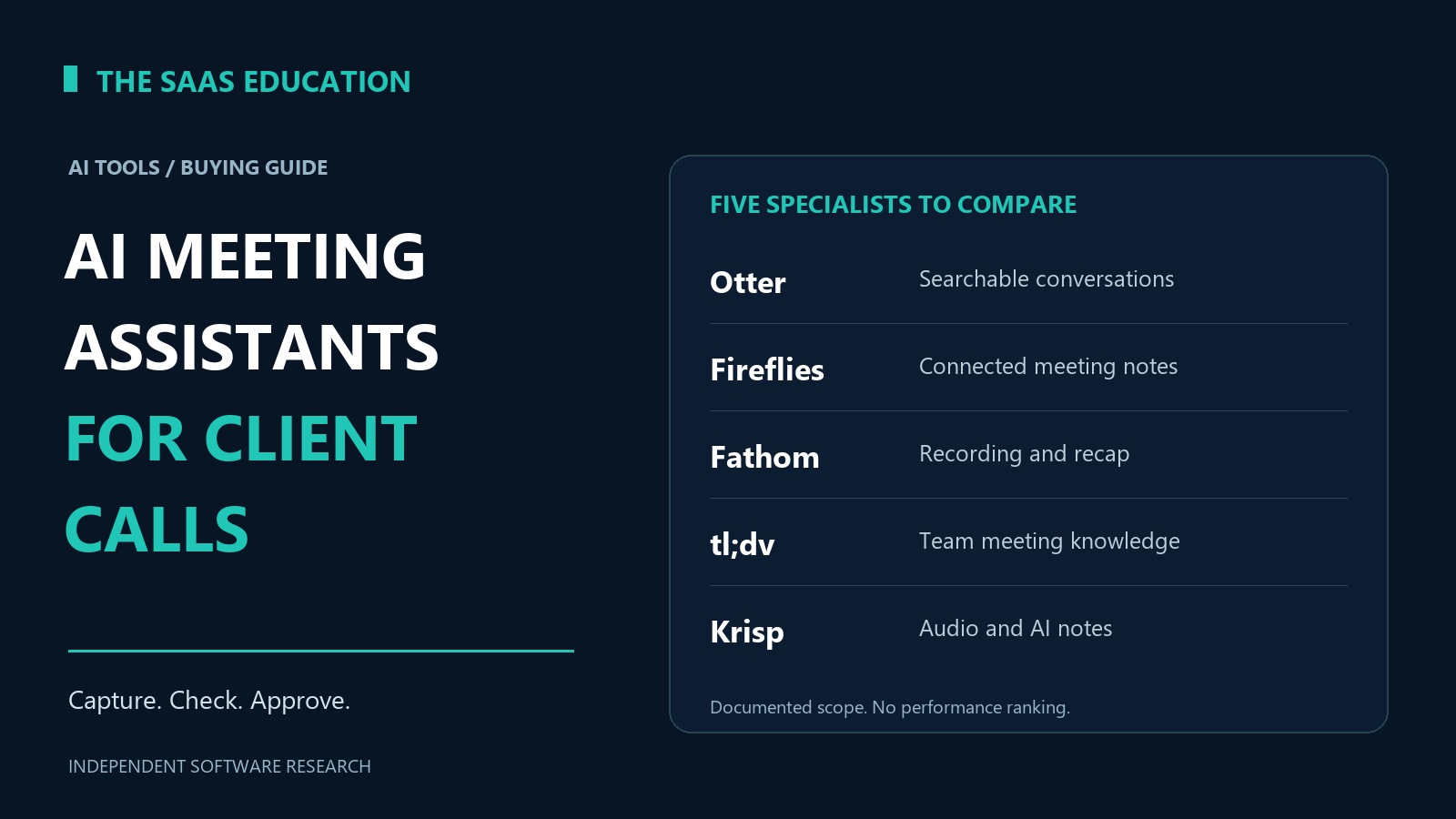
Table of contents
Best AI meeting assistants for client calls: direct answer
The best AI meeting assistants for client calls deserve a shortlist based on the work after the conversation. Consider Otter for searchable transcripts and meeting questions, Fireflies for meeting knowledge and connected follow-up, Fathom for recording-to-summary workflows, tl;dv for team knowledge and meeting-insight handoffs, and Krisp when audio capture and noise reduction belong in the same evaluation.
Those are conditional recommendations from documented capabilities, not results of a head-to-head accuracy test. The decisive question is whether your team can turn a permitted recording into a correct, reviewed client record without exposing another customer’s information or inventing a commitment.
A useful assistant must preserve the distinction between what was discussed, what was agreed and what still needs approval. Before buying, test that distinction using a harmless sample conversation. An attractive summary is not enough evidence that the tool fits your external-call workflow.
Opening shortlist
- Otter: shortlist for live transcription, meeting search and questions over conversations.
- Fireflies: shortlist for meeting notes, action items and connected knowledge workflows.
- Fathom: shortlist for an individual-to-team recording and summary workflow.
- tl;dv: shortlist for team meeting search and delivery of insights to work apps.
- Krisp: shortlist when call audio and AI notes need to be assessed together.
The order organizes different buying needs. It is not a measured performance ranking, and none of these labels establishes that every feature is included in every subscription.
Comparison table
| Tool | Documented capability relevant to client calls | Most useful trial question | Pricing or access issue to verify |
|---|---|---|---|
| Otter | Transcription, meeting knowledge and AI chat | Can a reviewer recover the exact commitment and its context? | Recording versus import limits, meeting duration and administration |
| Fireflies | Recording, summaries, action items and searchable knowledge | Does a connected handoff preserve the correct client and review state? | Storage, AI credits, integrations and team controls |
| Fathom | Recordings, transcripts, summaries and team collaboration | Can an individual recap become an approved team record? | Individual versus team features; beta capture constraints |
| tl;dv | Meeting capture, knowledge search and app handoffs | Can insight sharing stay inside the correct client boundary? | Current app pricing and account entitlements require confirmation |
| Krisp | Noise cancellation, transcription and AI notes | Is the captured conversation usable on the actual device setup? | Meeting-assistant versus call-center product and advanced controls |
How we selected these tools
We reviewed official product and pricing pages on November 11, 2026. Each candidate documents a meeting-specific capability that belongs in an external-call evaluation. We did not access paid workspaces, run client calls, measure transcription accuracy or test integrations. Product facts are attributed below; trial procedures and buying judgments are our editorial analysis.
Current packaging matters. Fireflies’ homepage now presents Fred alongside meeting workflows. Fathom’s pricing distinguishes individual and team capabilities and labels its bot-free capture as a Mac beta. We could open tl;dv’s pricing application, but it returned no readable plan detail in this review. We therefore exclude numeric paid rates and unverified entitlements rather than reconstructing them from older listicles.
For the broader selection process, use our AI meeting assistant evaluation guide . This article addresses the narrower buying decision for client conversations. Our AI tools pillar and review methodology explain the wider category and evidence standard.
1. Otter: searchable meeting records
Otter documents transcription and searchable conversation knowledge. Its pricing page also describes live transcription, speaker identification and AI chat within and across meetings, with plan-specific limits and controls. These capabilities make it a candidate when people need to revisit a client conversation rather than rely solely on an emailed recap.
Potential advantage: a searchable record can help an account owner check why a delivery date or requirement was discussed. That is a workflow inference. Whether the system captures the relevant words and speaker correctly remains an evaluation question for your material.
Limitation: availability of a transcript does not make it an approved scope statement. Speaker attribution, qualifications and references to earlier messages can affect meaning. A team still needs someone responsible for reviewing any statement that becomes a promise to the client.
For a proposed pilot, include a conversation where one person says a date is provisional and another repeats the date later without the qualification. Ask the reviewer to identify the final agreed position using the available record. The accepted result should retain the uncertainty until an authorized person confirms the commitment.
Also inspect the purchasing distinction between recording live work and importing existing files. Forecasting only meeting hours may miss a separate allowance or workflow constraint. Verify the current limits for the exact account before using an archive-import project to justify the subscription.
Editorial verdict: shortlist Otter when searchable conversation records are the main requirement. Accept it only after the team demonstrates a reliable route from source evidence to reviewed client notes. Do not infer a verified accuracy advantage from its transcription focus.
2. Fireflies: meeting knowledge and connected follow-up
Fireflies describes recording, transcription, summaries and action items, alongside a broader knowledge assistant. Its pricing page separates storage, AI credits and team or enterprise capabilities. The documented scope makes it worth investigating when meeting outputs need to reach other work systems.
Potential advantage: connecting a meeting record to the next work destination may reduce repeated copying. The real benefit depends on whether the correct client, owner and review state survive the handoff. We have not measured that benefit or tested a connector.
Limitation: more destinations create more places where a premature summary can become an apparent instruction. “Integration available” does not establish the exact fields, direction, permissions, error handling or subscription entitlement your workflow requires.
Use two fictional customers with similar company names in a sandbox assessment. Prepare a call note for one of them and check how the proposed integration identifies its destination. Then submit a correction through the intended review process. Confirm whether the working record updates appropriately or leaves conflicting versions behind.
Keep the evaluation limited to the capabilities you intend to operate. A broader assistant announcement is not evidence that every related workflow is generally available, included or suitable for your account. Verify current access before expanding beyond meeting capture and reviewed notes.
Editorial verdict: shortlist Fireflies for a meeting-to-work-system requirement with a named integration owner. Require an observable, correct handoff before treating an automation demonstration as evidence that client administration has improved.
3. Fathom: recording, recap and team review
Fathom describes meeting capture and summaries, while its pricing page distinguishes individual and team workflows. The same table labels bot-free capture as a beta for Mac. Confirm the supported setup rather than assuming a capture option works on every device.
Potential advantage: a team can evaluate a fairly concrete outcome: capture the permitted conversation, inspect the recap and prepare the next client update. The distinction between individual and shared work is particularly relevant when one account manager starts the workflow and another person must review it.
Limitation: an individual’s useful notes do not automatically become a governed team record. Shared access, continuity after an employee leaves and responsibility for corrections need separate acceptance criteria. A free or individual offer should not be used to infer the required team controls.
For a hypothetical service agency, test a discovery call followed by a scope clarification. Keep the original recap and the clarification distinct. Ask the intended reviewer to identify which requirements remain assumptions and which have been accepted. A compact recap should still preserve that distinction.
Include the actual operating system and call environment in the trial record. If a beta feature is central to the buying case, identify a supported fallback and decide what happens when the beta changes. Do not base a broad rollout on an unverified capture path.
Editorial verdict: shortlist Fathom for an account owner’s recording-to-recap workflow that will be reviewed by the wider team. Make team ownership and supported capture conditions part of the purchase decision, not a later administrative detail.
4. tl;dv: team search and insight sharing
tl;dv presents meeting capture, knowledge search and delivery of insights to work applications. That scope is relevant when several people need to find useful context across client conversations. Its pricing application did not expose readable plan details during our public-page review, so current paid access remains a purchasing check.
Potential advantage: a team can assess whether past conversations become easier to locate and reuse in an approved workflow. The useful unit is a correctly supported answer about a specific client, not the total number of searchable meetings.
Limitation: wider search increases the importance of separating customers and audiences. A relevant answer can still be inappropriate if it draws on material the requester should not receive. We have not verified permission enforcement or cross-client isolation in an account.
Build a proposed trial around two fictional client workspaces and a user authorized for only one. Check the intended search, sharing and export routes, not just the initial meeting view. The acceptance criterion should cover the information that appears in a derived recap as well as the recording itself.
Then test an ordinary handoff: a reviewer approves a short excerpt for an internal project note. Record whether the destination preserves the client identity and source context. Do not assume that a logo on an integration page proves the precise behavior your team needs.
Editorial verdict: shortlist tl;dv when meeting knowledge must serve several authorized colleagues. Confirm plan access and demonstrate the required information boundaries before relying on cross-meeting convenience as the main buying argument.
5. Krisp: audio conditions and meeting notes
Krisp documents noise cancellation alongside transcription and meeting notes. Its pricing page separates meeting-assistant offers from call-center products and distinguishes advanced controls. These are different buying contexts; do not select a plan solely because both mention voice AI.
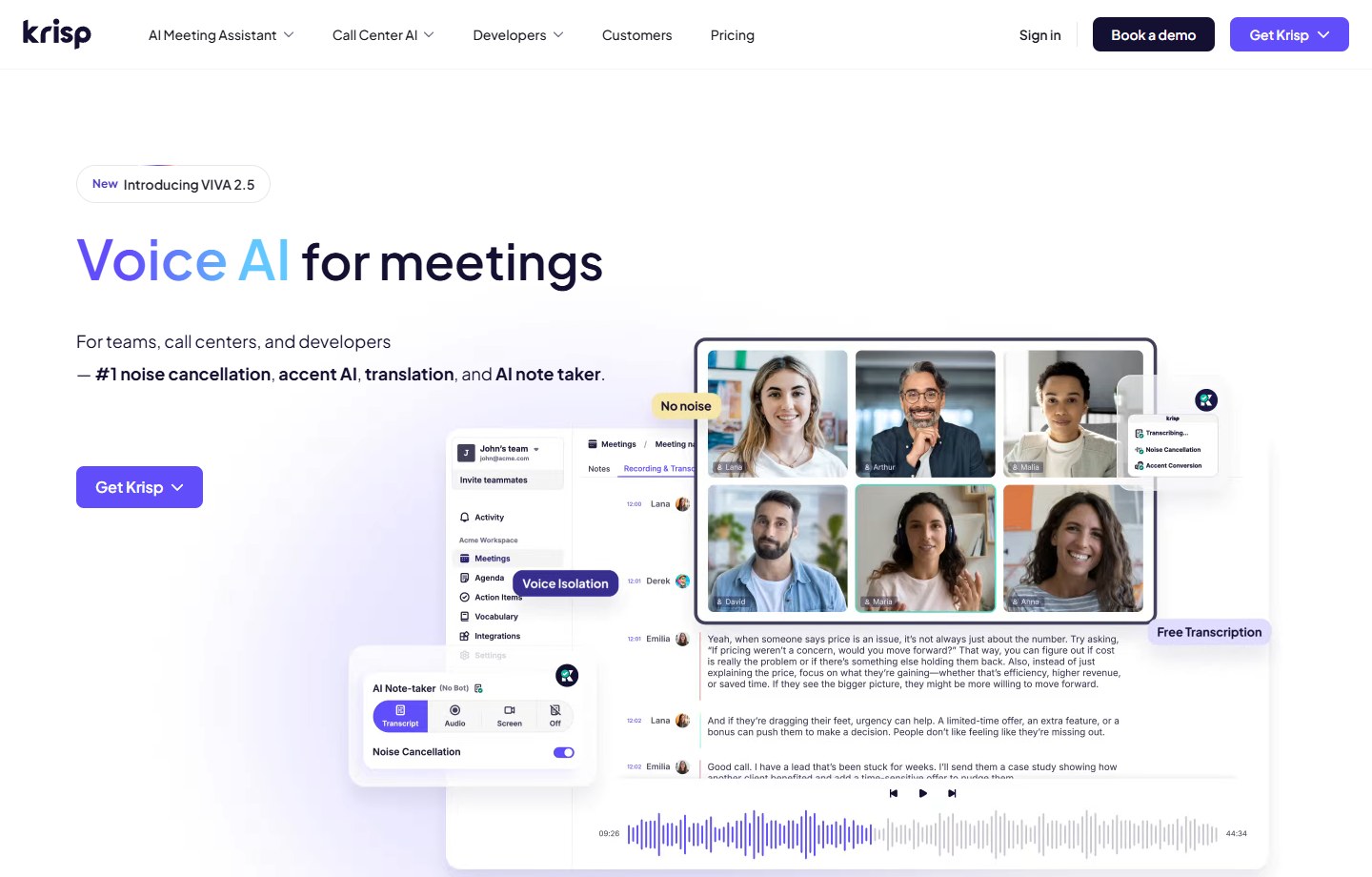
Source: Krisp official homepage , captured November 11, 2026. Vendor presentation, not a screenshot of our account or a tested performance result.
Potential advantage: teams working in varied acoustic environments can evaluate audio handling and the usefulness of the resulting notes together. That is a reason for a trial, not evidence that noise cancellation will solve every recording or comprehension problem.
Limitation: device setup, application routing and participant conditions can influence the captured material. Better-sounding audio also does not prove that a summary preserves the meaning of a client instruction. Test the final record, not only what the local user hears.
Use a consented rehearsal with the actual headset and conferencing application. Include a short interruption and a deliberate correction to a project detail. Ask the reviewer to recover the corrected detail from the resulting record. Record configuration problems separately from errors in the recap.
If advanced sharing or administrative controls are necessary, verify their current plan placement. Do not infer that a meeting-assistant subscription includes every capability promoted for a call-center deployment or a developer product. Keep the purchasing requirement specific enough to check.
Editorial verdict: shortlist Krisp when audio conditions are part of the business problem. Buy on the combined capture-and-review outcome demonstrated in your environment, with the correct product family and administration scope confirmed.
Test client commitments, not transcript word counts
A general accuracy percentage can conceal the mistake that matters most to a client relationship. Mishearing a filler word and turning a tentative date into a confirmed deadline have different consequences. The proposed evaluation below looks at that difference without claiming a measured result for any vendor.
Prepare a short fictional conversation with a reference sheet known to the evaluator. Include an agreed action, a proposal awaiting approval, a corrected number and an unassigned task. The reviewer should identify which outputs are supported by the record and what still requires clarification.
| Rehearsal detail | Correct interpretation | Failure to watch for |
|---|---|---|
| “We could target Friday, pending approval” | Proposed date with an unresolved condition | Friday reported as a confirmed deadline |
| “Use the revised figure, not the earlier estimate” | Corrected value takes precedence | Both figures appear as current |
| “Someone needs to check the migration scope” | Task exists without an assigned owner | A named person is invented |
| “We will send a draft for your review” | A draft is the next deliverable | Final delivery or acceptance is implied |
Record the error’s consequence and the correction effort. A useful trial report might distinguish minor wording changes, missing context and unsupported commitments. Do not average those into a single score unless the weighting reflects the actual consequences for your process.
Review the evidence together with the draft follow-up. Even a correct transcript can lead to an inaccurate summary. Conversely, a brief summary can be adequate if it retains the essential conditions and links the reviewer to the relevant context. The final acceptance decision belongs to the people responsible for the client record.
Agree the capture and sharing boundary
Before recording a client call, establish the applicable permission and disclosure process with the responsible people. Requirements depend on the participants, location, contract and information involved. This article does not determine the legal basis for an individual call or claim that a capture method removes those obligations.
Make declining recording an ordinary supported path. The team should know how to take approved manual notes and continue the conversation without pressuring a participant to accept the tool. A buying trial should include that path rather than treating every unrecorded call as a failure.
After capture, identify the intended audience for the recording, transcript, recap and exported task. Those may be different groups. Check whether a derived summary becomes visible more widely than the material it summarizes. Test the proposed sharing route with fictional client data before using real confidential material.
Name an owner for retention and corrections. A client record can outlive the employee who created it. During evaluation, ask the intended administrator to explain access transfer and the exit process using the current offer. Treat unclear answers as unresolved requirements, not as features you can assume will be available later.
Compare the full price of an approved follow-up
Use current official pricing for the exact product, billing period and required account controls. We have excluded numeric paid rates because promotions, billing toggles, product families and unverified app entitlements can make a simple headline-price comparison misleading.
Start with the people who capture calls and those who need shared review access. Add the expected live workload, imported recordings and retention requirement. Keep them separate: an offer may measure storage, AI use or imported work differently from live recording.
Then measure the proposed workflow’s human effort. Include the time needed to check commitments, correct speaker attribution, prepare the client email and update the approved system of record. Faster generation does not establish lower total work if reviewers must repeatedly reconstruct the conversation.
For a hypothetical purchasing worksheet, use these fields:
| Cost or constraint | Value to obtain | Owner |
|---|---|---|
| Required seats and reviewers | Verified current account requirement | Team administrator |
| Live and imported workload | Separate monthly estimates | Operations lead |
| Storage and retention | Expected volume and permitted duration | Information owner |
| Required controls and integrations | Written scope for the selected offer | Implementation owner |
| Review and correction effort | Measured time per accepted follow-up | Client account owner |
Compare the same completed output across candidates. Do not treat a generated recap and a reviewed, correctly filed client update as equivalent units. When usage is uncertain, calculate a range and identify which assumption needs evidence before an annual commitment.
Check what happens after a correction
A client may clarify a requirement after the first recap has been shared. Use that ordinary event as an acceptance test. Prepare an amended note and identify every destination that received the earlier version: the meeting workspace, a project record, an internal message and a draft client email, where applicable.
The intended workflow should make the current position recognizable without destroying useful history. Ask who can correct the authoritative record, how colleagues learn that a material detail changed and whether an integration creates another copy instead of updating the right one. Those are questions for the proposed implementation, not verified descriptions of the five products.
Also distinguish correcting a transcript from changing an agreement. A recording tool may help document a conversation, but a commercial amendment still follows the organization’s approval process. Keeping that boundary explicit prevents an editor’s cleanup of meeting notes from being mistaken for authorization to change the work promised to a client.
Strengths and limitations of a specialist shortlist
The strength of a meeting-specific shortlist is a clear task to investigate: capture a permitted conversation and help the responsible person prepare its next record. These five candidates provide documented capabilities relevant to that task, while the proposed tests make unsupported promises and sharing mistakes visible.
The limitation is that adopting another service also creates administration and an additional information destination. Before adding a subscription, check whether your existing approved meeting workflow already produces an adequate reviewed record. A specialist needs to improve a real constraint enough to justify its operating burden. A longer feature catalogue alone does not establish that benefit.
Make a bounded buying decision
Choose a small representative client-call workflow, obtain the necessary permissions and compare the shortlisted tools against the same acceptance standard. Keep the original reference material and record product versions, account access and device conditions. The result should state what was demonstrated and what remains unknown.
A successful trial should end with a named owner, an approved sharing route and a clear stop condition. Examples include repeated unsupported commitments, unacceptable access behavior or a capture method that does not fit the team’s permitted process. These are proposed operating requirements, not claims that a listed vendor has failed them.
If your team only needs ordinary internal collaboration, our remote-team AI tools guide may be a better starting point. For action-taking follow-up automation, read the AI agent governance checklist . Keep the authority to send a client promise separate from the ability to draft one.
Our recommendation is to shortlist the best AI meeting assistants for client calls by the workflow above, then select the tool that demonstrates an acceptable approved result in your environment. The most useful product is the one your team can operate responsibly after the impressive first summary.
FAQs
Which AI meeting assistant is best for client calls?
There is no verified universal winner in this review. Shortlist Otter for searchable conversation records, Fireflies for connected meeting workflows, Fathom for recording-to-recap work, tl;dv for team knowledge sharing and Krisp when audio handling is central. Test the actual account and client workflow before choosing.
Does bot-free capture remove recording-consent requirements?
No capture label establishes that a call may be recorded. Confirm the applicable permission, disclosure and information-handling requirements with the responsible people. Also provide a workable path for participants who decline recording. This review does not determine the legal position of a particular call.
Should AI-generated action items go directly into the CRM?
Treat automatic handoff as a separate requirement to evaluate. First verify the client identity, owner, due date, source context and review state. An unsupported task or premature commitment should not become authoritative merely because an integration can create a record.
Are free plans enough for a client-facing team?
They may support a limited evaluation, but that does not establish sufficient shared access, administration, retention or integration scope. Verify the current offer against the team’s requirements. Do not infer team controls from an individual user’s successful first recording.
How should we compare transcript quality?
Use permitted representative material and a reference set of important facts. Review speaker attribution, corrections, conditions and commitments, then inspect the resulting recap. Record consequential errors separately from stylistic preferences. This guide provides a proposed test, not a benchmark score for the listed tools.