Best AI Tools for Small Businesses
Compare five practical AI tools for small businesses using current official pricing, capabilities, team requirements, and workflow fit.

Direct answer
The best AI tool for a small business depends on where work already happens. ChatGPT Business is the strongest general-purpose starting point in this shortlist. Claude Team is better suited to document-heavy collaboration, although its two-seat minimum makes it impractical for solo businesses. Google Workspace with Gemini is the natural fit for businesses already centered on Gmail, Docs, Drive, and Meet. Jasper is the specialist option for brand-aware marketing workflows. Zapier is the automation choice when the goal is to connect AI to operational work across multiple applications.
There is no responsible universal winner. A five-person agency, a two-person consultancy, and a local service company have different constraints. The useful decision is not which AI product has the longest feature list. It is which one can improve a repeatable workflow without creating an expensive, poorly governed stack.
This guide uses official sources checked on August 5, 2026. We did not run hands-on product tests, benchmark model output, or use vendor-supplied customer results to rank products. The recommendations below are editorial inferences from verified plan structure, documented capabilities, team requirements, and workflow fit.
The shortlist
| Tool | Best fit in this guide | Entry and commitment notes | Main limitation to examine |
|---|---|---|---|
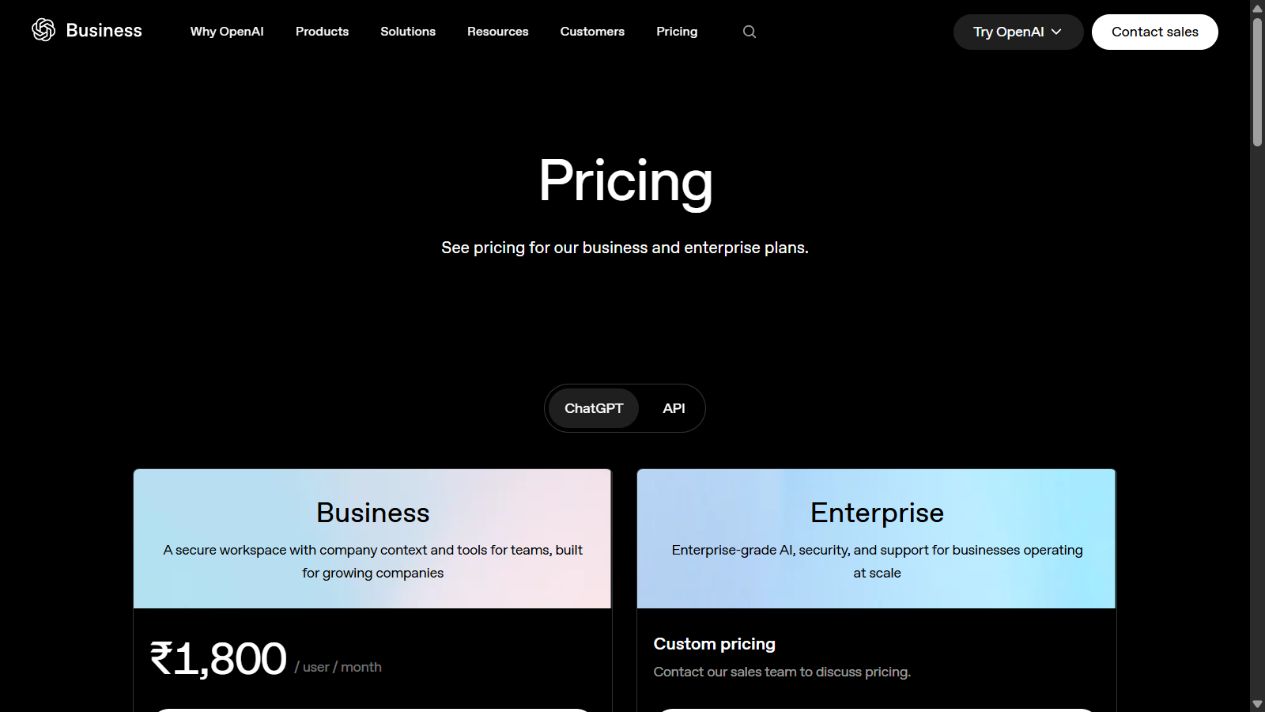
| ChatGPT Business | General-purpose AI workspace | Official US pricing lists $20 per user monthly with annual billing or $25 monthly; two-seat minimum | API use is separate, and a two-person minimum matters for solo businesses |
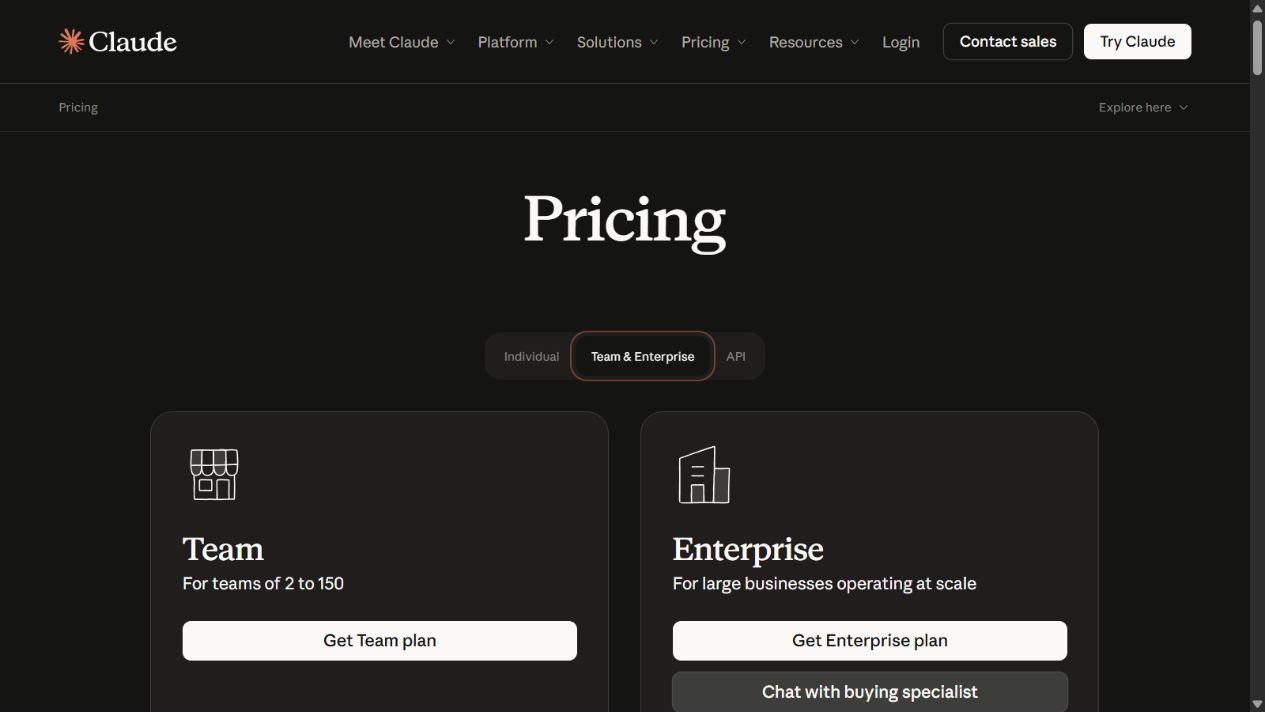
| Claude Team | Long-document and shared-knowledge work | Official US pricing lists $20 per seat monthly on annual billing or $25 monthly; two-seat minimum | A team plan still creates a two-seat cost floor for solo businesses |
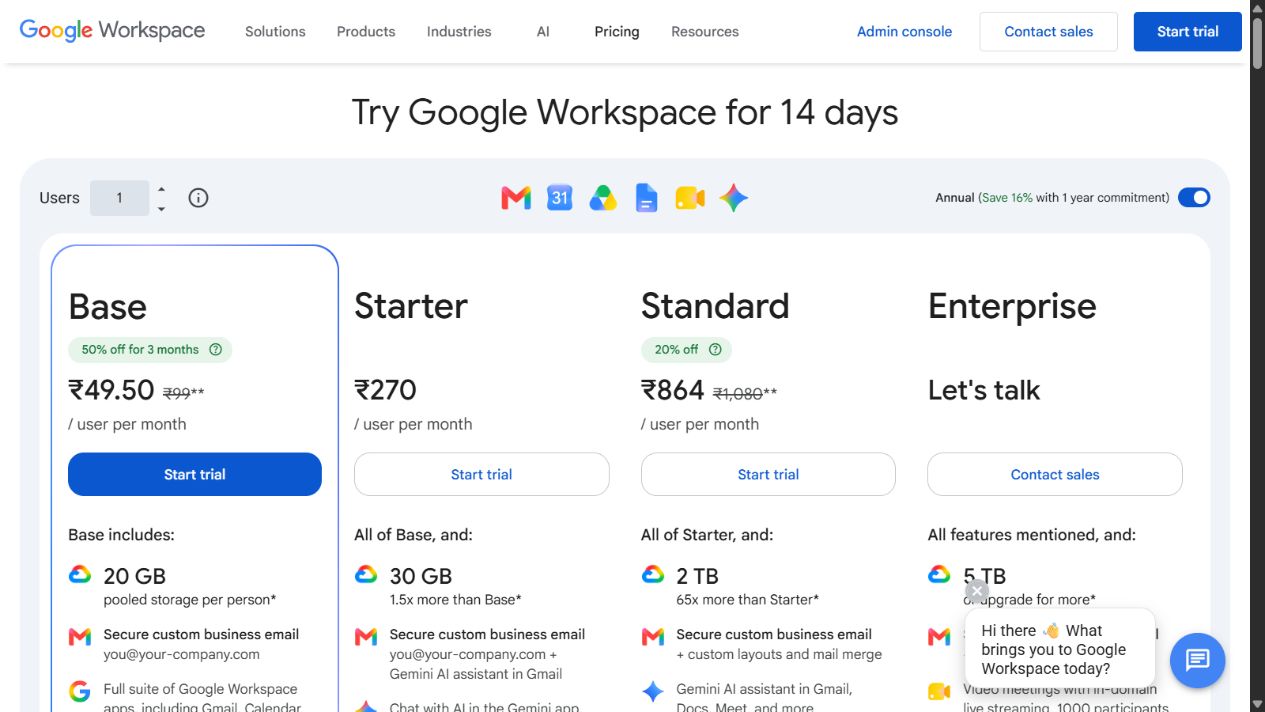
| Google Workspace with Gemini | Teams already using Google Workspace | US annual list prices checked were $7 Starter, $14 Standard, and $22 Plus per user monthly | Gemini coverage differs by Workspace tier |
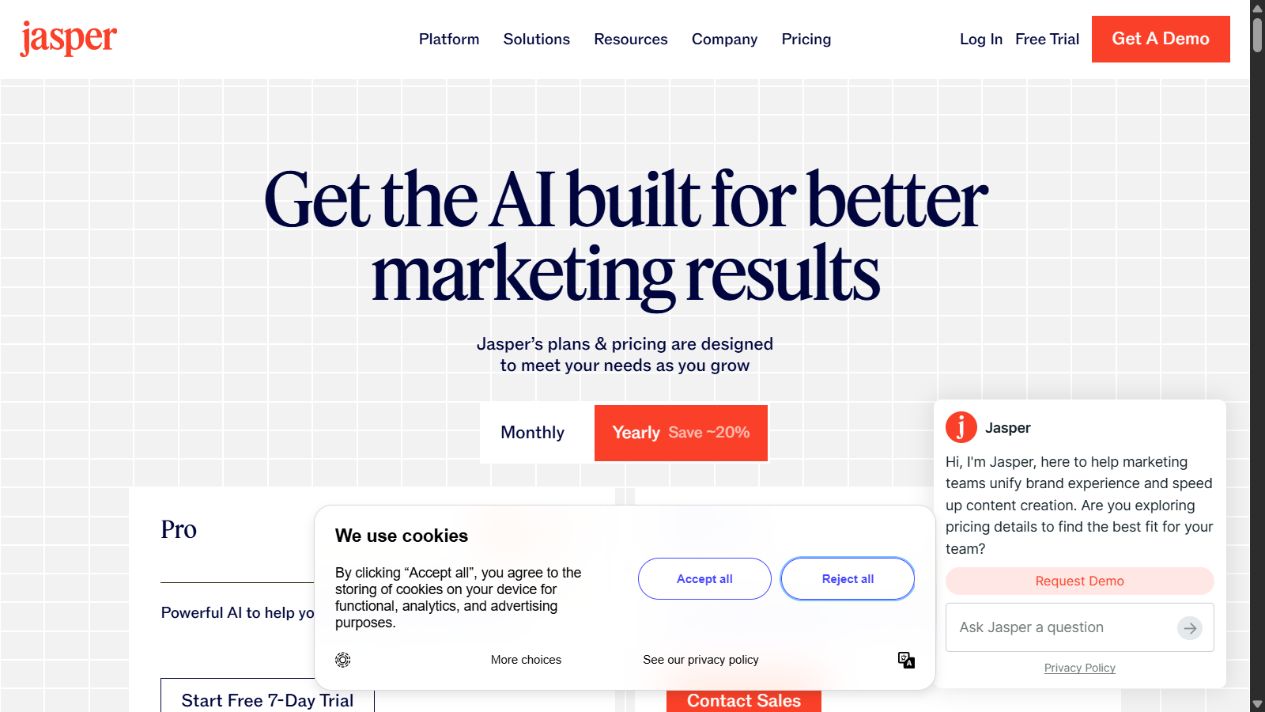
| Jasper | Brand-aware marketing production | Pro lists $69 monthly or $59 monthly with annual billing; one seat; Business is custom priced | Narrower use case and higher cost than a general assistant for some teams |
| Zapier | AI-assisted workflow automation | Free and paid plan types exist; exact prices are intentionally excluded here | Useful automation requires process design and verification of the exact app actions |
Prices are USD values shown on official US pages when captured. Promotions, taxes, currencies, annual commitments, usage credits, and regional terms can change the amount paid.
How we selected the tools
We started with the job a small business needs to complete, not with a popularity list. Each product had to support a distinct, common operating need and provide enough current official evidence to evaluate it safely.
The selection criteria were:
- Workflow usefulness: Can the tool support a recurring business task rather than a novelty prompt?
- Small-team economics: Are seat minimums, billing structure, and upgrade paths understandable?
- Implementation effort: Can a small team pilot it without a large technical project?
- Documented controls: Are administration, billing, data, or workspace controls described for team use?
- Limitations: Is there a clear reason a buyer might choose another product?
- Evidence quality: Could material claims be traced to an official product, pricing, or documentation page?
We excluded products when current official evidence was insufficient for the claims a recommendation would require. Inclusion is not a claim that these are the only capable tools on the market.
1. ChatGPT Business: best general-purpose starting point
ChatGPT Business is the most flexible starting point here for a small company that wants one shared AI workspace across several kinds of work. OpenAI describes the Business plan as a secure workspace with centralized billing and administration, usage visibility, spend controls, company context, and access to ChatGPT and Codex depending on seat type.
That breadth matters for a small team. The same workspace can support first drafts, data analysis, coding assistance, document work, internal knowledge, and repeatable team agents. OpenAI’s business pricing page also lists connections to Microsoft 365, Google Drive, Slack, GitHub, Linear, and Figma.
Strengths
- Broad use across writing, analysis, coding, and workflow tasks
- Centralized administration, billing, usage analytics, and spending controls
- Shared company context and team-oriented workspace features
- Official business policy states that business data is not used for training by default
Limitations
- Standard ChatGPT Business seats require at least two users
- A ChatGPT subscription does not include API usage; API charges are separate
- Broad capability can encourage uncontrolled use unless the company defines acceptable tasks and data rules
Who should choose it
Choose ChatGPT Business when several roles need a general assistant and the company wants administration around that use. Avoid treating it as the automatic answer for specialist design, CRM, accounting, or regulated workflows. A general assistant can accelerate work, but it does not replace domain controls or accountable review.
2. Claude Team: best for shared documents and project knowledge
Claude Team is a stronger candidate when the main job involves long documents, reusable project context, writing, analysis, and shared knowledge. Anthropic’s documentation says Projects can contain documents, instructions, focused chats, and project knowledge. Team plans can share projects with members and use different permissions.
The practical constraint is the entry commitment. Anthropic’s current pricing page lists Team for organizations with 2 to 150 members. Standard seats are listed at $20 per seat monthly with annual billing or $25 monthly. That is more accessible than the previous five-seat entry requirement, but it still creates a two-seat cost floor for a solo operator.
Strengths
- Project knowledge can ground chats in uploaded documents and reusable instructions
- Shared projects support collaboration and permission levels
- Centralized administration and billing are included in the Team plan
Limitations
- Two-seat minimum creates a cost floor for solo businesses
- Team administration may be unnecessary when only one person needs Claude
- This guide did not test output quality, reliability, or the effect of different document types
Who should choose it
Claude Team is worth shortlisting when at least two people repeatedly analyze proposals, policies, research, transcripts, code, or other long-form material. If the main need is quick email assistance inside Google Workspace, or operational automation across apps, another product may fit more directly.
3. Google Workspace with Gemini: best for Google-centered teams
Google Workspace with Gemini is less about buying a separate AI destination and more about adding AI to an existing productivity environment. Google’s official pricing page lists Gemini assistance in Gmail on Business Starter, while Business Standard extends Gemini into Gmail, Docs, Meet, and other Workspace applications and includes expanded NotebookLM access.
For a small business already paying for Google Workspace, this can reduce tool switching. The decision still depends on tier. Starter, Standard, and Plus do not provide identical AI, storage, meeting, security, or management capabilities.
Strengths
- AI sits beside business email, documents, storage, meetings, and collaboration
- Business Standard extends assistance across more Workspace applications
- A single per-user subscription can cover productivity and AI needs
Limitations
- AI feature coverage changes by Workspace tier
- Per-user pricing means the total rises with every licensed employee
- The value is lower if the company primarily uses Microsoft 365 or another operating environment
Who should choose it
Shortlist Google Workspace with Gemini when the company already lives in Gmail, Docs, Drive, and Meet. Before upgrading, list the specific workflows that require Standard rather than Starter. Paying for a higher tier only to access one occasional feature is an avoidable stack cost.
4. Jasper: best for brand-aware marketing workflows
Jasper is the specialist in this list. Its official pricing page focuses on marketing outcomes, brand context, Canvas, marketing agents, brand voices, knowledge assets, and audience definitions. That makes its purpose clearer than a general AI assistant for a marketing team that must create repeatable, on-brand material.
Jasper Pro currently lists one seat. Business pricing is custom. A small marketing team should therefore compare Jasper’s brand and workflow controls against the cost of adding seats and against what its general AI tool already does adequately.
Strengths
- Product design is centered on marketing workflows
- Brand voices, knowledge assets, and audiences provide structured context
- A seven-day Pro trial provides a way to evaluate real campaign tasks
Limitations
- Pro includes one seat, so collaboration can increase cost
- Business pricing is not publicly quantified
- Teams with broad research, coding, or operational needs may still need a general assistant
Who should choose it
Jasper is a credible shortlist option for a small marketing team producing frequent campaigns across defined brands. It is less compelling when the company needs one AI tool for every department or when brand-governed content is not a major workload.
5. Zapier: best for connecting AI to business workflows
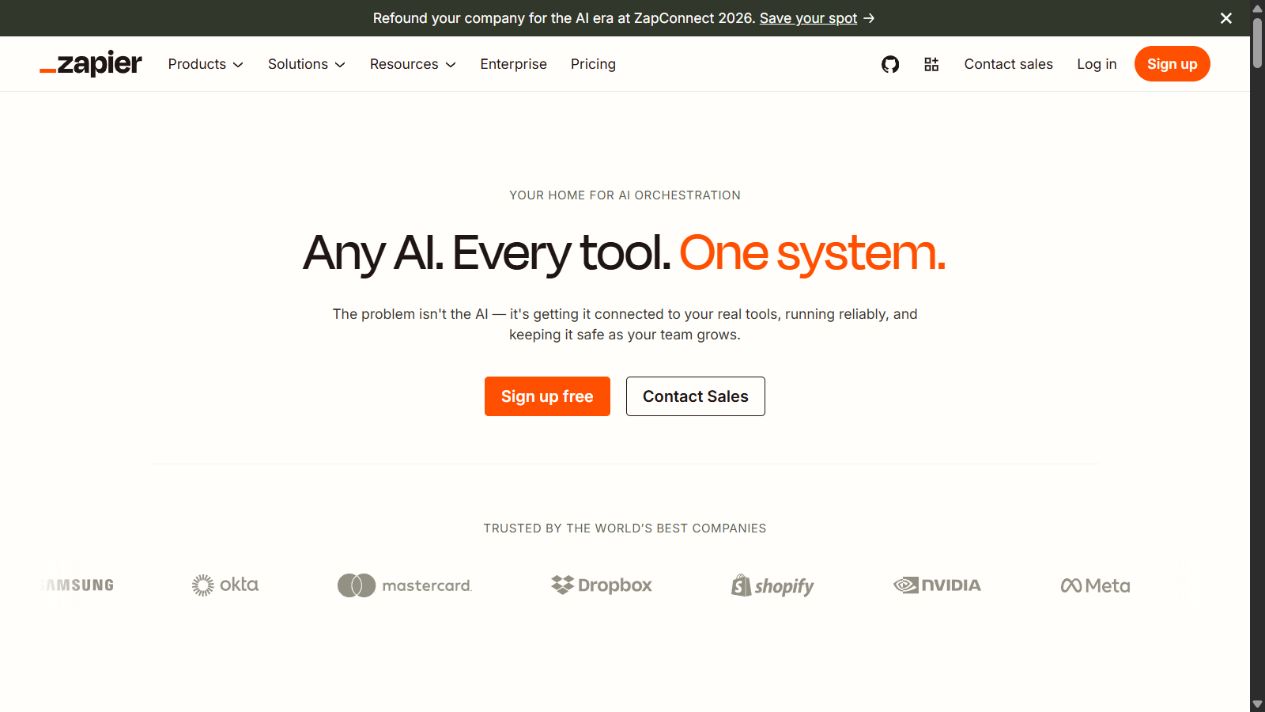
Zapier is the different choice in this comparison. It is not primarily a writing assistant. Its role is connecting applications, data, and processes so AI can participate in operational workflows.
Zapier’s official documentation describes trigger-and-action workflows, AI-assisted workflow building, AI steps for summarizing or classifying information, troubleshooting, Tables, Forms, Chatbots, Canvas, and Agents. It also lists Free and Pro as single-user plan types and Team and Enterprise as multi-user plans.
Strengths
- Connects AI to processes across many business applications
- Supports a progression from simple trigger-action automation to agents and AI-assisted workflows
- Offers individual and multi-user plan types
Limitations
- Multi-user collaboration requires a Team or Enterprise plan type
- The value depends on process design; automating a broken workflow makes the problem move faster
- Exact prices are excluded because they were not captured in the verified evidence set for this article
Who should choose it
Choose Zapier when the desired outcome is operational: route a lead, classify a request, summarize an intake form, create a task, or trigger follow-up across existing tools. Start with one workflow and verify each app action, data field, failure path, and approval step before expanding.
A practical decision framework
Use this sequence before opening trials:
- Pick one workflow. Examples include drafting customer replies, summarizing meetings, preparing proposals, producing campaign variations, or routing leads.
- Measure the current baseline. Record time, errors, handoffs, and the person responsible for final approval.
- Choose the smallest suitable tool. Prefer the product already connected to the operating environment when it can do the job safely.
- Run a controlled pilot. Use non-sensitive or approved data and test real edge cases, not only clean demo prompts.
- Review total cost. Include seat minimums, annual commitments, usage credits, add-ons, and administration time.
- Define a stop rule. Cancel or narrow the tool if it does not produce a measurable improvement after the pilot.
For a deeper procurement framework, use our AI tools practical evaluation guide and guide to choosing AI tools . Teams planning automated actions should also review the AI agent governance checklist and AI workflow automation guide .
Common buying mistakes
Buying overlapping general assistants
Two general-purpose assistants may produce slightly different answers but still cover the same job. Start with one. Add another only when a documented requirement justifies it.
Ignoring seat minimums
The headline monthly price does not equal the minimum bill. Claude Team and ChatGPT Business both start at two seats, which materially changes the comparison for a solo company.
Automating before defining ownership
An AI tool can draft, classify, or route work. It cannot decide who is accountable for approval unless the company defines that responsibility.
Treating all company data the same
Separate public material, ordinary internal data, confidential customer information, regulated data, and credentials. Review vendor terms and internal policies before connecting sensitive systems.
Sources checked
Official sources were checked again on August 6, 2026:
- OpenAI business pricing
- OpenAI: What is ChatGPT Business?
- Anthropic: Claude Team plan
- Anthropic: Team billing
- Anthropic: Projects
- Google Workspace pricing
- Google Workspace with Gemini billing
- Jasper pricing
- Zapier AI
- Zapier product overview
- Zapier AI feature documentation
Final recommendation
For most small teams that need a broad assistant, start by piloting ChatGPT Business. Choose Google Workspace with Gemini first when work is already concentrated in Google apps. Choose Claude Team for document-heavy collaboration when at least two seats are justified. Choose Jasper for structured marketing production. Choose Zapier when the real goal is connecting AI to an operational workflow.
The best AI tool for a small business is the one that improves one measurable process, fits the existing stack, and can be governed without adding more overhead than it removes.
Frequently asked questions
What is the best AI tool for most small businesses?
ChatGPT Business is the broadest starting point in this shortlist for teams that need one general-purpose workspace for writing, analysis, coding, and internal knowledge. Google Workspace with Gemini may be a better first purchase when the business already works primarily in Gmail, Docs, Drive, and Meet.
Which AI tool is best for a one-person business?
A solo business should compare individual plans rather than team plans with seat minimums. ChatGPT Business and Claude Team both start at two seats, so those team editions may not be economical for a solo operator.
Should a small business buy several AI tools at once?
Usually not. Start with one measurable workflow, test one primary tool for two to four weeks, and add a specialist product only when the first tool cannot meet a recurring requirement.
How were these AI tools selected?
The shortlist was built from current official product, pricing, and documentation pages checked on August 5, 2026. Tools were compared by small-business fit, workflow coverage, entry cost, team requirements, implementation effort, and limitations.