Best Beautiful.ai Alternatives
Compare the best Beautiful.ai alternatives for flexible design, AI-first decks, PowerPoint compatibility, Google collaboration, and presentation analytics.

Direct answer
The strongest Beautiful.ai alternatives are Canva for broader visual design, Gamma for AI-first presentations and web content, Microsoft PowerPoint for native enterprise presentation workflows, Google Slides for straightforward browser collaboration, and Pitch for collaborative presentation creation and engagement workflows.
There is no universal replacement because Beautiful.ai combines adaptive Smart Slides, AI assistance, themes, team resources, sharing, analytics, and export. The right alternative depends on which part of that workflow matters most.
This shortlist uses official sources checked on August 24, 2026. It is not based on hands-on tests, and it does not claim exhaustive market coverage.
Quick comparison
| Alternative | Best fit | Main reason to choose it | Main check before switching |
|---|---|---|---|
| Canva | Broader visual-content production | Presentations sit inside a larger design suite | Presentation governance and PPTX workflow |
| Gamma | AI-first, web-native communication | Creates presentations, documents, sites, and social content | Brand, privacy, and export requirements |
| Microsoft PowerPoint | Microsoft-centric organizations | Native PPTX workflow and mature presentation ecosystem | Copilot licensing and collaboration needs |
| Google Slides | Browser-first collaboration | Simple sharing, comments, permissions, and Workspace fit | Design depth and offline requirements |
| Pitch | Collaborative business presentations | Team workspace, presentation workflow, and engagement focus | Plan packaging and export compatibility |
Why buyers look for Beautiful.ai alternatives
Beautiful.ai’s Smart Slides reduce formatting by controlling layout behavior. That is useful for consistency and can feel restrictive when a team needs unusual designs. Buyers also evaluate alternatives because of annual commitments, team seat costs, export behavior, existing suite agreements, or the need to create content beyond presentations.
Define the reason for switching before comparing products. A team frustrated by design constraints needs a different answer than a team that requires native PowerPoint editing or broader campaign design.
How we selected the alternatives
We included products with an official, current presentation workflow and a defensible reason to replace a specific part of Beautiful.ai. Evaluation criteria were:
- Presentation creation and editing model.
- AI-assisted creation and review capabilities.
- Brand and template controls.
- Collaboration and permissions.
- Sharing, analytics, and delivery.
- Export and ecosystem compatibility.
- Fit for individuals, small teams, and larger organizations.
- Important limitations or verification needs.
We did not use customer-review averages as product facts and did not infer features from third-party listicles.
1. Canva: best for broader visual-content production
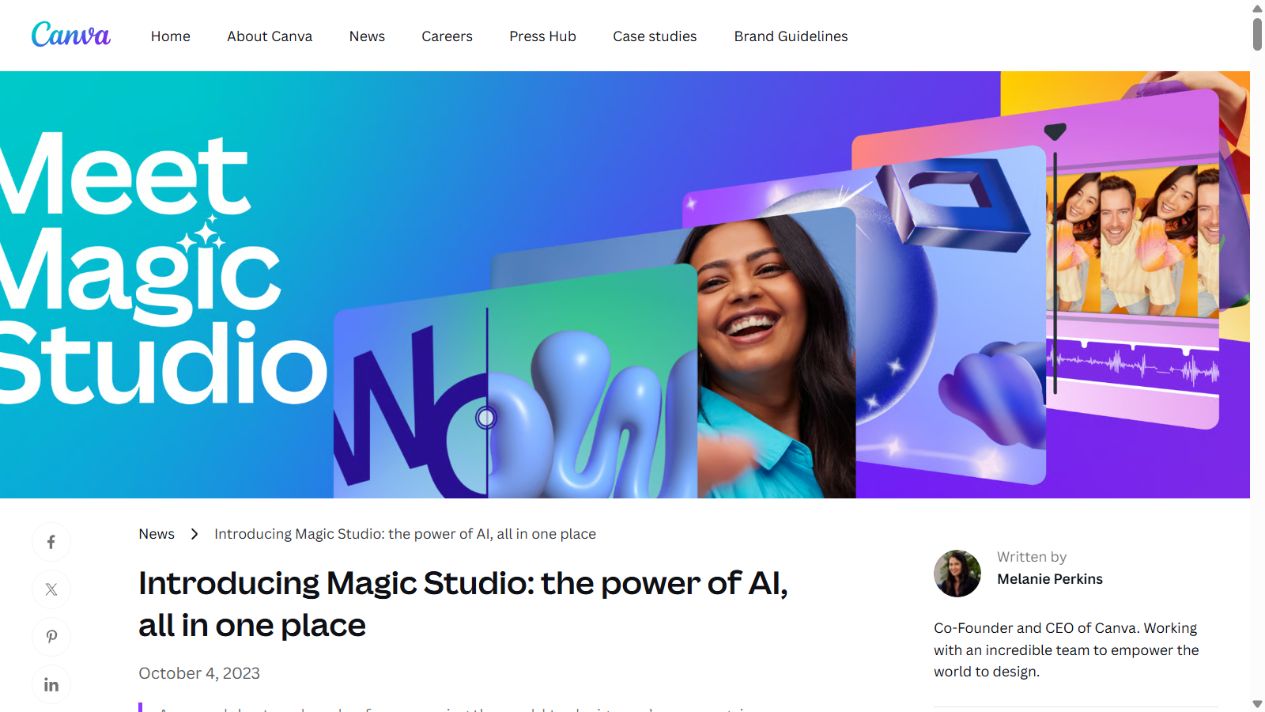
Canva is the strongest alternative when presentations are one part of a wider design workload. Its Magic Studio environment combines AI-assisted creation with Canva’s templates, brand resources, media, and formats beyond slides.
That broader canvas can suit marketing teams creating presentations, social graphics, documents, campaign assets, and other visual content in one system. It also provides more open visual composition than Beautiful.ai’s adaptive Smart Slide approach.
Choose Canva when: the team wants one visual-content platform and values flexible design breadth.
Check before switching: template governance, brand controls under the intended plan, PowerPoint export quality, AI data settings, and whether non-designers can maintain presentation consistency without Smart Slide guardrails.
Canva is not automatically better for business presentations. Its flexibility can increase variation when teams lack maintained templates and review rules.
2. Gamma: best for AI-first, web-native content
Gamma’s official site describes generating presentations, documents, websites, social content, and graphics from an idea, outline, or imported content. It lists real-time collaboration, themes, AI editing, image generation, link publishing, engagement metrics, and export to PowerPoint, PDF, PNG, and Google Slides.
This makes Gamma a credible alternative when the output may become a hosted page or document rather than only a conventional slide deck. Its web-native card structure can also suit content consumed asynchronously.
Gamma states that a free tier is available. Its official FAQ also distinguishes data-training defaults: Team and Business workspace content is excluded automatically, while individual Free, Plus, Pro, or Ultra workspaces allow training use by default with an opt-out setting. Buyers should verify the current policy and configuration.
Choose Gamma when: AI-first generation, responsive web delivery, and reuse across several content formats matter.
Check before switching: brand fidelity, data settings, plan limits, presentation behavior, and exported PowerPoint or Google Slides quality.
3. Microsoft PowerPoint: best for native Microsoft workflows
PowerPoint remains the lowest-friction alternative when organizations depend on PPTX files, Microsoft 365, established corporate templates, offline editing, or customer handoff in PowerPoint.
Microsoft’s official pages describe Copilot capabilities for creating, editing, reorganizing, summarizing, and understanding presentations. Current support material also covers brand kits for eligible enterprise users and emphasizes that generated content must be reviewed.
PowerPoint provides a more flexible canvas than Beautiful.ai. That flexibility supports complex layouts and mature enterprise workflows but can reintroduce manual formatting and inconsistency when templates are poorly governed.
Choose PowerPoint when: native file compatibility, existing Microsoft administration, and advanced presentation control outweigh the benefits of a structured standalone tool.
Check before switching: which Copilot and Designer features require additional licenses, how brand templates are maintained, and whether collaboration is sufficient for the team’s process.
4. Google Slides: best for straightforward browser collaboration
Google’s official Slides page emphasizes browser-based presentation creation, real-time collaboration, comments, sharing permissions, live cursors, templates, presenting, and Workspace integration. Certain business and enterprise editions add organization-oriented template and presentation capabilities.
Google Slides is a practical alternative when the organization already works in Google Workspace and needs low-friction co-editing with internal and external contributors.
Its model differs from Beautiful.ai. It provides a familiar slide canvas and collaboration environment rather than making adaptive design the central mechanism. Gemini features can add AI assistance under eligible configurations.
Choose Google Slides when: collaboration, link sharing, and Workspace fit are the priority.
Check before switching: template governance, advanced design needs, AI availability, offline workflow, PowerPoint round-tripping, and required business controls.
5. Pitch: best for collaborative business presentations
Pitch positions itself as an AI presentation workspace. Its official materials emphasize collaborative creation, templates and brand consistency, sharing, presentation analytics, and business workflows.
That makes Pitch relevant for startup, sales, marketing, and business teams that want presentation creation and distribution in a shared workspace. It competes more directly with Beautiful.ai’s team workflow than a general design suite does.
Choose Pitch when: collaborative business decks, shared presentation resources, and engagement workflows are more important than Beautiful.ai’s specific Smart Slide system.
Check before switching: current plan limits, AI allowances, brand controls, guest permissions, analytics, data practices, and exported file fidelity.
Beautiful.ai versus the alternatives by decision
Choose for design flexibility
Start with Canva or PowerPoint. Canva connects presentations to broader visual production; PowerPoint provides mature slide-level control and native file compatibility.
Choose for AI-first generation
Compare Beautiful.ai with Gamma. Test the same approved outline, brand requirements, and difficult slides. Measure correction time rather than judging only the generated first screen.
Choose for collaboration
Google Slides offers a familiar browser collaboration model. Pitch, Gamma, and Beautiful.ai add more presentation-specific workflows. Evaluate guest access, comments, approvals, libraries, and permissions with real participants.
Choose for enterprise compatibility
PowerPoint has the strongest case when Microsoft 365 and PPTX are already organizational standards. Google Slides fits Workspace-standard organizations. A standalone product needs to demonstrate enough workflow improvement to justify another vendor and identity boundary.
Choose for content beyond slides
Canva and Gamma are stronger candidates when the same work should become social assets, documents, graphics, or hosted web content. Confirm whether that breadth improves reuse or creates a less focused production system.
Migration checklist
Before replacing Beautiful.ai:
- Inventory themes, templates, shared slides, assets, and active links.
- Identify presentations containing current customer, pricing, security, or compliance claims.
- Test export and import with complex decks.
- Rebuild only maintained templates, not every historical file.
- Map creators, reviewers, viewers, and administrators to the new permission model.
- Define how old Beautiful.ai links and analytics will be handled.
- Run both systems only for a limited transition period.
- Assign owners and review dates to reusable content.
Do not cancel the old platform until critical decks have been validated in the new environment and recipients can access the required format.
How to make the final decision
Run the same two or three real presentation tasks in the leading options. Include a standard recurring deck, a difficult custom deck, and the required export workflow.
Score total production time, factual correction, brand consistency, collaboration friction, accessibility, export rework, administration, and user adoption. Use the current workflow as a baseline.
The best alternative is the one that completes the team’s actual presentation job with the least combined creation, review, delivery, and governance cost.
Pricing and procurement comparison
Do not compare alternatives using only the lowest displayed monthly figure. Presentation platforms package AI credits, storage, exports, brand controls, analytics, collaboration, and administration differently. A free individual tier may not include the controls a business requires, while an existing Microsoft 365 or Google Workspace agreement may change the incremental cost of PowerPoint or Slides.
Build a scenario for the actual creator group. Include annual or monthly billing, minimum seats, AI usage limits, guest access, template setup, training, identity administration, support, and migration. Add the cost of maintaining two tools when the alternative cannot replace the required downstream format.
For an enterprise purchase, request written confirmation of data use, retention, subprocessors, security controls, identity features, auditability, support commitments, and contract terms. Do not infer enterprise readiness from a public feature page.
Alternatives we did not rank
The presentation market includes additional products such as Keynote, Prezi, Tome, Visme, and specialized design or document tools. We did not include every option because a long list would not improve the decision without equivalent official-source research.
Apple Keynote may be relevant for Apple-centered creative workflows. Prezi may suit nonlinear presentation styles. Visme may fit teams creating visual documents and data-rich assets. These products should enter the shortlist only when their specific workflow matches the reader’s requirements.
An existing design service or maintained internal template system is also a valid alternative. Software is not automatically the best answer to weak messaging, missing evidence, or unclear ownership.
Security, privacy, and AI-data questions
Presentation inputs can contain strategy, financial forecasts, customer information, product roadmaps, and internal decisions. Before uploading sensitive material, verify the product’s current data-processing terms and the configuration of the intended plan.
Ask whether content is used to improve models, how long prompts and files are retained, where data is processed, which subprocessors are involved, and whether administrators can control sharing. Confirm single sign-on, provisioning, audit, and retention capabilities when required.
The answer may differ between free individual and managed business plans. Gamma’s official FAQ, for example, distinguishes training defaults between individual and Team or Business workspaces. Evaluate the exact account type rather than the brand in general.
Accessibility review
No presentation generator guarantees an accessible deck. Test heading order, reading sequence, color contrast, font size, alternative text, chart labels, keyboard use, captions, and the accessibility of exported files.
Include a person familiar with the target audience and delivery environment. A deck that looks correct in the editor may become difficult to navigate after PowerPoint, PDF, or web export. Accessibility defects should count as workflow failures in the pilot, not cosmetic issues to address later.
Final recommendations
- Choose Canva for a broad visual-content system.
- Choose Gamma for AI-first presentations and web-native formats.
- Choose Microsoft PowerPoint for native Microsoft and PPTX workflows.
- Choose Google Slides for simple browser collaboration in Workspace.
- Choose Pitch for a team-oriented presentation workspace.
- Keep Beautiful.ai when adaptive design and controlled consistency solve the central problem better than these alternatives.
FAQs
What is the closest Beautiful.ai alternative?
Gamma and Pitch are close in their focus on modern presentation workflows, while the best fit depends on whether AI generation, collaboration, or structured design is the priority.
Is Canva better than Beautiful.ai?
Canva is broader and more flexible for visual content. Beautiful.ai is more focused on adaptive business presentation structure. The better choice depends on the workflow.
Is Gamma better than Beautiful.ai?
Gamma is compelling for AI-first, web-native content across presentations, documents, and sites. Beautiful.ai may fit teams that prefer Smart Slide guardrails and presentation-specific consistency.
Can PowerPoint replace Beautiful.ai?
Yes, particularly in Microsoft-standard organizations. The trade-off is that PowerPoint’s flexibility may require more template discipline and manual formatting.
What should I test before migrating?
Test real content, complex layouts, brand fidelity, collaboration, permissions, accessibility, exports, total task time, and user adoption.
Official sources
- Beautiful.ai
- Canva Magic Studio
- Gamma
- Microsoft PowerPoint
- Microsoft Copilot in PowerPoint documentation
- Google Slides
- Pitch
Sources checked August 24, 2026. Features, prices, policies, and plan limits can change.
Frequently asked questions
What is the best Beautiful.ai alternative?
The best alternative depends on the workflow: Canva for broader visual design, Gamma for AI-first web-native content, PowerPoint for Microsoft compatibility, Google Slides for browser collaboration, and Pitch for team presentation workflows.
Is there a free Beautiful.ai alternative?
Gamma states that it offers a free tier, while Google Slides can be used through a Google account. Current limits and business terms should be verified on official pages.
Which alternative is best for PowerPoint users?
Microsoft PowerPoint is the lowest-friction choice when native PPTX editing, established templates, and Microsoft 365 integration are mandatory.
Which alternative is best for design flexibility?
Canva provides a broader visual-content environment and more open design workflows than Beautiful.ai's Smart Slide approach.
Did The SaaS Education test these tools?
No. This guide uses official sources checked on August 24, 2026 and does not claim first-hand testing.