Best ChatGPT Alternatives
Compare five ChatGPT alternatives for writing, Google and Microsoft workflows, research, coding, connected work, deployment, and team governance.
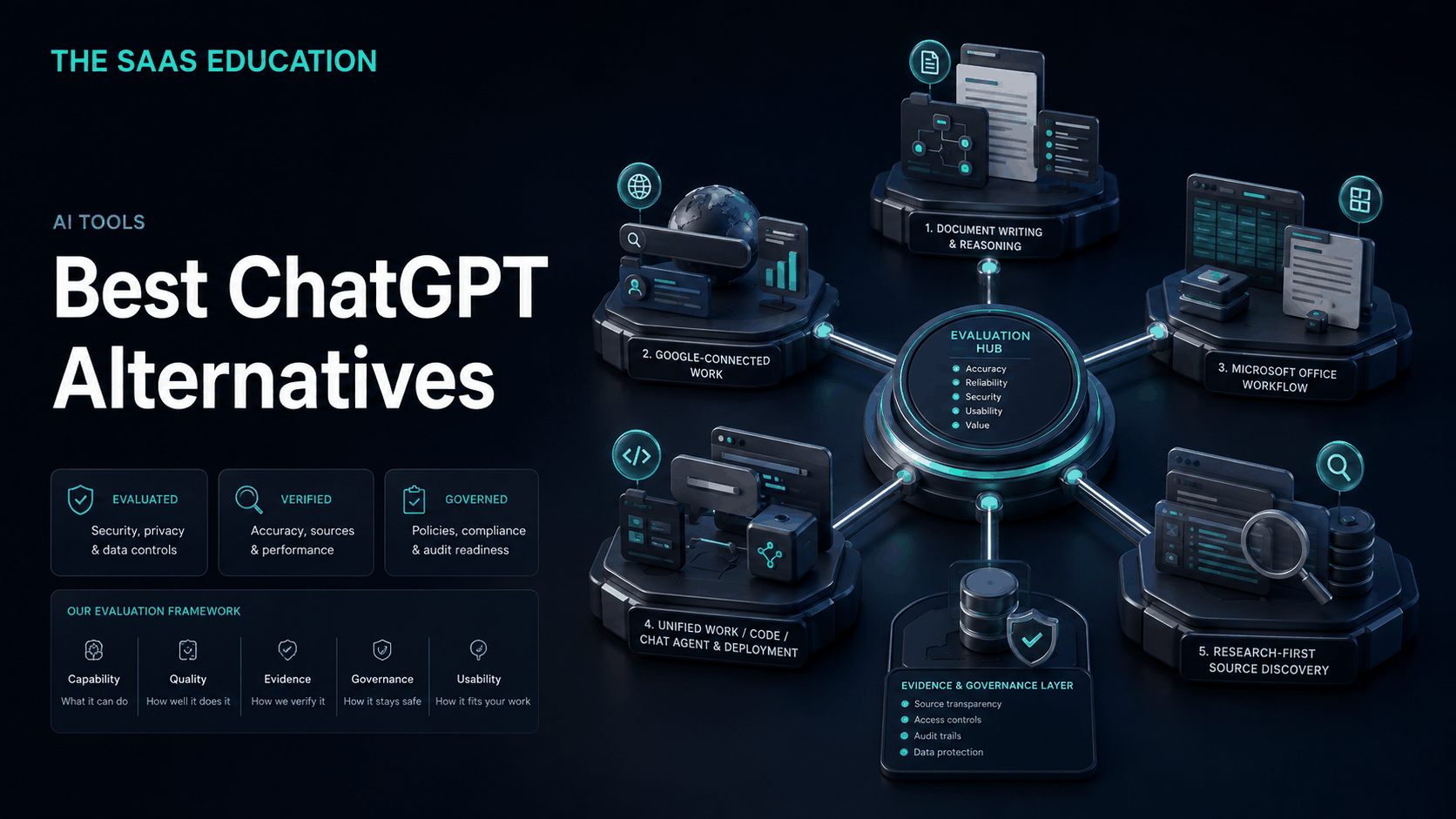
Direct answer
Claude is the strongest general ChatGPT alternative in this shortlist for writing, document-centered work, and teams that prefer Anthropic’s workspace and controls. Google Gemini is the better fit when work already lives in Google Search, Workspace, Android, and connected Google services. Microsoft Copilot is the logical choice for eligible Microsoft 365 organizations that want AI inside Word, Excel, PowerPoint, Outlook, Teams, and governed Microsoft context. Mistral Vibe, formerly Le Chat, stands out for its Work, Code, and Chat modes, connectors, MCP compatibility, and enterprise deployment proposition. Perplexity is the most focused alternative for web research and visible source discovery.
None is a complete drop-in replacement for every ChatGPT feature. Switching should begin with a reason: better ecosystem fit, a research-first workflow, different coding tools, deployment requirements, vendor diversification, or a more suitable commercial model. If the reason is only curiosity, a limited pilot is safer than migrating the whole organization.
Best ChatGPT alternatives: shortlist
| Alternative | Best for | What it may improve | What to verify before switching |
|---|---|---|---|
| Claude | Writing and document-centered team work | Workspace preference, long-form collaboration, Anthropic governance model | Current models, research, files, integrations, plan controls, and limits |
| Gemini | Google-centered users | Search, Workspace, Android, and connected Google services | Personal versus work accounts, regions, connected-app data, limits, administration |
| Microsoft Copilot | Microsoft 365 organizations | Assistance in Microsoft apps and tenant context | Qualifying licenses, app eligibility, agents, metering, permissions, data boundaries |
| Mistral Vibe | Connected professional work, coding, and deployment choice | Work/Code/Chat structure, connectors, MCP, Mistral deployment options | Recent rebrand, mode availability, plans, migration, data residency, support |
| Perplexity | Research-first discovery | Source-linked answers and web exploration | Citation quality, files, spaces, plan limits, models, team controls, broader workflow gaps |
How we selected the alternatives
We reviewed current search results for “best ChatGPT alternatives” to understand the dominant intent. Ranking pages commonly mix general assistants, search products, local models, coding tools, and image generators. That can be useful for discovery but obscures a basic question: alternative for which job?
We selected five products with distinct reasons to switch and verified product-led claims against official sources. This is not a hands-on quality benchmark. We do not claim one underlying model is universally more intelligent, accurate, creative, or safe.
We evaluated:
- breadth across conversation, writing, research, files, data, images, voice, and coding;
- fit with existing Google, Microsoft, development, and knowledge ecosystems;
- source visibility and research workflow;
- identity, data use, retention, permissions, administration, and deployment;
- current plan structure, limits, seats, consumption, and connected services;
- migration effort and the specialist tools that remain necessary.
Before replacing ChatGPT
ChatGPT may currently hold more workflow state than buyers realize. A user may have projects, files, reusable prompts, memory, custom instructions, GPT-related workflows, apps, shared links, generated images, research reports, or coding habits tied to the product. A subscription comparison does not capture that switching cost.
Create an inventory first:
- Which tasks are performed weekly?
- Which data classes enter the product?
- Which files, projects, and instructions must be retained?
- Which apps or services are connected?
- Which outputs require human review?
- Which records are authoritative elsewhere?
- What specific problem should the alternative solve?
If the answer is “we want better output,” define a blind test and scoring rubric. If the answer is privacy or governance, compare the exact organizational plans and contracts. Brand-level assumptions are not sufficient.
1. Claude: best general alternative for writing and document-centered teams
Claude is Anthropic’s conversational assistant and workspace. Official Anthropic materials describe writing, analysis, files, research, projects or team-oriented collaboration, and plan-dependent integrations and administrative features. It is the strongest general alternative here when the buyer wants a broad assistant but prefers Anthropic’s product approach.
Why choose Claude instead of ChatGPT?
Claude is a credible choice for teams whose core tasks involve reading, synthesizing, drafting, revising, and discussing substantial material. A buyer may prefer its interface, output style, workspace organization, or Anthropic’s business and governance documentation. These are valid reasons to pilot it even when ChatGPT already covers the same broad category.
The strongest switching case is not an isolated writing sample. It is a repeated workflow where users reach an approved document with less correction, clearer source handling, or better collaboration.
What you may give up
ChatGPT’s complete mix of Search, Deep Research, data analysis, image creation, voice, Canvas, Projects, apps, tasks, GPT-related experiences, and coding may not map one-to-one to the selected Claude plan. Features with similar labels may also behave differently.
Verify web and research access, file limits, project sharing, integrations, administration, model availability, regional access, and data terms. This guide’s approved cache is oriented toward Claude Team, so consumer and enterprise plans must be checked separately.
Best for
Choose Claude when writing, document analysis, and collaborative knowledge work dominate, and a controlled pilot shows a practical advantage for your reviewers.
Sources: Claude and Anthropic plans .
2. Google Gemini: best for Google-centered work
Gemini is the strongest ChatGPT alternative for users whose information and daily work are centered on Google services. Official Google documentation describes brainstorming, writing, summaries, files and images, model choices, Deep Research, Canvas, Gems, connected apps, mobile assistance, and work or school account use, with availability depending on plan, account, region, and device.
Why choose Gemini instead of ChatGPT?
The clearest reason is ecosystem fit. Gemini can connect with supported Google services, and its mobile experience can work with Android capabilities. For organizations already governed through Google Workspace, the administrative and information architecture may be more natural than adding a separate assistant platform.
Google also documents related-source viewing and connected-app controls. That makes Gemini relevant for work involving Search, Gmail, Drive, Calendar, Maps, YouTube, and other supported services, subject to permissions and account type.
What you may give up
Personal, work, and school accounts can have different features. Connected apps vary by location, language, device, and product. Some mobile behavior depends on Google Assistant, and limits or models differ across plans.
ChatGPT users should compare Projects, Canvas, apps, data analysis, images, voice, scheduled tasks, and coding workflows individually. Do not assume a Google account automatically grants the same enterprise data handling as a qualifying managed Workspace offering.
Best for
Choose Gemini when Google Search, Workspace, Android, and connected Google context are decisive, and the exact managed account meets governance requirements.
Sources: Gemini and Gemini Apps Help.
3. Microsoft Copilot: best for Microsoft 365 organizations
Microsoft Copilot is the strongest alternative for organizations whose work and identity are already centered on Microsoft 365. Buyers must distinguish the general Copilot web experience, Microsoft 365 Copilot Chat, paid Microsoft 365 Copilot offerings, and Copilot Studio or agent consumption.
Why choose Microsoft Copilot instead of ChatGPT?
The main advantage is work context inside Microsoft applications. Microsoft’s official business pricing page describes web-grounded chat, enterprise data protection, assistance in eligible Microsoft 365 apps, agents, and IT controls under the relevant offering. Teams may avoid an additional context and identity layer when files, meetings, email, and documents already use Microsoft services.
The choice is especially relevant for Word, Excel, PowerPoint, Outlook, and Teams workflows where permissions and organizational data already follow Microsoft administration.
What you may give up
Licensing is more complex than a single assistant subscription. Qualifying Microsoft 365 plans, user caps, app availability, agent requirements, metering, and geographic terms can apply. The standalone web experience should not be confused with tenant-grounded business capabilities.
ChatGPT may remain a broader independent workspace for users who work across ecosystems or depend on OpenAI-specific research, creative, project, app, and coding experiences. Test the exact Microsoft licenses already owned and the additional cost required.
Best for
Choose Microsoft Copilot when Microsoft 365 context, identity, administration, and app integration matter more than using a separate general AI workspace.
Sources: Microsoft Copilot and Microsoft 365 Copilot pricing .
4. Mistral Vibe: best for Work, Code, Chat, and deployment choice
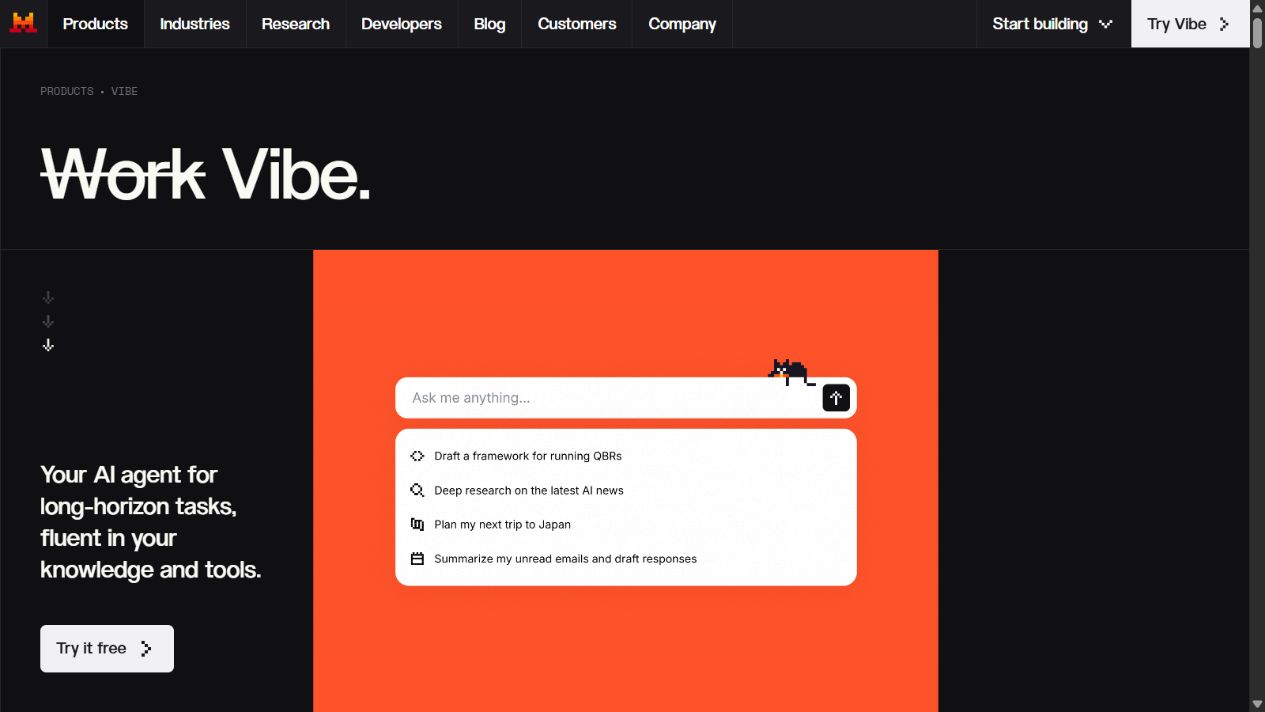
Mistral Vibe is the current name for the product formerly called Le Chat. Mistral’s official documentation organizes it into Work for multi-stage professional tasks, Code for development workflows, and Chat for quick turn-based conversation and legacy Le Chat capabilities.
Why choose Mistral Vibe instead of ChatGPT?
Vibe has a distinct professional structure. Mistral describes research, documents, spreadsheets, connected tools, scheduled work, reusable agents, terminal and editor coding, remote sessions, and MCP compatibility. That makes it relevant for buyers who want one Mistral product spanning knowledge work and code.
Mistral also documents enterprise deployment across Mistral Cloud, private cloud, and on-premises options. Organizations with specific residency, infrastructure, customization, or vendor-diversification requirements may find that proposition worth detailed evaluation.
What you may give up
The recent Le Chat-to-Vibe transition changes terminology, navigation, modes, and user expectations. Confirm which features exist in Work, Code, or Chat; what each plan includes; and how existing conversations and workflows migrate.
ChatGPT has a broad established workspace and may require less retraining for current users. Compare integrations, model behavior, images, voice, projects, research, administration, support, and total deployment responsibility.
Best for
Choose Mistral Vibe when its Work/Code/Chat design, connectors, MCP support, or enterprise deployment choices solve a documented requirement.
Sources: Mistral Vibe and Vibe documentation .
5. Perplexity: best for research-first source discovery
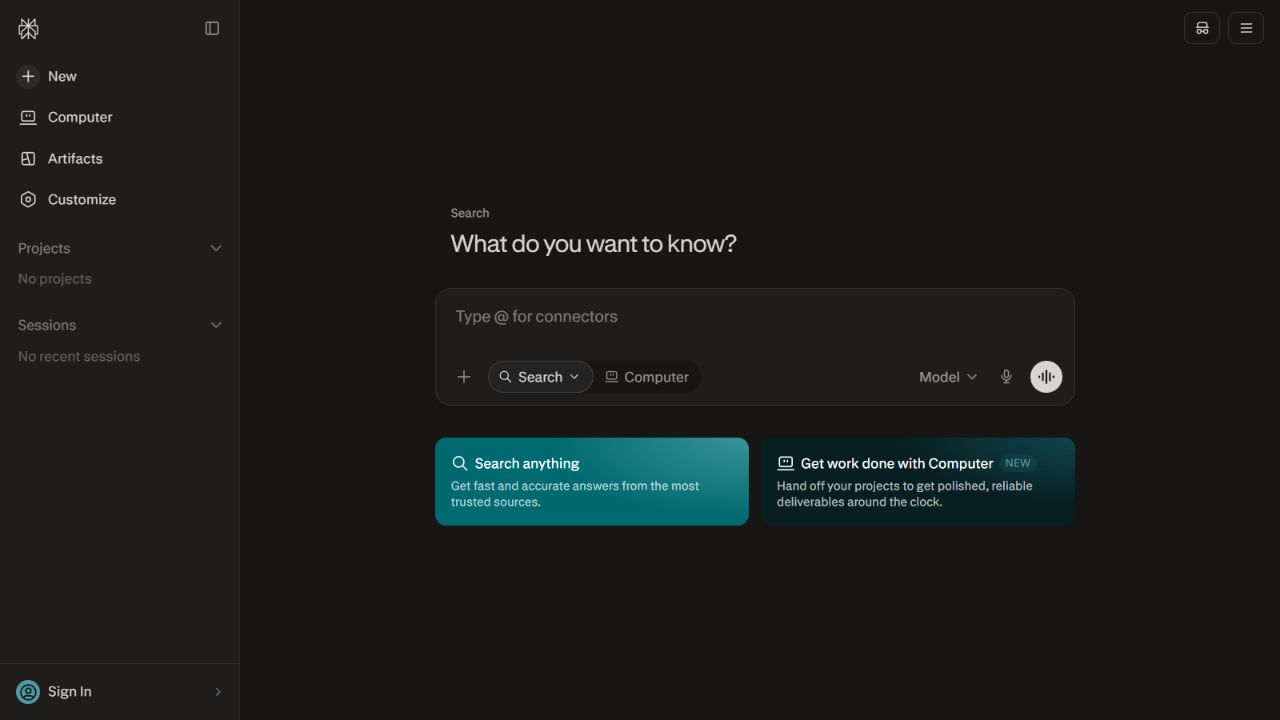
Perplexity is the most research-focused alternative in this shortlist. Its public experience centers on asking questions, searching the web, and following sources. Official product and help materials describe source-linked answers, research, files or spaces, and plan-dependent models and organizational capabilities.
Why choose Perplexity instead of ChatGPT?
Choose it when the first job is discovering current information and inspecting a visible evidence trail. The interface foregrounds search rather than presenting research as one tool within a broader creative workspace. This can encourage users to begin with sources instead of an unsupported answer.
Perplexity may be a useful dedicated research layer for market scans, terminology, source discovery, and initial synthesis. Its value depends on whether citations actually support the generated claims.
What you may give up
Research focus does not equal source correctness. A citation may be secondary, outdated, outside scope, or unrelated to a sentence. Users must open and evaluate evidence.
Perplexity may not replace ChatGPT’s complete mix of writing, data analysis, image creation, voice, Canvas, Projects, apps, tasks, and coding. Check file limits, spaces, model access, research allowances, team controls, privacy, and current plans.
Best for
Choose Perplexity when source discovery and current web research are the main requirements, and pair it with separate production tools where necessary.
Sources: Perplexity and Perplexity Pro .
Which alternative should you choose?
Choose Claude if
Your team primarily drafts, reviews, and reasons over documents and prefers Anthropic’s workspace after a fair pilot.
Choose Gemini if
Your work is centered on Google Search, Workspace, Android, and supported connected services.
Choose Microsoft Copilot if
Your organization already uses Microsoft 365 and needs assistance within eligible Microsoft apps and tenant controls.
Choose Mistral Vibe if
Work, Code, and Chat modes, connectors, MCP compatibility, deployment choice, or vendor diversification are strategic requirements.
Choose Perplexity if
Your highest-priority task is source-linked web discovery and research rather than one broad production workspace.
Keep ChatGPT if
It already meets the workload, governance, and commercial requirements. Switching has no inherent value. A new tool should reduce measurable review time, improve ecosystem fit, meet a missing control, or lower verified total cost.
Migration checklist
- Inventory ChatGPT projects, files, conversations, instructions, apps, and automations.
- Classify the data and identify retention or deletion obligations.
- Select representative tasks, including difficult and failure cases.
- Test both tools with equivalent plans, inputs, and review rubrics.
- Verify identity, permissions, data use, retention, regions, connectors, logs, and contracts.
- Calculate seats, usage, integrations, training, review, migration, and remaining specialist tools.
- Export or preserve required records outside either assistant.
- Train a limited group and measure approved outcomes.
- Document fallback and incident procedures.
- Expand only after the replacement proves a durable advantage.
Final verdict
Claude is the best general ChatGPT alternative for writing and document-centered team work. Gemini is best for Google-centered users, Microsoft Copilot for Microsoft 365 organizations, Mistral Vibe for its Work/Code/Chat and deployment proposition, and Perplexity for research-first source discovery.
Do not choose from a generic intelligence ranking. Choose the product that fits the approved data, existing applications, recurring tasks, review process, and commercial model. In many organizations, the best decision will be to keep one general assistant and add one specialist only where evidence shows a meaningful gap.
Sources checked
Frequently asked questions
What is the best alternative to ChatGPT?
Claude is a strong general alternative for writing and document-centered team work. Gemini is better aligned with Google services, Microsoft Copilot with Microsoft 365, Mistral Vibe with its Work, Code, Chat, connector, and deployment model, and Perplexity with research-first source discovery.
Is there a free ChatGPT alternative?
Several products offer free access, but models, limits, files, research, privacy settings, and commercial rights differ. Check the current official plan page and account terms before adopting a free tier for recurring or business work.
Which ChatGPT alternative is best for research?
Perplexity is the most research-focused option in this shortlist because source-linked web discovery is central to its experience. Gemini, Microsoft Copilot, Mistral Vibe, and Claude also offer research or web capabilities in supported plans. Every citation still requires inspection.
Which ChatGPT alternative is best for business?
Choose based on the organization's existing ecosystem, identity, permissions, data-use terms, retention, integrations, administration, residency, support, and approved workflows. A governed pilot is more reliable than a general model ranking.
Which ChatGPT alternative is best for coding?
Mistral documents Vibe Code across terminal, editors, and remote workflows, while Claude, Gemini, and Microsoft provide coding assistance in their respective ecosystems. Test repository context, permissions, sandboxing, generated changes, tests, security review, and rollback.
Can I use more than one AI assistant?
Yes, but each additional assistant increases cost, data exposure, training, administration, and review inconsistency. Approve distinct tasks and data classes for each tool rather than giving every user every product.
How should I switch from ChatGPT?
Inventory current chats, projects, files, prompts, apps, automations, and data controls; pilot the replacement with representative tasks; document migration and retention; train users; and retain a fallback until the new workflow is stable.