Best Cursor Alternatives
Compare Cursor alternatives by IDE continuity, configuration ownership and agent activation, with practical migration and code-review checks.
The best Cursor alternatives depend on what you want to retain. GitHub Copilot is a candidate when you want agent assistance inside an existing supported IDE. Continue suits teams that want configurable, open source editor extensions. JetBrains AI is worth evaluating when the JetBrains IDE itself is central to the development workflow. None is a universal replacement without a task-level pilot.
Research scope and limitations
- Research type
- Official-source documentation review and editorial analysis
- Sources reviewed
- 3
- Hands-on tested
- No
- Last verified
- November 5, 2026
- Limitations
- No authenticated account or performance benchmark. Examples and fit recommendations are editorial analysis. Paid prices and unlisted account entitlements not verified.

Table of contents
The best Cursor alternatives depend on what you want to retain. GitHub Copilot is a candidate when you want agent assistance inside an existing supported IDE. Continue suits teams that want configurable, open source editor extensions. JetBrains AI is worth evaluating when the JetBrains IDE itself is central to the development workflow. None is a universal replacement without a task-level pilot.
This guide compares documented workflow approaches, checked November 5, 2026. It does not rank coding quality, predict productivity or claim a paid-account benchmark. Product facts below come from linked official documentation. Fit recommendations, migration exercises and acceptance criteria are editorial analysis. Current prices, account-specific model access and unlisted limits are outside this comparison.
If you are still deciding whether to leave Cursor, start with our Cursor review and Cursor pros and cons . A replacement decision should begin with a specific constraint: editor migration, model configuration, command permissions, review effort or organizational approval. Dissatisfaction without a concrete constraint is difficult to evaluate objectively.
Best Cursor alternatives: choose by the workflow you retain
An AI coding workflow contains several layers: editor, repository context, model access, tool execution, review and billing. Two products can offer a chat panel while changing different layers. Replacing a complete editor with an extension may preserve keyboard habits but introduce different context controls. Choosing configurable model access may give the team more responsibility for setup and support.
Write the requirement as a sentence that can fail. For example: “The developer must complete a repository-wide rename inside the existing IDE, inspect every changed file and run the standard checks without moving to a separate editor.” That is testable. “Find a smarter coding tool” is not, because neither intelligence nor satisfaction identifies the required operating behavior.
The table is a shortlist map, not a measured ranking. The order groups different approaches to adopting an assistant. Check the linked documentation and the installed product before treating any listed capability as available to your account. An enterprise contract, organization policy or particular IDE version can change the practical choice.
| Candidate | Documented approach | Editorial reason to evaluate | First acceptance check |
|---|---|---|---|
| GitHub Copilot | Agent mode in supported IDEs | Retain an established IDE workflow | Complete a bounded edit and inspect the diff |
| Continue | Configurable open source editor extensions | Control the assistant configuration | Reproduce the approved setup on a second machine |
| JetBrains AI | Integrated agent activation in JetBrains AI Assistant | Keep JetBrains workflows central | Confirm the chosen activation path and capabilities |
GitHub Copilot: evaluate when keeping the IDE matters
GitHub’s agent-mode documentation describes agent-assisted editing inside supported IDEs. Check the documentation variant for the IDE you actually use. Instructions for Visual Studio, VS Code or another supported environment should not be mixed into one imagined interface. Version support and organization enablement are part of the evaluation.
The editorial case is continuity. If developers already depend on a debugger, extension set or keyboard workflow, retaining that environment may reduce the amount of change in the pilot. That is a hypothesis about migration effort, not a measured claim that Copilot is easier or faster. Test it with developers who use the important existing tools every day.
Give the pilot a representative repository task. A useful example is renaming a configuration field across the parser, validation code, tests and documentation. Supply the same requirement and starting commit you would use in Cursor. Review omitted references as well as incorrect edits. A successful patch must preserve behavior, not merely update the most obvious symbol occurrences.
The potential strength is preserving an IDE-centered workflow while adding an agent interface. The limitation is that familiar surroundings do not establish equivalent behavior, access or permissions. Do not assume an existing GitHub subscription includes every AI feature. Confirm your actual offer separately, and record any organization restrictions before the pilot begins.
Ask a reviewer who did not write the prompt to inspect the patch. Can that person understand the change from the diff and task note alone? If acceptance depends on reading an unusually long conversation, the assistant has shifted documentation work onto the team. Compare review burden alongside implementation time, while retaining the raw observations rather than inventing a composite score.
Continue: evaluate when configuration ownership matters
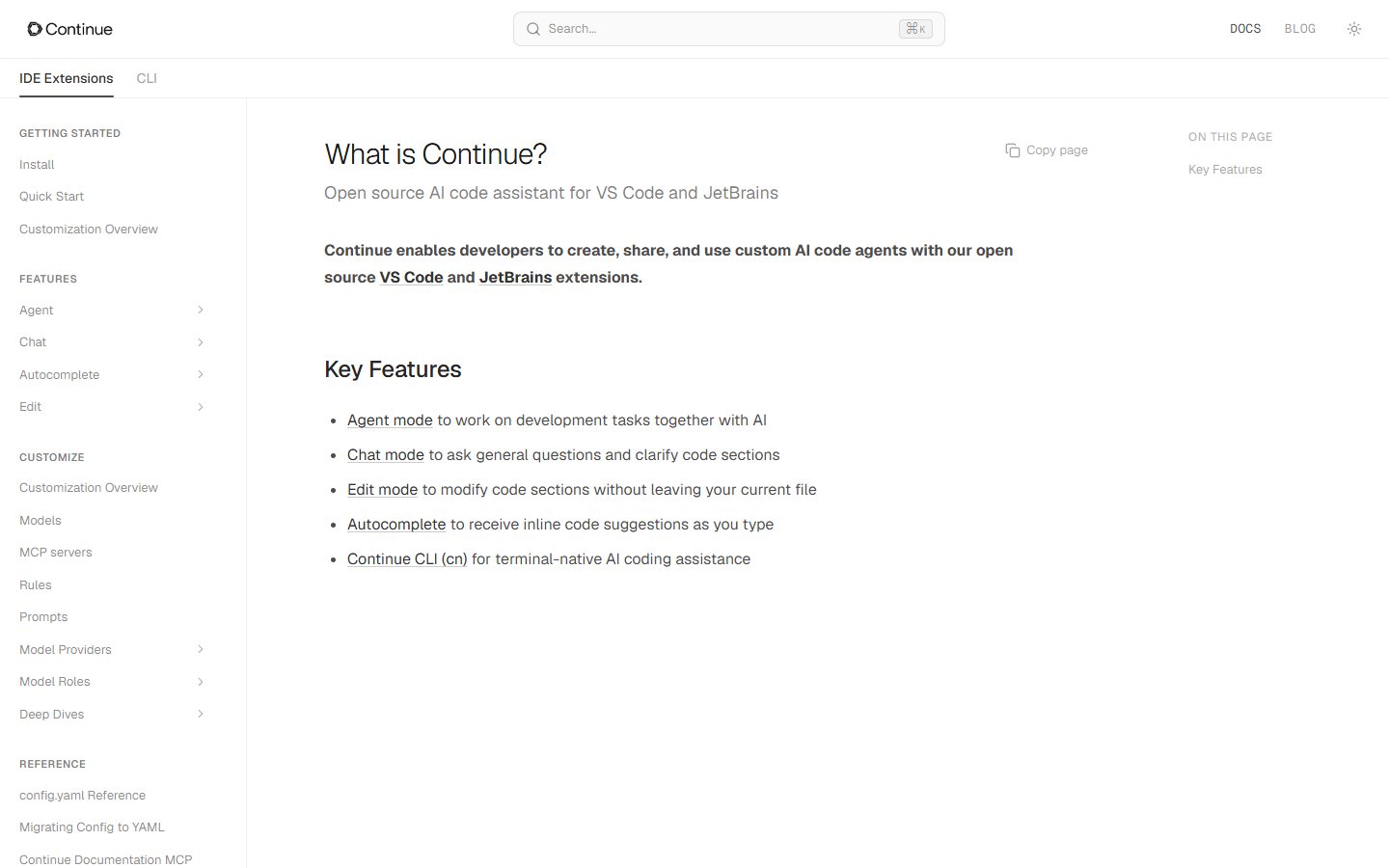
Continue’s official documentation describes open source VS Code and JetBrains extensions with Agent, Chat, Edit and Autocomplete modes. The documentation also exposes customization for models, rules and tools. These are documented configuration surfaces; they do not establish that every possible model or tool combination works equally well in your environment.
The editorial reason to shortlist Continue is deliberate configuration ownership. A team may want a repeatable assistant setup connected to its approved providers and conventions. The relevant question becomes whether the team can maintain that setup reliably. Open source software is not the same as free inference, zero administration or a complete organization-wide support service.
Design a reproducibility exercise before a coding contest. Have one developer configure the approved setup on a disposable project, document the steps and ask another developer to repeat them. Record where credentials are stored, which configuration belongs in version control and what must remain local. Do not commit a working API key to make the installation look convenient.
Next, run a small editing task and a repository-navigation task. Check whether the selected configuration supplies enough context and whether a reviewer can see which files changed. If a task fails, distinguish extension behavior from provider access, model choice or missing tooling. Otherwise the team may reject the wrong layer or keep an unreliable configuration by blaming every issue on the model.
The potential pro is a configuration approach that the team can understand and adapt. The con is the corresponding ownership burden. Someone must maintain the setup, document changes and diagnose failures. A small team without that capacity may prefer a more managed approach even when its engineers like the flexibility in principle. That is an operating decision, not a judgment about code quality.
JetBrains AI: evaluate the activation path first
JetBrains’ current activation guide describes integrated agents in AI Assistant and several authentication methods. It distinguishes activation through JetBrains AI, an API key and provider-account authentication. The guide explains that the activation method affects which capabilities are enabled and how requests and billing are handled. Read the row for the particular agent you intend to use.
For teams already centered on JetBrains IDEs, this is a different migration question from choosing a replacement editor. The first check is whether the desired agent and authentication path fit the team’s approved environment. A provider login should not be treated as evidence that all other AI Assistant functionality becomes available. Keep account activation and feature acceptance as separate checklist items.
Use a task where the surrounding IDE workflow matters. For example, ask for a small change that requires navigating types, modifying implementation and running the existing focused test configuration. Observe whether the developer can complete the normal review routine without adopting awkward parallel processes. This proposed exercise does not establish any particular integration behavior before you test it.
The potential strength is preserving the IDE as the center of development. The limitation is the need to understand activation, configuration and account boundaries rather than assuming every agent behaves alike. Document the selected method, supported agent and unresolved permissions. If a necessary capability remains unclear, obtain authoritative clarification before expanding beyond the pilot.
Avoid comparing the cost of one provider-account route with another product’s bundled offer as though they were identical units. This guide does not verify subscription prices. Ask the purchasing owner to compare actual offers, expected consumption and support responsibilities after the workflow passes. A cheap-looking option that fails the organization’s access requirements is not a usable shortlist winner.
Run the same three-task pilot
Use three tasks that expose different failure modes. First, ask the assistant to locate and explain a behavior without editing. Second, request a bounded change with a clear acceptance condition. Third, ask for a small bug fix with a reproducible failing case. Keep repositories synthetic or appropriately authorized, and use a fresh branch for each candidate.
For explanation, score whether the cited files and execution path are correct. For editing, assess scope, behavior and unnecessary changes. For debugging, check whether the assistant reproduces the failure, identifies the cause and verifies the fix. Do not reward a large patch for being impressive. A small correct change is usually easier to maintain than an ambitious rewrite of surrounding code.
Keep the same inputs where possible: starting commit, requirement, available documentation and time boundary. Record meaningful deviations, such as a candidate needing extra configuration or lacking an approved access route. Do not silently simplify one tool’s task to obtain a passing result. If environments differ, describe the difference instead of presenting the results as a controlled benchmark.
Capture raw evidence in a simple worksheet: task, changed files, checks run, reviewer findings and unresolved issues. Record elapsed work only if the method is consistent, and distinguish human review time from assistant execution time. This guide proposes the worksheet; it reports no measured speedup, success rate or return on investment.
Compare permissions and data access separately
Before using private code, identify which service receives prompts and context, which tools can execute commands and whether remote execution is involved. Check the selected vendor’s current documentation and your organization’s approved configuration. An open source extension, local editor or familiar sign-in screen does not by itself establish a particular data-processing arrangement.
Use the least sensitive repository that can expose the important workflow. Replace customer identifiers with synthetic examples and keep credentials out of prompts. If a task requires production access, decide whether a safer fixture can reproduce the issue. A pilot’s goal is to establish suitability; it should not needlessly expand access merely to demonstrate that an agent can do more.
Review tool requests as actions with consequences. Reading files, running local tests, changing dependencies and deploying services are different operations. The developer should understand what the agent proposes and which approvals apply. Use our AI agent governance checklist to organize the questions, then verify the actual product controls rather than relying on generic assurances.
Make the migration reversible
Before moving the team, document the current Cursor workflow: essential rules, important commands, review expectations and recurring tasks. Translate the intent of those instructions into the replacement’s supported configuration. Copying files blindly may preserve syntax that the new product ignores. Confirm that each important requirement is actually communicated in the target environment.
Keep an exit path for the pilot. Avoid changing the repository’s build system, formatter or dependency policy merely to accommodate an assistant unless that change has an independent justification. Shared project conventions should remain understandable to developers who use a different tool. An AI assistant should fit the development process rather than quietly becoming its only documentation source.
The decision is ready when a candidate meets the required workflow, passes review, fits approved access boundaries and has an accountable owner. If none does, retain the existing setup while resolving the constraint. For a wider shortlist framework, use the AI Tools evaluation guide and AI Tools category . Compare Cursor pricing only after deciding which operating model you need.
Frequently asked questions
Is there one best Cursor alternative for every developer?
No. A developer who must keep an existing IDE has a different requirement from a team that wants to maintain its own model configuration. Start with the constraint that triggered the search. Use a representative task and inspect the resulting code before treating any candidate as a suitable replacement.
Does an open source assistant mean all usage is free?
No. Software licensing, hosted services and model inference are separate questions. A configurable extension can still require paid provider access or internal maintenance work. This guide verifies the documented configuration approach, not a zero-cost operating budget. Obtain the actual offer and define who owns configuration before adopting it broadly.
Can I compare these tools without private source code?
Yes. Use a public sample or a synthetic repository that contains the structures important to your work. Include representative tests and a bounded task. The pilot should reveal navigation, editing and review behavior. A later authorized evaluation may still be necessary for organization-specific access, scale or workflow requirements.
Should I migrate all developers after one successful task?
No. One accepted edit establishes only that a particular task worked in a particular setup. Include explanation and debugging exercises, have another developer reproduce the configuration and check review effort. Expand gradually when the essential workflows pass. Retain the previous setup until the team understands how to recover from an unsuccessful migration.
What should I compare besides code completion?
Compare repository context, command permissions, diff quality, test execution, configuration ownership and access boundaries. Check how easily another developer can review the result without reconstructing the conversation. Cost matters after these requirements are satisfied. A tool that generates plausible code but creates unacceptable review or administration work may be unsuitable for the team.