Best Customer Support Software with a Free Plan
Compare five free customer support software options by seats, contact limits, channel fit, trial boundaries, and practical upgrade triggers for small teams.
The best customer support software with a free plan depends on the work you must handle: Zoho Desk for a small ticketing shortlist, Crisp for a two-seat website-chat shortlist, tawk.to for a free support-tool evaluation, HubSpot for a free ticketing starting point, and Help Scout for a small shared-inbox operation. These are use-case candidates, not performance rankings. Test the actual free tier before moving a live queue.
Research scope and limitations
- Research type
- Official-source documentation review and editorial analysis
- Hands-on tested
- No
- Last verified
- November 3, 2026
- Limitations
- No hands-on benchmark. Proposed tests and recommendations are editorial analysis. Paid numeric pricing and unreviewed entitlements excluded.
Table of contents
Direct answer: match the free plan to the support queue
The best customer support software with a free plan depends on the work you must handle: Zoho Desk for a small ticketing shortlist, Crisp for a two-seat website-chat shortlist, tawk.to for a free support-tool evaluation, HubSpot for a free ticketing starting point, and Help Scout for a small shared-inbox operation. These are use-case candidates, not performance rankings. Test the actual free tier before moving a live queue.
This guide reviews official sources on November 3, 2026. We did not run paid accounts, measure response speed or compare support quality. Documented facts are separated from our suggested tests and buying advice. A free subscription does not pay for staffing, implementation or customer-response work. The useful question is whether its boundaries fit your current support operation without creating an urgent migration later.
Who this guide is for
This shortlist is for founders and small support teams that need an ongoing no-cost software tier. It is not a recommendation to staff a support desk without a budget or to move a regulated support process without reviewing its requirements. If your existing queue requires a specific audit trail, routing rule or service commitment, treat that as an eligibility check before comparing convenience.
The focus differs from our broader customer support software guide : this page examines free-plan boundaries and practical upgrade triggers. The Customer Support category provides related guidance. Start with your queue rather than a vendor’s longest feature list. A basic tool that preserves ownership can be more useful than a richer trial that later removes the feature your process depends on.
How we evaluated the tools
We built the candidate pool independently from official vendor sources. Inclusion requires evidence of a continuing free offer rather than just a time-limited trial. We then identify the specific documented scope and the questions a buyer should resolve in their own account. The order groups practical support use cases; it does not imply measured superiority.
Our evidence is deliberately narrow. We do not infer every paid product feature is available on Free, invent retention periods, assume a connector is included or turn a vendor marketing statement into an independent test result. Where a precise entitlement is not established here, verify it against current documentation and the actual account before migration. The tables below contain only the facts reviewed and our proposed acceptance checks.
| Selection criterion | What to establish | Why it matters |
|---|---|---|
| Ongoing eligibility | A named free edition after any trial | Prevents planning around temporary access |
| Team access | Enough seats for actual responders | Shared credentials undermine ownership |
| Workload meter | The plan’s definition of usage | Contacts and conversations are different units |
| Channel fit | The customer’s real entry point works | A chat widget does not solve every email queue |
| Ownership | A responder can identify the next action | Prevents requests from disappearing between people |
| Exit | Required records can be retained or transferred | A cheap start should not conceal a costly move |
Best tools shortlist and comparison table
| Candidate | Verified free-offer scope | First evaluation | Upgrade or review trigger |
|---|---|---|---|
| Zoho Desk | Free edition for three users | Small-team ticket handling | More responders or unmet workflow requirements |
| Crisp | Free forever, two seats, website chat and shared inbox | Two-person website support | More seats, AI needs or trial-only dependencies |
| tawk.to | Official site offers free live chat, ticketing and knowledge base | A website-led support queue | Required extras, staffing or operational needs |
| HubSpot | Official page offers free ticketing software | A basic ticket record process | Any required capability not established on Free |
| Help Scout | One shared inbox, up to five users, 100 contacts monthly | Low-volume collaborative email support | Contact growth or a second required inbox |
Sources: Zoho Desk plan comparison , Crisp pricing , tawk.to , HubSpot free ticketing , and Help Scout Free documentation . The evaluation and trigger columns are editorial analysis, not claims that all listed needs are absent from the free plans.
Zoho Desk: evaluate a three-person support operation
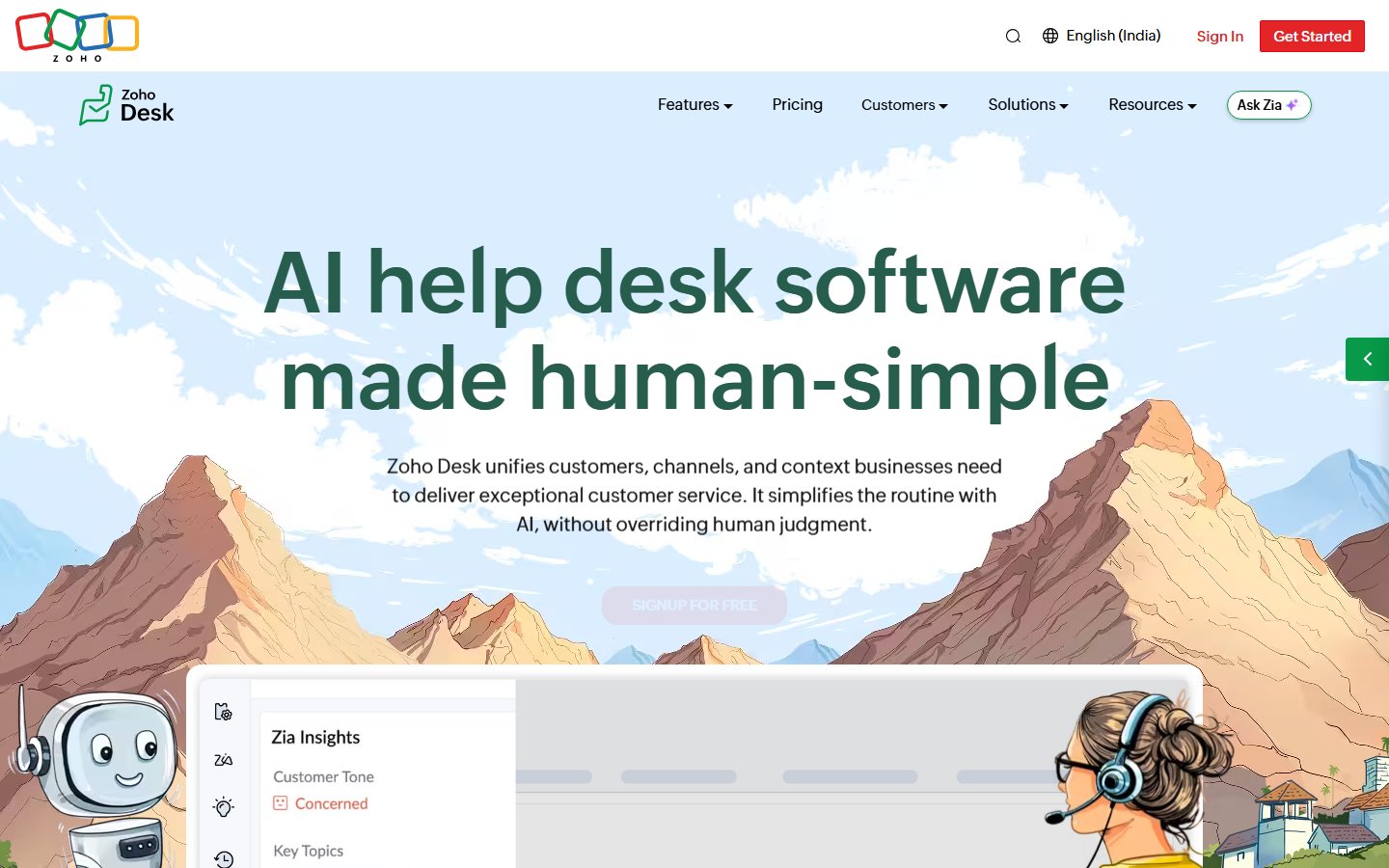
Official public homepage, captured November 3, 2026. Purpose: identify the product discussed in this section, not prove free-tier entitlements. Source .
Zoho’s current plan comparison includes a Free edition with three users. That makes it a candidate for a genuinely small responding team. Count the people who need their own access, including a founder who covers absences. Do not reduce the count artificially by expecting several people to share one responder identity.
The practical fit question is whether a request remains understandable from arrival to resolution. Prepare a small test set containing a new question, a follow-up to an existing question and an item that needs another person’s help. Observe how your team identifies the owner, records the next action and recognizes completion in the actual free account. We did not run that exercise; it is the acceptance test we recommend.
Its shortlist strength is the clearly documented small-team entry point. The limitation is that seat eligibility alone does not prove workflow adequacy. A team of three can still have complex routing, reporting or permission requirements. Conversely, a straightforward queue may not need the more elaborate capabilities emphasized in a paid comparison.
Consider Zoho Desk if the three-user ceiling fits and you are willing to verify the specific process. Avoid choosing solely because another Zoho product is already familiar. Familiar branding can reduce perceived risk without answering whether the support task is covered. Keep a written list of the required actions and confirm each one before connecting the main customer channel.
Crisp: evaluate website chat with two responders
Crisp’s pricing page distinguishes a Free forever tier from its introductory full-feature trial. The free tier lists two seats, a website chat widget and a shared inbox; it lists no included AI credits. These facts make it relevant to a very small website-support team, while also highlighting a common evaluation trap: a feature seen during the trial may not be part of the ongoing free service.
Run the final acceptance test on the intended free configuration. Have one person start a practice customer conversation and another person take responsibility for its next step. Check what happens when the first responder is unavailable. The test is about the team’s process, not a claim about any particular routing feature.
The potential strength is a focused website-chat starting point with a defined seat allowance. The limitation is that a two-person license must still fit the staffing schedule. If a third colleague must cover evenings or weekends, include that need in the decision before installation. Do not treat occasional access as irrelevant merely because it happens infrequently.
Do not build the business case around automated answers when the reviewed free offer includes no AI credits. If AI is essential, evaluate the relevant paid terms separately. A useful human-operated chat process can still be valuable, but it should be assessed as that process rather than an assumed autonomous service.
tawk.to: evaluate the free core separately from extras
tawk.to’s official website presents free live chat, ticketing and a knowledge base. That combination earns it a place in this shortlist. It does not establish that every optional service or add-on is free. Keep the core software offer separate from any paid assistance or extras shown during setup.
Start with the channel customers actually use. If most questions arrive on the website, test a conversation from a visitor’s perspective and then inspect the responder’s next action. If email matters more, verify the exact email-related process in current documentation and the account. A broad product description should not replace a test of the channel that carries your real workload.
The candidate’s strength is the explicitly free support-tool proposition. Its evaluation limitation is that access to several components does not automatically make them a coherent operation. Decide what belongs in a conversation, what becomes an ongoing request and where a reusable answer should be maintained. Without those rules, a team can collect more tools while leaving ownership ambiguous.
Check the customer-facing experience as well. Review the widget’s placement, wording and behavior on the devices your audience uses. Those are proposed deployment checks, not findings from our testing. A free support product still represents your business, so the quality of the experience matters even when the subscription fee is zero.
HubSpot: evaluate free ticketing without importing paid assumptions
HubSpot’s official product page offers free ticketing software. We include it on that verified basis. This guide does not establish a complete free Service Hub entitlement set, seat allowance or advanced automation package. Verify the specific offer in your account instead of filling those gaps from a paid-plan demonstration.
A useful first exercise is to create a representative practice request and see whether a colleague can understand its current state without asking the original responder. The record should communicate the customer’s question, the action already taken and the next owner. How you achieve that depends on the actual available tools and your process.
The potential strength is a free ticketing starting point for a team that values a structured request record. The limitation is evidence scope: a public ticketing offer is not proof that every customer-service need is covered. If your process depends on a particular connection to another system, verify that connection and its plan requirements directly.
Use an explicit go/no-go list. A team might require enough access for its responders, a working customer intake channel and a way to preserve its history. If one of those requirements remains unresolved, keep the pilot separate from the live queue. An unresolved entitlement is a research task, not a reason to assume the capability will appear after migration.
Help Scout: evaluate contact volume before counting spare seats
Help Scout’s Free documentation describes one shared inbox for up to five users and service for up to 100 contacts per month. It also describes one Docs site and a Beacon help widget. These limits create a different evaluation shape from a plan constrained mainly by responder seats.
Estimate the number of distinct contacts your operation must help, using the vendor’s current definition. Do not substitute a count of messages or assume every repeated conversation is a new contact. When a plan meters one unit and your spreadsheet counts another, the apparent fit can be misleading even if your estimate is mathematically correct.
The potential strength is room for several colleagues in a low-volume shared-inbox workflow. The limitation is that spare user capacity does not remove the contact boundary or the single-inbox constraint. A small company with several people helping occasionally may fit differently from a two-person team handling many distinct customers.
Use a representative month rather than the quietest week to evaluate capacity. If you expect a launch, account for that scenario separately. Our recommendation is to identify the upgrade threshold before the threshold is reached, so a busy support day does not become an emergency procurement discussion. We do not predict how your traffic or the vendor’s future plans will change.
Strengths and limitations of free support software
The strongest reason to start free is a controlled opportunity to establish a working support habit. You can learn what information responders need, where handoffs break and which questions recur. That knowledge makes a later purchase more precise. A free tier is especially useful when it lets you test the actual ongoing configuration rather than a temporary premium experience.
The main limitation is that a subscription boundary can become an operational boundary. A seat ceiling affects coverage; a contact meter affects volume; an absent required capability affects process. None of those is inherently bad. The problem is discovering the boundary only after the support queue depends on it.
There are also costs outside the plan. Someone must maintain answers, check unanswered requests and handle absences. Training and migration consume time. We do not assign a universal monetary estimate because wages, volumes and implementation complexity differ. Include these categories in your own calculation instead of assuming a zero software bill means a zero-cost operation.
Buying advice: run a realistic pilot
Choose two candidates based on the largest constraint, not five based on branding. For example, a two-person website-chat team and a five-person low-volume email team have different first filters. The comparison table should shorten the evaluation, not encourage you to install every product and accumulate disconnected customer records.
Prepare a practice queue with at least these cases: a simple question, a reply to a previous request, an unclear issue, an item requiring another person and a request received while the usual responder is absent. Use fictional or appropriately sanitized data. Keep the tests separate from live customers until the team understands the process.
For each case, record what the responder must do next and whether the available configuration supports it. Count unclear ownership, duplicate work and missing context. These are your pilot observations, not product scores supplied by this guide. A successful test produces a repeatable working practice, not just a screenshot showing that setup completed.
Recheck the plan after any trial ends. Confirm the features still present, the relevant usage meter and the current upgrade path. Then decide whether to move the main channel, continue the pilot or choose another candidate. Do not let the expiry of temporary access decide the migration schedule for you.
Build an upgrade register before the queue grows
Keep a small register with a trigger, an owner and a next action. A trigger might be needing another responder, approaching a contact allowance or discovering that a required report is unavailable. The owner confirms the fact; the next action may be an upgrade comparison or a process change. This prevents a vague concern about growth from becoming a permanent unresolved task.
Separate convenience from necessity. A nicer interface may justify paying, but it should not be confused with a missing requirement that prevents safe operation. Likewise, a feature that sounds advanced may be irrelevant to a small queue. Purchasing becomes clearer when each requested upgrade is tied to a specific working problem and a way to verify improvement.
Review exit conditions before committing. Determine what records you need to retain, what information must be accessible during a move and who will handle the transition. Verify actual export or transfer capabilities directly; this guide does not promise identical data portability across the shortlist. If a migration cannot preserve the context your customers rely on, include that cost in the decision now.
Common mistakes to avoid
The first mistake is treating every free offer as equivalent. A time-limited trial, an ongoing hosted tier and a self-hosted license create different obligations. This list focuses on ongoing hosted offers; it does not silently rank a software download as the same service as a hosted inbox.
The second mistake is counting only the primary responder. Founders, supervisors and backup staff may need access too. Sharing one identity can obscure responsibility and make a later review harder. Establish the real access requirement before selecting a plan.
The third mistake is copying a larger team’s process. A small operation may need a clear owner and a consistent next action before it needs elaborate routing. Begin with the minimum process that keeps requests understandable, and add complexity when a real failure justifies it.
Finally, avoid promising instant support because a chat widget is installed. Set customer expectations that match your staffing. The product provides a channel; your team provides the response. Clear availability and useful follow-up can matter more than presenting a channel you cannot operate consistently.
Decision guidance
Shortlist Zoho Desk when three-user eligibility fits the team, Crisp when two-seat website chat is the immediate job, tawk.to when its free core matches the support process, HubSpot when you want to evaluate free ticketing, and Help Scout when its shared-inbox and contact limits suit the workload. Verify the actual free configuration and keep a documented exit route.
For adjacent selection questions, see our support automation guide , knowledge base software guide and help desk reporting guide . The right free plan is the one whose limits you understand and whose working process your team can sustain.
A worked example: two people covering a launch
Consider a fictional two-person SaaS team preparing a public launch. Most questions are expected through the website, but one founder will be unavailable for part of the day. The team initially prefers a chat-focused free plan because it can start without a purchase. Its first requirement, however, is that the available responder can recognize and continue an unfinished request.
The team creates five practice conversations and deliberately leaves two unresolved before changing responders. The second person must identify what has already been answered, what information is missing and what commitment was made. They record any step that requires asking the absent founder. That is an observation from the team’s proposed exercise, not a result we obtained from any listed product.
Next they test the customer side. Does the visitor understand when a response will arrive? Is the conversation easy to find again? Can the responder avoid asking for the same information twice? The team checks these conditions on the devices its customers use. It does not assume a desktop setup demonstration establishes a good mobile experience.
Finally the founders estimate a launch-day workload separately from their normal week. If the selected free plan has a relevant volume meter, they compare that estimate using the vendor’s definition. If it has a seat ceiling, they count the backup person who may join. The resulting decision can be to use the free tier, pay for the needed scope or delay migration until the process is clearer.
The example illustrates why the largest free allowance is not automatically the right answer. A plan must fit the actual handoff and customer expectation. Documenting those two requirements can eliminate unsuitable candidates before the team spends days configuring features that do not address its immediate problem.
Before switching the live channel, assign someone to check the first day of requests and reconcile them against the previous inbox. This catches an incomplete intake transition early and gives the team a specific owner for correcting it.
Frequently asked questions
Which customer support software has an ongoing free plan?
The official sources reviewed here identify free offers from Zoho Desk, Crisp, tawk.to, HubSpot and Help Scout. Their scope differs. Confirm the actual free configuration after any introductory trial and test the channels and access your team requires.
Is a free trial the same as a free plan?
No. A trial provides temporary access, while an ongoing free tier continues within its stated limits. Features visible during a trial may disappear later. Run the final acceptance test on the configuration you intend to keep.
Which free support plan suits several occasional responders?
Help Scout documents up to five users on Free, but also one shared inbox and a monthly contact allowance. More seats do not mean unlimited workload. Compare the team size and volume together before deciding.
Does a free support tool include staff or automatic answers?
Do not assume that. Software access, paid services and AI allowances are separate questions. For example, the reviewed Crisp Free offer includes no AI credits. Plan staffing and customer expectations independently of the subscription price.
When should a small team upgrade?
Upgrade or reassess when a required seat, workload allowance, channel, permission or operating capability no longer fits. Identify the trigger and decision owner in advance. Verify current paid terms and migration requirements before making the change.