Best Finance Software for Remote Teams
Compare finance software for remote teams across accounting, billing, project profitability, forecasting, integrations, and distributed controls.

Direct answer
QuickBooks Online is the strongest general US accounting starting point for many remote teams. Xero is well suited to remote teams that value accountant collaboration and connected applications. FreshBooks is a practical option for smaller service remote teams centered on proposals, time, invoices, and payments. Zoho Books offers broad accounting automation and project features at a value-oriented position. Productive is the specialist choice when the central problem is remote team operations, utilization, forecasting, and project profitability rather than the general ledger alone.
These products do not solve exactly the same problem. QuickBooks Online, Xero, FreshBooks, and Zoho Books are accounting-led platforms with different levels of project and service workflow support. Productive is a remote team management and professional services automation platform that can connect delivery and financial operations, but the remote team must define how it works with its accounting ledger.
No single winner applies across every country, remote team size, or billing model. Local tax, payroll, bank feeds, payment methods, accountant preferences, multi-currency work, revenue recognition, and client reporting can change the answer. This guide uses official sources checked September 5, 2026 and does not claim a hands-on accounting implementation.
Shortlist
| Software | Best for | Remote team strength | Important limitation |
|---|---|---|---|
| QuickBooks Online | US general accounting | Broad bookkeeping, invoicing, reports, payments, and plan-dependent project insight | Promotions, users, payroll, payments, and project depth vary by product and plan |
| Xero | Accountant collaboration | Connected accounting ecosystem and collaborative cloud workflow | Local payroll, tax, projects, and plan contents vary by country |
| FreshBooks | Service billing | Proposals, time, projects, expenses, invoices, and client payment workflow | Client allowances, users, and accounting depth affect plan fit |
| Zoho Books | Value and automation | Projects, timesheets, portals, workflows, and wider Zoho connections | Country editions and limits require careful verification |
| Productive | Remote team profitability | Budgets, time, resourcing, invoicing, forecasting, and margin | It must be mapped carefully to the accounting system of record |
What finance software must do for a remote team
A remote team earns revenue through people, projects, retainers, milestones, media, contractors, and pass-through expenses. A conventional profit-and-loss statement can show whether the company made money while failing to explain which client, campaign, or service line created the result.
A useful remote team finance stack should support four connected layers.
The accounting layer controls the chart of accounts, receivables, payables, bank reconciliation, tax records, and financial statements. This is the system the accountant must trust.
The commercial layer turns estimates, statements of work, retainers, milestones, time, expenses, and payment terms into invoices. It should show what has been delivered, billed, collected, and left at risk.
The project economics layer compares revenue and budget with labor cost, contractor cost, expenses, write-offs, and scope change. This is where an apparently valuable client can be revealed as a weak-margin account.
The planning layer connects sales pipeline, staffing, utilization, delivery dates, revenue forecast, and cash expectations. A small remote team may manage this in a separate project tool and spreadsheet. A larger remote team often benefits from a dedicated operational platform.
The mistake is expecting one low-cost subscription to perform every layer equally well. First decide which system owns each record, then select products and integrations.
How we selected these tools
We reviewed current official product, pricing, feature, integration, and support pages. The shortlist emphasizes documented remote team-relevant capabilities rather than generic feature volume. We assessed:
- recurring, fixed-fee, milestone, and time-based billing;
- estimates, invoices, payments, expenses, and receivables;
- project budgets, time capture, cost rates, and margin;
- accountant access, bank reconciliation, and financial reports;
- resource planning, utilization, and forecast needs;
- multi-currency, entities, tax, and regional availability;
- integration ownership and duplicate-data risk;
- plan limits, user economics, and implementation effort.
We did not rank products through a controlled transaction test. Buyers should run their own trial using reconciled sample data and have a qualified accountant validate statutory requirements.
1. QuickBooks Online: best general US accounting starting point
QuickBooks Online is the most conventional starting point for a US remote team that wants bookkeeping, bank transactions, expenses, invoicing, payments, reporting, and accountant collaboration in a widely recognized ecosystem. Intuit’s official pages also document plan-dependent project management and profitability capabilities.
Why it fits remote teams
The platform can anchor the accounting record while supporting routine customer and vendor workflows. A remote team can organize income and costs, issue invoices, track receivables, reconcile accounts, and produce financial reports without adopting a full professional services system on day one.
Project features can be useful when a remote team needs a basic view of job income and costs. The surrounding Intuit ecosystem can also reduce friction for US accountants, payments, payroll, and connected applications, although those are separate products or plan-dependent services.
Where to be careful
Do not choose from the promotional price alone. Verify the permanent subscription price, included users, project reporting, classes or locations, bill management, multi-currency, payroll, payment fees, accountant access, and any additional services. A capability shown somewhere in the QuickBooks family is not necessarily included in the selected Online plan.
QuickBooks may remain the accounting ledger even when the remote team later adds a specialist operations platform. Define which system creates customers, projects, invoices, and payments to prevent duplicate records.
Best fit
Choose QuickBooks Online when the remote team is US-oriented, its accountant is comfortable with the product, and broad accounting is more important than advanced resource planning. Test another operational layer if management cannot see utilization, capacity, project margin, or retainer health clearly enough.
Source: QuickBooks and QuickBooks pricing .
2. Xero: best for accountant collaboration and connected workflows
Xero is a cloud accounting platform covering invoicing, bills, bank reconciliation, contacts, reporting, and a large connected-app environment. Official pages also describe projects and expenses in eligible plans or configurations, with availability dependent on country.

Why it fits remote teams
Xero suits a remote team that wants the business and external accountant working from the same current ledger. Its application marketplace supports a modular strategy: retain Xero for accounting while connecting payments, expenses, payroll, reporting, project management, or remote team operations where appropriate.
That modularity is useful for remote teams because delivery workflows evolve faster than statutory accounting. The remote team can improve project or resource management without replacing the ledger every time its operating model changes.
Where to be careful
Country selection matters. Payroll, tax, bank feeds, payment services, plan names, projects, expenses, and multi-currency availability can differ. Confirm the exact local edition and ask the accountant to validate tax treatment and reporting.
An application marketplace does not guarantee a reliable integration. Determine sync direction, record ownership, field mapping, failure alerts, historical behavior, duplicate prevention, and reconciliation. A connector that transfers invoices but not credit notes, tax codes, payments, or project dimensions can create manual work.
Best fit
Choose Xero when collaboration with an accountant and a connected best-of-breed stack matter. It is particularly credible when the remote team already has a preferred time, project, or profitability platform that officially connects to Xero.
Source: Xero , Xero plans , and Xero App Store .
3. FreshBooks: best for service billing simplicity
FreshBooks is oriented toward service businesses and brings proposals or estimates, time tracking, projects, expenses, invoicing, payments, and financial reporting into an approachable workflow. Its official site explicitly addresses marketing remote teams, creatives, consultants, and other professional services users.

Why it fits remote teams
Smaller remote teams often feel billing pain before they need sophisticated finance architecture. Work is estimated, delivered, tracked, and invoiced by the same small group. FreshBooks can shorten the path from billable activity to a client-facing invoice and keep expenses and payments close to that workflow.
Time capture matters when hourly work, retainers, or scope disputes are common. Even when the client receives a fixed fee, time data helps management compare effort with the commercial assumption. Proposals and estimates can also create a cleaner handoff into billing than separate documents and spreadsheets.
Where to be careful
Check billable-client allowances, team seats, accountant workflow, project reporting, accrual requirements, multi-currency, tax support, payroll, payment fees, and advanced reports. A remote team can outgrow a simple billing-centered setup if it develops entities, complex revenue recognition, detailed departmental reporting, or a large finance team.
Do not confuse easy invoicing with complete project profitability. Confirm whether the selected configuration captures fully loaded labor cost, contractor expenses, write-offs, retained scope, and revenue consistently enough for management decisions.
Best fit
Choose FreshBooks when the remote team values fast proposals, time capture, expenses, invoicing, and client payments, and does not yet require a heavy finance or resource-planning system. Validate the accountant’s close and reporting needs before migration.
Source: FreshBooks and FreshBooks pricing .
4. Zoho Books: best value for automation and the Zoho ecosystem
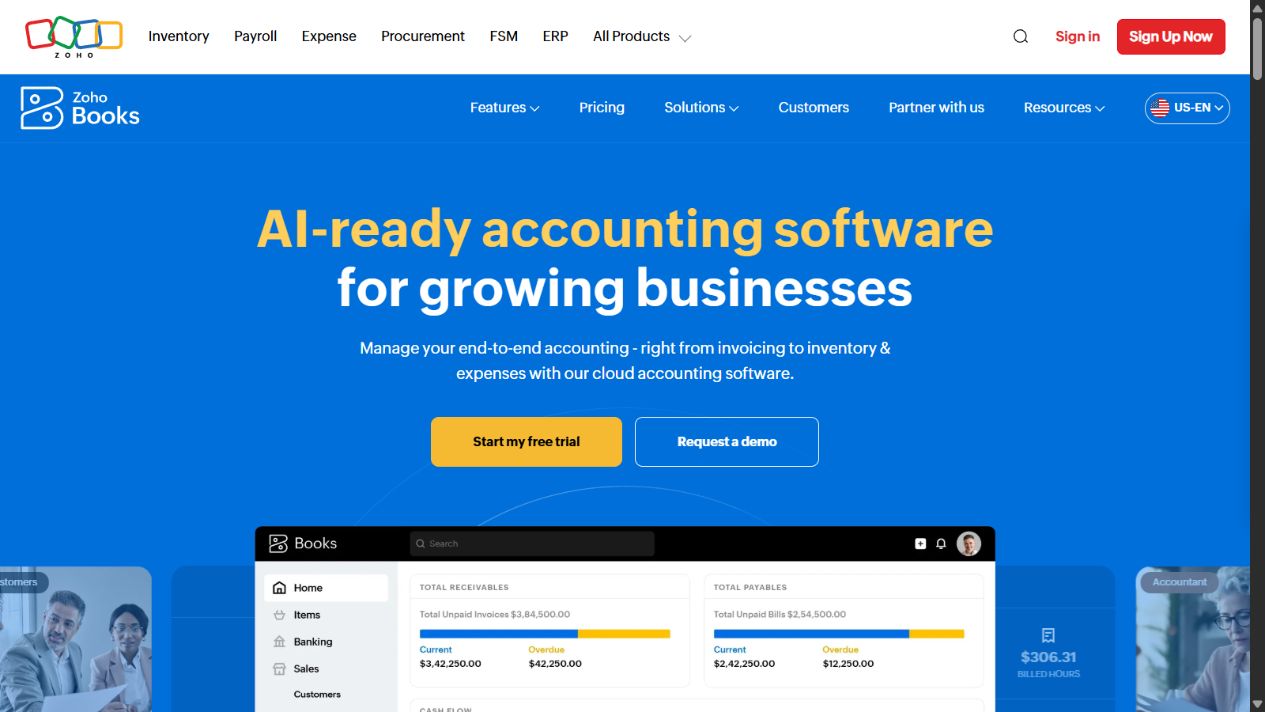
Zoho Books provides receivables, payables, banking, reporting, projects, timesheets, customer collaboration, workflow automation, and integrations. Its wider product family can be relevant to remote teams already using Zoho CRM, Expense, Analytics, Billing, or other applications.
Why it fits remote teams
Projects and timesheets can connect delivery activity with billing. A customer portal can support document and transaction collaboration. Workflow rules can reduce repetitive notifications or approvals. For a remote team already operating within Zoho, shared context across customer, expense, billing, and reporting tools may reduce integration sprawl.
The product is also worth considering when a small remote team needs more structured automation than a basic invoice tool but is not ready for a professional services platform. The important question is not how many features exist, but whether the selected country edition and plan support the exact workflow.
Where to be careful
Zoho Books has country-specific editions, tax capabilities, prices, limits, and plan structures. Verify users, branches, projects, timesheets, workflow rules, custom fields, reports, portals, currencies, and connected services in the required region.
The wider Zoho ecosystem can be an advantage or a commitment. Map master customer data, sales handoff, project creation, expenses, invoices, and reporting before adding multiple products. Otherwise, the remote team can reproduce the same duplicate-data problem inside one vendor family.
Best fit
Choose Zoho Books when automation, project billing, a customer portal, and the wider Zoho ecosystem align with the remote team’s operating model. It is strongest when the team is willing to configure ownership and workflows deliberately.
Source: Zoho Books and Zoho Books pricing .
5. Productive: best for remote team profitability and operations
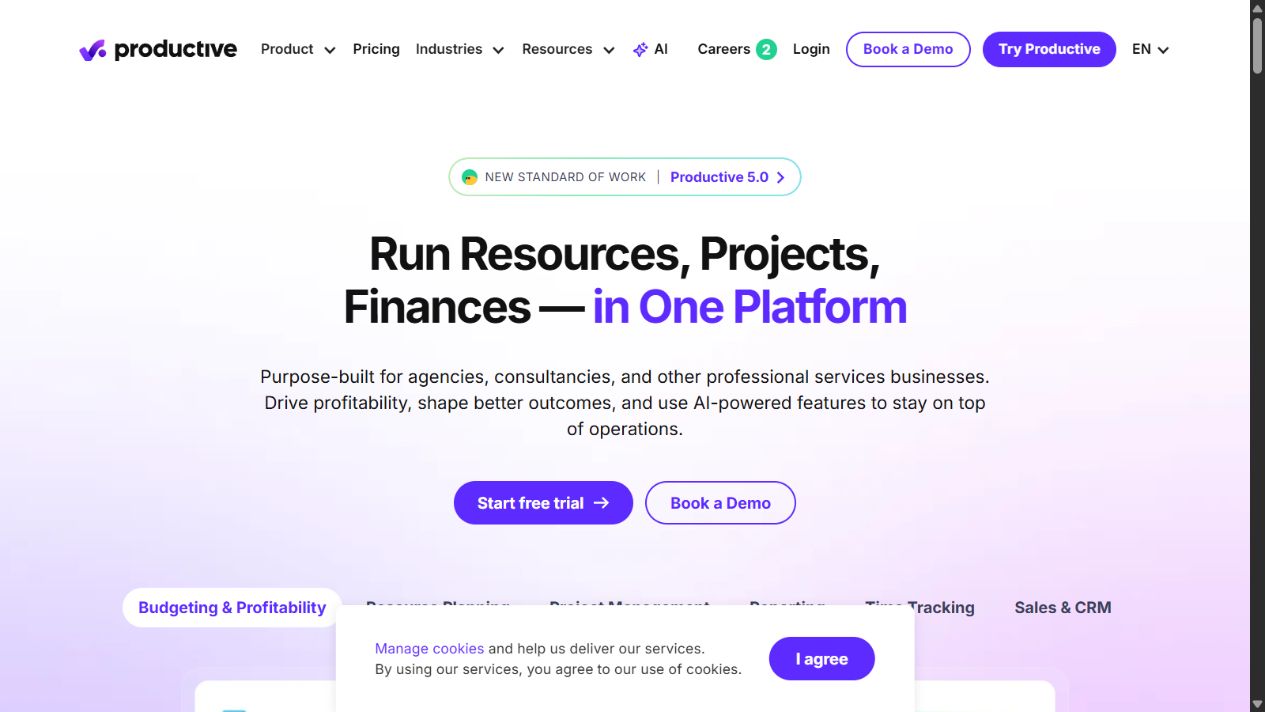
Productive is purpose-built for remote teams, consultancies, and professional services organizations. Official pages connect sales, budgeting, projects, time tracking, resource planning, invoicing, forecasting, and profitability reporting. It also documents integrations with accounting platforms including QuickBooks and Xero.
Why it fits remote teams
Productive addresses the questions a general ledger often cannot answer quickly: Who is available? Is a project consuming more hours than budgeted? Which client margin is falling? What revenue is forecast? Which work is ready to invoice? How will staffing affect future delivery?
By connecting budgets, time, cost, resourcing, project delivery, and billing preparation, it can give managers an earlier operational signal than month-end accounts. That is valuable for retainer, fixed-fee, and mixed-billing remote teams where scope and labor are the main margin variables.
Where to be careful
Productive should not be described casually as a replacement for every accounting obligation. The remote team must decide whether Productive or the accounting platform owns client data, invoice creation, tax, payment status, revenue, expenses, and project dimensions. Finance must be able to reconcile the systems.
Implementation reaches beyond the finance team. Sales stages, budgets, rate cards, cost rates, time-entry rules, project templates, resource planning, permissions, and invoice approval all affect the data. Poor adoption creates precise-looking but incomplete margin reports.
Best fit
Choose Productive when the remote team’s biggest gap is operational finance: utilization, budget control, resource planning, forecasting, billing readiness, and project profitability. Pair it with a validated accounting ledger and design the integration before rollout.
Source: Productive , Productive pricing , and Productive integrations .
Which option should your remote team choose?
Choose QuickBooks Online when US accounting breadth, accountant familiarity, and a conventional small-business finance foundation are the priority.
Choose Xero when collaborative cloud accounting and a connected application strategy are more important than keeping every workflow in one product.
Choose FreshBooks when a small service remote team needs a direct path from proposals and time to invoices and payments.
Choose Zoho Books when the remote team values accounting automation, projects, portals, and connections across the Zoho ecosystem.
Choose Productive when management needs remote team-specific budgets, resources, utilization, forecasts, billing workflow, and project margin, while retaining a dedicated accounting system where required.
The answer can be a pair. Productive plus QuickBooks Online or Xero represents a different architecture from choosing one accounting product alone. A pair is justified only when the operational insight outweighs integration and administration cost.
A practical evaluation scorecard
Build a scorecard from actual remote team scenarios. Weight each requirement before demonstrations so a polished interface does not redefine the decision.
- Create a retainer, fixed-fee project, and hourly engagement.
- Assign roles, billable rates, internal cost rates, and contractors.
- Capture time, expenses, purchases, scope change, and a write-off.
- Produce an invoice, credit, payment, and overdue reminder.
- Compare budget, actual effort, recognized or invoiced revenue, and margin.
- Forecast staffing, revenue, invoicing, and cash for the next quarter.
- Reconcile the bank and produce accountant-approved financial reports.
- Test a failed integration, duplicate record, correction, and offboarding event.
Score accuracy, completeness, time, review effort, permissions, reporting, and recovery. Do not rely on a vendor’s prepared demonstration data.
Implementation and migration
Name a finance owner and an operations owner. Document systems of record for customers, projects, employees, time, cost rates, invoices, payments, taxes, and financial results. Draw every integration with its direction and failure owner.
Choose a cutover date that supports reconciliation. Clean customers and vendors, close abandoned projects, resolve old invoices and bills, verify tax settings, and agree opening balances. Import only the history that serves a defined reporting or legal requirement.
Run at least one complete billing and close cycle before retiring the prior workflow. Reconcile accounts receivable, accounts payable, bank balances, tax, revenue, and project totals. Keep signed approval from the accountant and operational owners.
Training should use remote team examples, not generic product tours. Show how to open a project, classify billable and nonbillable time, handle scope change, approve an invoice, correct a transaction, review margin, and report an integration failure.
Total cost of ownership
Include subscriptions, users, entities, add-ons, payroll, payments, exchange costs, implementation, migration, integrations, bookkeeping, administration, training, and close review. A low plan price can become expensive when the remote team maintains duplicate customer and project records manually.
Compare the total with measurable outcomes: invoice cycle time, overdue receivables, close duration, time-entry completion, project margin coverage, forecast accuracy, write-offs, and administrative effort. The goal is not more dashboards. It is faster, more reliable financial control.
Reports a remote team should require
A product demonstration should end with reports that managers can act on. Start with a project budget-versus-actual report that combines revenue, billable and nonbillable time, internal labor cost, contractor cost, expenses, and write-offs. It should be possible to trace a surprising total back to its source transaction or time entry.
A client profitability report should aggregate multiple projects and retainers without hiding loss-making work behind one successful engagement. Remote teams should define how shared overhead is treated. Contribution margin and fully allocated profit answer different questions, and software cannot choose the policy automatically.
A retainer health report should show contracted value, consumed hours or deliverables, remaining budget, billing status, scope change, and expected margin. Looking only at the recurring invoice can make an over-serviced account appear healthy. Managers need an early warning before the month or contract period ends.
A utilization and capacity report should distinguish available, scheduled, billable, nonbillable, leave, and unrecorded time. Utilization is not a universal target: sales, leadership, operations, and creative roles may have different expectations. Document the denominator and avoid rewarding time entry that does not create client value.
A billing and collections report should connect work ready to invoice with draft, approved, sent, due, overdue, disputed, credited, and paid amounts. This exposes delay between delivery and cash. Assign an owner to every stalled stage rather than treating receivables as a finance-only problem.
Finally, a rolling forecast should combine signed work, likely pipeline, staffing, planned contractor spend, invoice timing, collections, and recurring costs. Keep assumptions visible. A forecast is useful when a manager can explain why it changed, not merely when a dashboard displays a precise number.
Set a cadence: project owners review budget and scope weekly; operations reviews capacity and utilization weekly; finance reviews billing, collections, and cash at least monthly; leadership reviews client and service-line margin after the close. Software creates value only when those reviews lead to accountable action.
Final verdict
Remote operation adds a control question that office-based feature lists often miss: can every approval, exception, close task, and handoff be completed securely without relying on one person’s desk or local spreadsheet? During the pilot, have distributed users submit an expense, approve a bill, correct an invoice, reconcile an account, review project margin, and complete a month-end checklist from their normal locations. Test time zones, mobile access, role permissions, notifications, document evidence, and recovery when an approver is absent. The winning system should make ownership visible and preserve an audit trail without giving every teammate broad finance access.
QuickBooks Online is the safest general US accounting starting point; Xero is strongest for collaborative connected accounting; FreshBooks fits service-billing simplicity; Zoho Books offers automation value; and Productive is the best specialist option for remote team operational finance.
Define the layer you are buying before choosing the product. An accounting ledger records the business. A remote team operations platform explains how work, people, budgets, and clients are producing that result. Many growing remote teams need both, but only with clear ownership and reconciliation.
Sources checked
- QuickBooks official website
- QuickBooks pricing
- QuickBooks project management
- Xero official website
- Xero pricing
- Xero App Store
- FreshBooks official website
- FreshBooks pricing
- FreshBooks accounting software
- Zoho Books official website
- Zoho Books pricing
- Zoho Books help
- Productive official website
- Productive pricing
- Productive integrations
Frequently asked questions
What is the best finance software for a small remote team?
QuickBooks Online is a practical US general-accounting starting point, Xero is strong for accountant collaboration, FreshBooks suits service billing, and Zoho Books offers broad automation value. The best choice depends on country, billing model, project reporting, and accountant requirements.
Do remote teams need project profitability software?
Remote teams should be able to compare project revenue with labor and external costs. A ledger may report company profit while hiding unprofitable clients or engagements, so many remote teams need project-level budgets, time, cost rates, and margin reporting.
Can Productive replace accounting software?
Productive manages remote team operations, budgets, time, resourcing, billing, forecasting, and profitability. Remote teams should confirm which records remain in a dedicated accounting ledger and how approved invoices, payments, expenses, and financial results synchronize.
Which finance software is best for retainer remote teams?
The best system supports recurring billing plus budget, time, scope, and margin visibility for each retainer. Productive is designed around remote team operations, while FreshBooks, QuickBooks Online, Xero, or Zoho Books may serve as the accounting and invoicing layer.
Should a remote team choose software based on its accountant?
Accountant familiarity and local compliance matter, but they should be considered alongside client billing, time capture, project margin, integrations, and reporting. Document the required workflow before accepting a default recommendation.
How should a remote team migrate accounting software?
Choose a clean cutover date, reconcile opening balances, customers, vendors, unpaid invoices, bills, taxes, and bank accounts, test integrations, run parallel checks, and have the accountant approve the first close before retiring the old system.
How much should remote teams spend on finance software?
Calculate total cost across subscriptions, users, payments, payroll, add-ons, implementation, integrations, bookkeeping, and review time. Compare that total with improvements in billing speed, close effort, project margin visibility, and error reduction.