Best HR Software with a Free Plan
Compare free HR software tiers and self-hosted options by records, attendance, eligibility, operating responsibility, and practical upgrade triggers.
The best HR software with a free plan depends on whether you need employee records, time tracking, frontline coordination, or a system you can operate yourself. Start with Zoho People for basic records, Jibble for attendance, and Connecteam for a small frontline team. OrangeHRM Starter and Horilla are self-hosted options, with infrastructure responsibilities rather than a free managed-service promise.
Research scope and limitations
- Research type
- Official-source documentation review and editorial analysis
- Hands-on tested
- No
- Last verified
- November 3, 2026
- Limitations
- No hands-on benchmark or human signoff claimed. Hypothetical examples are editorial analysis. Unverified entitlements excluded.
Table of contents
The best HR software with a free plan depends on whether you need employee records, time tracking, frontline coordination, or a system you can operate yourself. Start with Zoho People for basic records, Jibble for attendance, and Connecteam for a small frontline team. OrangeHRM Starter and Horilla are self-hosted options, with infrastructure responsibilities rather than a free managed-service promise.
That distinction changes the shortlist. A manager who needs a reliable employee directory should not choose an attendance application merely because it supports more users. An organization without a server administrator should not equate an open-source license with a maintained cloud account.
This guide reviews official documentation checked November 3, 2026. Recommendations and exercises are editorial analysis, not hands-on findings. Where official pages expose conflicting eligibility numbers, the disputed number is excluded and the uncertainty is identified. No product is presented as a substitute for local payroll, employment, or data-protection advice.
Best HR software with a free plan: the shortlist
| Candidate | Documented free route | Useful starting problem | Decision boundary |
|---|---|---|---|
| Zoho People | Ongoing Free edition | Employee records, documents and time off | Confirm the account’s actual user ceiling |
| Connecteam | Small Business plan | Coordination for a small frontline workforce | Confirm headcount eligibility and required hub features |
| Jibble | Free time and attendance offer | Recording working time | Do not infer a complete HR suite |
| OrangeHRM Starter | Free open-source software | An HR system operated by your organization | Hosting and Advanced features are separate |
| Horilla | Free self-hosted HRMS | An organization willing to maintain its installation | Managed cloud is a separate offer |
These are use-case matches, not a numerical performance ranking. The table deliberately separates recurring hosted offers from software you install. For a wider requirements map, use the HR software evaluation guide before comparing plan limits.
Decide what the first system must own
Write down one operational responsibility before opening signup pages. Examples include maintaining an accurate staff directory, collecting approved leave requests, or reconciling time records before payroll. A requirement such as “modernize HR” is too broad to test and encourages buying features without deciding how they will be used.
For a directory, acceptance might mean that an administrator can correct an employee’s manager, an authorized colleague can find the correct contact, and a departing worker loses access. For time tracking, acceptance might mean that a missed clock event can be corrected with an identifiable approval. These are proposed tests, not claims that every listed product supplies the required controls on Free.
Define the authoritative system as well. If payroll continues elsewhere, the new application should not quietly become a second payroll master. Decide which system owns names, identifiers, employment status and approved working hours. Record the person responsible for each handoff so that a discrepancy has an owner.
This work is useful even when you spend nothing. A free subscription with two conflicting employee lists can cost more administrative time than a modest paid service with clear ownership. The HR software buyer guide helps translate that operating problem into a purchasing brief.
Zoho People: investigate for a basic records workflow
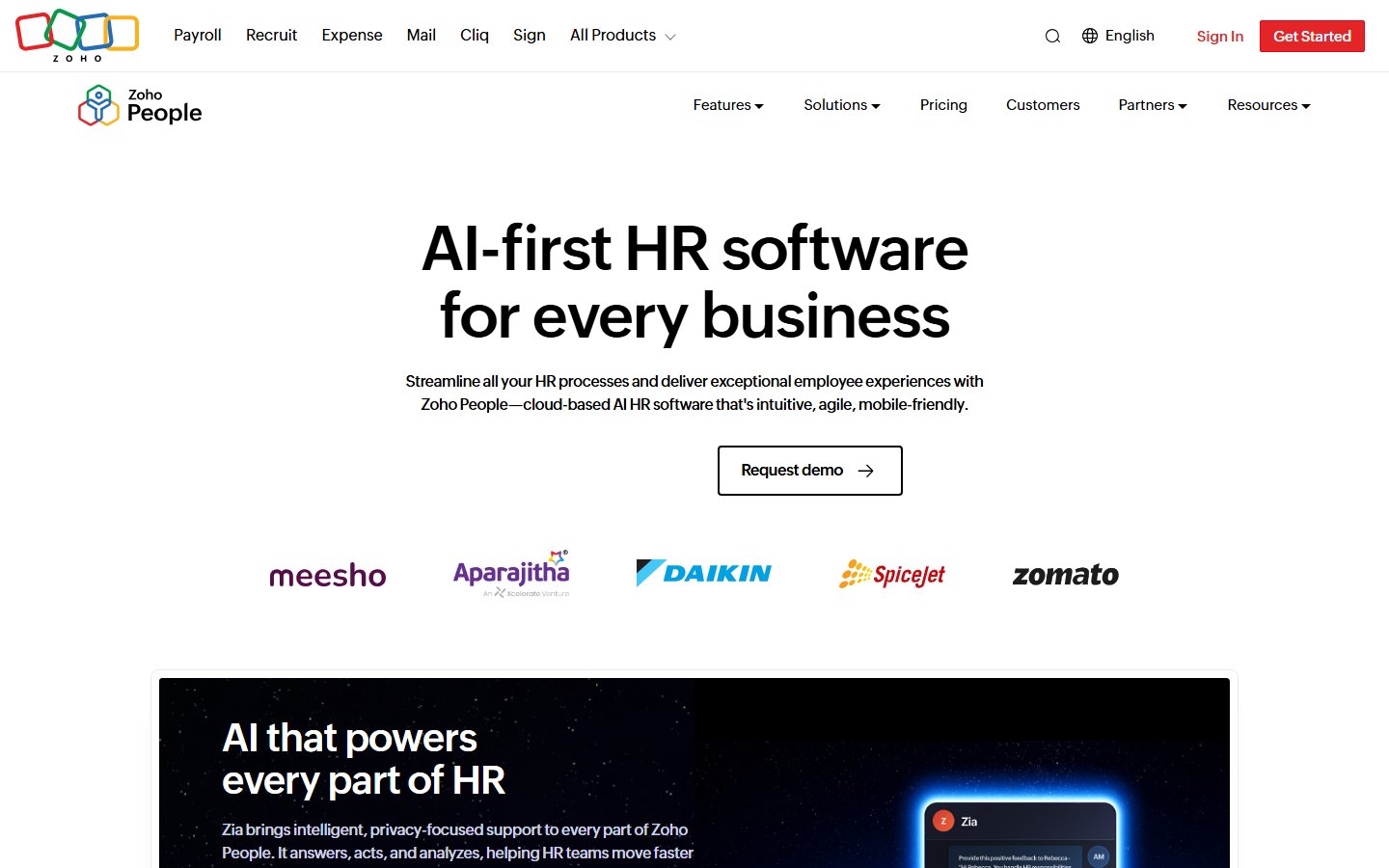
Official-source screenshot: https://www.zoho.com/people/ , captured November 3, 2026. Zoho People public homepage, employee-records product context.
Zoho’s official pricing page describes an ongoing Free edition and lists employee database management, document management and time-off functions. That makes it a reasonable candidate when a very small organization needs a central starting point for employee information.
The material limitation in this review is the user ceiling. Official indexed and rendered pages exposed inconsistent three-user and five-user figures, and one page included both values. This article does not choose whichever number looks more generous. Treat the exact ceiling as unverified until your account or current written product confirmation establishes it.
Its potential strength is a records-oriented starting scope. The proposed evaluation is simple: create fictional employee records, make a manager change, submit a sample leave request, and inspect who can read and edit the resulting information. Do this without real personnel documents during the first exercise.
The tradeoff is that an available Free edition does not prove that every onboarding, attendance, integration or approval feature shown elsewhere belongs to it. Avoid designing the process around a temporary trial screen. Make a list of the controls demonstrated after the account is on the actual continuing plan.
Choose it for a pilot when record organization is the immediate problem and the confirmed account limit fits. Delay migration if headcount eligibility remains unclear or the required permission model has not been demonstrated. Neither a polished directory nor a familiar vendor name resolves those two conditions.
Connecteam: investigate for small frontline teams
Connecteam’s pricing page presents the Small Business free route separately from paid plans organized around Operations, Communications, and HR capabilities. Its structure is relevant when a manager’s daily problem involves coordinating people who spend much of their work away from a desk.
Headcount deserves an explicit check. Current official language is not perfectly consistent at the edge: help material uses “less than” ten employees while other official presentation uses “up to” ten. Do not commit a ten-person workforce on the assumption that both phrases mean the same eligibility rule. Confirm the actual account treatment first.
The editorial case for shortlisting is workflow proximity. A small field team may benefit more from one place to coordinate daily work than from an extensive personnel database. The tradeoff is that coordination, records management and payroll remain different requirements, even when the same platform markets several hubs.
For a proposed pilot, ask a supervisor and a fictional team member to complete one ordinary handoff. Record the information sent, the response expected and how the supervisor recognizes completion. Repeat with a missed response and a change of supervisor. Check which controls are actually included in the continuing free configuration.
Do not use the trial’s full access as the acceptance environment. Before adoption, establish which hub and plan own the features the exercise used. If the business expects rapid hiring, also obtain the current paid route before inviting the entire workforce. A headcount-triggered change is easier to manage when it is anticipated.
Jibble: investigate for time and attendance
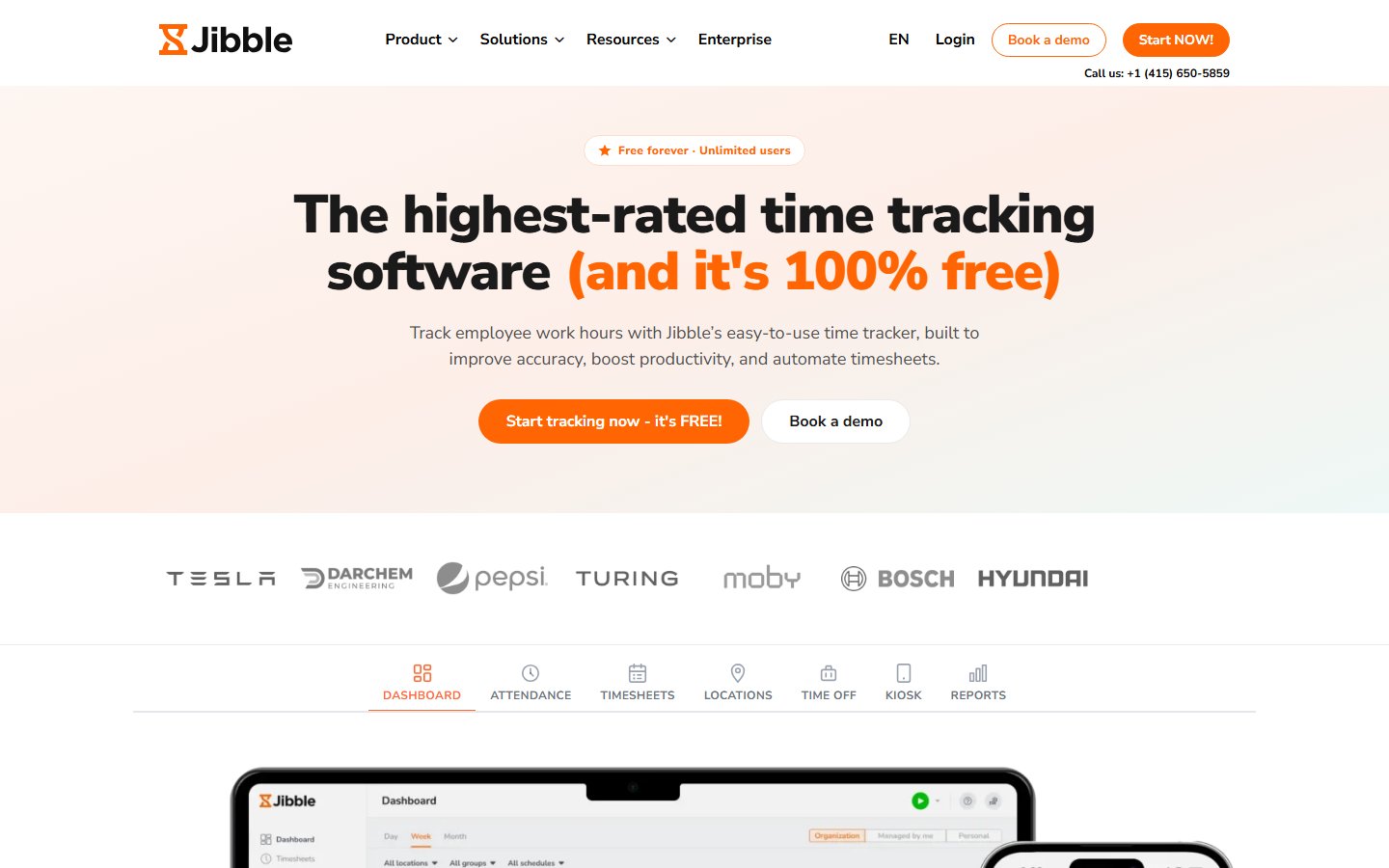
Official-source screenshot: https://www.jibble.io/ , captured November 3, 2026. Jibble public homepage, time and attendance product context.
Jibble’s official explanation of its free offer describes free time tracking for unlimited users. That is a meaningful distinction for a team whose immediate problem is collecting working-time records rather than maintaining a comprehensive employee lifecycle system.
The documented strength is the scope of the free attendance offer. The limitation is category fit: unlimited users do not establish unlimited capabilities, a complete personnel system, or compatibility with your payroll process. Evaluate the exact records and controls you need instead of treating the user allowance as a universal quality score.
A useful proposed test starts with deliberately imperfect data. Create a normal day, a missed event, a duplicate event and an overnight shift using practice records. Ask the intended administrator to explain the final record for each case. Then inspect the actual export or handoff you plan to use, where available on the selected configuration.
The acceptance criterion is understandable, reconcilable information. A supervisor should know which record is original, which was corrected and which still needs attention. If a correction requires work outside the system, document that work and its owner instead of pretending the tool eliminated it.
Shortlist Jibble when attendance is the bounded job and a separate system already owns employee documents or other HR records. A poor fit is a buyer expecting a free time-tracking account to replace every HR process without checking the surrounding responsibilities.
OrangeHRM Starter: distinguish software from a service
OrangeHRM’s official website explicitly distinguishes the free open-source Starter product from Advanced, which has its own trial. The distinction matters more than a long feature list. Starter is not evidence that the paid Advanced service is permanently available at no charge.
The potential strength is an open-source route for an organization that wants to operate an HR system. The principal tradeoff is operational ownership. Someone must be responsible for the installation, its access configuration, backups, updates and restoration. A zero license price does not assign those jobs automatically.
Before assessing convenience features, require a named operator and a recoverable practice installation. Ask that operator to describe where the data resides, who can administer the host, how updates are tested and what happens when the operator is absent. These are buyer questions, not claims about a specific Starter deployment.
Use fictional records to rehearse a recovery. Restore the practice data into an isolated environment and compare a small known set of records. If the organization cannot complete that exercise, it has found an operating gap that should be resolved before real employee information is introduced.
Starter belongs on the shortlist when self-hosting is a deliberate choice with a maintained operating plan. It should not be recommended as a free hosted subscription to a team that simply wants to log in and have someone else maintain the service.
Horilla: assess the self-hosted route separately
Horilla’s official site describes a free self-hosted HRMS and a separate managed-cloud offer. This is another option for a technically supported organization, not proof of a permanent free managed account. Keep the two deployment choices on separate lines in your comparison.
The editorial benefit of considering it is deployment choice: a team can investigate operating the software itself rather than assuming that a vendor-hosted service is the only route. The limitation is that hosting decisions bring maintenance and recovery work that a feature checklist will not capture.
Begin with one business process and a practice installation. Confirm the current installation requirements from official documentation, restrict access to the evaluation group, and map the information required for that process. Avoid loading every historical spreadsheet merely because import appears possible.
Then test an operating change. Replace a practice administrator, update the installation through an approved maintenance process, or restore a small practice dataset. Choose the exercise that addresses your biggest uncertainty. The result should be a documented procedure the responsible person can repeat.
Do not infer that advertised payroll functions implement your country’s rules or your organization’s policies. If payroll is in scope, it needs its own authoritative requirements and validation. Shortlist the self-hosted route only when the organization can support the installation and independently verify the business process it intends to run.
Compare the total responsibility, not just the price
A useful comparison has four columns: software entitlement, administrator effort, infrastructure cost and failure response. Hosted Free may reduce infrastructure work while limiting users or capabilities. Self-hosted software may remove a license bill while leaving every infrastructure decision with your organization.
Use a hypothetical example. A small agency spends several hours each month reconciling leave spreadsheets. A new system is attractive if it makes the approved leave record easier to maintain. It is less attractive if the agency replaces reconciliation with an unsupported server that only one employee understands.
Estimate effort using your own process rather than vendor productivity claims. Count time spent creating accounts, correcting data, reviewing access, resolving exceptions and maintaining any installation. Treat the estimate as a planning assumption until a pilot produces observations. Do not describe estimated savings as measured results.
The budget should also include exit work. Who can retrieve the required records, what format is available, and how will the next system interpret identifiers and status fields? Ask these questions before importing historical information. A free tool can create substantial switching work even without a contractual subscription commitment.
Run a small, representative acceptance pilot
Choose a short sequence that covers a joiner, an ordinary change and a leaver. Create fictional people with different managers and access needs. Add one exception, such as a contractor whose record needs different treatment. Write the expected result before performing the exercise.
For each step, record the actor, action, expected evidence and unresolved question. An invitation sent is not the same as successful access. A record updated is not the same as the correct colleagues seeing the update. A disabled login is not proof that every connected access path has been removed.
When the pilot uses a trial, clearly separate trial-only observations. Repeat decisive tasks on the continuing free configuration. If that configuration is not yet accessible, the final suitability decision remains pending. Do not turn a trial demonstration into a claim about permanent entitlement.
End the pilot with an exception review. List manual workarounds and decide which are acceptable for the current team. A small manual reconciliation can be sensible when it is explicit, owned and infrequent. An undocumented workaround that changes employee balances is a different level of operating risk.
Keep sensitive data out of the initial evaluation
Personnel information deserves a narrower pilot than a normal marketing demo. Use fictional names, invented identifiers and practice documents that contain no real personal information. This lets you investigate permissions and exports before deciding whether the environment is approved for production records.
Map access by role rather than giving every evaluator administrator privileges. Ask which records an ordinary worker, a manager and an HR administrator should see. Then test the actual configuration. A demonstration performed entirely as an administrator cannot establish that the employee-facing access boundaries fit.
Document the intended retention and deletion process in your own operating policy. Verify what the candidate system can support and record any gaps for the responsible decision maker. This guide does not certify that a listed plan meets a particular legal or regulatory requirement.
The HR software data privacy checklist provides a structured place to capture those questions. Review it alongside the technical pilot, rather than waiting until after the employee list has been imported.
Plan the first upgrade before you need it
An upgrade trigger should be observable. Examples include the next hire exceeding confirmed eligibility, a required role being unavailable, or recurring correction work taking too long. “We might need more features” is not a useful trigger because it has neither a threshold nor an owner.
Identify the next realistic option for each candidate. That could be a paid edition, a different hosted product, or a supported deployment arrangement. Verify current terms at the point of purchase. This guide intentionally avoids unsupported paid-price comparisons and assumes no automatic migration outcome.
Set a review point after the pilot and again before expected hiring. At each review, ask whether the initial problem improved, which exceptions remain and whether ownership is still clear. A free plan is successful when it supports the current operation reliably, not merely when the invoice remains zero.
For a growing organization, compare the broader small-business HR shortlist or startup HR selection guide once the free-plan boundary becomes the main constraint. Keep the free-tier decision and the longer-term system decision connected.
Write an adoption record that someone else can use
Before the first real import, create a short adoption record containing the selected configuration, confirmed eligibility, operating owner and unresolved limitations. Include the location of the authoritative employee list and the planned recovery procedure. A colleague should be able to understand the decision without replaying the entire product demonstration.
Record rejected options as well. If a hosted candidate failed the access test or a self-hosted candidate lacked an operator, keep that reason. Future hiring or technical support may change the decision, but the next reviewer should not have to rediscover the same constraint. This is especially useful when the original evaluator changes roles.
Set a date to revisit the record after ordinary use begins. Compare real correction work with the pilot assumptions, and review any unexpected manual steps. Update the operating process when evidence changes rather than treating the original free-plan selection as permanent. The aim is a maintainable HR responsibility with a clear owner, not simply another account that nobody can explain.
Choose the smallest free HR route that completes the job
Choose the best HR software with a free plan by matching the documented free route to a specific responsibility. Records, attendance, frontline coordination and self-hosted administration are different jobs. A good shortlist makes those differences visible and records what remains unverified.
Start with one candidate for the immediate task, a fictional dataset and written acceptance conditions. Confirm eligibility, repeat critical tasks outside any trial, and name the operating owner. Expand only after the pilot demonstrates that the organization can maintain an accurate, accessible and recoverable record.
Explore the HR Software category for related evaluation guides and current software research.
Frequently asked questions
Which free HR option should a small business try first?
Start with the responsibility that is currently failing. Investigate a records-oriented option for an inaccurate employee list, an attendance option for unreliable working-time records, or a frontline tool for coordination. A self-hosted system requires a named technical operator. Use fictional practice data and written acceptance conditions before importing personnel information. The shortlist is a set of candidates for different jobs, not a universal ranking.
How many users does Zoho People Free support?
The exact ceiling remains unverified in this review because official pages exposed conflicting three-user and five-user figures. Confirm the actual account eligibility or obtain current written product confirmation before selecting it. This article does not resolve the discrepancy by choosing the larger number. The existence of an ongoing Free edition is separate from proof that a particular headcount qualifies.
Is open-source HR software a free hosted service?
No. The software license and the managed service are different purchases. OrangeHRM Starter and the self-hosted Horilla route are identified separately from hosted free tiers. Before choosing either, name the person responsible for installation, access, updates, backups and restoration. Estimate those responsibilities alongside any infrastructure bill. Do not assume that a free license includes paid cloud or Advanced features.
Can free attendance software replace payroll?
This guide does not establish that. Time collection, approved corrections, payroll calculation and payment are separate responsibilities. Test the exact handoff your organization needs and identify which system owns the final approved record. A documented time-tracking capability is not a guarantee of local payroll compliance or a complete HR suite. Keep a separate requirements review for any payroll process.
What should happen before an HR free-plan upgrade?
Confirm the trigger, such as headcount, a required permission or excessive correction work. Review the current next-plan terms, the operating owner and the data exit route before committing. Repeat critical tasks on the configuration you intend to keep, especially after a trial ends. A successful purchase decision explains which specific constraint the upgrade resolves and how the organization will maintain the system afterward.