Best Productivity Tools for Remote Teams
Choose remote-team productivity tools by the handoff they improve: knowledge, discussion, video, documents or task execution.
The best productivity tools for remote teams solve a specific handoff problem. Evaluate Notion for durable knowledge, Slack for discussion, Loom for visual explanations, Google Workspace for shared documents, and ClickUp for tracked execution. Most teams should choose a small combination rather than buy every product on the list.
Research scope and limitations
- Research type
- Official-source shortlist and editorial workflow analysis
- Hands-on tested
- No
- Last verified
- October 30, 2026
- Limitations
- Documentation review, not a speed benchmark or paid-account test. Recommendations follow use case; exact prices are excluded.

Table of contents
Direct answer
The best productivity tools for remote teams solve a specific handoff problem. Evaluate Notion for durable knowledge, Slack for discussion, Loom for visual explanations, Google Workspace for shared documents, and ClickUp for tracked execution. Most teams should choose a small combination rather than buy every product on the list.
Start with the point where work becomes unclear. Does a colleague struggle to find the decision, understand the requested change, identify the owner or locate the final file? That failure tells you more about the right tool than a long feature list.
This shortlist uses official product documentation checked on 30 October 2026. We have not benchmarked team productivity or tested paid accounts. Product facts are vendor-documented; use-case recommendations and pilot exercises are editorial judgments. Exact subscription prices and unverified plan allowances are omitted.
Who this guide is for
This guide is for a distributed team choosing its everyday working environment. It fits a small business whose information is spread across messages, documents and individual memory, as well as a growing team trying to reduce duplication between tools.
Who should avoid buying from a generic shortlist? A team with an unresolved delivery process should define responsibility and decision rights first. Adding software cannot decide who approves a customer promise or which document is authoritative. The tool needs a working agreement to support.
For a broader procurement framework, see our productivity tools evaluation guide . If your central problem is dependencies and delivery ownership, use the separate remote project management shortlist . These guides answer related but different buying questions.
Compare tools by the handoff they improve
| Handoff problem | Candidate | What the pilot should prove | Operational tradeoff |
|---|---|---|---|
| Decisions disappear after a conversation | Notion | A new colleague can find the current decision and its owner | Someone must maintain the knowledge structure |
| Questions interrupt the wrong people | Slack | Discussion reaches the right channel with enough context | Conversations still need a durable outcome |
| A change is difficult to explain in text | Loom | A reviewer understands the visual issue without a meeting | Video needs a searchable summary and clear request |
| Several people work on conflicting files | Google Workspace | Contributors know where the authoritative document lives | Sharing and ownership need explicit rules |
| Requests have no visible owner or next step | ClickUp | Work reaches an accountable person with a clear status | Configuration needs an owner and consistent conventions |
A single product may address more than one row. That is a reason to test overlap before adding another subscription. It is not a reason to assume every product can replace every neighboring category.
How the shortlist was selected
The candidates cover five common remote-work jobs rather than five nearly identical apps. We looked for an official product description, relevant documented capabilities and a useful role in an asynchronous workflow. We excluded unsupported performance claims and did not award numerical quality scores.
The selection also distinguishes communication from execution. A conversation can produce an excellent idea without creating an assigned task. A shared document can explain a plan without showing whether anyone has acted on it. Your stack should make the transition between these objects clear.
Use the list as a set of candidates for a local trial. Your existing environment, access requirements and team habits may favor a different combination. The useful result is fewer broken handoffs, not an impressive inventory of software logos.
Notion: evaluate it for durable team knowledge
Notion’s official product page and feature overview describe a connected workspace for capturing and organizing information. Pages and structured records make it a candidate when the team needs a maintained reference rather than another stream of messages.
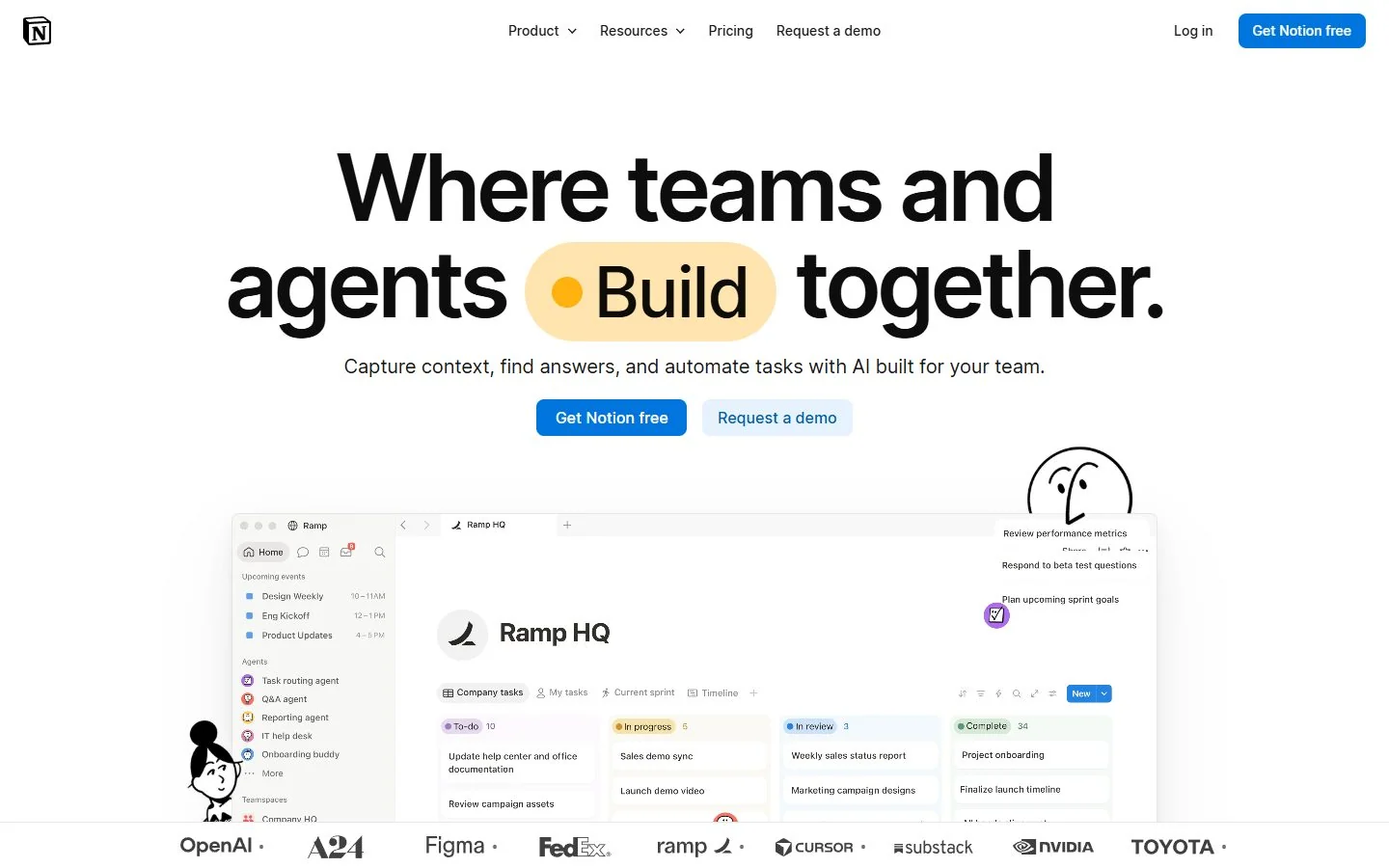
The editorial pro is bringing written context near the records it explains. The limitation is the need for an information architecture. Flexible workspaces can become difficult to navigate when everyone creates their own version of a policy, project page or decision log.
Use a concrete pilot: document one recurring customer handoff. Include the responsible role, required inputs, approval rule and location of the final record. Ask a colleague who did not write the page to follow it without an explanatory meeting.
If the colleague finds several similar pages, treat that as a design problem. Give one page an owner and make its current status obvious. Link supporting material rather than duplicating entire documents. Decide how outdated instructions will be identified and retired.
For a remote team, the acceptance test is retrieval and interpretation. Can someone in another time zone find the right page, distinguish a final decision from a proposal and see whom to ask about an exception? A visually attractive workspace is not sufficient evidence.
Avoid using the knowledge base as an unstructured archive of everything the team has ever discussed. Start with the information that changes action. A short reliable page can be more useful than a comprehensive but neglected collection.
Slack: evaluate it for focused team discussion
Slack’s features page documents channels, huddles and recorded clips. These capabilities make it a candidate for organizing conversation around teams and work, with both live and asynchronous forms of communication.
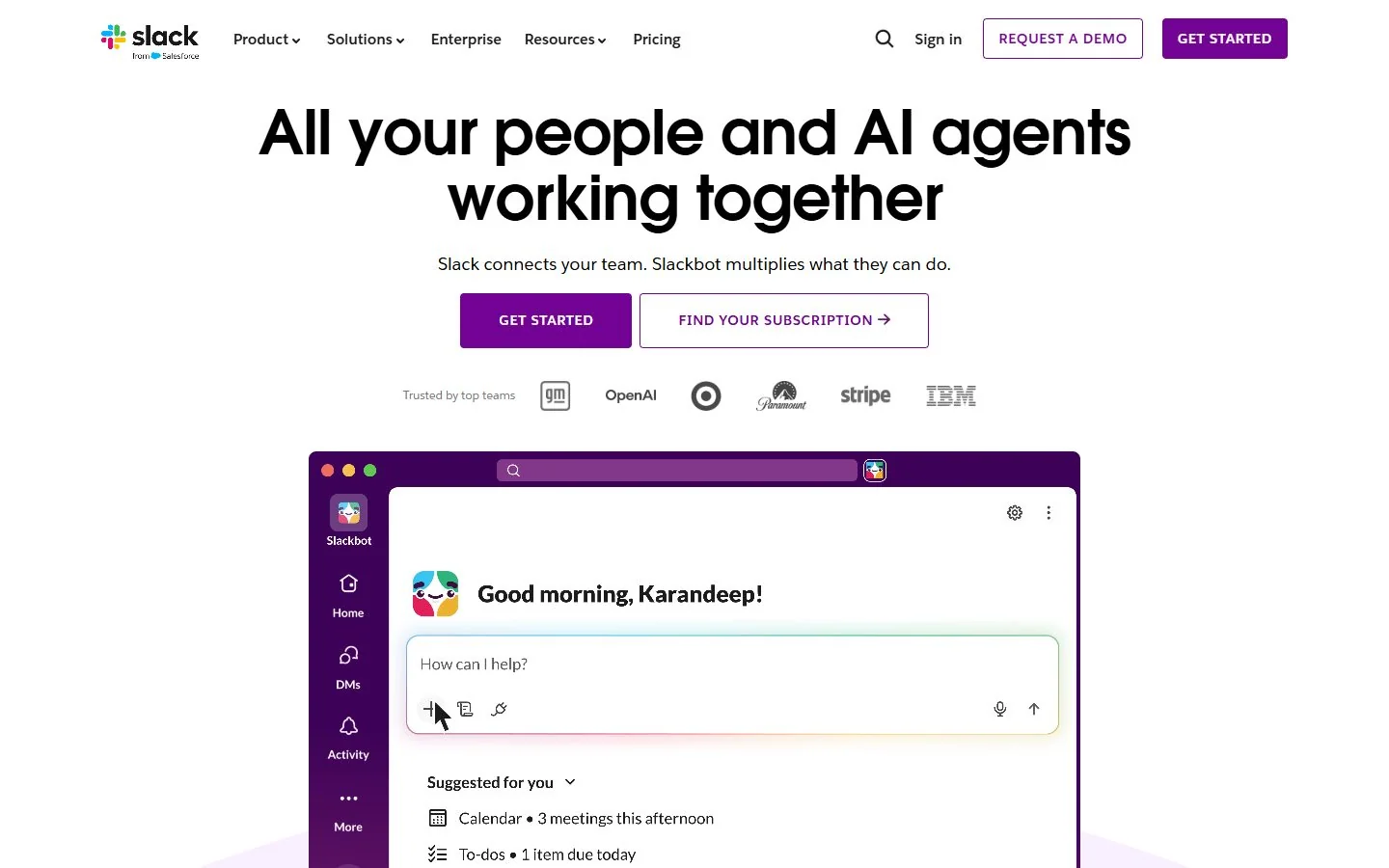
The editorial strength is a recognizable place for discussion. The limitation is that discussion and decision storage are different jobs. A useful exchange can still leave the next reader unsure whether the result was approved, superseded or merely suggested.
Pilot one project channel with a written purpose. Define which requests belong there, what context a question needs and when an issue deserves direct escalation. Do not create a channel for every possible topic before observing how the pilot works.
Try a deliberately realistic handoff. A teammate posts a question at the end of their working day. Someone else should be able to understand the problem, locate supporting material and respond without waiting for the original author to come online.
Review the outcome as well as the response time. Did the exchange lead to an assigned action or an updated decision record? If the answer exists only in a message thread that nobody will revisit, the channel has improved discussion without completing the handoff.
Set expectations about attention. A channel is not a promise of immediate response at every hour. Publish the team’s ordinary response window and its exception route. Without those rules, a remote collaboration tool can become an always-on interruption system.
Loom: evaluate it for visual explanations
Loom’s official homepage presents screen recording and shareable video messages. It is a candidate when showing an interface, reviewing a design or walking through a process conveys context more clearly than a long written description.
The editorial pro is a reusable visual explanation. The limitation is that recording a video does not define its purpose or next action. A recipient should not need to watch an entire recording just to discover whether it is a decision, a demonstration or a request for feedback.
Use a short pilot around one real issue, such as explaining a confusing step in an internal workflow. Begin the recording with the question, show the relevant screen and finish with the action you need. Attach a written summary and the destination for the response.
Ask the recipient to state the requested change in their own words. If their interpretation differs, examine whether the recording supplied too much background, omitted the decision or mixed several tasks. The lesson may concern communication discipline rather than recording quality.
Think about maintenance. A recording can become obsolete when an interface changes. Keep the durable instruction in a maintained location and use video to explain what benefits from visual context. Mark the relevant version or capture date when the detail could become misleading.
Do not record confidential material just because it appears beside the issue you want to show. Prepare the screen and use only appropriate demonstration data. A concise recording made from a clean environment is easier to review and safer to share.
Google Workspace: evaluate it for collaborative documents
Google Workspace lists collaboration products including Docs, Sheets, Slides, Drive, Gmail, Calendar and Meet. It is a candidate when the remote team’s central work happens in shared documents and files alongside familiar communication tools.
The editorial strength is a coherent document-centered working model. The limitation is that a suite does not decide your authority rules. People still need to know which file is final, who owns it and whether a comment requests action or merely offers a suggestion.
Pilot a document that several roles genuinely need to review. Define one authoritative location, one owner and a clear approval point. Ask contributors to make their changes through the agreed review process rather than circulating separately edited copies.
Then test the handoff to a colleague who missed the discussion. Can they find the approved version and understand which questions remain open? Can they see the difference between a draft and a document that should guide customer-facing work?
Inspect external collaboration deliberately. A client reviewer and an internal editor have different needs. Confirm appropriate sharing in the actual account configuration rather than assuming a familiar sharing experience satisfies every access requirement.
If your organization already has a well-governed document suite, adding another knowledge tool should address a clear gap. Start by improving names, ownership and review routines in the existing system. A new subscription is not the only way to make documents easier to use.
ClickUp: evaluate it for turning requests into owned work
ClickUp’s feature overview lists tasks, Docs, views and dashboards. This breadth makes it a candidate when a remote team wants supporting context near tracked work rather than leaving requests scattered across conversations.
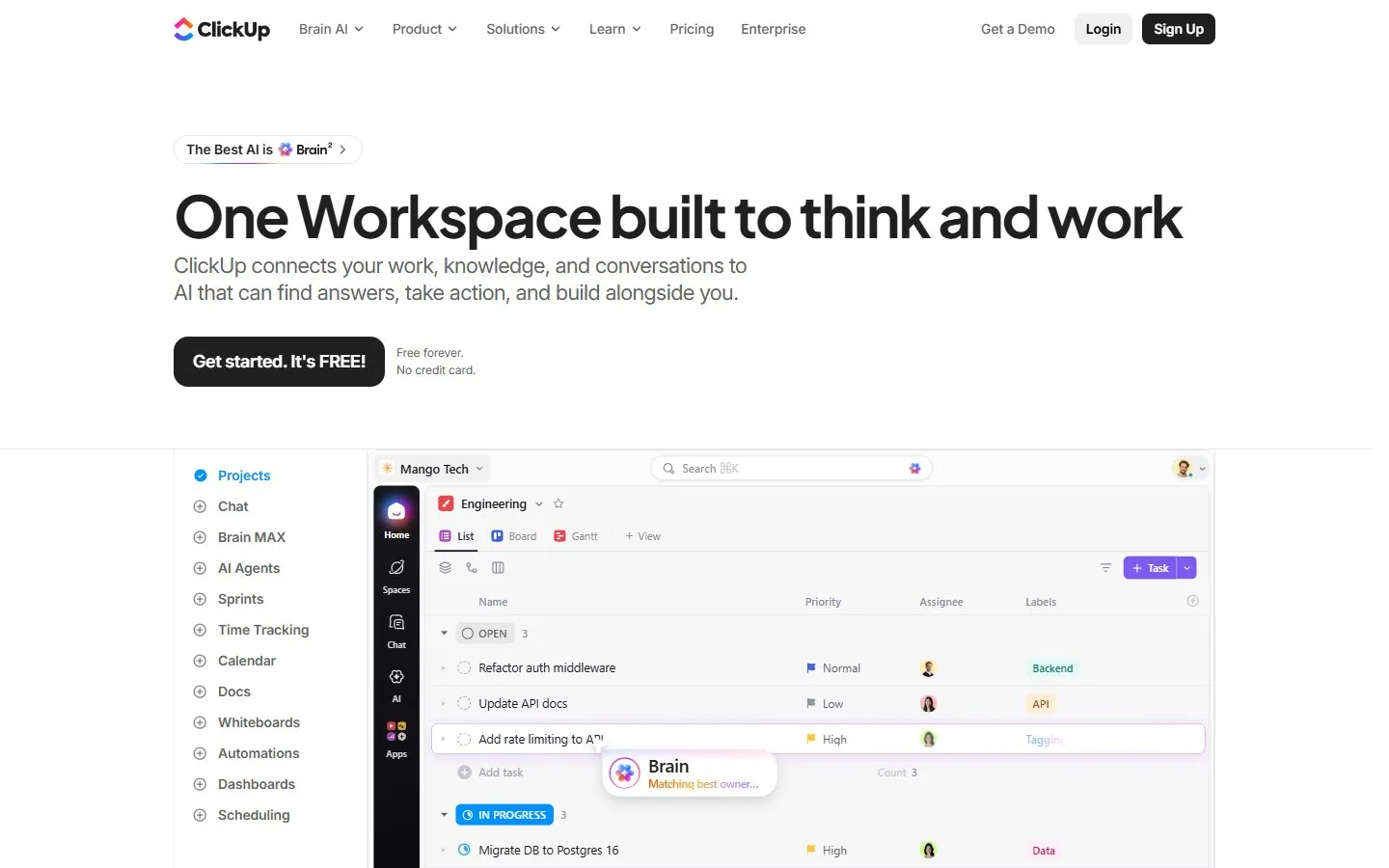
The editorial pro is the possibility of connecting a request to a visible work record. The limitation is configuration choice. A workspace can become harder to operate if each team invents different statuses, required fields and meanings of completion.
Build the smallest useful pilot. Choose one request type, one owner field, a short status sequence and a clear definition of done. Add a supporting document only if it resolves a real question about how the work should be completed.
Send a request through the process while its requester is offline. The assigned person should be able to understand the expected result, identify missing information and record a blocker in a place the requester can find later.
Evaluate whether managers can distinguish assigned work from accepted responsibility. A task with a name beside it does not prove the person has the capacity or information to complete it. Your operating agreement should explain acknowledgement, exceptions and escalation.
Use the project-management guide when cross-project dependencies become the main buying issue. This productivity shortlist considers ClickUp’s role in a daily handoff, rather than treating every possible work-management capability as necessary for every remote team.
Design the stack before adding another app
Draw a simple chain for one real piece of work: discussion, decision, task, artifact and approval. Write the authoritative location for each stage. Some stages can share a tool, but each should have one obvious home.
For example, a team might discuss a customer request in its collaboration channel, record the agreed rule in a knowledge base, assign the work in a task system and review the final document in its existing suite. The products matter less than whether people can follow the chain.
Avoid competing records. If the task status says “approved” while a document says “awaiting review,” someone must resolve the disagreement. Specify which object owns approval and how the other location points to it.
Also define the transition. Who converts a message into a task? Who updates the maintained page after a decision? A small explicit responsibility can prevent recurring confusion that no additional feature would solve.
Test an exception rather than only a clean example. Let a required input arrive late or let a reviewer reject a draft. The stack should show what changed and who acts next, without forcing someone to retell the history in a meeting.
Practical buying criteria for remote teams
Start with asynchronous clarity. A teammate should understand what happened while they were offline, what decision is current and what action belongs to them. Evaluate the quality of that understanding rather than merely counting notifications or comments.
Next examine administration. Every flexible tool needs someone who can maintain naming, ownership, access and conventions. Ask whether your team can support that work. A sophisticated setup that depends on one enthusiastic employee is a continuity risk.
Evaluate onboarding with a real newcomer exercise. Provide the ordinary invitation and team instructions, then ask the person to find a record, make an appropriate update and locate the next action. Record where human help was needed.
Review accessibility and alternative formats for the actual team. A video explanation should not be the only way to learn a critical instruction. A complex visual board should have an understandable written process behind it. Test with the people who will rely on the system.
Finally, verify the current commercial and account terms. Record the required roles, guest arrangements, essential features and relevant allowances from official information for the plan you intend to use. This guide does not assume that every documented feature is included in every subscription.
Compare total operating cost
Create a purchasing sheet with subscription costs, onboarding effort, routine administration and the time required to resolve failed handoffs. Use your own observations from the pilot. Do not borrow a vendor’s productivity percentage as though it measures your workplace.
Include duplication. If two tools store the same decisions, someone pays the maintenance cost even when both subscriptions appear affordable. If a new app replaces nothing and adds another review queue, its claimed convenience needs closer examination.
Account for interruption as well as time saved. A system may make sending a question easier while making focused work harder for recipients. Agree on communication windows and escalation rules before attributing every extra exchange to improved collaboration.
Look at the cost of exit. Can the team retain key documents, decisions and task history in a usable form? Test one representative export or manual preservation exercise before depending on the service for essential records. Verify the actual account capabilities rather than assuming them.
A two-week pilot with useful acceptance tests
Choose one team and one recurring workflow. In the first two days, document the existing handoff failures and collect a few examples. Keep the comparison concrete: missing context, unclear ownership, duplicate files or decisions that cannot be found later.
During setup, assign a process owner and publish a short working agreement. State where questions go, where decisions live and how work becomes complete. Use the fewest fields and channels that make those rules possible.
Run ordinary work through the pilot for several days. Keep the existing approach available until essential records are safe, but avoid maintaining two authoritative copies of the same decision. Tell contributors exactly which location is being tested.
Ask people on different schedules to complete a handoff without a live explanation. Observe whether the recipient can identify context and next action. Record extra clarification, administrative repair and any confusion about which version is current.
Finish with a review that includes the people doing the work. Managers may value a dashboard while contributors experience duplicate updates. A successful decision should account for both perspectives. Keep the tool only if the pilot shows a workable process the team is willing to maintain.
Roll out through working agreements
Expand one workflow at a time. A team that understands one clear handoff can reuse the pattern. A company-wide launch with many untested conventions makes it harder to identify whether a problem belongs to the product, setup or process.
Name an owner for each shared convention. Review channel purposes, document locations and task meanings after the first month. Remove unnecessary fields and close obsolete spaces rather than leaving them for newcomers to interpret.
Maintain a short change record. If the team changes the approval rule or moves the source of truth, explain what changed and where existing records belong. A remote colleague should not discover a process migration only after updating the wrong place.
Keep team note-taking evaluation in mind when meetings produce important decisions. Notes are valuable only when the resulting decision and action remain findable. The same principle applies whether the meeting happens in person or online.
Decision guidance
Before making the final choice, run one absence test. Let the person who normally explains the process step away from the pilot for a working day. Can the rest of the team find the brief, distinguish a proposal from an approved decision and continue the work? Record each moment that required private knowledge. This gives you a practical list of improvements before rollout.
Also test a replacement colleague. Hand the workflow to someone who understands the job but did not build the workspace. Ask them to locate the current instruction and make a routine update. If the system works only for its original designer, spend the next iteration on names, navigation and ownership rather than adding features.
Keep a small review sample after adoption. Once a month, select a few completed handoffs and check whether their decisions and final artifacts remain understandable. You are checking the health of the process, not monitoring individual activity. Share the recurring failures with the team and remove unnecessary steps together.
These exercises turn a software purchase into an operating decision. They also provide a clear reason to stop a pilot: if the proposed tool adds a place to update without removing confusion elsewhere, simplify the design before extending the contract.
For the best productivity tools for remote teams, buy against the broken handoff you can demonstrate. Choose a knowledge workspace when decisions cannot be found, a discussion tool when context fails to reach people, video when showing helps, a document suite when files diverge, and a task system when action lacks ownership.
Do not add all five by default. Improve the smallest part of the workflow that prevents a teammate from moving forward. When the handoff becomes clear and stays clear without constant repair, the software is doing useful work.
Frequently asked questions
What are the best productivity tools for remote teams?
Evaluate Notion for durable knowledge, Slack for discussion, Loom for visual explanation, Google Workspace for shared documents and ClickUp for tracked execution. Choose by the handoff you need to improve.
Does a remote team need all five tools?
No. Start with existing tools and add a product only when it solves a specific gap without creating unnecessary duplication.
How do productivity tools differ from project management software?
Productivity tools support creating, discussing and finding work. Project management software centers on accountable tasks, dates, dependencies and delivery status.
How should we measure a successful pilot?
Check whether a teammate can find context, identify the next action and complete a handoff without extra clarification. Track review and administration effort too.
Which tool is the cheapest for a remote team?
Compare current terms for the required users and features, then include onboarding, administration, duplication and review time. This guide does not quote subscription prices.