Best Productivity Tools with a Free Plan
Compare five productivity tools with free options for tasks, shared boards and notes, with verified plan boundaries and practical selection tests.
The best free productivity tool depends on what you need to organise. Todoist is a candidate for a focused personal task system, Trello for a small shared board, Notion for individual notes and structured work, Microsoft To Do for personal lists using a Microsoft account, and Obsidian for a free core note-taking application with optional paid services. These are use-case recommendations, not a measured ranking.
Research scope and limitations
- Research type
- Official-source documentation review and editorial analysis
- Sources reviewed
- 9
- Hands-on tested
- No
- Last verified
- November 5, 2026
- Limitations
- No paid-account test, listening benchmark, coding benchmark or account-entitlement audit. Exercises and fit judgments are editorial recommendations. Numerical paid prices are not assessed.

Table of contents
Direct answer
The best free productivity tool depends on what you need to organise. Todoist is a candidate for a focused personal task system, Trello for a small shared board, Notion for individual notes and structured work, Microsoft To Do for personal lists using a Microsoft account, and Obsidian for a free core note-taking application with optional paid services. These are use-case recommendations, not a measured ranking.
Free does not mean the same thing across these products. A personal free plan, a limited shared workspace and free software with paid synchronisation have different boundaries. In particular, Notion’s individual Free plan should not be presented as an unlimited ongoing free team workspace, and Microsoft To Do’s personal-account availability should not be expanded into a blanket organisational licensing promise.
Who this guide is for
This shortlist is for individuals and small working groups trying to solve a specific coordination problem without committing immediately to a paid system. You might need to stop losing personal commitments, make a shared queue visible or retain decisions in searchable notes. Start with that problem rather than install all five products and create another set of places to maintain.
It is not an enterprise procurement ranking or a substitute for reviewing access, retention and contractual requirements. A free entry point can be useful for a bounded trial and still be unsuitable for sensitive shared work. The productivity evaluation framework helps define the workflow and its acceptance conditions before selecting a tool.
How we evaluated the tools
We reviewed official product, pricing and support pages on November 5, 2026. Candidates needed a documented ongoing free plan or free core edition, a clear productivity task and an identifiable boundary between that offer and paid services. We did not use paid customer accounts, measure completion speed or independently verify vendor performance claims.
The comparison considers task fit, the actual free-use scope, collaboration expectations, information ownership and the work needed to leave. Product facts are tied to official sources; proposed trials and fit judgments are editorial recommendations. No sponsored placement or affiliate relationship is asserted by this guide, and the order groups workflows rather than scores their quality.
We excluded temporary trials as the basis for a free recommendation. Where part of a product is a trial, such as an AI allowance or a team expansion route, that part is not treated as an ongoing free capability. Verify the present offer for your account before moving essential work into any service.
Comparison table
| Tool | Free scope checked | Useful starting task | Boundary to investigate |
|---|---|---|---|
| Todoist | Beginner personal plan, including five personal projects | Capture and review individual commitments | Whether project, history and advanced-view limits fit |
| Trello | Free workspace with up to ten collaborators and ten boards | Make a small shared queue visible | Workspace permissions and plan-specific controls |
| Notion | Free individual workspace; team expansion has a limited block trial | Retain notes and organise personal project information | Team entitlement, sharing and trial AI access |
| Microsoft To Do | Free use with a personal Microsoft account | Daily planning and personal/shared lists | Separate work/school account requirements |
| Obsidian | Free core app; optional Sync and Publish are paid | Maintain a personal knowledge collection | Synchronisation, backup and collaboration arrangements |
The table is a starting point for evaluating the right edition. It does not promise that a paid feature visible on a homepage belongs to the free account. Treat a required limit or permission as an acceptance question and demonstrate it in the configuration you intend to keep.
Todoist: a candidate for personal task discipline
The official Todoist pricing page lists an ongoing Beginner plan with five personal projects, reminders and list or board layouts. That makes it a relevant candidate when the central need is a dependable personal task record rather than a broad team operating platform. Review the current comparison for features that sit outside that scope.
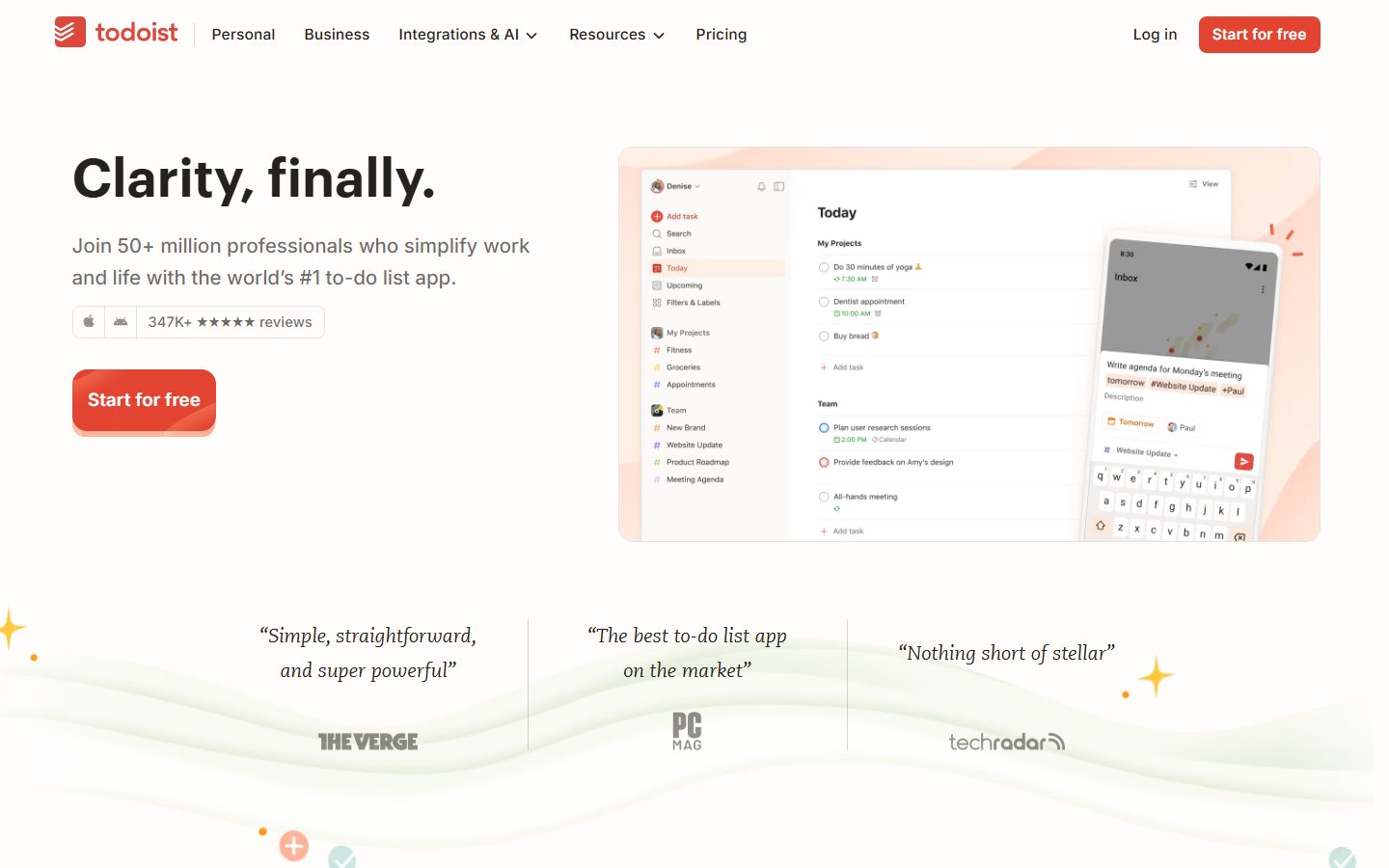
For a trial, capture a week’s representative commitments using approved examples. Separate an action you have accepted from an idea you might pursue. Add a deadline only when it has a real meaning. Then review whether you can identify today’s work, future obligations and tasks waiting on someone else without reconstructing the original conversation.
Include an interrupted task and a changed due date. The system should help you understand the current commitment while retaining enough context to act. If you repeatedly copy supporting information into several places, decide whether the task should link to a document instead. More organisation fields are not necessarily helpful if maintaining them becomes another daily burden.
The main selection question is whether the personal free boundary fits your work. A person with a small set of active projects may have different requirements from somebody coordinating several teams. Do not treat the presence of a business offering as proof that the same governance or workspace capability is included in the individual free plan.
Continue when the trial produces a clearer daily review with manageable upkeep. Reconsider when you need capabilities outside the verified free scope or when the application becomes a second copy of tasks already owned elsewhere. Our task-versus-project management guide helps distinguish an individual action list from a process that needs broader coordination.
Trello: a candidate for a small shared board
The official Trello plan comparison lists a Free offer for up to ten collaborators and ten boards per workspace. This is relevant when a small group wants a visible queue with understandable ownership and status. Keep the required workflow narrow enough that the board’s structure remains comprehensible to the people maintaining it.
Set up a fictional incoming request, an accepted task and a completed task. Agree what each stage means before moving cards. Ask a participant who did not create the board to identify the next action and its owner. A board can look orderly while hiding work that is blocked, waiting for a decision or assigned to someone unavailable.
Test collaboration permissions explicitly. Atlassian’s plan guidance says members of a free workspace are administrators. Assess whether that arrangement fits the intended working group. Do not assume the free workspace provides the same separation of responsibilities or administrative controls that your organisation may require for a larger or more sensitive process.
Include a guest or occasional collaborator in the actual eligibility check. Record who counts towards the relevant limit and verify the present rules for the configuration. Then inspect what happens when the board owner is absent and another participant needs to correct a mistake. The trial should reveal the working convention and the authority needed to maintain it.
Trello is a candidate when a shared visual queue solves the problem with little explanation. It is a weaker starting assumption when the real need is complex project dependencies, restricted approval or a detailed planning model. The free offer’s value should come from a queue the group can run, not from recreating every department’s process on one crowded board.
Notion: a candidate for individual notes and structured work
Notion’s plan guidance describes the Free plan as suitable for individual projects and tasks. It distinguishes that from adding members with a limited block trial. The current pricing page also presents trial AI access separately. Those distinctions matter when somebody proposes a free shared company workspace based on a personal account demonstration.
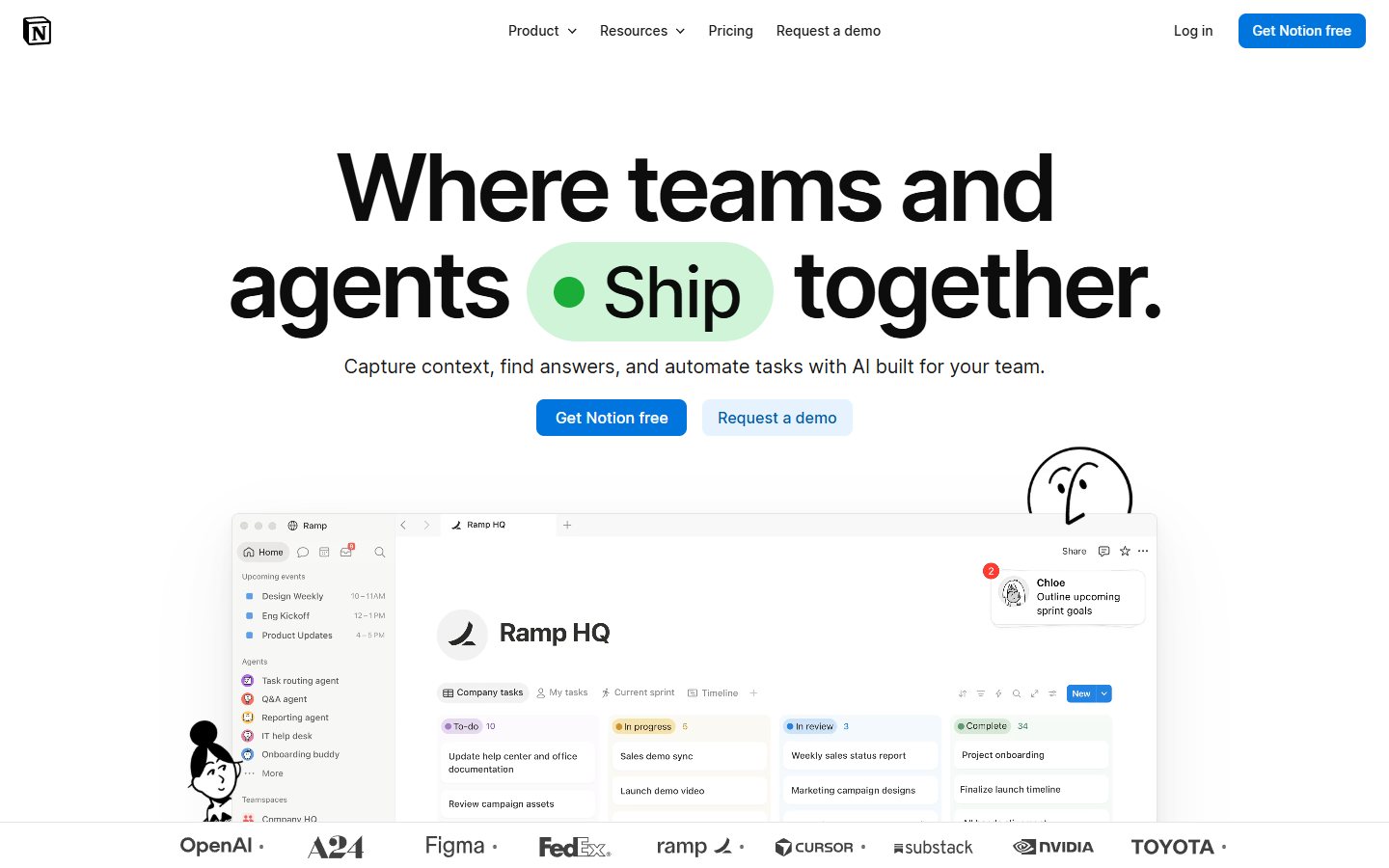
For an individual trial, create one project page containing its purpose, current decision, accepted tasks and supporting notes. Ask whether the structure helps you continue the work a week later. Keep a clear distinction between the current decision and the history of ideas considered. A flexible workspace can preserve both without making every draft equally authoritative.
Next, introduce a changed requirement and a similarly named page. Evaluate whether you can find the right record without remembering exactly where it was created. If organisation depends on tags, templates or database properties, include their maintenance in the decision. Flexibility is useful when you can operate the structure consistently, not only when the initial page looks impressive.
Check the actual sharing boundary before inviting other people. A public page, a guest invitation and a workspace member are different arrangements. This guide does not establish an unlimited free collaboration entitlement. Use fictional information in the trial and verify the setting from the intended recipient’s view rather than assuming that an invitation provides only the access you had in mind.
Choose the free individual scope when it supports your own notes and planning without a complicated maintenance system. Reassess when the work becomes a shared organisational record or depends on trial-only capability. Our team note-taking evaluation provides tests for decisions, source context and access when several people need to rely on the same collection.
Microsoft To Do: a candidate for personal daily planning
Microsoft’s account support page states that To Do is free with a personal Microsoft account. It separately explains work and school account requirements. The official product page describes daily planning and shared lists. Scope the recommendation to the access you can actually verify.
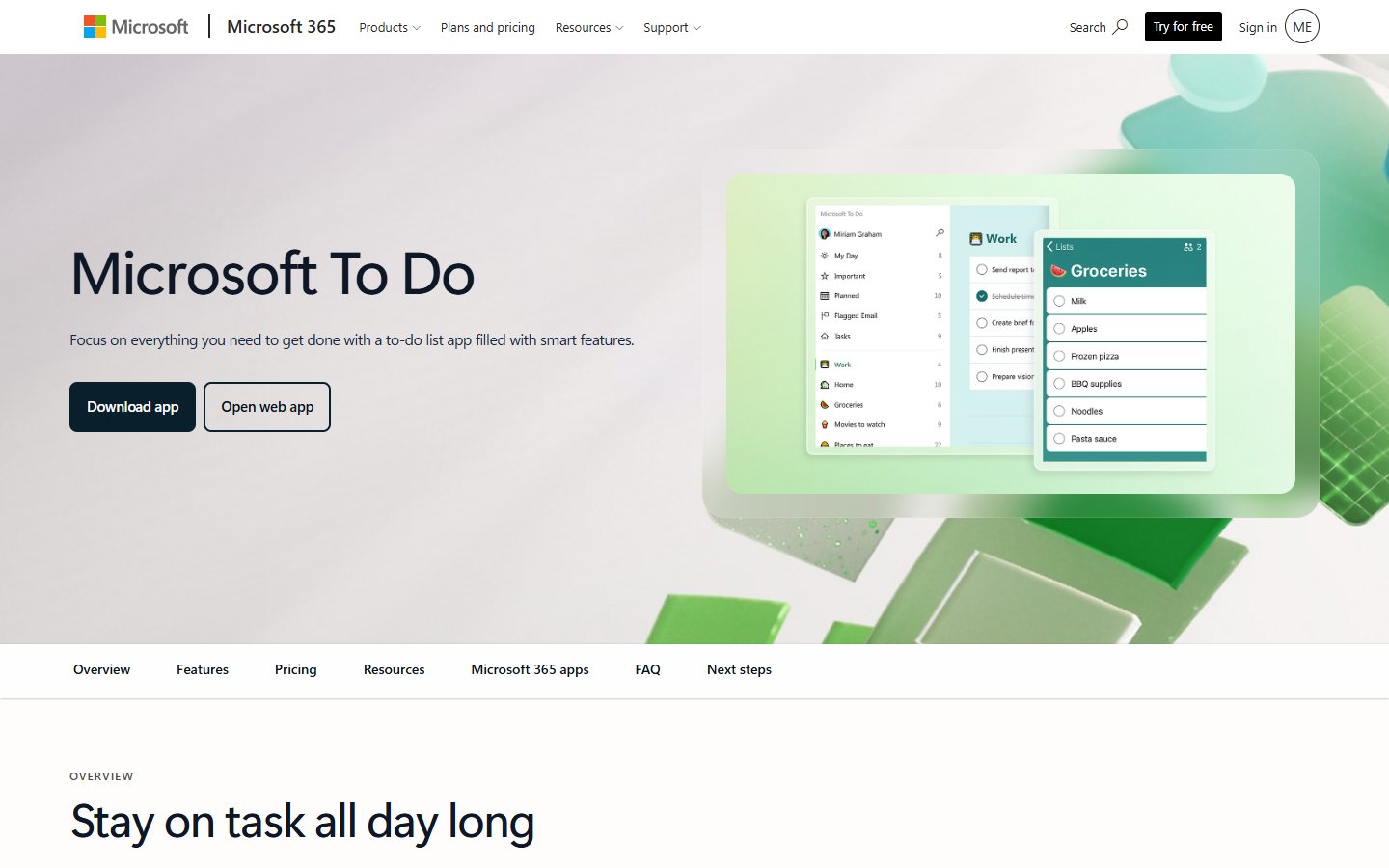
Use a personal demonstration list with a few commitments that have clear next actions. Decide which belong in the daily plan and which should remain visible for later. Change one date and complete one task from a different device. Evaluate whether the resulting record is understandable without repeatedly checking several other applications for context.
For a shared-list scenario, use an approved fictional activity with another test participant. Check that both people understand the next action and the intended sharing boundary. A list may be sufficient for a small coordination task without becoming the authoritative system for a department. Verify the actual account type rather than assuming a personal trial transfers unchanged to organisational use.
Keep task management separate from promises about the entire Microsoft 365 suite. Free personal access to this application does not mean every related application, administrative feature or work-account configuration is included at no cost. The useful decision is whether this specific access supports the list workflow you need.
Continue when daily planning becomes clearer and the person responsible can maintain the record with little friction. Reconsider if the work requires a larger project model, complex access controls or a shared source of truth that the list process does not establish. The asynchronous work guide helps examine handoffs when personal tasks become commitments involving colleagues in other schedules or locations.
Obsidian: a candidate for a personal knowledge collection
Obsidian’s pricing page presents the core application as free and identifies Sync and Publish as optional paid services. Its official site describes a note-oriented workflow. This is a different free proposition from a hosted workspace plan: evaluate the core software alongside the arrangements you will use to retain, protect and access the notes.

For a trial, collect a small set of approved notes for one ongoing project. Link a decision to the supporting context and add a follow-up question. Return later using an ordinary question rather than the exact file name. Assess whether you can identify the current decision and understand why it was made without navigating an elaborate structure built only for the demonstration.
Review where the information is stored and how your chosen setup handles recovery. Create a harmless test note, change it and demonstrate the recovery route your arrangement provides. Do not assume that installing a free core app automatically supplies cloud synchronisation, a team collaboration service or a backup policy. Verify each additional service independently.
Treat optional extensions and connected services as separate dependencies. Introduce them only when they solve a real requirement, and assign responsibility for updates and access. A highly customised workspace can be useful to its creator while becoming difficult for another person to understand or maintain. Include that burden when the notes are important to ongoing work.
Obsidian is a candidate when a personal knowledge collection and explicit information ownership matter more than a ready-made shared task board. Reassess if the real requirement is a centrally administered collaborative workspace. The free core application’s value should be judged within the setup you can support, rather than expanded into a promise that paid add-ons or unrelated third-party services are included.
Choose one primary home for each record
Before combining tools, decide where tasks, decisions and reference documents belong. A task can link to a note without becoming a second independently maintained version of it. A shared board can reference an approved decision without replacing the place where that decision is recorded. Write those boundaries down in a few sentences.
Take one request from capture to completion and count each manual copy. Ask which copy someone should update when the owner or deadline changes. If the answer depends on who happened to create the record, simplify the workflow before introducing automation. Duplicate updates can make a free stack expensive in attention and correction effort.
Our AI productivity stack guide is relevant when assistants are also being added to the process. The initial goal should be a coherent operating arrangement, not a larger collection of free accounts whose permissions, notifications and records nobody owns.
Run a bounded free-plan trial
Choose one representative week or one complete work cycle, depending on the task. Prepare approved examples of an ordinary action, a changed commitment and an exception. Record the intended result before testing. Include an infrequent user where collaboration matters, because an administrator familiar with every setting may not reveal the difficulties other participants encounter.
Keep a short exception register. Note the failed action, its consequence, the workaround and the person responsible for retesting it. Distinguish a free-plan limitation from a configuration issue or an unclear team convention. Otherwise, a trial can accumulate several small workarounds without anybody noticing that the complete workflow has become hard to maintain.
Measure the problem you started with: time spent finding a decision, missed handoffs or repeated entry. Include setup, notifications and administration. Frequent logins or a large number of newly created tasks describe activity; they do not establish that useful work becomes easier to finish. We have not run this trial or measured results for these five products.
Verify the exit before moving essential information
Use a sample containing tasks, owners, dates, notes and attachments where applicable. Verify the product’s actual export or retrieval options and inspect the result outside the normal working view. Identify which history, relationships or permissions do not transfer. An export label alone does not establish that another person can understand and continue the work.
Check who owns the relevant account and what happens when an individual leaves a working group. Separate personal access from organisational ownership before an informal trial becomes a business dependency. Keep the minimum documentation needed to retrieve approved work and identify an accountable maintainer.
Record the free boundary and the event that would trigger another review, such as adding members, requiring longer history or needing a paid service. That makes a later upgrade decision more deliberate. The strongest free tool is the one whose useful scope remains clear and whose operating burden stays proportionate to the work.
When paying may be the sensible choice
Before the decision, rehearse an ordinary absence. For a personal system, return after several days and identify which commitments changed. For a shared board, remove the usual organiser from the exercise and ask another participant to find blocked work. For a note collection, ask someone with the intended access to locate the latest approved procedure. These cases reveal whether the setup depends on one person’s memory or continual prompting.
Then introduce one practical disruption: an invitation sent to the wrong test address, a renamed record or an unavailable device. Use harmless sample information and follow the documented recovery route. Record what the user can resolve and what requires an administrator. A successful recovery does not need to be fully automatic; it needs to be understandable and owned by someone who can perform it when necessary.
Keep the buying brief short enough to use at renewal or expansion. State the original problem, verified free scope, accepted result, unresolved limitation and named owner. Attach examples that demonstrate the outcome rather than a large collection of screenshots showing settings. When a requirement changes, this brief lets the team revisit the decision without repeating every part of the initial exploration.
Finally, consider whether retiring an overlapping tool would improve the result. A new free account can be useful, but an accepted replacement should also have a plan for old tasks, notes and shared links. Decide what remains authoritative during the transition and how participants recognise archived information. That operational change can matter more than the subscription price because it determines whether the team obtains one dependable working record or another competing copy.
Consider a paid option when a demonstrated requirement sits outside the free scope and the benefit justifies the complete cost. Verify the current offer instead of assuming that a higher tier solves every limitation. Sometimes the correct change is a clearer process or fewer tools rather than a subscription upgrade.
Keep the decision grounded in evidence from the trial. Name the required capability, the people affected and the accepted outcome it enables. Add migration and maintenance effort to the comparison. Our review methodology explains how documentation-backed facts and editorial recommendations differ from first-hand testing or a measured product ranking.
Frequently asked questions
Which free productivity tool is best overall?
There is no universal winner across personal tasks, shared boards and retained knowledge. Start with the workflow: a task list, a small collaborative queue or a note collection. The five products here are grouped by those needs, and the recommendations do not represent measured performance rankings.
Are all five options free for an entire business team?
No. Free scope differs. Notion’s individual free plan and team block trial are distinct; Microsoft To Do’s personal access does not settle work-account requirements; Trello has a defined workspace limit. Verify your actual account, membership and required controls before relying on an organisation-wide free deployment.
Is Obsidian Sync included with the free app?
The official pricing page presents Sync and Publish as optional paid services, separate from the free core application. Assess your chosen access, recovery and collaboration setup independently. This guide does not treat a paid add-on or a third-party synchronisation arrangement as an included free service.
Should I install several free tools at once?
Begin with the one that addresses the main problem. If you combine tools, assign a clear home to tasks, notes and decisions and avoid independently maintained duplicates. Test one complete handoff before expanding. More free accounts can still increase notification, administration and correction effort.
What should make me consider upgrading?
Use a demonstrated requirement rather than a promotional feature list. Examples include a necessary membership level, history, permission or service outside the verified free scope. Check the current paid offer and compare its full operating cost with the accepted outcome it enables. A clearer convention may solve the problem without an upgrade.