Canva Magic Studio Review (2026)
An evidence-based Canva Magic Studio review covering its design workflow, AI tools, plan fit, limitations, and who should use it in 2026.
Direct answer
Canva Magic Studio is a practical AI-assisted design environment for individuals and teams that already use Canva to create presentations, social content, campaign assets, documents, images, and short-form video. Its main advantage is not one isolated AI model. It is the way generation and editing tools sit inside an established template, brand, collaboration, and publishing workflow.
The product is a good fit when a team wants to move from an idea to an editable visual asset without switching among several specialist applications. It is a weaker fit when the primary job is long-form research, data analysis, coding, specialist production, or fully automated content creation.
This Canva Magic Studio review uses official Canva product, pricing, newsroom, safety, and Help Center sources checked on August 24, 2026. We did not conduct a controlled hands-on benchmark, compare output quality across fixed prompts, or test a paid workspace. Capability descriptions below are verified facts; judgments about buyer fit are editorial inferences from those facts.
Canva Magic Studio review summary
| Decision area | Assessment |
|---|---|
| Best for | Teams producing repeatable visual content inside Canva |
| Main strength | AI creation and editing integrated with templates and an editable design environment |
| Main limitation | It is not a substitute for specialist research, analysis, or professional creative judgment |
| Free access | A limited AI allowance is available on Canva Free; current limits should be checked before adoption |
| Paid-plan value | Higher allowances plus plan-dependent premium content, brand, storage, collaboration, and administration features |
| Review basis | Official-source research, not a hands-on product test |
What Canva Magic Studio actually is
Canva introduced Magic Studio as a collection of AI-powered capabilities distributed across its visual creation platform. That distinction matters. A buyer is not purchasing a separate chatbot with a Canva logo; the practical proposition is AI assistance embedded in the process of selecting a format, creating a draft, editing a design, applying brand elements, collaborating, and exporting or publishing the result.
Official Canva material groups several kinds of work under the Magic Studio umbrella. These include generating starting points for designs, creating images or video clips from prompts, writing and rewriting copy, translating content, resizing or adapting designs, and performing focused editing tasks. Feature availability, usage allowances, and outputs differ by tool and plan.
The clearest example is Magic Design. Canva’s Help Center explains that it can suggest templates from a user’s text, images, or ideas for formats such as presentations, social posts, videos, and documents. Those templates remain editable. Canva also distinguishes Magic Design from media generation: Magic Media or Canva AI Video generates media, while Magic Design arranges and stylizes content into a layout.
That separation is useful for evaluating the product. Magic Studio is strongest as a connected workflow, not as proof that every individual generation feature is best in its category.
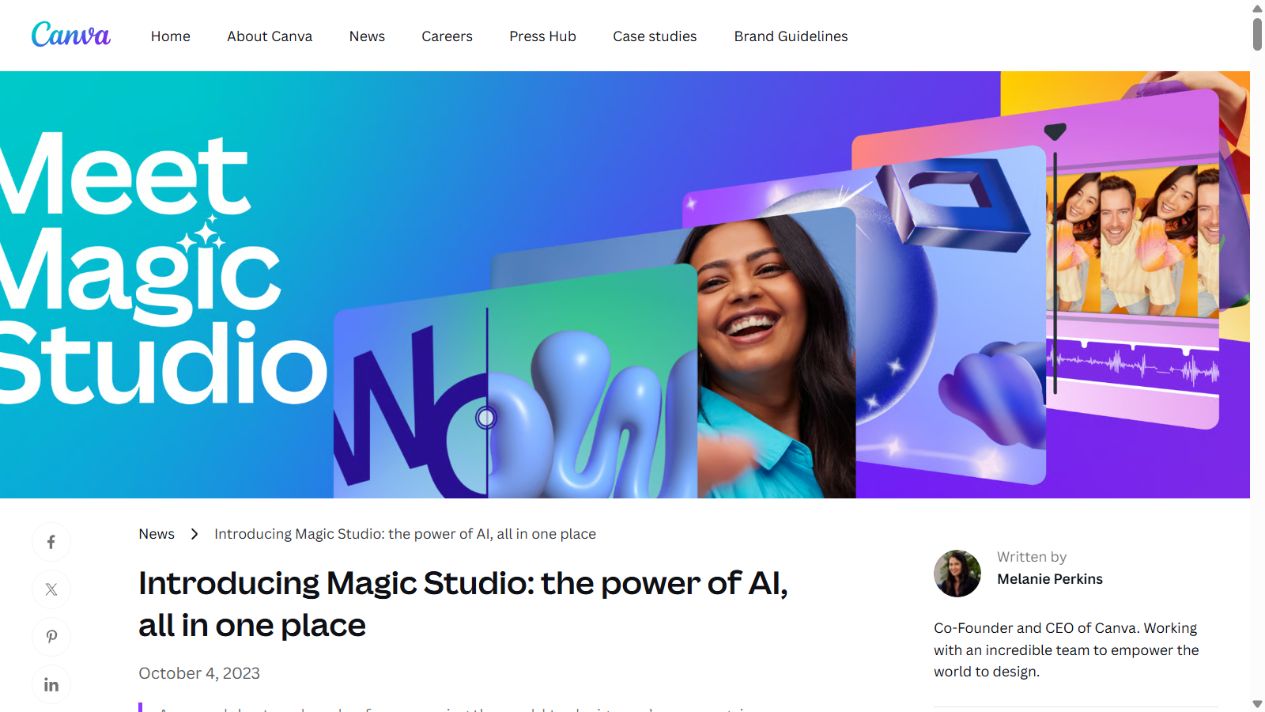
Canva’s official Magic Studio introduction page. Source: Canva . Captured August 7, 2026, to document the product’s official positioning.
Where Canva Magic Studio is most useful
Producing editable first drafts
The most useful output from an AI design tool is often not a finished asset. It is a structured first draft that a person can inspect and revise. Canva’s template and editor environment makes that workflow more practical than receiving a flat image with no convenient way to change layout, type, colors, or individual elements.
For a small marketing team, the starting point might be a presentation, event graphic, social post, simple video, or one-page document. The team can generate or select a direction, replace the copy and imagery, apply approved brand elements, and route the asset for review. That does not remove design work, but it can reduce the blank-page stage.
Adapting content across formats
Canva is also useful when the challenge is repetition. A campaign may require a presentation, social variations, a document, and channel-specific dimensions. Canva’s wider platform includes resizing, translation, templates, and publishing capabilities, although the exact availability of these functions depends on the plan.
The buyer value comes from keeping those variations in one design environment. A team should still test whether the adaptation preserves hierarchy, legibility, and brand intent; automated resizing does not guarantee a production-ready layout.
Helping non-designers follow a system
Templates, Brand Kits, and approval-oriented capabilities can give non-designers a safer starting point than an unrestricted canvas. Canva’s current pricing material differentiates plans by access to premium assets, Brand Kits, storage, collaboration, administration, and AI allowances.
This is particularly relevant for distributed teams. The important question is not whether every employee can generate content. It is whether the organization can define approved templates, ownership, review steps, and limits around what may be uploaded or published.
Combining generation with familiar editing
Many AI tools stop after producing an output. Canva lets users continue working in an editor designed for visual communication. That can reduce switching costs for teams already using Canva. It does not prove that Canva’s generation quality is superior to specialist tools, but it makes the complete workflow easier to understand and govern.
Canva Magic Studio’s main strengths
A broad visual workflow in one place
Canva connects AI-assisted creation with templates, media, text, presentations, documents, collaboration, and export. Buyers comparing it with a single-purpose generator should evaluate the full path from prompt to approved deliverable, not only the first generated image.
Low-friction entry for existing Canva users
Teams familiar with Canva do not need to introduce an entirely separate interface for every AI-assisted task. Existing designs, uploaded assets, and plan-dependent brand resources can remain part of the workflow. Familiarity can reduce training time, although it should not be confused with proof of output quality.
Editable outputs and reusable structures
An editable template or design is easier to adapt than a static result. This is especially valuable for recurring campaigns and presentations, where teams need consistency rather than a one-off visual experiment.
A usable free starting point
Canva’s current official pricing page lists a Free plan with a limited AI allowance. That gives a buyer a way to test selected workflows before paying. The allowance is not unlimited, and Canva notes that different AI capabilities may consume allowances differently. A meaningful pilot should therefore include the exact tool and volume the team expects to use.
Visible safety and governance material
Canva publishes material about its AI safety approach and Canva Shield. This does not eliminate the need for a buyer’s own privacy, legal, and security review. It does make it easier to identify questions about training data, content controls, indemnification, and administrative features before procurement.
Canva Magic Studio’s limitations
AI allowances and plan boundaries can be confusing
Canva’s pricing model combines its broader design platform with AI allowances that vary by plan and potentially by the type of AI use. A simple statement such as “Magic Studio is included” does not tell a buyer whether the expected monthly workload will fit.
Before purchase, document the specific tools the team will use, expected volume, users, required Brand Kits, storage, approval needs, and whether an add-on is likely. Check the current local pricing page rather than relying on an old review or search snippet.
It does not remove review work
Generated copy, images, layouts, translations, and video may contain factual, visual, legal, or accessibility problems. A team remains responsible for checking claims, rights, brand suitability, readable contrast, captions, alt text, and the final context in which an asset appears.
Specialist tools may be stronger for specialist jobs
Canva’s breadth is valuable, but a specialist image, video, presentation, research, or writing product may offer deeper controls for a particular workflow. Buyers should not equate an all-in-one environment with best-in-class performance in every component.
The product is not a general research assistant
Magic Studio can assist with copy and content inside a design workflow, but it is not primarily built for complex analysis, large-document synthesis, coding, or broad conversational research. Teams seeking those outcomes should compare a general assistant or a specialist tool rather than forcing Canva into the role.
Output can become visually generic
Template-led production is efficient, but repeated use of familiar layouts and default suggestions can make work look interchangeable. Strong teams use Canva as a production system while maintaining their own visual direction, photography, examples, and editorial judgment.
Canva Magic Studio pricing and plan fit
Canva’s pricing page, checked August 24, 2026, showed Free, Pro, Business, and Enterprise options for individuals and organizations. The page displayed annual US pricing for Pro and Business, but pricing is volatile and can differ by market, billing cadence, tax, promotion, and account. This review therefore does not present those figures as a universal purchase quote.
Use the plan structure this way:
- Free is appropriate for an initial workflow test with a limited AI allowance and basic design needs.
- Pro is the likely individual or very small-team step when premium design tools, a larger content library, more storage, Brand Kits, and higher AI capacity matter.
- Business targets teams needing more brand capacity, collaboration and administration, larger storage, and a higher AI allowance.
- Enterprise should be evaluated when procurement, administration, security, governance, and organizational deployment are material requirements.
The correct plan cannot be chosen from an AI feature checklist alone. Calculate the complete requirement: number of users, brand systems, asset library, approvals, storage, publishing, expected AI usage, and any required support or contractual controls.
Who should use Canva Magic Studio
Shortlist Canva Magic Studio when:
- your team already creates substantial work in Canva;
- the primary deliverables are visual and must remain editable;
- non-designers need structured templates and brand guidance;
- the same campaign must be adapted into several formats;
- you want to test AI-assisted production without adding several disconnected tools;
- a human will still own review and publication.
It is especially relevant to small marketing teams, founders producing regular visual content, communications teams, educators, and organizations that need a shared visual workspace.
Who should avoid it
Do not make it the default choice when:
- the main problem is research, complex writing, coding, or data analysis;
- professional designers need specialist production controls Canva does not provide;
- the organization cannot approve cloud AI use for the intended data;
- no one owns brand, factual, legal, or accessibility review;
- expected AI volume is unknown and plan limits have not been modeled;
- the team is buying it only because competitors have adopted AI tools.
In those cases, define the job first and compare a narrower tool. Our AI tools evaluation guide provides a reusable pilot framework, while Canva Magic Studio vs ChatGPT explains the boundary between visual production and general knowledge work.
A practical evaluation workflow
- Choose one recurring deliverable. Use a real presentation, campaign asset set, or social series rather than an invented demo.
- Record the current baseline. Measure preparation time, production time, review rounds, and common errors.
- Test the complete process. Move from brief to generated starting point, editing, brand application, review, export, and delivery.
- Inspect the failures. Record factual errors, weak layouts, inaccessible choices, inconsistent brand use, and manual cleanup.
- Model the plan. Confirm user count, AI allowance, storage, Brand Kits, approval requirements, and local pricing.
- Review governance. Decide what data may be uploaded, who approves outputs, and how generated assets are documented.
- Make a workflow decision. Adopt only if the tool improves the complete process without creating unacceptable review or compliance work.
Sources checked
- Canva: Introducing Magic Studio
- Canva plans and pricing
- Canva Help Center: Use Magic Design
- Canva Help Center: Use Magic Media
- Canva: Canva Shield and safe AI
- Canva Create 2025 product update
Verdict
Canva Magic Studio is most convincing as an AI-assisted visual production system, not as a claim that Canva has the strongest model for every creative task. It gives existing Canva users a practical route from idea to editable design, with templates, collaboration, brand resources, and publishing nearby.
Choose it when visual deliverables are frequent, Canva already fits the team’s workflow, and a human review process remains in place. Look elsewhere when the real need is deep analysis, specialist production, or autonomous content creation. A short pilot using one recurring deliverable is more reliable than buying from a long feature list.
Frequently asked questions
What is Canva Magic Studio?
Canva Magic Studio is Canva's collection of AI-assisted creation and editing capabilities inside the Canva design workflow. It supports tasks such as generating design starting points, images and video clips, editing media, writing, translating, and adapting content, with access and allowances varying by plan.
Is Canva Magic Studio free?
Canva's Free plan includes a limited AI allowance, while paid plans provide larger allowances and additional design, brand, storage, collaboration, or administration capabilities. Buyers should verify the current allowance and included tools on Canva's pricing page because these terms can change.
Is Canva Magic Studio good for small businesses?
It can be a strong fit for small businesses that regularly produce social graphics, presentations, campaign assets, or other branded visual content. It is less compelling when the main need is deep research, complex data analysis, specialist video production, or a general-purpose business assistant.
Does Canva Magic Studio replace a designer?
No. It can accelerate first drafts and routine production, but teams still need human judgment for brand direction, factual accuracy, accessibility, permissions, originality, and final quality control.
Is Canva Magic Studio better than ChatGPT?
Canva Magic Studio is generally the better workflow for editable branded visual assets, while ChatGPT is broader for writing, analysis, research support, files, and conversational work. The better choice depends on the final deliverable rather than the AI label.