Claude Features: Complete Guide
Explore Claude features for chat, writing, files, research, projects, memory, connectors, coding, data, and organizational workflows.
Direct answer
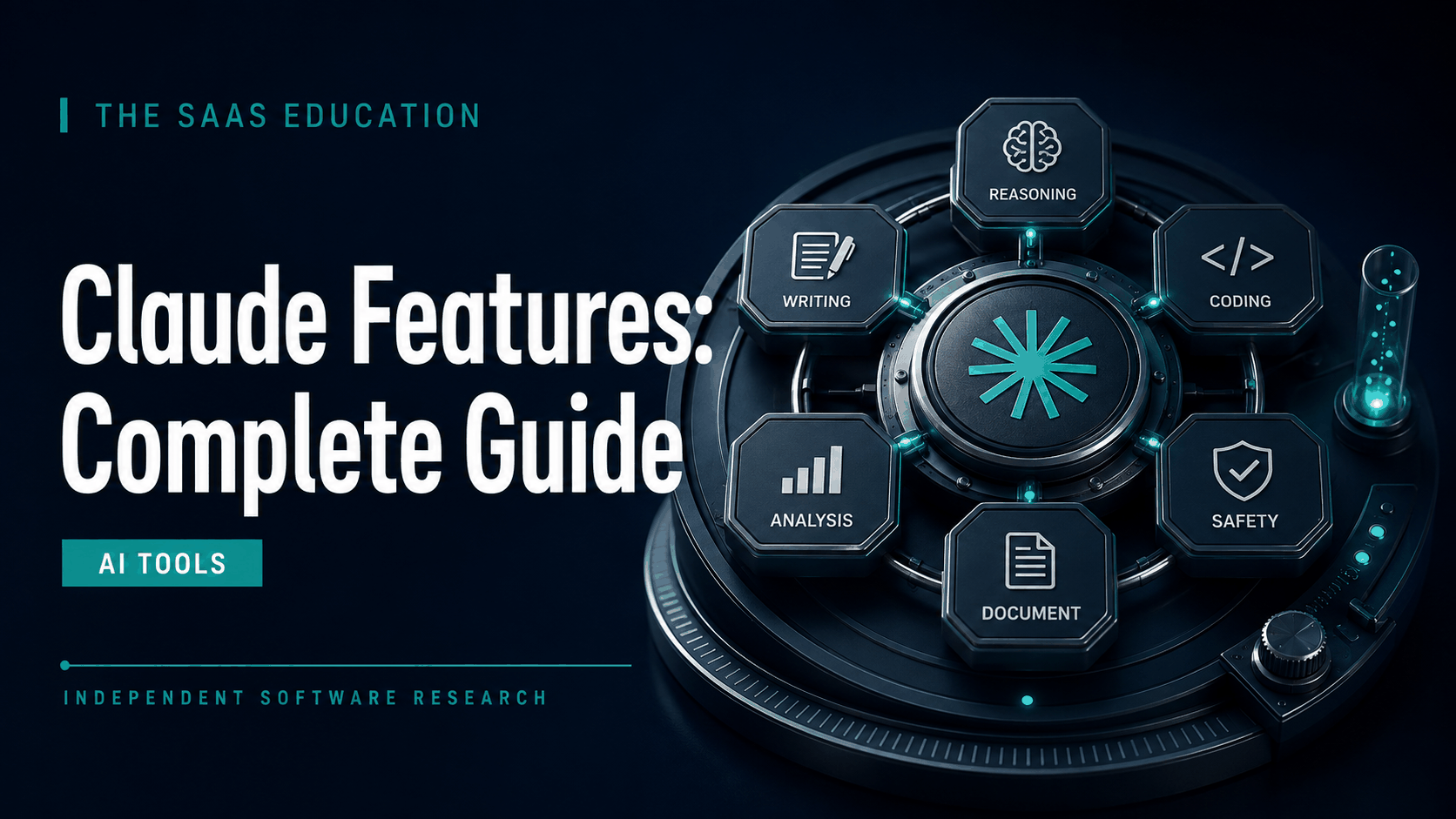
Claude combines a conversational assistant with tools for writing, analysis, files, coding, data, web research, projects, memory, connectors, and plan-dependent specialized work. The feature set is broad enough to support an individual drafting a document, an engineer working through a repository, or a team organizing recurring knowledge work.
The important qualification is plan and context. A feature listed on a product page may have usage limits, regional availability, model requirements, administrative settings, or staged rollout. Verify the exact account before building a critical workflow.
Claude feature map
| Feature area | What it supports | Main control |
|---|---|---|
| Conversation | Questions, reasoning, drafting, revision, and iterative work | Verify claims and preserve approved outputs |
| Files and documents | Upload, analysis, synthesis, extraction, and transformation | Confirm source rights, versions, and sensitive data rules |
| Web search and research | Current discovery and structured investigation | Open sources and distinguish evidence from inference |
| Projects and memory | Persistent work context and reusable instructions | Set ownership, sharing, review, and archive rules |
| Coding and data | Code generation, repository work, calculations, and visualization | Require tests, review, and scoped access |
| Connectors and MCP | Context or tools from external services | Apply least privilege and monitor actions |
| Organizational features | Team workspaces, identity, administration, and enterprise controls | Match the contract and configuration to risk |
1. Conversational writing and analysis
Claude’s core interface supports iterative conversation. Users can explain a problem, provide constraints, review an answer, challenge assumptions, and refine a deliverable without restarting the context each time.
This is useful for briefs, memos, policies, explanations, outlines, reports, email drafts, research synthesis, and editorial revision. The best results come from a clear acceptance test: audience, objective, evidence, exclusions, format, tone, length, and required review.
Claude can produce confident language that is unsupported or incomplete. Separate brainstorming from factual drafting and ask the model to label assumptions. A human remains accountable for the published result.
2. Files and document work
Claude can work with uploaded files under current plan and platform limits. Users can ask it to summarize, compare, extract, organize, explain, or transform material. This can reduce manual reading effort when the task and evidence are well defined.
Use a controlled process:
- Confirm that uploading is authorized.
- Label the source, owner, date, and version.
- Ask for extraction before interpretation.
- Identify conflicts and missing material.
- Verify decisive passages in the original.
- Store approved findings in the authoritative system.
Complex layouts, tables, images, footnotes, scans, and charts can be misread. Sample these elements instead of assuming perfect import.
3. Web search
Current Claude plan information includes web search. Search helps users retrieve current information and can connect answers to external sources. This is useful for market research, current product facts, news, regulations, and source discovery.
Search output is not automatically authoritative. Prefer official and primary sources, check dates, open citations, and record the point-in-time verification. For news, distinguish when an event happened from when a page was published.
4. Research
Research features can support a multi-step investigation rather than one quick answer. A user can frame a question, gather material, compare sources, and produce a structured report.
Before starting, define scope, jurisdiction, evidence hierarchy, exclusions, and completion criteria. Ask the output to separate directly supported facts, disputed claims, assumptions, and recommendations. A report with many links can still omit the decisive source.
5. Projects
Projects provide persistent context for related work. They can organize chats, documents, and instructions around a client, subject, product, or recurring process, with limits and sharing depending on plan.
Use Projects for stable context, not as an uncontrolled archive. Assign an owner, remove stale files, version important instructions, restrict sharing, and publish accepted outputs elsewhere. Private project knowledge should not become the only record of a team decision.
6. Memory
Memory can reduce repetition by carrying useful context across conversations. This can improve continuity for preferences, recurring roles, or ongoing work.
Persistent context also needs boundaries. Users should know what can be remembered, how to inspect or change it, and which sensitive facts should never be retained. Do not rely on memory for an authoritative policy or customer record.
7. Claude Code
Claude Code is Anthropic’s coding environment for understanding repositories, planning changes, editing code, running tools, and supporting development work. Official pricing material currently includes Claude Code with documented paid individual options, while organizational and API arrangements have separate terms.
Good coding use requires feedback:
- Start from a clear issue and acceptance criteria.
- Scope repository and tool permissions.
- Inspect existing architecture before editing.
- Run tests, type checks, linters, and security checks.
- Review every diff.
- Require approval for dependencies, secrets, destructive actions, and deployment.
AI-generated code can be plausible and wrong. Treat it as a contribution subject to the normal engineering process.
8. Code execution, files, and data visualization
Claude can support calculations, file creation, code execution, and visualization in available work surfaces. These features help move from explanation to an artifact, such as a table, chart, spreadsheet, document, or prototype.
Verify formulas, units, filters, joins, dates, and assumptions. Preserve the input data and transformation logic so another person can reproduce the result. Generated visuals should include accessible labels and should not hide uncertainty.
9. Connectors
Connectors can bring external workplace context into Claude. This reduces manual copying and can make responses more relevant to actual documents, messages, calendars, or other systems.
The benefit is also the risk. Review the identity used, permissions inherited, data available, actions allowed, logging, retention, and offboarding. Begin with read-only access to a narrow source and test oversharing scenarios.
10. Remote MCP integrations
The Model Context Protocol can connect Claude to compatible sources and tools. It can support reusable integrations beyond a fixed vendor list.
Treat an MCP server as an application integration. Verify who operates it, what data leaves the organization, which commands it exposes, how authentication works, what is logged, and how it is revoked. Tool descriptions should never override organizational permissions or user intent.
11. Specialized Claude work surfaces
Anthropic’s current product positioning includes specialized experiences for coding, collaborative work, design, science, and other domains depending on account and availability. These can package models and tools around a more specific workflow.
Evaluate them as separate capabilities. A familiar Claude brand does not mean every surface has the same data path, limits, outputs, or controls. Test the actual task and plan.
12. Desktop, mobile, and browser access
Claude is available across supported web, desktop, and mobile experiences. Multiple surfaces can improve continuity for distributed users, but they also expand the security boundary.
Manage device access, local downloads, browser extensions, notifications, clipboard use, and lost devices. Do not assume a managed web account controls every locally exported artifact.
13. Team and Enterprise features
Organizational plans add collaboration, administration, security, support, and contract options beyond individual subscriptions. Exact capabilities should be confirmed on current official pages and in the agreement.
Evaluate identity, provisioning, roles, sharing, audit, retention, export, connectors, data terms, support, capacity, and regional requirements. A company plan creates a foundation for governance but does not write the policy or review outputs.
14. API access
Developers can access Claude models through the Anthropic API and supported cloud channels. API use is separate from a Claude app subscription and follows usage-based pricing and developer terms.
Production systems need evaluation sets, prompt and model versioning, rate and cost controls, observability, fallbacks, security, abuse prevention, and human exception handling. Measure cost per successful task, not token price alone.
Which features belong in your workflow?
Begin with the smallest feature set that completes the job. A writing workflow may need Projects and files but not connectors. A coding workflow may need repository tools but not broad workplace data. A research workflow may need web search and source review but no external actions.
Feature access should follow maturity. Start with chat and approved low-risk files, then introduce Projects, memory, connectors, code tools, or external actions only after owners can explain the data path, review process, and rollback. This staged approach makes failures easier to diagnose and prevents an impressive demonstration from becoming an uncontrolled production workflow.
Record the tested account, plan, platform, model, and date whenever a feature becomes part of an operating procedure.
Retest regularly.
Create a feature-to-risk map:
| Feature | Value | New risk | Required control |
|---|---|---|---|
| Files | Faster synthesis | Sensitive upload or wrong version | Data rule and source register |
| Search | Current evidence | Weak or misleading sources | Primary-source review |
| Memory | Less repeated context | Persistent sensitive information | Inspection and retention policy |
| Connector | Relevant workplace context | Excessive inherited access | Least privilege and audit |
| Code tool | Faster engineering | Incorrect or destructive change | Tests, review, approvals |
| External action | Workflow automation | Unintended real-world effect | Confirmation and logging |
A practical feature pilot
Test representative tasks for 30 days. For each feature, define success, permitted data, reviewer, and fallback. Track completion, first-pass acceptance, factual correction, time saved, usage interruptions, incidents, and cost.
Include failure cases: stale source material, contradictory files, excessive connector permissions, ambiguous instructions, incorrect calculations, and code that fails tests. A feature should not be approved only because the ideal demo worked.
Final perspective
Claude’s feature set can support a large portion of modern knowledge work, but breadth should not become permission to use every capability at once. Start with one bounded workflow, verify outputs, and add persistent context or connectors only when the operating controls are ready.
For plan and cost details, read Claude Pricing . For an overall buying assessment, read our Claude Review .
Frequently asked questions
What can Claude do?
Claude supports conversational work, files, writing, analysis, code, data, web search, research, projects, memory, connectors, and other plan-dependent experiences.
Does Claude have web search?
Yes. Current official plan material includes web search. Open and verify important sources rather than relying on the generated summary.
What are Claude Projects?
Projects organize related chats, documents, instructions, and context. Use ownership, source versioning, sharing rules, and archive practices.
What is Claude Code?
Claude Code is Anthropic’s coding agent environment. It supports repository and development work but should operate under scoped permissions, tests, and review.
Does Claude support connectors?
Yes, depending on plan and availability. Review inherited access, data flow, permitted actions, logging, and offboarding before use.
Can Claude create files?
Current product material describes file creation and data or code outputs. Verify generated artifacts, calculations, formatting, and accessibility.
Are all Claude features included in Pro?
No. Features and capacity differ across Free, Pro, Max, Team, Enterprise, and API products, and availability can change.
Sources
Feature access should be verified in the exact account and region that will be used. During a pilot, record which model, tool, connector, limit, and export produced each accepted result. Retest after a material product change. This prevents a team from building a critical process around a demonstration feature, temporary capacity, or capability that is unavailable under its selected plan.
Frequently asked questions
What can Claude do?
Claude can support chat, writing, analysis, files, code, data, web search, research, projects, memory, connectors, and other plan-dependent workflows.
Does Claude have web search?
Yes, current official plan material includes web search, subject to plan, account, availability, and usage conditions. Verify sources for consequential work.
What are Claude Projects?
Projects organize related chats, documents, instructions, and context around recurring work. Exact limits and collaboration features depend on the plan.
What is Claude Code?
Claude Code is Anthropic's coding agent environment for working with codebases and development tasks. Access, limits, and billing depend on the selected product and plan.
Does Claude support connectors?
Claude supports plan-dependent connectors and remote MCP integrations. Organizations should review permissions, data scope, actions, retention, and offboarding before enabling them.
Can Claude create files?
Official plan material describes file creation, code and data visualization, and specialized work surfaces. Availability varies and outputs require review.
Are all Claude features included in Pro?
No. Features, models, capacity, administration, and organizational controls differ across Free, Pro, Max, Team, Enterprise, and API products.