Claude Review (2026)
An independent Claude review covering writing, analysis, coding, research, projects, connectors, limitations, pricing context, and who should use it.
Direct answer
Claude is a strong AI workspace for people who regularly write, analyze documents, develop software, conduct research, and iterate on complex knowledge work. Anthropic’s current product and pricing material presents Claude as more than a chat interface: plan-dependent capabilities include web and desktop access, files, code and data work, web search, memory, projects, research, connectors, Claude Code, and specialized work surfaces.
Its strengths are breadth, a focused conversational experience, and the ability to work through substantial context. Its weaknesses are equally important: output can be wrong, usage is constrained, access varies by plan, the API is billed separately, and connected or agentic work creates new governance responsibilities.
Claude is worth shortlisting, not blindly standardizing. The right test is whether it improves a defined workflow after review and operating cost are included.
Claude at a glance
| Area | Assessment |
|---|---|
| Best for | Writing, synthesis, documents, coding, research, and iterative knowledge work |
| Main strength | A broad, coherent AI workspace with strong contextual workflows |
| Main limitation | Variable output reliability and plan-dependent capacity |
| Free option | Yes, subject to current availability and limits |
| Paid paths | Pro, Max, Team, Enterprise, and separately billed API options |
| Team suitability | Strong candidate when data, permissions, review, and usage are governed |
| Our research type | Official-source review; no controlled benchmark claimed |
How we reviewed Claude
We examined current search results for “Claude review 2026” to identify common buyer questions about capability, accuracy, coding, writing, pricing, limits, and alternatives. Material claims were then checked against official Claude pricing, support, product, and Anthropic information.
We assessed:
- Core writing and analysis workflows.
- Files, research, projects, memory, and connectors.
- Coding and technical work.
- Output verification and failure modes.
- Individual and organizational plan fit.
- Data governance and administration.
- Adoption, review effort, and total operating cost.
This review does not assign invented benchmark scores. Model performance varies by task, prompt, context, enabled tools, model version, and evaluation method.
What Claude is
Claude is Anthropic’s AI assistant and workspace, available through web, mobile, desktop, organizational products, developer tools, and an API. The product can support conversational questions, content creation, analysis, coding, files, research, and connected workplace tasks, with availability depending on plan and rollout.
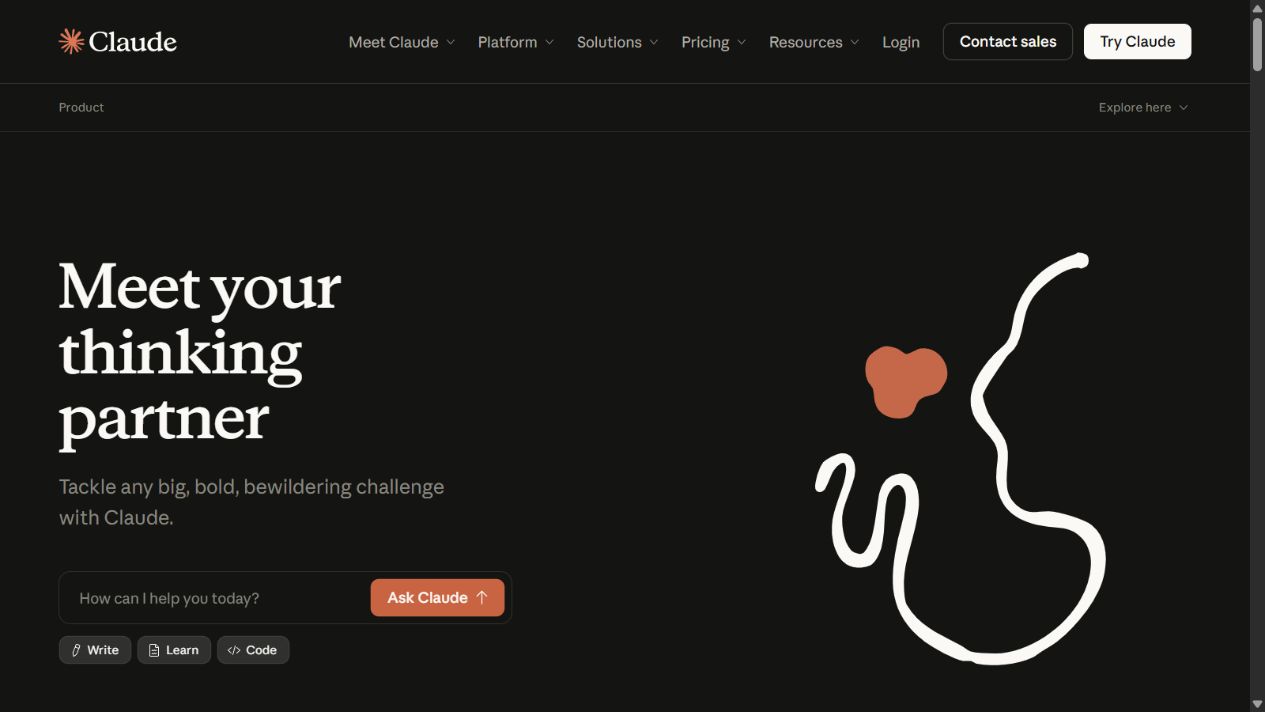
The important purchasing distinction is between the Claude user application and the Claude API. A paid Claude subscription does not automatically include general API usage. Teams building software or automated workflows need separate technical, financial, and governance decisions.
Writing and editing
Claude is well suited to work that benefits from sustained context and iterative refinement. A user can provide source material, explain the audience and constraints, request a structured draft, challenge weak reasoning, and revise selected sections.
Useful workflows include:
- Converting interviews and notes into a structured brief.
- Comparing several documents and identifying disagreements.
- Rewriting technical explanations for a specific audience.
- Drafting decision memos with assumptions and open questions.
- Editing for clarity, consistency, tone, and missing evidence.
Quality still depends on the brief. “Write a thought-leadership article” invites generic output. A better instruction identifies the reader, decision, evidence, exclusions, structure, voice, factual boundaries, and acceptance criteria.
Do not mistake fluent prose for editorial judgment. Claude can create plausible transitions that conceal unsupported claims or flatten important disagreement. Require source notes and a human editor for published work.
Document analysis and research
Claude can work with files and research-oriented features depending on plan. This is useful for policies, market material, transcripts, reports, specifications, contracts, and other knowledge-intensive inputs.
A strong workflow separates extraction from judgment:
- Inventory the documents and versions.
- Ask for a factual extraction with page or source references where possible.
- Identify conflicts, gaps, dates, and qualifications.
- Ask for analysis explicitly labeled as inference.
- Verify decisive claims in the original material.
- Produce the final deliverable only after the evidence pass.
Claude should not be the only repository for important evidence. Preserve source files, review notes, citations, and approved outputs in the organization’s governed systems.
Coding and technical work
Claude’s product family includes coding capabilities and Claude Code access on documented paid plans. It can help explain code, navigate a repository, propose changes, generate tests, debug failures, review diffs, and support longer engineering tasks.
The value is highest when the environment provides feedback. Tests, type checks, linters, security scanning, code review, staging, and observability turn suggestions into verifiable work. Without these controls, a polished patch can still introduce incorrect behavior or vulnerabilities.
Teams should define permissions and boundaries for agents. Limit secrets, production access, destructive commands, dependency installation, external communication, and deployment rights. Require approval for consequential actions and preserve an audit trail.
Projects, memory, and connectors
Projects can organize recurring context and material around a body of work. Memory can reduce repeated setup. Connectors can bring relevant services into the workspace. Together, these features can make Claude more useful for ongoing operations than isolated chats.
They also increase exposure. A connector may inherit broad access, and a persistent workspace can accumulate sensitive information. Before enabling it, answer:
- Which identity is used?
- What content can be read or written?
- Are permissions inherited from the source?
- Can users share outputs externally?
- How are retention and deletion handled?
- What happens when an employee leaves?
- Is connector activity auditable?
- Who owns an incorrect automated action?
Start with read-only, low-risk sources and expand only after the access model is understood.
Claude’s main strengths
Coherent long-form collaboration
Claude’s interface and contextual workflows support extended drafting, analysis, and revision. Users can keep the problem, evidence, constraints, and output in one working conversation or project.
Broad work coverage
Writing, files, code, research, data, projects, and connectors can reduce switching between narrow tools. Consolidation is valuable when the same context supports several tasks.
Individual and organizational paths
Free, paid individual, Team, Enterprise, and API options provide different routes from personal use to governed organizational deployment. Buyers can pilot narrowly before making a platform commitment.
Strong fit for iterative expertise
Claude works best as a collaborator with a knowledgeable user. A lawyer, analyst, engineer, marketer, or researcher can challenge assumptions, add context, and judge the output. The product amplifies expertise more reliably than it replaces it.
Claude’s limitations
Output can be inaccurate
Claude can misunderstand a source, invent detail, omit exceptions, or produce code that fails. Consequential facts, calculations, citations, legal language, financial analysis, medical content, security changes, and production code need appropriate review.
Usage is not unlimited
Anthropic documents usage limits across plans, and available capacity can depend on message length, files, models, features, and demand. A workflow that succeeds in a short pilot may hit different constraints at team scale.
Plan boundaries are complex
Features, models, projects, research, connectors, administration, support, and usage differ across Free, Pro, Max, Team, Enterprise, and API arrangements. Verify current entitlement rather than relying on an old comparison.
Broad access raises governance cost
Files, memory, connectors, code tools, and agents increase utility by increasing context and capability. That same expansion raises the need for access control, logging, review, data classification, and incident response.
It does not own business truth
Claude can summarize a CRM, policy library, codebase, or spreadsheet, but authoritative records remain in source systems. Generated changes should follow normal approval and reconciliation processes.
Claude plans in context
Anthropic currently publishes Free, Pro, Max, Team, Enterprise, and API options. Official guidance lists Pro at $20 per month or $200 annually in the US, while Max starts at $100 per month with higher-capacity variants. Prices exclude applicable taxes and can vary by region or change.
The cheapest plan is not always the lowest-cost workflow. Include waiting, retries, verification, unused seats, administrator effort, connectors, API usage, and the cost of a second tool when Claude does not cover a requirement.
For a detailed plan analysis, see Claude Pricing .
Who should choose Claude?
Claude is a strong fit for:
- Writers and editors working from substantial context.
- Analysts synthesizing documents and producing decision material.
- Engineers using verifiable coding workflows.
- Researchers who need iterative exploration and structured outputs.
- Teams that can define approved data, review, and access rules.
- Organizations evaluating an AI workspace alongside API use.
It is a weaker fit when:
- Work cannot tolerate generated error without independent verification.
- The team needs a deterministic business system rather than an assistant.
- Required integrations, models, media, or specialist tools are available elsewhere.
- Usage limits or total cost make the workflow unreliable.
- Nobody owns governance, review, training, and measurement.
Claude vs alternatives
ChatGPT offers a different general-purpose mix of models, search, research, files, data, images, voice, projects, Canvas, and workspace features. Compare the same deliverables rather than debating brand-level intelligence.
Gemini may fit organizations deeply invested in Google Workspace and Google’s wider AI ecosystem. Verify account, region, data, and feature availability.
Perplexity is often considered for search-first research and citation-oriented discovery. It does not replace a full writing, coding, or organizational workflow without evaluation.
Specialist products may beat every general assistant for a narrow job. A governed contract system, code analyzer, data platform, or research database can provide controls and evidence that a general chat interface lacks.
A practical Claude pilot
Select three to five recurring tasks with measurable baselines. Avoid novelty prompts.
For each task, define:
- Input sources and data classification.
- Expected output and acceptance criteria.
- Allowed tools, connectors, and actions.
- Required reviewer and escalation rule.
- Baseline time, quality, and failure rate.
- Maximum acceptable cost and correction effort.
Run at least ten representative cases. Track first-pass acceptance, unsupported claims, correction time, total cycle time, usage interruptions, user adoption, and downstream outcomes. Include difficult and ambiguous examples, not only clean demonstrations.
For coding, require tests and review. For research, inspect citations and primary sources. For published writing, use an editor and plagiarism checks. For sensitive operations, keep humans in control of consequential actions.
Governance checklist
Before organizational rollout:
- Approve account types and contracts.
- Classify data that may and may not be entered.
- Review retention, deletion, training, and regional terms.
- Configure identity, roles, sharing, and offboarding.
- Review every connector and integration.
- Define human approval for consequential output or action.
- Log incidents, corrections, and unsafe patterns.
- Train users on verification and prompt boundaries.
- Monitor adoption, cost, quality, and shadow use.
- Revalidate controls when models or features change.
Verdict
Claude earns a place on the shortlist for writing, analysis, coding, research, and contextual knowledge work. Its strongest use is not replacing an expert; it is helping an expert inspect, transform, and advance work more quickly.
Buy it when a controlled pilot demonstrates repeatable value after review effort and total cost. Keep authoritative data in authoritative systems, verify consequential claims, and expand access only as governance matures.
Frequently asked questions
Is Claude good in 2026?
Yes, it is a capable general AI workspace for knowledge and technical work. Whether it is good for a particular team depends on task performance, limits, cost, review, and controls.
What is Claude best for?
Claude is particularly suited to long-form drafting, synthesis, document analysis, coding, research, and iterative work where the user provides context and checks the result.
What are Claude’s main limitations?
It can be inaccurate, usage is constrained, plan access varies, API billing is separate, and connected workflows require governance and human oversight.
Is Claude better than ChatGPT?
There is no universal winner. Test the same representative tasks, sources, output criteria, limits, and cost in both products.
Is Claude free?
Claude has a Free plan, with paid individual and organizational options. Availability, limits, and features should be checked on the current official pricing page.
Can businesses use Claude securely?
They can build a controlled deployment using appropriate plans and settings, but security depends on identity, data rules, permissions, connectors, retention, review, and operations.
Should a company buy Claude for every employee?
Not initially. Pilot by role and workflow, prove measurable value, and expand only where quality, adoption, risk, and total cost meet agreed thresholds.
Sources
Frequently asked questions
Is Claude good in 2026?
Claude is a strong AI workspace for writing, analysis, coding, research, files, and connected knowledge work. Its value depends on task fit, plan limits, verification requirements, and organizational controls.
What is Claude best for?
Claude is particularly well suited to long-form synthesis, drafting, document work, coding, and iterative knowledge tasks where users can provide context and review the result.
What are Claude's main limitations?
Claude can produce inaccurate output, usage is limited, feature and model access varies by plan, API billing is separate, and connectors or agentic workflows increase governance needs.
Is Claude better than ChatGPT?
Neither is universally better. Claude may fit some writing, coding, and long-context workflows, while ChatGPT offers a different mix of models, tools, media, research, and ecosystem features. Test the same tasks.
Is Claude free?
Claude has a Free plan. Paid individual, team, enterprise, and API options provide different capacity and capabilities. Verify current regional eligibility and official pricing.
Can businesses use Claude securely?
Anthropic provides organizational plans and controls, but secure use still requires an approved account, data classification, permissions, connector review, retention rules, human oversight, and incident procedures.
Should a company buy Claude for every employee?
Begin with task-based pilots. License roles that demonstrate repeatable value, then expand only when adoption, quality, risk, and total cost meet defined thresholds.