Cursor Pros and Cons
Evaluate Cursor pros and cons across editing assistance, agent work, context, code review, permissions, privacy and maintenance effort.
Cursor’s principal advantage is that coding assistance can operate close to the code and its working context. Its principal tradeoff is that broader assistance can also create broader review and operating responsibilities. The right decision depends on whether your team can turn suggestions and agent actions into understood, tested changes with an acceptable amount of supervision.
Research scope and limitations
- Research type
- Official-source documentation review and editorial analysis
- Sources reviewed
- 6
- Hands-on tested
- No
- Last verified
- November 5, 2026
- Limitations
- No paid-account test, listening benchmark, coding benchmark or account-entitlement audit. Exercises and fit judgments are editorial recommendations. Numerical paid prices are not assessed.

Table of contents
Direct answer
Cursor’s principal advantage is that coding assistance can operate close to the code and its working context. Its principal tradeoff is that broader assistance can also create broader review and operating responsibilities. The right decision depends on whether your team can turn suggestions and agent actions into understood, tested changes with an acceptable amount of supervision.
This is an official-documentation review and an editorial decision framework, checked November 5, 2026. We did not measure coding speed, compare model accuracy, test paid subscriptions or audit a production deployment. The strengths and limitations below are reasoned implications of the documented workflow, not claimed benchmark results or personal experience.
Strengths and limitations at a glance
| Potential advantage | Associated tradeoff | Decision evidence to collect |
|---|---|---|
| Assistance near the editing task | Plausible suggestions can still be wrong | Accepted change and necessary correction |
| Agent support for broader work | More files and actions need review | Complete diff and action record |
| Reusable project guidance | Instructions require maintenance | Correct application to a relevant example |
| Several interaction modes | Mode choice adds a working convention | Appropriate action boundary for each task |
| Documented data-use controls | Configuration still needs organisational review | Actual settings and unresolved requirements |
Use the Cursor feature guide for the capability map and the Cursor pricing guide for separately reviewed commercial details. This article focuses on adoption tradeoffs so it can help a buyer decide what evidence would justify a trial or a wider rollout.
Pro: local assistance can reduce a handoff in the editing process
The official Tab guidance describes suggestions informed by surrounding code, recent edits and linter errors. The potential benefit is a shorter path between recognising a small change and reviewing a proposed edit. That can be useful when a developer already understands the intended behaviour and needs help carrying out a local adjustment.
Assess the benefit with a familiar, bounded task rather than an impressive unfamiliar example. Keep the original requirement and inspect which parts of the suggestion are accepted, corrected or discarded. Include a case where the appropriate answer is to ignore the suggestion and continue manually. The workflow should support that choice comfortably.
Do not translate a high acceptance rate directly into a productivity claim. A suggestion may be accepted because it is convenient and still require later correction. The stronger evidence is an understandable patch that satisfies the requirement and survives the checks the team normally applies to comparable work.
Pro: an agent can help connect several steps of a coding task
Cursor’s Agent overview describes coding work that can include file edits and tool use. The potential advantage is continuity across related steps, such as locating relevant code, proposing a change and gathering test evidence. The value depends on whether those steps remain aligned with the original request.
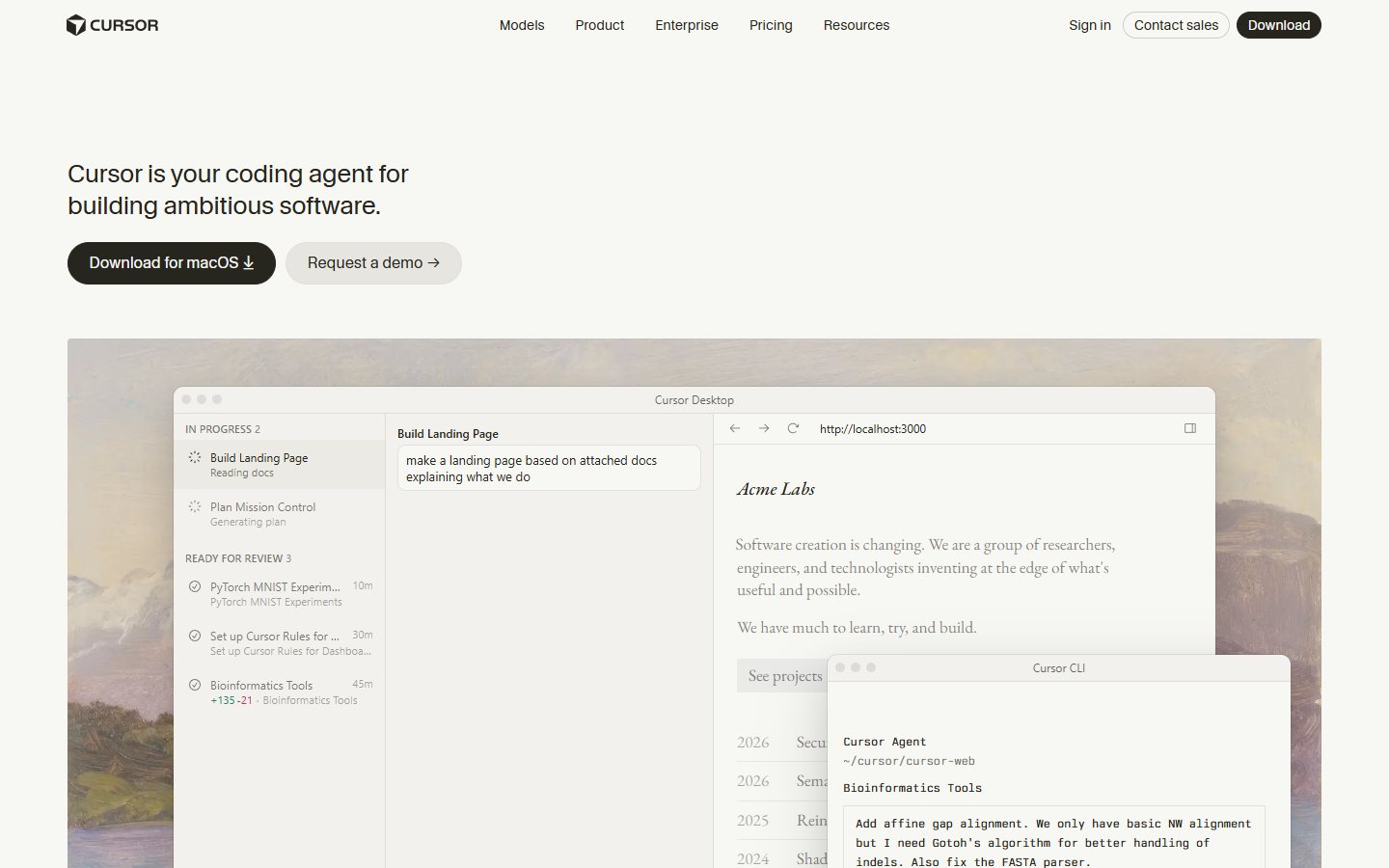
Use a sample change that affects a small number of components. Write down the expected outcome and the boundaries of the task before the run. A reviewer should be able to identify why each changed file belongs in the patch. Extra dependency updates or unrelated rewrites should be explained independently rather than accepted because the main feature appears to work.
Record the work that remains after the agent finishes. A coherent draft patch can be useful even when it needs correction, but the correction effort belongs in the comparison. The decision should account for the complete path to an accepted change, not just the moment an assistant announces that implementation is complete.
Pro: project guidance can make expectations easier to repeat
The official rules documentation describes reusable instructions for Agent and distinguishes their scope from Tab. The potential advantage is a common place to explain conventions that developers would otherwise repeat in each task. A good instruction can clarify the architecture, preferred patterns and sources that govern a particular kind of change.
Try a short rule tied to an actual repository convention. Ask two similar tasks at different times and review whether the intended convention is followed. Keep the instruction narrow enough that a maintainer can tell when it applies and when a more specific requirement should take precedence. More text is not necessarily better context.
Treat the rule as a maintained project artifact. Assign an owner and review it when the architecture changes. The benefit disappears if stale guidance repeatedly sends a capable assistant toward an obsolete interface or a pattern the team no longer accepts. Ordinary tests and review remain useful checks on whether the intended convention was followed.
Pro: different modes can support different kinds of uncertainty
The current mode documentation distinguishes asking about code, planning an approach, implementing changes and debugging with runtime evidence. The potential benefit is a more deliberate match between the uncertainty in the task and the action the assistant may take. A question about architecture does not always need an immediate patch.
Use a trial where a requirement is deliberately incomplete. Ask for the missing decisions before implementation, then review a proposed plan after those decisions are resolved. This helps establish whether the interaction makes uncertainty visible or merely produces a more elaborate version of the original assumption.
A mode is useful when the team understands what it means in the actual surface being used. Include that convention in onboarding and review. Avoid assuming that everybody interprets a request to investigate, plan or implement in the same way, particularly when the resulting actions can affect shared resources or an external service.
Con: review can become the bottleneck
A tool that creates a larger patch can produce useful work, but it can also increase the amount a person must inspect. Generated code may be locally plausible while conflicting with a less visible requirement, an established interface or a rare input. The reviewer still needs enough context to identify those differences.
Track the time and attention needed to understand the complete change. Include dependency updates, configuration changes and generated tests in that review. Ask a second developer to explain the result using the patch and its supporting evidence rather than the entire chat history. Difficulty reconstructing the result is a meaningful cost even when the first developer remembers why it was created.
Use agent governance principles to define which actions need approval and how work can be paused. The relevant question is whether your operating model can maintain review quality as the scope of assistance increases. There is no universal conversion from generated lines to accepted engineering value.
Con: incomplete context can create a confident wrong change
An assistant can work from the information supplied without knowing that a governing requirement is missing or outdated. A repository may contain an old migration note, a misleading example or a test fixture that no longer represents the current product. Making more material available is insufficient when its authority is unclear.
Include a conflicting-document case in the trial. Identify the correct source beforehand and inspect how the assistant resolves the difference. A request for clarification can be a successful result. A smooth implementation of the wrong interpretation creates rework that should be recorded rather than overlooked because the code passes a narrow test.
Someone needs to maintain project context after adoption. That includes instructions, examples, test expectations and information about external contracts. Estimate that work explicitly. A team with clear repository ownership may be better prepared for the workflow than one expecting the tool itself to resolve every disagreement in its existing documentation.
Con: tool access increases the consequence of mistakes
The Agent security documentation explains the vendor’s guardrails and operating approach. Those controls are relevant evidence, but they do not decide whether a particular action is appropriate for your organisation. The consequences of editing a local sample and contacting a live customer endpoint are different.
Use a harmless test environment to inspect proposed commands, external connections and the handling of denied approval. Include a dependency failure and confirm that the work remains recoverable. A reviewer should be able to tell which action was suggested, which was authorised and which actually completed.
Keep the action boundary proportionate to the task. A successful limited trial does not automatically justify broader credentials or access to production systems. Our AI agent evaluation guide provides a wider framework for relating capabilities to permissions, evidence and accountable operational ownership.
Con: privacy settings are one part of a deployment review
Cursor’s security page says enabled Privacy Mode prevents training on customer data. That is a relevant vendor commitment with a particular scope. It should not be expanded into a claim that all processing is local or that every connected tool has the same data handling.
Before introducing confidential material, review the actual account setting and the information the intended workflow needs. Identify connected services and unresolved contractual or organisational requirements. Use approved sample code during evaluation so a trial does not depend on exposing sensitive information to establish a capability.
Record who owns configuration and access reviews after rollout. The decision needs to work when the original administrator is unavailable or a developer leaves. A screenshot from the initial setup is weaker evidence than a maintained process for verifying that the relevant setting and access boundary continue to match the organisation’s requirements.
Con: adoption can create maintenance and switching work
A new development workflow changes more than a subscription line. Teams may create instructions, examples, connection settings and review habits around the product. Those choices can be useful, but they also require ownership. Include updates, onboarding and the handling of changed product behaviour in the evaluation.
Keep a manual route for a representative task and preserve the ordinary project artifacts needed to continue elsewhere. The goal is not to avoid helpful tooling; it is to understand which parts of the working process depend on it. A team should be able to distinguish an application setting from a durable project requirement.
Review cost using the actual plan and observed work pattern, with any paid price checked separately. We make no numerical subscription or usage promise here. An inexpensive offer can still require substantial supervision, while a more capable one may have little value if the team needs only a narrow part of the workflow.
Who should consider a trial?
Consider a bounded trial when the team has permission to use the repository, clear task ownership and reviewers able to judge the output. Repeated local edits, understandable multi-file changes and well-maintained project conventions provide practical starting points. Define one useful outcome before exploring every available feature.
Proceed more cautiously when requirements are unresolved, code ownership is unclear or review capacity is already constrained. The assistant may expose those problems, but a new interface does not automatically resolve them. Begin with a read-and-explain task if the team first needs to establish which parts of the codebase and documentation should govern a change.
Use the Cursor review to connect the tradeoffs to the broader product decision. Our review methodology explains why these editorial fit judgments should be distinguished from measured first-hand results, vendor feature statements and account-specific entitlements.
Frequently asked questions
What is Cursor’s main advantage?
Its documented editing and agent workflows can place assistance close to the code and the task. The practical advantage depends on whether that reduces effort on accepted changes after setup, correction and review are included. This article does not establish a universal speed or accuracy improvement.
What is the main disadvantage to test?
Test whether generated work increases the amount of review your team must perform. Inspect the complete diff, context assumptions and test relevance, including changes outside the visible feature. An assistant finishing a task does not itself establish that the patch is correct or maintainable.
Are Cursor rules a substitute for tests and review?
No. Rules provide reusable guidance to Agent within their documented scope. They can be incomplete, stale or interpreted incorrectly. Keep project expectations in appropriate engineering checks as well, and verify the resulting code rather than treating the presence of an instruction as proof of compliance.
Can Privacy Mode settle every security question?
No. The reviewed vendor statement concerns a data-use control. Your assessment still needs the actual configuration, connected services, approved information types and relevant organisational requirements. Do not infer fully local processing or universal suitability from a single setting or a general security page.
How should a team decide whether the tradeoffs are worthwhile?
Run comparable approved tasks and record accepted outcomes, corrections, review effort and unresolved exceptions. Include setup and maintenance work. Continue when the benefit is visible under the team’s ordinary review standard; narrow or pause the rollout when reviewers cannot explain or reliably verify the resulting changes.