Descript vs ChatGPT: Which Is Better?
Compare Descript and ChatGPT for video and podcast production, scripting, transcription, editing, research, collaboration, pricing, and workflow fit.
Direct answer
Descript is better for producing and editing video or audio. ChatGPT is better for researching, planning, writing, and transforming the ideas around that media.
Descript is a dedicated production environment. Its official product material centers on recording, transcription, text-based audio and video editing, captions, clips, audio cleanup, AI-assisted edits, collaboration, and export. ChatGPT is a general AI workspace that can help a team research a topic, shape an argument, draft a script, analyze source material, and plan how one recording should become several content assets.
Choose Descript when the work must end as a finished media file. Choose ChatGPT when the work must end as a researched idea, script, outline, brief, or broader content plan. Many teams can use both, but the handoff should be explicit: ChatGPT before and around production; Descript inside production.
This comparison uses official sources checked on August 24, 2026. We did not run a controlled recording or export benchmark, compare transcription accuracy, or test paid team workspaces. Product facts are verified from official material; recommendations are editorial inferences from documented workflow fit.
Descript vs ChatGPT at a glance
| Decision area | Descript | ChatGPT |
|---|---|---|
| Primary role | AI-assisted video and audio production | General research, creation, analysis, and conversational work |
| Best for | Recording, transcription, media editing, captions, clips, and export | Ideation, research, scripting, analysis, and content transformation |
| Main editing model | Edit recorded media by editing its transcript, scenes, canvas, and timeline | Revise text and ideas through conversation and plan-dependent tools |
| Media output | Dedicated video and audio projects with export controls | Not a full nonlinear video or podcast editor |
| AI role | Underlord and media-specific actions operate on a production project | General assistant works across text, files, research, and other tasks |
| Collaboration | Project sharing, commenting, and plan-dependent team features | Workspace sharing, projects, and administration vary by plan |
| Main limitation | Specialized around media production | Does not replace a dedicated post-production editor |
The real difference: production environment versus thinking environment
Both products use AI and both can work with scripts. That superficial overlap can lead to the wrong comparison.
Descript connects text directly to recorded media. When the transcript changes, the underlying audio or video changes. The product also includes a timeline, scenes, visual canvas, templates, effects, captions, recording, audio processing, and export. Its AI is useful because it operates inside a production project.
ChatGPT connects language to a broader reasoning process. A creator can provide notes, files, goals, audience context, and source material, then ask for research, interview questions, an outline, a script, alternate openings, or a distribution plan. It can help define what the media should say, but it does not provide Descript’s complete editing and export workflow.
Ask where the bottleneck occurs:
- If it occurs before recording, ChatGPT may have the stronger fit.
- If it occurs while editing recorded media, Descript has the stronger fit.
- If it occurs after publication, ChatGPT can help analyze and repurpose the material, while Descript can create clips and revised media assets.
Choose Descript for video and podcast production
Descript’s official tour describes automatic transcription, script and scene editing, a multitrack timeline, recording, captions, templates, stock media, clips, Studio Sound, filler-word removal, AI voices, and collaboration. Underlord is positioned as an AI co-editor that can apply project-level edits.
This makes Descript a strong candidate for:
- podcasts and recorded interviews;
- talking-head and screen-recorded videos;
- webinars and product explainers;
- social clips derived from long-form recordings;
- transcript-led editing for non-specialist editors;
- captions, cleanup, and repeated post-production tasks;
- team review and commenting on media projects.
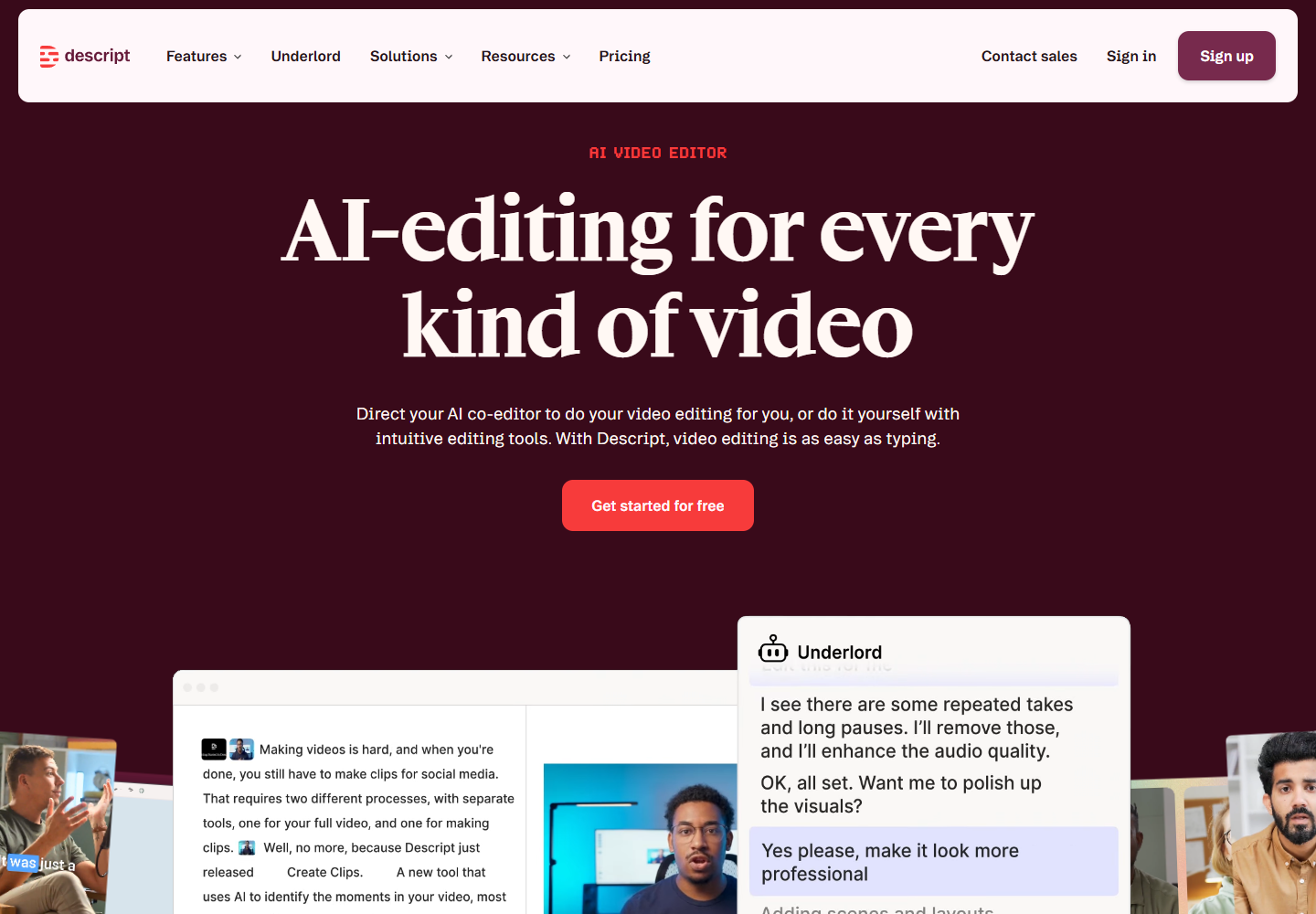
Descript’s official homepage. Source: Descript . Captured August 24, 2026, to document its text-based media-editing positioning and Underlord workflow.
Descript’s strengths
Text and media are connected. A creator can cut words in the transcript and update the recording rather than locating every change on a traditional timeline.
The production workflow is consolidated. Recording, transcription, editing, captions, cleanup, stock media, clips, and export can occur in one product, subject to plan limits.
AI actions are media aware. Descript’s official help material describes Underlord and focused actions for removing filler words, tightening sections, improving audio, and helping with project edits.
Non-specialists get a more approachable editing model. People familiar with documents and slides may find script and scene editing easier than a conventional professional timeline.
Precision controls still exist. Descript documents a timeline and multitrack production capabilities for adjustments that cannot be made from the transcript alone.
Descript’s limitations
It is not a general research system. A creator may still need another environment for source discovery, evidence tracking, complex analysis, or campaign planning.
Usage allowances affect the real cost. Media hours, AI credits, exports, resolution, stock access, dubbing, avatars, and team collaboration differ by plan. Verify the current pricing page with the expected production volume.
Text-based editing does not remove craft. Pacing, visual continuity, sound design, story structure, rights, brand quality, and audience judgment remain editorial responsibilities.
AI media edits require review. Filler-word removal can change cadence, transcription errors can create bad cuts, and generated voices or visuals can introduce consent and disclosure issues.
Choose ChatGPT for research, scripts, and content strategy
ChatGPT is the stronger fit when the team needs to decide what to create and why. Official OpenAI material describes a broad workspace for writing, research, analysis, files, projects, connected work, and other capabilities that vary by plan.
For a media team, ChatGPT can support:
- audience and topic research;
- interview preparation;
- episode and video outlines;
- script drafts and revisions;
- alternative hooks and explanations;
- questions derived from source documents;
- show-note and newsletter drafts;
- repurposing maps for clips, posts, and follow-up articles;
- analysis of structured feedback or performance exports.
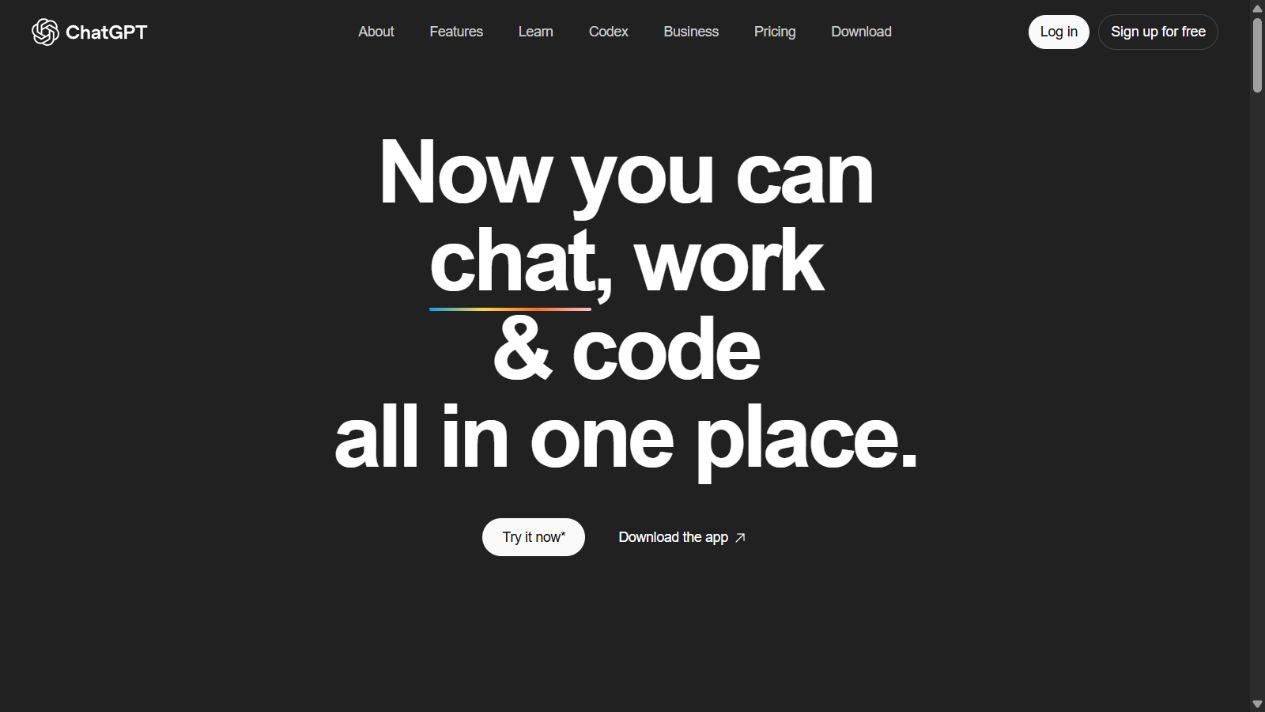
OpenAI’s official ChatGPT homepage. Source: ChatGPT . Captured August 15, 2026, to document the product’s broad research and creation environment.
ChatGPT’s strengths
It can work across the whole editorial question. A conversation can move from research to argument, structure, draft, revision, and distribution planning.
Context can include files and instructions. Plan-dependent tools allow creators to work with source documents and reusable project context rather than isolated prompts.
The same workspace can support other functions. Marketing, product, support, sales, and engineering may all receive value from a general assistant, improving seat utilization.
It is flexible before production begins. Teams can explore several formats and angles before spending time recording or editing.
ChatGPT’s limitations
It is not a complete media editor. ChatGPT does not provide Descript’s transcript-linked cuts, multitrack timeline, recording environment, scene controls, media effects, and production export.
Generated scripts can sound generic. A usable script requires original evidence, a clear point of view, examples, and the speaker’s natural voice.
Research can be wrong or incomplete. Sources, dates, names, quotations, and product claims must be verified before recording. Spoken errors are costly to correct later.
Broad use creates governance work. Teams need policies for uploaded recordings, confidential interviews, customer data, copyrighted material, and claims generated from sources.
Which is better for scripting?
ChatGPT is usually the broader scripting environment because it can help research, question assumptions, compare sources, create an argument, and revise for different audiences or formats.
Descript has the advantage when the script is already tied to a production project. A creator can draft or revise text, record it, see how it performs against scenes, and continue editing in the same workspace. Underlord can assist with writing and project-level changes.
Use ChatGPT when the challenge is what should we say? Use Descript when the challenge is how do we turn this script and recording into the final media?
The strongest process may begin with a sourced brief in ChatGPT and move into Descript once the script reaches production. Preserve the evidence links during that handoff so factual review is not lost.
Which is better for transcription?
Descript has the clearer product fit. Transcription is foundational to its editing model: imported or recorded media becomes text, and transcript edits update the media. Official documentation also lists speaker detection and plan-dependent transcription allowances.
ChatGPT can work with transcripts supplied as text or supported files, but it is not positioned as the same end-to-end recording, transcription, correction, edit, and export system.
Do not assume automatic transcription is exact. Review names, technical terms, numbers, quotations, and speaker attribution before making edits or publishing captions.
Which is better for podcast production?
Descript is the more complete choice. Its official podcast material covers recording, transcription, text-based editing, audio processing, multitrack work, clips, and export.
ChatGPT is useful around that workflow:
- Research the episode and create an evidence ledger.
- Develop interview questions and a narrative arc.
- Draft the introduction and transitions.
- After recording, summarize the transcript and identify themes.
- Draft show notes, descriptions, titles, and distribution copy.
Descript then owns the media edits. A team should avoid asking either system to fabricate quotations, listener results, or facts not present in verified sources.
Which is better for video production?
Descript is the stronger fit for screen recordings, talking-head videos, explainers, social clips, and other formats that benefit from transcript-led editing. Templates, captions, scenes, stock media, and plan-dependent AI tools support the production process.
ChatGPT is better for research, messaging, scripts, shot lists, creative briefs, and explanatory alternatives. It can help a team decide what visual evidence is needed, but a generated suggestion is not the asset itself and may not be legally or technically usable.
Creators producing advanced motion graphics, color work, complex compositing, or cinematic audio may still need specialist editing software beyond Descript.
Which is better for repurposing content?
The products solve different parts of repurposing.
Descript can identify and create clips from recorded media, add captions, apply templates, and export variants. ChatGPT can analyze the transcript and propose article structures, email drafts, social copy, FAQs, and follow-up questions.
A controlled workflow is:
- Descript produces the verified transcript and media clips.
- ChatGPT transforms the approved transcript into text formats.
- An editor checks that every claim and quotation remains faithful.
- Descript or another media tool creates final visual assets.
- A human owner approves every public output.
Collaboration and team controls
Descript’s current pricing and product material describes team members, editor roles, project access, comments, and higher-tier collaboration capabilities. Exact seat and permission behavior depends on the selected plan.
ChatGPT Business and Enterprise provide centralized workspaces and plan-dependent administration. Their collaboration model is broader than a single media project but does not replace Descript’s media review environment.
For a content team, compare:
- who can record, edit, comment, and export;
- how freelancers receive access;
- whether source files can be downloaded;
- how deleted users and projects are handled;
- where scripts and approvals live;
- how confidential recordings are protected;
- whether the tool provides the required identity and retention controls.
Pricing and total cost
Descript’s official pricing page currently organizes paid access around plan-specific media hours, AI credits, export quality, AI features, stock access, collaboration, and team capabilities. Exact prices and allowances are volatile, so verify the official page in the target currency before purchase.
ChatGPT has individual and organizational plans, while API usage is a separate product. Capabilities, models, credits, connected tools, and workspace controls differ by plan.
Calculate cost from the production calendar rather than the headline subscription:
- hours recorded or imported each month;
- number of editors and reviewers;
- AI-credit consumption;
- export resolution and volume;
- stock, dubbing, voice, or avatar requirements;
- script and research users;
- storage and archival process;
- time spent correcting transcripts and generated output;
- specialist tools still required.
A combined stack can be justified when ChatGPT reduces pre-production work and Descript reduces editing time. It is wasteful when both are used only for basic rewriting.
Privacy, rights, and disclosure
Media workflows create risks that a normal writing prompt may not.
Before using either product, define:
- whether every recorded person consented to capture and AI processing;
- whether voice cloning or generated speech is allowed;
- how customer, employee, and confidential interview data is classified;
- who owns uploaded and generated assets;
- whether music, footage, images, and stock assets have appropriate rights;
- how altered speech or AI-generated visuals will be disclosed;
- how long recordings and transcripts are retained;
- who can export or share a project;
- when legal or brand review is required.
Do not generate or alter a person’s voice without authorization. Do not use AI to manufacture a quotation or imply that someone said words they did not approve.
A practical selection framework
Score both products against the real content operation:
| Criterion | Suggested weight | Evidence to collect |
|---|---|---|
| Final media workflow | 25% | Time from raw recording to approved export |
| Research and scripting | 20% | Time to sourced, accepted script |
| Quality and corrections | 15% | Transcript, edit, and factual error rate |
| Collaboration | 10% | Review, comments, roles, and handoffs |
| Reuse and distribution | 10% | Clips and derivative content accepted |
| Governance | 10% | Access, retention, consent, and rights controls |
| Total cost | 10% | Seats, usage, corrections, and remaining tools |
Do not force one winner across every criterion. Descript should win the final-media category; ChatGPT should usually win broad research and ideation. The purchase depends on which category causes the current bottleneck.
Neither may be right if…
Neither product is sufficient when:
- the team needs advanced cinematic editing, color, sound, or compositing;
- recordings contain data that cannot enter an external cloud service;
- a regulated approval process requires specialist systems;
- certified transcription is required;
- the team lacks consent for AI voice or media processing;
- research requires databases or licensed sources unavailable to ChatGPT;
- the content process has no accountable editor.
In those cases, use professional editing, transcription, research, or compliance services, potentially with these tools in a bounded supporting role.
Final verdict: Descript or ChatGPT?
Choose Descript to make the media. Choose ChatGPT to develop and extend the thinking around the media.
Descript is the better purchase when recording and post-production are the costly steps. ChatGPT is the better purchase when research, scripting, analysis, and cross-functional content work are the larger constraint.
Using both can create a sensible pipeline: verified research and scripts in ChatGPT, recording and editing in Descript, then controlled repurposing from the approved transcript. The combination should be measured against accepted production time, not the volume of generated assets.
Frequently asked questions
Is Descript better than ChatGPT for video editing?
Yes. Descript is a dedicated editor with recording, transcription, transcript-based cuts, timeline controls, captions, audio cleanup, clips, and exports. ChatGPT can support planning and scripting but does not replace that production environment.
Can ChatGPT replace Descript?
ChatGPT can replace some brainstorming, outlining, scripting, and repurposing tasks. It does not replace Descript’s recording, transcript-linked media edits, timeline, audio processing, captions, or final export workflow.
Can Descript generate scripts?
Descript includes AI writing and editing through Underlord and related tools. ChatGPT remains the broader choice when script development requires extensive research, file analysis, or an extended strategic conversation.
Which tool is better for podcast production?
Descript is the more complete podcast-production tool. ChatGPT is useful for topic research, interview questions, episode structure, show-note drafts, and repurposing plans around the recording.
Should a content team use both Descript and ChatGPT?
Possibly. ChatGPT can own research and script development while Descript owns recording and post-production. Buy both only when those responsibilities are distinct and the time savings justify overlapping capabilities.
Official sources reviewed
Frequently asked questions
Is Descript better than ChatGPT for video editing?
Yes, when the required output is an edited video or podcast. Descript is a dedicated media editor with recording, transcription, script-based editing, captions, audio cleanup, clips, and export workflows. ChatGPT can help plan and write content but is not a direct replacement for Descript's editing environment.
Can ChatGPT replace Descript?
ChatGPT can replace some pre-production tasks such as brainstorming, outlining, scripting, interview preparation, and title development. It does not replace Descript's timeline, transcript-linked media edits, recording, audio processing, captions, or final media export.
Can Descript generate scripts?
Descript includes AI writing and editing capabilities through Underlord and related tools. It can help develop or revise scripts inside a media project. ChatGPT is usually the broader option when script work depends on research, files, analysis, or an extended planning conversation.
Which tool is better for podcast production?
Descript is the more complete podcast-production choice because it combines recording, transcription, script-based audio editing, cleanup, collaboration, and export. ChatGPT can support topic research, episode structure, interview questions, show-note drafts, and repurposing plans.
Should a content team use both Descript and ChatGPT?
Possibly. ChatGPT can own research, ideation, and script development while Descript owns recording and post-production. The combination is useful only when responsibilities are clear and the team avoids paying twice for overlapping writing features it does not need.