Fathom vs ChatGPT: Which Is Better?
Compare Fathom and ChatGPT for meeting capture, summaries, analysis, action items, integrations, privacy, consent, pricing, and team workflows.
Direct answer
Fathom is better when the primary job is capturing supported online meetings, producing transcripts and summaries, identifying action items, and moving meeting information into team workflows. ChatGPT is better when the primary job is broader analysis, writing, research, file work, coding, or turning existing material into a new output.
This is not a close feature-for-feature contest because the products begin at different points. Fathom begins with the meeting. ChatGPT begins with a conversation or task and can work with text, files, connected sources, and other supported inputs. A sales or customer-success team may use Fathom to create the meeting record and ChatGPT to prepare for the call, analyze themes, draft follow-up, or build an account plan. That combination requires a clear consent, privacy, retention, and access policy.
This comparison uses official sources checked on August 29, 2026. We did not run controlled tests of transcription accuracy, speaker identification, summary quality, latency, or hallucination rates. Capability statements are verified facts; workflow recommendations are editorial inferences.
Fathom vs ChatGPT at a glance
| Decision area | Fathom | ChatGPT |
|---|---|---|
| Primary role | AI meeting notetaker and meeting workflow | General-purpose AI workspace and assistant |
| Best starting point | Capturing, transcribing, summarizing, and sharing supported meetings | Writing, analysis, research, coding, files, connected knowledge, and broader tasks |
| Meeting workflow | Purpose-built around meeting capture and post-meeting outputs | Meeting features exist, but the product is not solely a meeting system |
| Integrations | Official help documents CRM, Slack, Zapier, and API options with plan-dependent scope | Business plans document connections to workplace sources and broader workspace tools |
| Consent risk | Recording is central; notice and consent need active governance | Risk depends on what users record, upload, connect, and ask the system to process |
| Retention | Fathom documents plan-dependent retention controls, including Enterprise policies | OpenAI documents retention controls for qualifying business offerings; plan details differ |
| Free entry | Fathom documents a free individual version with plan limits | ChatGPT offers a free individual plan; business collaboration requires paid plans |
| Best buyer | Teams whose recurring problem is meeting capture and follow-through | Teams that need a broad AI work environment across many jobs |
The core difference: meeting system versus general assistant
Fathom’s homepage describes AI notetaking that summarizes meetings so participants can focus on the conversation. Its help center documents Zoom, Google Meet, and Microsoft Teams support, meeting summaries, recordings, clips, action items, CRM sync, Slack, Zapier, and an API. These capabilities create a meeting-centered workflow: capture the call, create the record, review the output, and send it to the systems where the team works.
ChatGPT Business is positioned as a shared, secure workspace for a much wider set of tasks. OpenAI’s official pricing page lists access across web, desktop, and mobile; workplace connections; centralized administration; usage analytics; spend controls; and workspace agents. ChatGPT can support preparation, analysis, writing, research, and transformation around a meeting, but a buyer should not assume that every Fathom capture or team-management feature has a direct ChatGPT equivalent.
The practical question is therefore not “Which AI is smarter?” It is “Where should the workflow begin, and what record must it produce?”
Fathom: best for a repeatable meeting-capture workflow
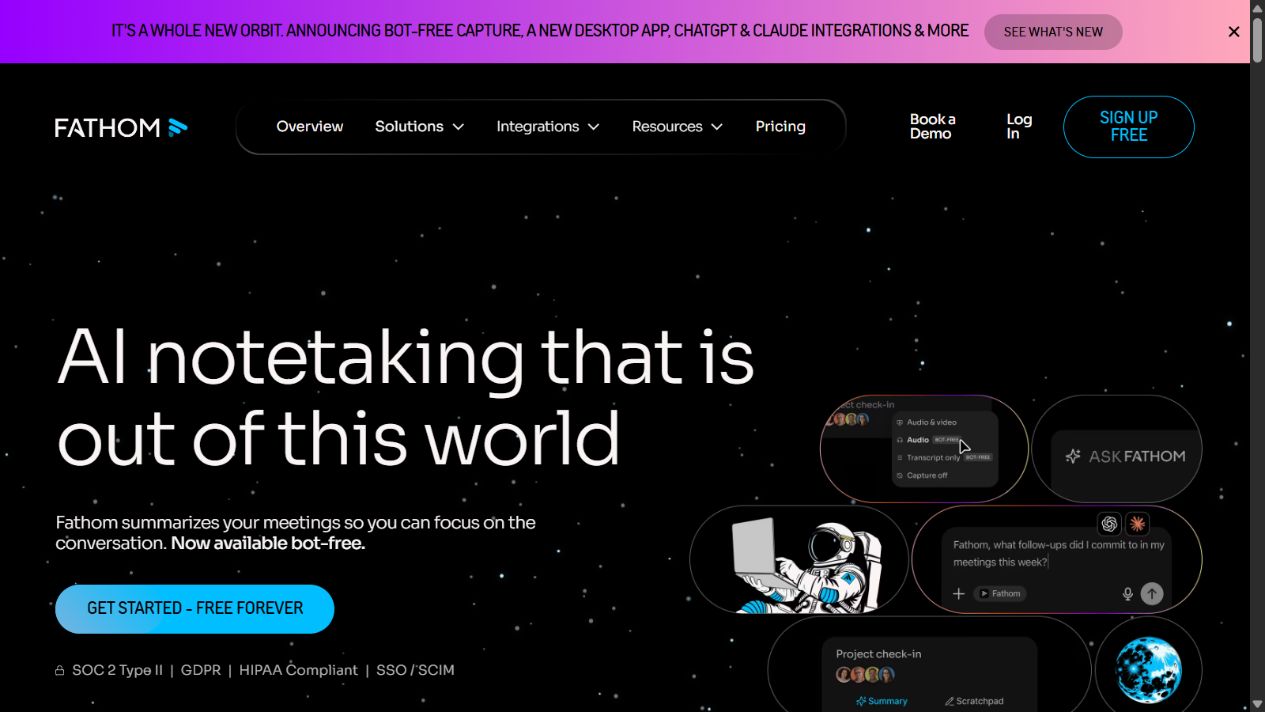
Fathom official homepage, captured August 29, 2026. Source: Fathom .
Fathom is the stronger choice when missed details, manual notes, inconsistent summaries, and CRM follow-through are the defined problem. Its pricing page documents recording, transcription, AI summaries, action items, follow-up emails, Ask Fathom, clips, search, and integration features with plan-dependent differences. Team and business capabilities add shared views, folders, comments, alerts, coaching, and administrative controls according to the current plan table.
The system still requires operational design. A recording should have an owner, an approved reason, a retention period, and an access rule. A summary should be reviewed before it becomes a customer commitment or CRM fact. An action item should identify the responsible person and deadline rather than merely appearing in a generated list.
Fathom strengths
- Purpose-built meeting capture and post-meeting workflow.
- Official support for major video-meeting platforms documented on its pricing and help pages.
- Transcripts, summaries, action items, clips, search, and sharing in one meeting context.
- CRM, Slack, Zapier, and API paths for moving approved outputs into other systems.
- Plan options for individuals and teams, with security and administration capabilities that expand by plan.
Fathom limitations
- It is specialized; it does not replace a general writing, research, coding, or analysis assistant.
- Recording creates legal, privacy, participant-expectation, and information-governance obligations.
- Advanced summaries, team controls, integrations, retention, and administrative features are plan-dependent.
- A transcript or summary can be incomplete or wrong and still needs human review.
- Capturing every available meeting may create unnecessary data and retention risk.
ChatGPT: best for work before and after the meeting
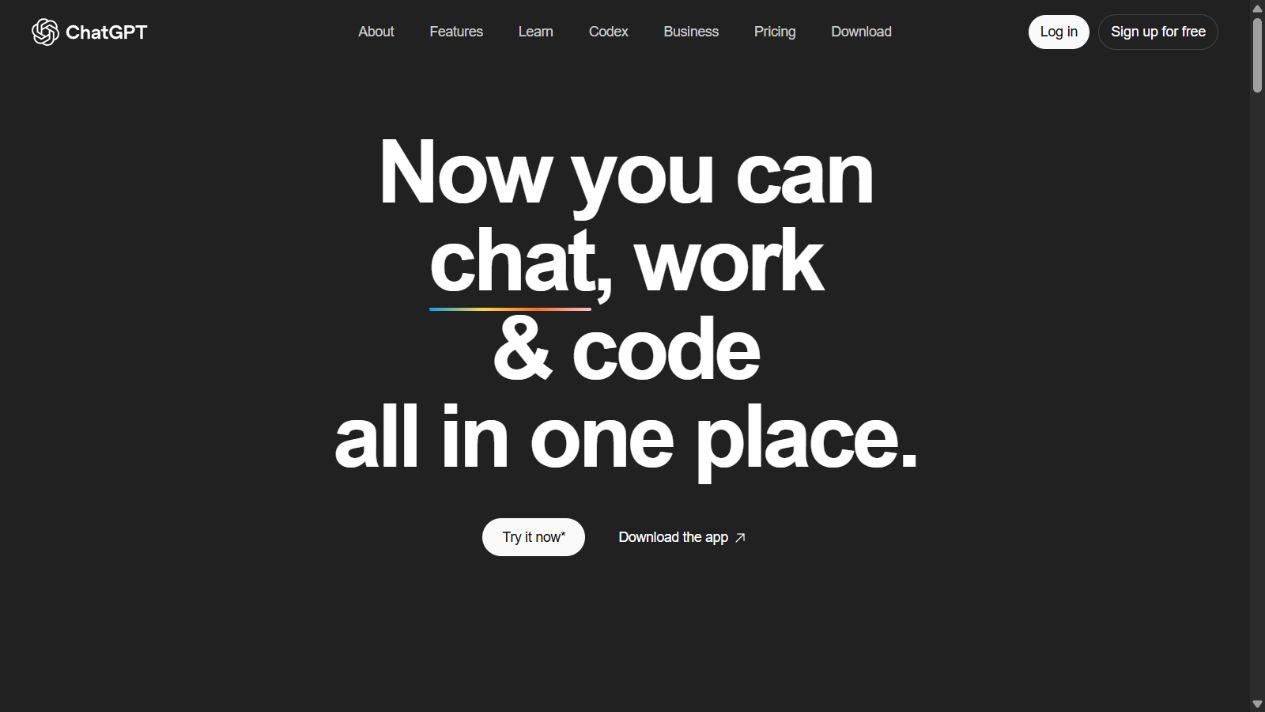
ChatGPT official homepage, captured August 15, 2026. Source: ChatGPT .
ChatGPT is the broader work environment. A team can use it to create an agenda, research an account, analyze a supplied transcript, compare themes across approved documents, draft follow-up, transform notes into a project plan, write code, or develop an internal workflow. OpenAI’s business pricing page documents company context, workplace connections, centralized administration, usage analytics, spend controls, and workspace agents.
That breadth is useful when the meeting is only one step in a larger job. It can also create governance ambiguity. Users need to know which workspace to use, what data may be entered, which connected sources are approved, how outputs are reviewed, and what actions the system may take. A broad assistant does not automatically know the organization’s authoritative CRM fields, legal commitments, or retention policy.
ChatGPT strengths
- Broad support for writing, analysis, research, coding, files, and connected knowledge.
- Useful for preparation and downstream work beyond the meeting record.
- Business workspace controls and centralized administration documented for team use.
- Can transform approved meeting material into role-specific outputs and decision artifacts.
- Reduces the need to buy a separate narrow assistant for every adjacent task.
ChatGPT limitations
- It is not a direct substitute for every purpose-built meeting-capture and team-review workflow.
- General answers can sound confident while omitting context or introducing unsupported details.
- Feature, model, usage, seat, and connector availability can change and may vary by plan.
- Connected sources and uploaded meeting data require explicit access and data-handling rules.
- Human review remains necessary before CRM updates, customer commitments, or material decisions.
Meeting capture and transcription
Fathom wins this category for buyers who want a defined capture system. The product is organized around recordings, transcripts, summaries, and the meeting timeline. Its official documentation also covers bot-based and newer bot-free capture behavior. A buyer should test the exact environment because meeting-platform permissions, host status, desktop applications, browser extensions, and organizational settings can affect the experience.
ChatGPT can work with meeting content and OpenAI currently documents record mode within business plan comparisons. However, that does not make it an automatic replacement for Fathom’s complete workflow. Verify supported operating systems, plan eligibility, capture behavior, participant notice, output formats, and organizational controls in the intended deployment.
For either product, accuracy should be measured with representative meetings: multiple speakers, accents, domain terminology, interruptions, numbers, decisions, and poor audio. Do not evaluate only a clean internal call.
Summaries, action items, and follow-up
Fathom’s advantage is context continuity. The transcript, summary, action items, and clips are attached to the meeting record. Team features can make the record easier to review and share. This is valuable for sales, recruiting, customer success, research interviews, and internal projects where the conversation itself is the evidence.
ChatGPT’s advantage is transformation. Given approved source material, it can produce different outputs for different readers: an executive summary, risk register, follow-up email, implementation plan, customer brief, or set of questions for the next call. The user must preserve the link back to evidence and prevent generated interpretation from becoming indistinguishable from what participants actually said.
A safe workflow stores three layers separately:
- Source record: recording or transcript, with access and retention controls.
- Generated summary: a draft interpretation that can be corrected.
- Approved business record: reviewed commitments, decisions, and fields sent to CRM or project systems.
Integrations and workflow automation
Fathom’s official integration help covers HubSpot, Salesforce, Close, Slack, Zapier, and a public API. Exact access and limits depend on plan. This makes it attractive when the goal is to move meeting summaries, action items, and selected content into systems already used by revenue teams.
ChatGPT Business documentation lists connections to workplace services and supports a broader set of tasks. The useful distinction is direction. Fathom integrations generally begin with meeting outputs. ChatGPT connections can supply context for a user or agent working across documents and systems.
Before connecting either product, document:
- which records and fields can be read;
- which records or messages can be written;
- whether users act under their existing permissions;
- what happens when the generated output conflicts with the source;
- who approves external or CRM-facing updates;
- how tokens and credentials are stored and revoked;
- how failures, duplicates, and partial writes are detected;
- what data remains after the integration is disabled.
Privacy, consent, and retention
This category should influence the decision as much as summary quality. Meetings can contain personal data, confidential customer information, employee discussions, legal advice, security details, health information, or commercial commitments.
Fathom’s consent documentation says recording should be transparent and describes consent emails, meeting notices, visible capture, and settings that vary by capture mode and platform. It also states that the recording owner remains responsible for participant consent. Fathom documents Enterprise retention policies that can automatically delete recordings after a configured period, plus organizational access controls and download or deletion settings.
OpenAI states that business data from ChatGPT Business and Enterprise is not used to train models by default and documents encryption and business privacy controls. Retention and administrative capabilities differ by product and plan. Buyers should evaluate the actual workspace and contract, not apply one plan’s commitments to another.
Neither vendor’s marketing statement replaces the buyer’s legal analysis. Define what may be captured, when participants must be notified, where data is stored, who can access it, how long it remains, how deletion requests are handled, and which meetings must never be recorded. Obtain qualified legal advice for jurisdictions and use cases where recording or personal-data rules are material.
Pricing and total cost
Fathom’s official pricing page offers individual and team plans, including a free entry point and paid tiers with advanced AI, team, integration, and administrative differences. Because packaging changed over time, use the current pricing page and contract rather than an older review or cached price.
OpenAI’s current business pricing page lists ChatGPT Business standard and premium seat pricing, annual and monthly billing differences, a minimum team size, and a custom-priced Enterprise option. Usage, credits, model access, and seat types can change, so the buyer should verify the live rate card and workspace terms.
Total cost is not just seats. Include:
- paid users and view-only or administrative users;
- feature tier required for retention, SSO, CRM, or team review;
- implementation and policy work;
- integration or API development;
- storage and data-export requirements;
- review time for summaries and CRM updates;
- duplicate tools already performing similar tasks;
- the cost of recording data that the organization cannot govern safely.
Which tool is better by use case?
Sales calls: Fathom first
Choose Fathom when the main requirement is to capture calls, produce summaries and actions, review team conversations, and sync approved information into a CRM. Add ChatGPT when broader account research, proposal work, analysis, or tailored follow-up is needed.
Customer interviews: Fathom for the record, ChatGPT for synthesis
Fathom can create the interview record and highlights. ChatGPT can help synthesize approved transcripts across interviews. Keep quotes, observed facts, and generated themes distinguishable, and do not upload material outside approved data rules.
Internal knowledge work: ChatGPT first
Choose ChatGPT when the work centers on documents, analysis, writing, coding, or connected company knowledge rather than recurring recorded meetings. Fathom adds value only if meeting capture is a material part of that process.
Recruiting: decide from consent and retention first
Fathom can reduce manual notes, but candidate recording, access, bias, retention, and deletion require careful policy. ChatGPT can help draft structured questions or summarize approved notes, but neither product should make an unreviewed employment decision.
Regulated or highly sensitive meetings: neither by default
If the organization cannot establish lawful recording, approved processing, required contractual terms, retention, data location, access, and review, do not capture the meeting merely because a tool can. A manual or restricted workflow may be the correct decision.
A practical pilot plan
Run a two-week pilot with a small approved group and representative meeting types.
- Define which meetings are in and out of scope.
- Configure participant notice, access, sharing, and retention before capture begins.
- Test Zoom, Google Meet, or Teams in the actual host and guest scenarios.
- Measure transcript accuracy for names, numbers, domain terms, and decisions.
- Compare summaries against the source and log material errors.
- Test action-item ownership, due dates, and follow-up approval.
- Verify CRM or project-system sync, duplicates, and failure alerts.
- Test deletion, export, user offboarding, and integration revocation.
- Survey meeting participants about distraction and trust.
- Approve the workflow only when an owner accepts the remaining limitations.
The pilot should not use confidential or regulated material until the necessary security, privacy, and legal reviews are complete.
Final verdict
Choose Fathom when meetings are the bottleneck and the team needs a purpose-built capture, transcript, summary, action, sharing, and integration workflow. Choose ChatGPT when the organization needs a general assistant across research, writing, analysis, coding, files, and connected work.
Many teams will get more value from using both for separate jobs: Fathom creates a controlled meeting record; ChatGPT supports approved preparation and downstream analysis. That architecture is useful only when consent, access, retention, source attribution, and human approval are designed before automation.
Official sources reviewed
The product facts and plan caveats in this comparison were checked against these vendor-controlled sources on August 29, 2026:
- Fathom product homepage for current meeting-notetaking positioning and supported workflow overview.
- Fathom pricing for plan-dependent recording, transcription, AI, team, integration, and administration capabilities.
- Fathom free versus premium documentation for the current individual-plan distinction.
- Fathom integration documentation for CRM, Slack, and related integration paths.
- Fathom public API documentation for programmatic access to meeting summaries, transcripts, and action items.
- Fathom recording-consent documentation for consent emails, notices, and owner responsibility.
- Fathom retention-policy documentation for plan-dependent automatic deletion controls.
- Fathom organization settings for recording, access, retention, download, deletion, and integration controls.
- OpenAI business pricing for ChatGPT Business and Enterprise plan positioning, seats, administration, connections, and current pricing structure.
- OpenAI business data privacy for training, encryption, ownership, and business-data commitments.
- OpenAI enterprise privacy for plan-specific privacy, retention, workspace, and access explanations.
- ChatGPT Business overview for workspace, seat, usage, and administration details.
These sources establish advertised capabilities and policies. They do not prove comparative transcription accuracy, summary quality, implementation effort, or business outcomes. Those questions require a controlled pilot in the buyer’s environment.
Frequently asked questions
Is Fathom better than ChatGPT for meeting notes?
Fathom is more purpose-built for supported meeting capture, transcripts, summaries, action items, clips, and team workflows. ChatGPT is broader and is better for transforming approved source material into analysis or new outputs.
Can ChatGPT replace Fathom?
Not for every meeting workflow. Verify ChatGPT’s current record and meeting capabilities for the intended plan and environment, but do not assume they reproduce Fathom’s capture, timeline, clips, team review, or CRM workflow.
Can Fathom replace ChatGPT?
No. Fathom specializes in meetings. ChatGPT covers a much wider set of writing, analysis, research, coding, file, image, and workflow tasks.
Do meeting participants need to consent to Fathom recording?
Fathom recommends transparent recording and documents notice and consent mechanisms. The meeting owner remains responsible for applicable law, policy, and participant expectations. Seek qualified legal advice for specific jurisdictions and use cases.
Which is better for a sales team, Fathom or ChatGPT?
Fathom is the clearer first choice for capturing and operationalizing sales calls. ChatGPT is more useful around the call for research, preparation, analysis, follow-up drafting, and planning. A combined workflow should separate source evidence from generated interpretation.
Does Fathom have a free plan?
Fathom’s official pricing and help pages document a free individual version with unlimited recordings, storage, and transcription, while advanced AI and team capabilities differ by plan. Verify the current pricing page because packaging can change.
Which product has better privacy?
There is no responsible universal answer. The products process different workflows, and relevant controls vary by plan. Compare contracts, training policy, encryption, access, retention, deletion, data location, subprocessors, integrations, and the sensitivity of the data your organization will process.
Frequently asked questions
Is Fathom better than ChatGPT for meeting notes?
Fathom is the more purpose-built option for capturing supported meetings, producing transcripts and summaries, and connecting meeting outputs to team workflows. ChatGPT is broader and is better suited to analyzing, rewriting, or transforming material that users provide or capture through supported ChatGPT features.
Can ChatGPT replace Fathom?
Not as a direct replacement for every meeting workflow. ChatGPT can analyze notes, transcripts, files, and recorded material through supported features, but Fathom is designed around meeting capture, summaries, clips, action items, and meeting integrations.
Can Fathom replace ChatGPT?
No. Fathom is specialized around meetings. ChatGPT supports a much wider range of writing, analysis, research, coding, file, image, and workflow tasks.
Do meeting participants need to consent to Fathom recording?
Fathom documents visible recording or notice mechanisms and recommends obtaining consent. The meeting owner remains responsible for applicable law, organizational policy, and participant expectations. Consult qualified legal counsel for specific requirements.
Which is better for a sales team, Fathom or ChatGPT?
Fathom is the clearer first choice for capturing sales calls and syncing meeting outputs into supported CRM workflows. ChatGPT is more useful for broader account research, preparation, analysis, follow-up drafting, and other work around the meeting. Many teams may use both with explicit data rules.