Gamma vs ChatGPT: Which Is Better?
Compare Gamma and ChatGPT for presentations, writing, research, visual design, collaboration, exports, costs, privacy, and business workflows.

Direct answer
Gamma is better when the required output is a polished presentation, visual document, simple website, social asset, or other designed deliverable. ChatGPT is better when the work begins with research, reasoning, analysis, writing, coding, file interpretation, or an open-ended conversation.
Choose Gamma when the main friction is turning approved ideas into a coherent visual story. Choose ChatGPT when the main friction is understanding the problem, evaluating evidence, exploring alternatives, or producing and revising the underlying content. For a high-stakes presentation, the strongest workflow may use both: ChatGPT for source-grounded thinking and narrative challenge, then Gamma for visual production and sharing.
This comparison uses official Gamma and OpenAI sources checked on August 30, 2026. We did not run a controlled prompt benchmark, inspect paid workspaces, or claim first-hand output quality. Product capabilities are verified facts; statements about workflow fit are editorial inferences.
Gamma vs ChatGPT at a glance
| Decision area | Gamma | ChatGPT |
|---|---|---|
| Primary job | Visual creation and publishing | General reasoning, research, analysis, and production |
| Strongest output | Presentations, visual docs, sites, social and image assets | Answers, analyses, drafts, code, structured work, and agent-assisted tasks |
| Presentation workflow | Purpose-built editor, themes, layouts, sharing, analytics, and exports | Can plan and generate content, but is not primarily a slide-design environment |
| Research | Useful for transforming supplied material into visual content | Broader search, deep research, file analysis, and conversational interrogation |
| Export | Official support includes PDF, PNG, PPTX, and Google Slides via PPTX workflow | Output and file capabilities depend on plan, tool, and current product surface |
| Brand control | Paid plans add custom branding, fonts, templates, and sharing controls | Can follow brand instructions, but final visual governance depends on the destination tool |
| Collaboration | Real-time visual-content collaboration and team workspaces | Shared projects, workspace context, apps, agents, and administrative controls on eligible plans |
| Cost driver | Seats, plan, AI credits, advanced models, branding, domains, and team controls | Seats, plan, model/tool limits, premium usage, and optional workspace credits |
The central difference: visual production versus general reasoning
Gamma and ChatGPT overlap because both accept natural-language instructions and can produce content. That surface similarity hides a larger architectural difference.
Gamma is a visual creation system. Its official homepage describes presentations, documents, websites, social content, images, and API-driven creation. The workspace gives the generated material a designed structure, themes, layouts, media, sharing, presentation behavior, and export options.
ChatGPT is a general work environment. OpenAI’s official pages describe conversational assistance, search, data analysis, file uploads, canvas, projects, apps, company knowledge, deep research, coding, image generation, and agentic workflows, with availability and limits varying by plan. A presentation can be one output or downstream use case, but it is not the product’s organizing center.
The better question is therefore not “Which AI writes slides better?” It is “Does the team primarily need to solve the content problem or the presentation problem?”
Where Gamma is stronger
1. Turning an idea into a designed presentation
Gamma is built around visual composition. A user can begin with a prompt, outline, imported file, or existing text, then generate and edit a structured presentation. The product’s themes, cards, layouts, media controls, and presentation behavior reduce the distance between a rough argument and a shareable deck.
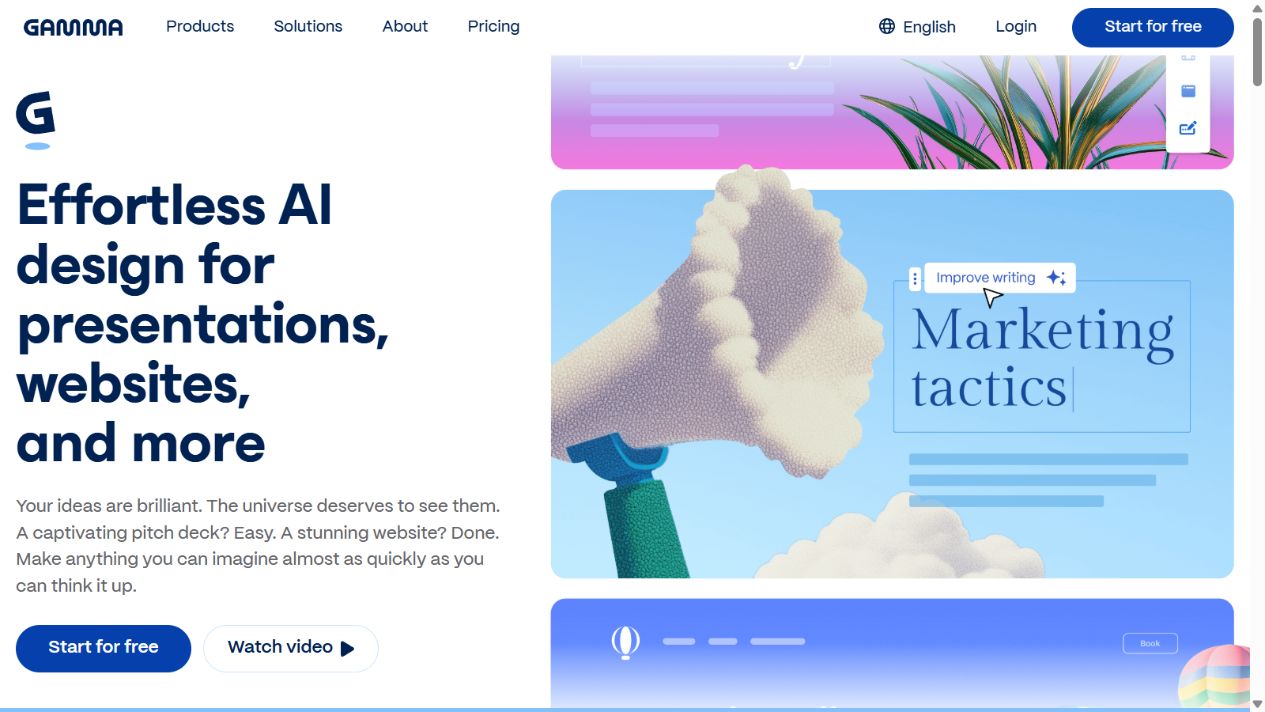
Gamma official homepage, captured August 30, 2026. Source: Gamma .
This is especially useful when a small team lacks dedicated presentation design capacity but still needs visual consistency. The advantage is not that every generated design is automatically appropriate. It is that the production surface exposes the structure and visual system together, making refinement faster than moving plain text through several tools.
2. Visual documents, simple sites, and social assets
Gamma’s scope extends beyond conventional decks. Official product material describes documents, websites, social content, and images. That can support proposals, internal explainers, event recaps, sales materials, campaign pages, and other communication that benefits from a designed, web-native format.
The limitation is also clear: a generated site is not automatically a complete web platform, and a social asset is not a campaign strategy. Buyers should define hosting, analytics, accessibility, domain, consent, SEO, archive, and ownership requirements before treating Gamma as a production system.
3. Presentation sharing and engagement
Gamma’s paid plans and help material describe advanced sharing, analytics, password protection, custom domains, and team or business controls at different tiers. These features matter when the deliverable is consumed as a Gamma link rather than exported immediately.
Engagement analytics can show that someone opened or moved through a presentation, but they do not prove persuasion, comprehension, or intent. Use analytics as a conversation signal, not a substitute for buyer feedback.
4. Presentation-oriented export
Gamma’s official help center documents export to PDF, PNG, and PowerPoint. Google Slides use is supported through the PPTX workflow. It also documents important caveats: some gradients, frosted effects, table corners, fonts, and other visual details can change in destination applications.
This transparency is valuable because “exports to PowerPoint” does not mean “every element behaves identically in PowerPoint.” If native PowerPoint editing is part of the approval process, test a branded, representative deck before adoption.
Where ChatGPT is stronger
1. Researching and challenging the argument
ChatGPT is better suited to the work that should happen before visual production: defining the audience, gathering current sources, comparing evidence, finding assumptions, testing objections, organizing a narrative, and identifying what remains unknown.
For example, a pitch deck may require market definitions, competitive context, product evidence, financial assumptions, customer proof, and risk disclosures. ChatGPT can help interrogate those components and structure a research plan. It must not be allowed to invent missing numbers, customers, citations, or outcomes.
ChatGPT official homepage, captured August 15, 2026. Source: ChatGPT .
2. Open-ended analysis and iteration
ChatGPT’s conversational model supports back-and-forth analysis that is not tied to a visual artifact. A team can ask it to critique a claim, rewrite for several audiences, analyze an uploaded spreadsheet, explain a technical dependency, compare scenarios, or generate a decision framework.
Gamma can use AI to create and edit content, but its stronger context is the visual deliverable. When the work remains ambiguous or analytical, ChatGPT offers the more general surface.
3. Working across files, data, code, and connected sources
OpenAI’s official plan material describes file uploads, data analysis, projects, apps or connectors, company knowledge, deep research, coding, and other capabilities, depending on the plan and current product configuration. These broaden ChatGPT beyond presentation creation.
A buyer should verify exact plan availability, administrative controls, allowed data, retention, access to connected systems, and whether a capability uses included limits or paid credits. “ChatGPT can connect to our tools” is not enough; the team must test the specific source, permission model, retrieval quality, citations, and revocation process.
4. Reusable reasoning workflows
Projects, shared context, custom configurations, agents, and workspace controls can support repeatable research, drafting, and review processes. The result may eventually become a Gamma deck, a document, code, a report, or no artifact at all.
The limitation is governance. Reusable instructions can repeatedly produce the same unsupported assumption if the source and review process are weak. Templates should preserve evidence labels, dates, owners, and fact-check queues rather than merely enforce tone.
Presentation quality: do not confuse polish with correctness
Gamma has the stronger built-in visual-production workflow. That does not mean its output is automatically clear, accessible, on brand, or strategically persuasive. ChatGPT can produce a strong narrative outline, but that does not mean its claims are accurate or its slide recommendations are visually effective.
Review every deck for:
- one clear audience and decision;
- a defensible sequence from problem to evidence to recommendation;
- source links and dates for material claims;
- charts that use accurate scales, labels, and definitions;
- readable type, sufficient contrast, and limited text density;
- alt text or accessible alternatives where required;
- consistent brand, terminology, and visual hierarchy;
- explicit assumptions and limitations;
- speaker notes that do not contradict the slide;
- export quality in the actual destination environment.
The design should make the reasoning easier to understand, not make weak evidence look more authoritative.
Pricing and plan structure
Both products offer free entry points and multiple paid tiers, but their cost drivers differ and change frequently.
Gamma’s official pricing and help pages describe Free, Plus, Pro, Ultra, Teams, and Business options. AI credits, generation limits, image models, branding, custom fonts, analytics, domains, API access, workspace templates, advanced controls, and seat minimums vary. AI actions consume credits, and subscriptions can be per user.
OpenAI publishes Free and individual paid plans as well as Business and Enterprise options. Model access, messages, files, research, image generation, projects, apps, agents, administration, security, and credits vary. Business pricing and seat structures changed during 2026, demonstrating why buyers must use current official pages rather than old comparisons.
Model these factors:
| Cost question | Gamma | ChatGPT |
|---|---|---|
| Who needs a paid seat? | Creators, collaborators, and administrators under current workspace terms | Individual users or business workspace seats under current terms |
| What usage can expand cost? | AI credits, advanced models, generated assets, domains, and team features | Premium models or tools, higher limits, credit extensions, and workspace features |
| What output cost is external? | Brand review, export cleanup, native slide editing, and asset licensing | Visual production, destination software, fact review, and connected-system governance |
| What should be forecast? | Deck volume, creators, credit consumption, branding, domains, and collaboration | Users, plan type, advanced usage, files, apps, agents, and administrative controls |
Do not choose using one monthly headline price. Run the same representative workflow, forecast twelve months, and include the labor required to verify, edit, export, govern, and maintain the output.
Privacy, security, and data use
Gamma’s official privacy help states that it stores deck and site content in the cloud, describes categories of data collected, and gives users controls related to AI improvement. It says Team and Business workspace content is excluded from AI training under current published terms. Gamma also documents encryption and higher-tier team or business controls.
OpenAI’s business materials state that business workspace data is not used for model training by default and describe encryption, SAML SSO, MFA, administration, analytics, and enterprise controls at eligible tiers. Individual-account settings and product terms differ from business offerings.
Before uploading confidential information, verify:
- the exact plan and contractual terms;
- whether prompts, files, outputs, and connected data are used for training;
- retention, deletion, export, and legal-hold behavior;
- workspace ownership and offboarding;
- sharing defaults and public-link risk;
- third-party models, image providers, connectors, and subprocessors;
- regional processing or residency requirements;
- audit, access, single sign-on, and administrative controls;
- intellectual-property and asset-license requirements.
Do not infer that an enterprise control exists on a free or individual plan.
Use-case decisions
Choose Gamma for a pitch deck
Gamma is the better primary tool when the narrative and evidence are already approved and the team needs a polished visual structure quickly. Use ChatGPT beforehand to challenge assumptions, test objections, and tighten the story. Verify every market, traction, customer, and financial claim manually.
Choose ChatGPT for a research memo
ChatGPT is the stronger starting point when the output needs source discovery, synthesis, analysis, scenarios, and prose. Gamma becomes relevant if the memo must be converted into a visual executive presentation or shareable web artifact.
Choose Gamma for a sales presentation
Gamma’s themes, visual layouts, sharing, analytics, and exports make it better suited to the production and delivery surface. Keep product claims, customer examples, pricing, security statements, and competitive comparisons under editorial or legal control.
Choose ChatGPT for data interpretation
ChatGPT is the better fit when a user needs to inspect a spreadsheet, explain patterns, calculate scenarios, or connect observations to a narrative. Validate calculations and data definitions before placing them into a Gamma chart or slide.
Choose neither for final brand-critical production without review
If the company requires pixel-specific PowerPoint masters, complex animation, print prepress, advanced accessibility, or a heavily governed design system, a traditional presentation or design workflow may remain necessary. AI can accelerate preparation without replacing specialist review.
A practical combined workflow
- Define the decision. Write the audience, decision, desired action, evidence standard, and deadline.
- Research in ChatGPT. Use approved sources, preserve citations, label unknowns, and build an evidence ledger.
- Develop the narrative. Create a one-sentence thesis, supporting claims, objections, limitations, and next step.
- Approve the content. Fact-check material claims before visual generation. Do not let the deck become the first review surface.
- Create in Gamma. Import the approved outline or source material, choose a restrained theme, and generate the initial visual structure.
- Edit for comprehension. Reduce text, improve labels, verify charts, add source notes, and remove decorative elements that compete with the message.
- Test export and sharing. Check the live link, PDF, PPTX, fonts, tables, images, animation, accessibility, and destination application.
- Record ownership. Store the source ledger, final file, version, owner, approval date, and refresh trigger.
Common comparison mistakes
Asking both tools for the same prompt and declaring a winner
The products optimize different workflows. A one-prompt output contest measures a narrow moment and can change with model, plan, settings, and prompt. Evaluate the complete job from evidence to approved deliverable.
Treating a generated deck as researched
Visual confidence does not prove factual support. A presentation can be polished and wrong. Preserve sources and uncertainty through the design stage.
Assuming exports are perfectly editable
Gamma documents visual differences that can occur in PowerPoint or Google Slides. Test fonts, tables, effects, media, and layouts in the exact destination application.
Ignoring plan and credit changes
Both vendors change plans, models, features, and limits. Date every commercial statement and use official pages during procurement.
Uploading sensitive material before checking controls
Free, individual, team, business, and enterprise offerings can have different terms. Confirm the correct workspace before importing confidential decks, customer data, financial models, or strategy documents.
Final verdict
Gamma wins the visual-deliverable decision. ChatGPT wins the general research and reasoning decision. Gamma is the better choice for teams whose main job is creating, styling, sharing, and exporting presentations or other visual content. ChatGPT is the better choice for teams that need a flexible environment for research, analysis, writing, files, code, and cross-domain problem solving.
For many organizations, the products are complementary. Use ChatGPT to improve the quality and defensibility of the thinking, then use Gamma to improve the clarity and delivery of the approved story. Keep humans accountable for evidence, brand, accessibility, confidentiality, and the final decision.
Sources reviewed
Frequently asked questions
Is Gamma better than ChatGPT for presentations?
Gamma is the more purpose-built choice for generating, laying out, presenting, sharing, and exporting visual decks. ChatGPT is stronger for researching the topic, challenging the argument, drafting source-grounded content, analyzing files, and refining the narrative before it enters a presentation system.
Can ChatGPT make a PowerPoint presentation?
ChatGPT can help plan, write, analyze, and in supported workflows create presentation-related outputs, but its core product is not a dedicated slide editor. Buyers should test the exact export and editing workflow they require. Gamma officially supports presentation creation and exports including PowerPoint, PDF, and PNG.
Can Gamma replace ChatGPT?
Not for general research, analysis, coding, long-form problem solving, or broad conversational work. Gamma can replace part of a presentation or visual-content workflow. ChatGPT covers a wider set of reasoning and production tasks, while Gamma provides a more specialized visual publishing environment.
Does Gamma export to Google Slides?
Gamma's official help center says users can export to PowerPoint and upload the PPTX file to Google Slides. It warns that some fonts and visual effects may render differently because the destination application handles them differently. Test the actual branded deck before relying on the export.
Which is cheaper, Gamma or ChatGPT?
There is no durable answer without a date, plan, user count, and usage pattern. Gamma combines per-user plans with AI credits and plan-specific features. ChatGPT has individual and business plans with limits or credit-based extensions. Compare the complete annual workflow cost, not one advertised monthly price.
Which tool is better for a startup pitch deck?
Gamma is the better production surface when the immediate job is turning an approved story into a polished, shareable deck. ChatGPT is the stronger companion for market research, objection testing, financial explanation, narrative critique, and speaker preparation. Human verification remains essential for claims and numbers.
Should a company use Gamma and ChatGPT together?
Yes, when responsibilities are explicit. Use ChatGPT to research, analyze, test reasoning, and draft source-linked content; use Gamma to structure and present the approved material visually. Keep one owner for facts, brand review, final exports, and version control.