How to Use ChatGPT
Learn how to use ChatGPT step by step for prompts, research, files, data, projects, images, voice, privacy, verification, and repeatable work.
Direct answer
To use ChatGPT well, begin with one specific outcome, provide the context it cannot know, define constraints, and request a clear format. Review the first response, correct assumptions, add missing evidence, and ask focused follow-up questions. For current or consequential information, use Search or Deep Research where available and inspect the cited sources. For documents and spreadsheets, verify extraction and calculations. Keep confidential data out unless the account and organizational policy explicitly permit it.
A useful beginner formula is:
Help me [complete task] for [audience or situation]. Use [approved context or sources]. Follow [constraints]. Return [format]. Before starting, list any missing information or assumptions that could materially change the result.
ChatGPT is most valuable as an iterative assistant, not an automatic authority. The goal is an approved outcome, not merely a fast response.
Before you begin
Open ChatGPT through the official website or supported app. Some use may be available without signing in, while saved history, account settings, models, and advanced tools can require an account or qualifying plan. Interface labels and availability can differ by device, plan, region, and rollout.
Before entering business information:
- Confirm whether you are using a personal or organization-managed account.
- Review current data controls, privacy terms, retention expectations, and workspace policy.
- Identify what information is prohibited, such as credentials, secret keys, unapproved customer data, regulated records, or confidential contracts.
- Decide where the final approved work will be stored. ChatGPT should not become the only system of record.
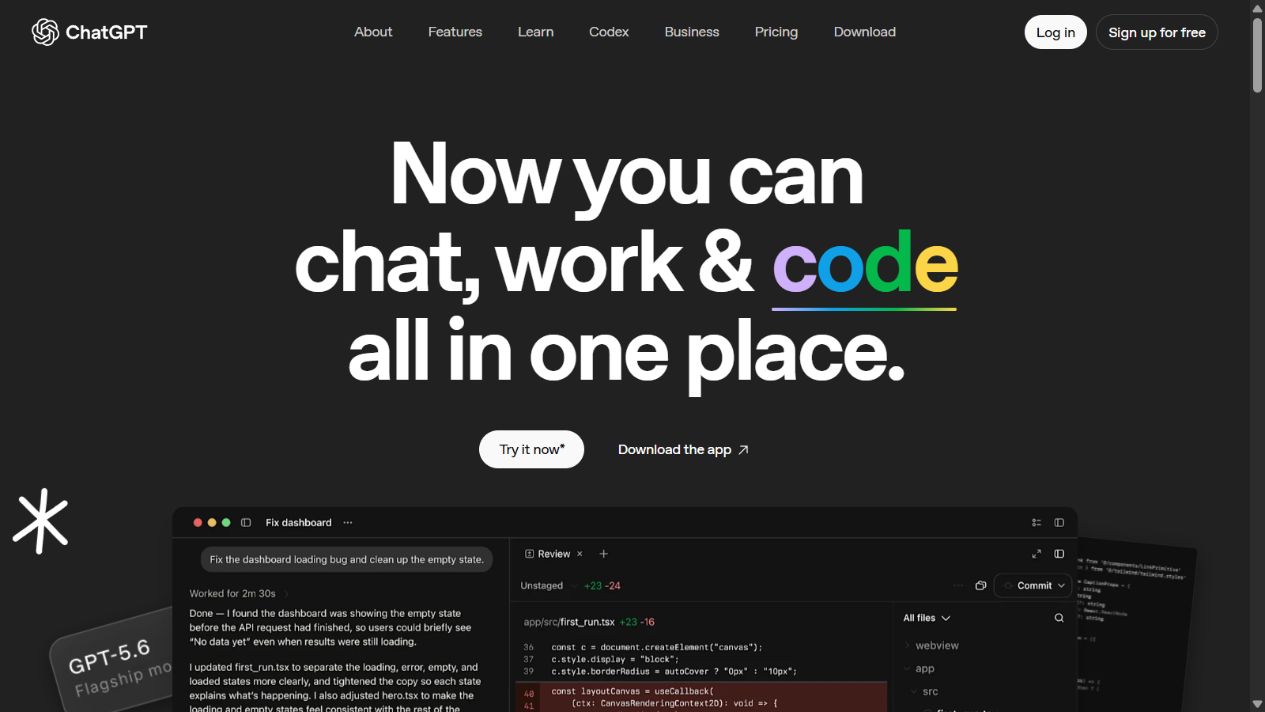
The official ChatGPT homepage begins with a conversational prompt. Available tools and controls vary by account and plan.
Step 1: Choose a bounded task
Start with work whose quality you can judge. Good beginner tasks include rewriting approved text, outlining a document, summarizing non-sensitive notes, explaining a concept, generating questions, or organizing a checklist.
Avoid beginning with “run my business,” “make a legal decision,” or another broad high-impact instruction. Break a large objective into reviewable stages.
Weak starting prompt:
Write a marketing strategy.
Better starting prompt:
Create a one-page outline for a six-week email onboarding strategy for a B2B project-management product. The audience is new administrators at companies with 20–100 employees. Focus on activation and first-team adoption. Include the objective, six email themes, one success metric per email, dependencies, and questions that must be answered before drafting copy. Do not invent customer data.
The second prompt defines outcome, audience, scope, format, and evidence limits. ChatGPT can still make mistakes, but the work is easier to inspect.
Step 2: Provide only relevant context
ChatGPT cannot see your unstated customer, policy, tone, definitions, or constraints. Provide the minimum approved context needed to perform the task.
Useful context can include:
- the intended audience and their knowledge level;
- the purpose of the output;
- approved facts, excerpts, or source links;
- terms that must be used consistently;
- examples of acceptable style;
- length, deadline, channel, or format constraints;
- what the response must not claim;
- the person who will review the result.
Do not paste a large confidential document merely because it may contain one useful paragraph. Extract or redact the relevant material when policy permits. More context is not automatically better; irrelevant material can distract the response and expand data exposure.
Step 3: Use a complete prompt structure
A reliable prompt has five parts:
- Task: what should be done?
- Context: what facts or background matter?
- Constraints: what boundaries must be followed?
- Format: how should the result be organized?
- Quality check: what should be verified or flagged?
Reusable template:
Task: [specific outcome].
Context: [audience, approved facts, current situation].
Constraints: [scope, length, tone, exclusions, source rules].
Format: [table, memo, numbered steps, code diff, or outline].
Quality check: State assumptions, flag unsupported claims, and identify what requires human verification.
Do not assume a role instruction such as “act as an expert” supplies missing evidence. Detailed context and acceptance criteria are more useful than decorative authority.
Step 4: Review the first response before expanding it
Read the answer for direction before asking for polish. Check:
- Did it solve the correct problem?
- Which assumptions did it make?
- Did it omit an important audience or constraint?
- Are claims supported by the supplied material?
- Does the structure help the reviewer?
- What would make the result unsafe or misleading?
Use focused follow-ups:
Revise section two for a nontechnical reader. Keep the defined terms unchanged. Remove any claim not supported by the supplied notes. Add a short “decision required” line after each option.
This is better than “make it better,” which provides no evaluation standard.
Step 5: Ask ChatGPT to expose assumptions and alternatives
Generated answers often appear more certain than the evidence allows. Ask for the decision structure:
List the assumptions that materially affect this recommendation. For each assumption, explain how the answer changes if it is false. Then give two reasonable alternatives and the evidence needed to choose among them.
This does not independently verify the model, but it helps the human reviewer see what to investigate. For strategic work, also ask what information is missing and who should approve the final decision.
Step 6: Use Search for current questions
OpenAI documents ChatGPT Search for current web information with source links. Use it when dates, people, products, prices, laws, schedules, releases, or recent events matter.
Research prompt:
Find current official documentation for [topic]. Prefer primary sources. For each material claim, provide a direct source link and publication or update date where available. Separate verified facts from inference. Do not rely on search snippets alone.
Then open the sources. Confirm that each link loads, is authoritative, is current enough, and supports the exact sentence. A citation can exist without proving the claim.
Step 7: Use Deep Research for multi-source work
Deep Research is designed for longer investigation and cited reports, subject to access and limits. Use it when the task requires several sources, comparison, chronology, or a documented evidence trail.
Give it a research brief:
- research question and decision it supports;
- geographical, industry, and time scope;
- preferred primary sources;
- sources or claims to exclude;
- required comparison criteria;
- expected report format;
- unresolved questions that must remain explicit.
Review the final report as research assistance, not a published authority. Inspect citations and look for missing counterevidence, inconsistent definitions, and conclusions stronger than the sources allow.
Step 8: Upload files carefully
ChatGPT can work with supported documents and files. Upload only approved material. Tell it which file and section to use, what not to infer, and what output you need.
Example:
Compare the two uploaded policy drafts. Create a table with clause, version A summary, version B summary, practical change, and reviewer question. Quote only short necessary excerpts. If a page cannot be read reliably, identify it instead of guessing.
For scanned PDFs, check text recognition. For long files, confirm whether all pages were processed. For contracts, policies, and regulated material, qualified review remains necessary.
Step 9: Analyze spreadsheets and data with checks
OpenAI documents data analysis that can execute code for supported calculations and visualizations. Before asking for conclusions, define the data dictionary, units, date range, missing-value rules, filters, and expected reconciliation total.
Example:
Analyze the uploaded CSV. First report row count, columns, data types, missing values, duplicate identifiers, date range, and total revenue. Do not modify the source. Then calculate monthly revenue by segment and show the code or method. Reconcile the segment totals to the overall total and flag discrepancies.
Inspect formulas, code, filters, units, currency, and chart labels. A plausible chart can still use the wrong sheet or denominator.
Step 10: Organize continuing work with Projects
Projects can keep related chats, files, and instructions together. Create one when a body of work has a continuing objective and approved context.
Use a clear structure:
- one project objective;
- current source files rather than uncontrolled duplicates;
- instructions defining audience, terminology, and review;
- separate chats for research, drafting, analysis, and decisions;
- links or references to the authoritative final system;
- periodic removal of stale files and instructions.
Do not rely on a Project as permanent records management. Preserve final deliverables and decisions in the organization’s approved repository.
Step 11: Use Canvas for editable writing or code
Canvas provides an editable workspace for supported writing and coding tasks. Use it when you need to revise sections, inspect a developing artifact, or work on a longer draft without treating each response as final.
Give localized instructions such as “shorten this section without changing the three requirements” or “explain this function, then propose a minimal tested change.” Review the complete artifact after local edits because a change can introduce inconsistency elsewhere.
Step 12: Use images and voice with purpose
ChatGPT can support image input, image creation or editing, and voice experiences depending on current access. For images, specify subject, composition, brand constraints, aspect ratio, intended use, prohibited elements, and accessibility needs. Inspect text, logos, hands, factual diagrams, and rights requirements before publishing.
Voice can be useful for brainstorming, accessibility, and hands-free conversation. Confirm important names, numbers, and decisions in text. Do not assume a spoken exchange created an authoritative record.
Step 13: Verify every consequential output
Match verification to risk:
| Output | Minimum verification |
|---|---|
| Public factual copy | Open primary sources; check dates, scope, and quotations |
| Calculation | Reconcile totals, units, filters, and formulas independently |
| Code | Review the diff; run tests, linting, security checks, and rollback plan |
| Policy or contract summary | Compare with the original and obtain qualified approval |
| Recommendation | Inspect assumptions, alternatives, evidence, and decision owner |
| Image | Check factual details, brand, accessibility, artifacts, and rights |
| Automated action | Confirm permissions, logs, approval boundaries, and recovery |
Asking ChatGPT “are you sure?” is not independent verification. Use external evidence, deterministic tools, and accountable reviewers.
Step 14: Save the approved result outside ChatGPT
Once the work is reviewed, move it into the correct system: document repository, project platform, codebase, CRM, analytics workspace, or knowledge base. Record the owner, approval date, source links, assumptions, and next review where necessary.
This separates exploratory conversation from approved organizational knowledge. It also supports access control, versioning, audit, backup, and offboarding.
A complete example workflow
Suppose a manager needs to compare three software products.
- Define audience, requirements, budget model, region, and decision date.
- Ask ChatGPT to identify missing criteria without recommending a product.
- Use Search or Deep Research to gather current official product, pricing, security, and documentation sources.
- Open and verify every material source.
- Create a comparison table that separates verified facts, unknowns, and evaluation questions.
- Upload approved notes or data and request calculations with reconciliation.
- Ask for strengths, limitations, switching risks, and a pilot plan.
- Run the pilot outside the conversation using representative tasks.
- Bring measured results back for structured synthesis.
- Have the accountable buyer approve the decision and store it in the official system.
ChatGPT accelerates organization and drafting, while evidence and decision ownership remain visible.
Common mistakes
Giving an underspecified prompt
The assistant fills gaps with assumptions. Add audience, outcome, context, constraints, and format.
Trusting fluency
Clear prose can contain errors. Verify claims, calculations, citations, and code.
Sharing too much data
Use the minimum approved context. Never paste credentials or prohibited information.
Asking for a final answer too early
Request questions, assumptions, alternatives, and an outline before polished output.
Keeping final work only in a chat
Move approved results into the governed system of record.
Automating before the workflow is stable
Start with reviewable assistance. Add connections or scheduled actions only with permissions, logs, owners, and recovery.
Final checklist
- The task is specific and bounded.
- Context is relevant, approved, and minimal.
- Constraints and output format are explicit.
- Assumptions and missing information are visible.
- Current claims use opened, appropriate sources.
- Files and calculations are reconciled.
- Confidential data follows policy.
- A responsible person reviews the output.
- The final version is stored in the authoritative system.
- Automation has permissions, logs, monitoring, and rollback.
Final verdict
The best way to use ChatGPT is to combine a clear brief with iterative review. Start with bounded work, supply approved context, ask for a defined format, and correct the response through focused follow-ups. Use Search and Deep Research for current evidence, files and data analysis with reconciliation, and Projects or Canvas for continuing work.
ChatGPT can shorten the path to a draft, analysis, or research structure. It does not transfer accountability. Keep data controlled, verify consequential outputs independently, and preserve approved work in the proper system.
Sources checked
Frequently asked questions
How do I start using ChatGPT?
Open the official ChatGPT website or app, sign in if required for the features you need, review data controls, start a new chat, and describe one clear outcome with context, constraints, and the required format.
How do I write a good ChatGPT prompt?
State the task, provide relevant context, define constraints, specify the desired output format, and explain how success will be judged. Ask ChatGPT to identify missing information before it begins when the task is important.
Can ChatGPT search the internet?
Yes. OpenAI documents ChatGPT Search for current web information and Deep Research for longer multi-source work, subject to current access and limits. Open every important citation and verify that it supports the claim.
Can I upload PDFs and spreadsheets to ChatGPT?
ChatGPT can work with supported files and perform plan-dependent data analysis. Check extraction, sheet selection, units, formulas, filters, and outputs, especially for scanned documents or complex workbooks.
What information should I not share with ChatGPT?
Do not enter passwords, secret keys, unapproved confidential information, sensitive personal data, or regulated records unless an approved organizational plan, policy, and workflow explicitly permit it. Review current data controls and privacy terms.
How do I know whether a ChatGPT answer is correct?
Check primary sources, dates, definitions, calculations, citations, code tests, and domain-specific requirements. Ask for assumptions and uncertainty, but do not treat the model's self-check as independent verification.
Do I need a paid ChatGPT plan?
Not necessarily. Start with the current free access if it supports the task. Compare paid plans only when higher limits, additional tools, models, administration, privacy controls, or team features create measurable value.