HyperWrite vs ChatGPT: Which Is Better?
Compare HyperWrite and ChatGPT for writing, autocomplete, research, citations, files, analysis, team controls, privacy, pricing, and everyday work.
Direct answer
HyperWrite is better for people who want a writing-first assistant with browser autocomplete, custom writing personas, focused drafting tools, and citation-supported research. ChatGPT is better for people and teams that need a broader AI workspace spanning writing, web research, files, data analysis, images, voice, coding, projects, apps, and organizational administration.
The products overlap heavily in drafting, rewriting, brainstorming, summarizing, email, and research. Their priorities are different. HyperWrite presents itself as an AI writing assistant with TypeAhead suggestions, a Chrome extension, a document editor, hundreds of writing tools, real-time information, citations, and custom personas. ChatGPT is a general-purpose assistant that packages many forms of knowledge work into one managed interface.
That makes the purchase decision more practical than a generic model contest. A writer who spends the day in Gmail and browser-based editors may value suggestions appearing where the work happens. An analyst who moves between reports, spreadsheets, documents, research, images, and code may get more value from ChatGPT’s breadth. A company evaluating either product must also separate an individual productivity subscription from an administrated business workspace.
This comparison uses official sources checked on August 31, 2026. We did not run controlled writing-quality, citation, latency, or automation tests. Recommendations are editorial inferences from documented product scope, not claims that one system produces universally better text.
HyperWrite vs ChatGPT at a glance
| Decision area | HyperWrite | ChatGPT |
|---|---|---|
| Best starting point | Writing, rewriting, autocomplete, personas, and browser-based assistance | Broad research and knowledge work across text, files, data, images, voice, and code |
| Product center | Dedicated AI writing assistant | General-purpose AI workspace |
| In-context writing | Chrome extension and TypeAhead suggestions | Web, desktop, and mobile workspace; app and connector capabilities vary by plan |
| Research | Real-time information, citations, and Scholar positioning | Search and deep research, with plan-dependent access and limits |
| Personalization | Custom personas and writing-style orientation | Instructions, memory, projects, GPTs, and workspace context, subject to plan and settings |
| Specialist tools | Hundreds of pre-made writing tools | Broader collection of assistant capabilities rather than a writing-tool catalog |
| Files and analysis | Writing and research orientation | Broader document, spreadsheet, data-analysis, image, and coding workflows |
| Team administration | Verify current organizational controls and terms directly | Business and Enterprise workspaces with documented administration and security controls |
| Public pricing shape | Free entry point plus Premium and Ultra | Free and paid individual plans; Business and Enterprise options; API separate |
| Main risk | Incorrect text or citations, browser context exposure, overlapping subscriptions | Incorrect output, broad data access, connected-app risk, changing plan and model limits |
How we evaluated the products
We reviewed the official HyperWrite homepage, pricing page, Personal Assistant page, privacy policy, terms, and product descriptions. For ChatGPT, we reviewed official product, pricing, Business, privacy, security, and help material. We assessed eight buyer questions:
- Writing workflow: drafting, rewriting, autocomplete, email, tone, and reusable patterns.
- Research: search, citations, source verification, scholarly material, and factual review.
- Breadth: files, analysis, images, voice, code, projects, and other work beyond prose.
- Context: personal style, instructions, personas, memory, project material, and connected sources.
- Deployment surface: browser extension, web workspace, desktop, mobile, and connected applications.
- Governance: identity, administration, data handling, retention, security, permissions, and audit.
- Economics: subscriptions, limits, duplicate spend, review time, administration, and training.
- Operational fit: user adoption, workflow placement, quality control, change management, and exit.
Official feature lists tell buyers what a vendor intends to provide. They do not prove that the text is accurate, on-brand, original, faster to produce, or suitable for a regulated workflow. A proper trial should use representative tasks, blinded scoring where possible, source checks, and measured editing time.
1. HyperWrite: best for a writing-first workflow
HyperWrite’s official homepage describes an AI writing assistant with autocomplete, web search, and citations. Its documented workflow includes writing, editing, chat, tools, and research. Named capabilities include AutoWrite, TypeAhead, Email Response, HyperChat, Custom Tools, a Chrome extension, custom personas, and a catalog of writing tools. The service also promotes scholarly research and citation-backed results.
That product shape is useful when prose is the work rather than one step inside a much broader analytical process. The Chrome extension can bring assistance into supported browser contexts, while TypeAhead is designed to suggest personalized continuations as a person writes. Custom personas provide a reusable way to orient output toward different styles or behaviors. The editor and tool catalog create explicit starting points for tasks such as rewriting, summarizing, email, speeches, and research.
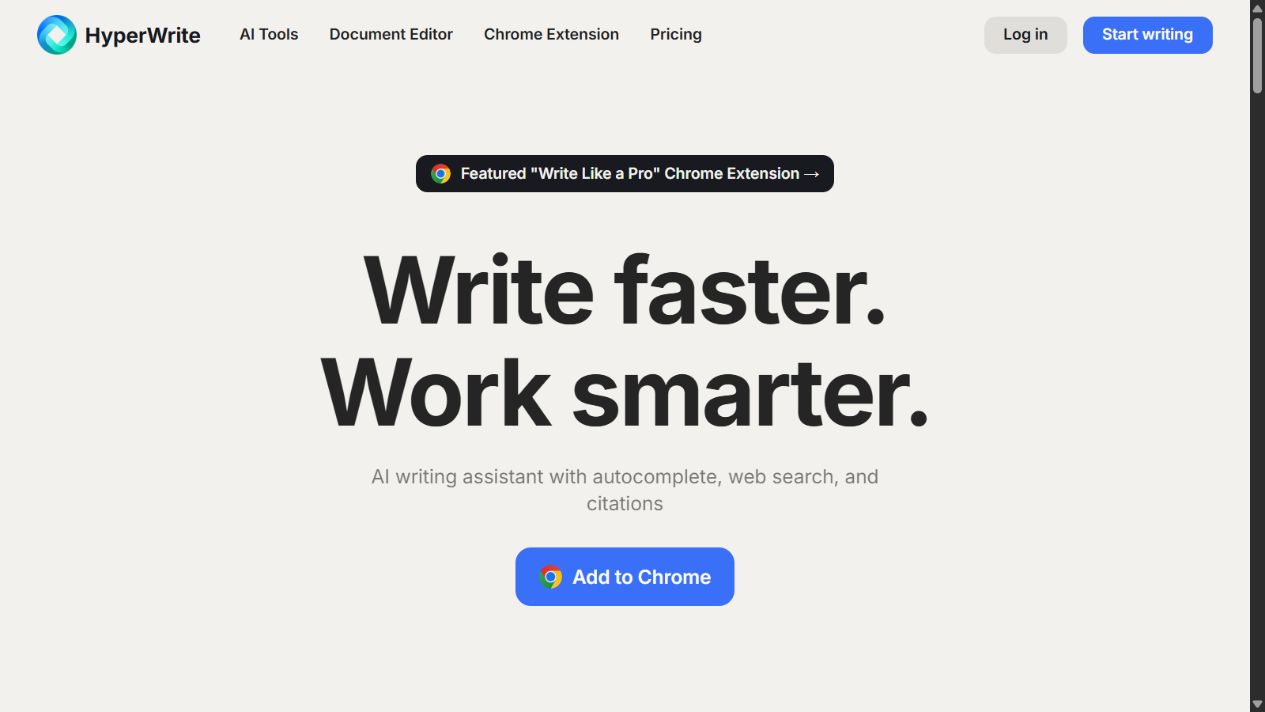
HyperWrite homepage captured August 31, 2026. Product claims, interfaces, prices, features, and limits can change.
Where HyperWrite fits
- Drafting and revising text in a dedicated writing environment.
- Receiving TypeAhead suggestions while writing in supported browser contexts.
- Creating reusable personas for different writing styles or task behavior.
- Generating and refining email responses.
- Starting common writing tasks from pre-made tools.
- Researching topics with real-time information and citation-oriented output.
- Supporting individuals whose daily work is dominated by prose and browser communication.
HyperWrite strengths
Focus is the main advantage. A general assistant can offer dozens of modes, but a writing specialist can organize the experience around the moments that interrupt writers: starting a paragraph, completing a sentence, changing tone, responding to email, summarizing material, or retrieving sources. HyperWrite’s extension and TypeAhead positioning address the friction of moving text between a separate chatbot and the editor where it will be used.
Personas can also reduce repeated prompting. A user may configure different writing behavior for sales communication, editorial drafting, customer responses, or personal voice. That does not guarantee consistency; it creates a reusable starting point. Teams should still maintain approved examples, terminology, prohibited claims, source rules, and review standards outside the AI product.
The public pricing page provides a relatively simple individual-plan structure. At the time checked, Premium included 250 AI messages per month, citations and real-time information, three custom personas, hundreds of tools, and unlimited TypeAheads. Ultra listed unlimited AI messages, ten custom personas, early experimental access, and unlimited TypeAheads. The vendor describes a limited free account in its billing FAQ.
HyperWrite limitations
Writing specialization creates boundaries. HyperWrite’s official material does not establish it as a complete replacement for a broad organizational AI workspace covering data analysis, image workflows, coding, shared projects, connected enterprise sources, or extensive administration. Some users will prefer the focused experience; others will encounter tasks that require another system.
Browser assistance also expands the data surface. Suggestions can be valuable because the extension operates near the text being written, but buyers must understand what content is processed, what permissions the extension requests, where data is sent, how long it is retained, and which sites or document types are permitted. HyperWrite’s privacy policy describes collection of user-generated content and writing samples that users make available to provide the service. Organizations should review the current policy and contractual terms rather than assume consumer settings meet internal requirements.
Citation support is not proof of source fidelity. A generated citation can point to an irrelevant, misread, outdated, or nonexistent source. HyperWrite itself advises users to fact-check and edit work before publishing or sharing. Academic, legal, medical, financial, and technical material requires direct review of the original source.
What buyers must verify
Confirm the current free, Premium, and Ultra limits; message accounting; TypeAhead behavior; persona limits; supported browsers and sites; model availability; research coverage; citation format; exports; cancellation terms; and support. For business use, request current information about identity, user administration, data retention, encryption, subprocessors, training use, deletion, incident handling, audit evidence, contractual commitments, and extension permissions.
Sources: HyperWrite homepage , HyperWrite pricing , Personal Assistant , and privacy policy .
2. ChatGPT: best for broad AI-assisted knowledge work
ChatGPT is positioned as a general assistant rather than a writing specialist. Its current product and pricing material spans writing and brainstorming alongside web research, files, data analysis, images, voice, projects, apps, GPTs, and coding capabilities. Access and limits differ across Free, individual paid, Business, and Enterprise plans.
This breadth matters when a draft depends on other work. A user can examine files, analyze a dataset, research a market, generate an outline, revise prose, create an image brief, or ask for code within the same general environment. Projects and reusable configurations can organize context. Organizational plans add workspace administration and business-data commitments that are not equivalent to an individual account.
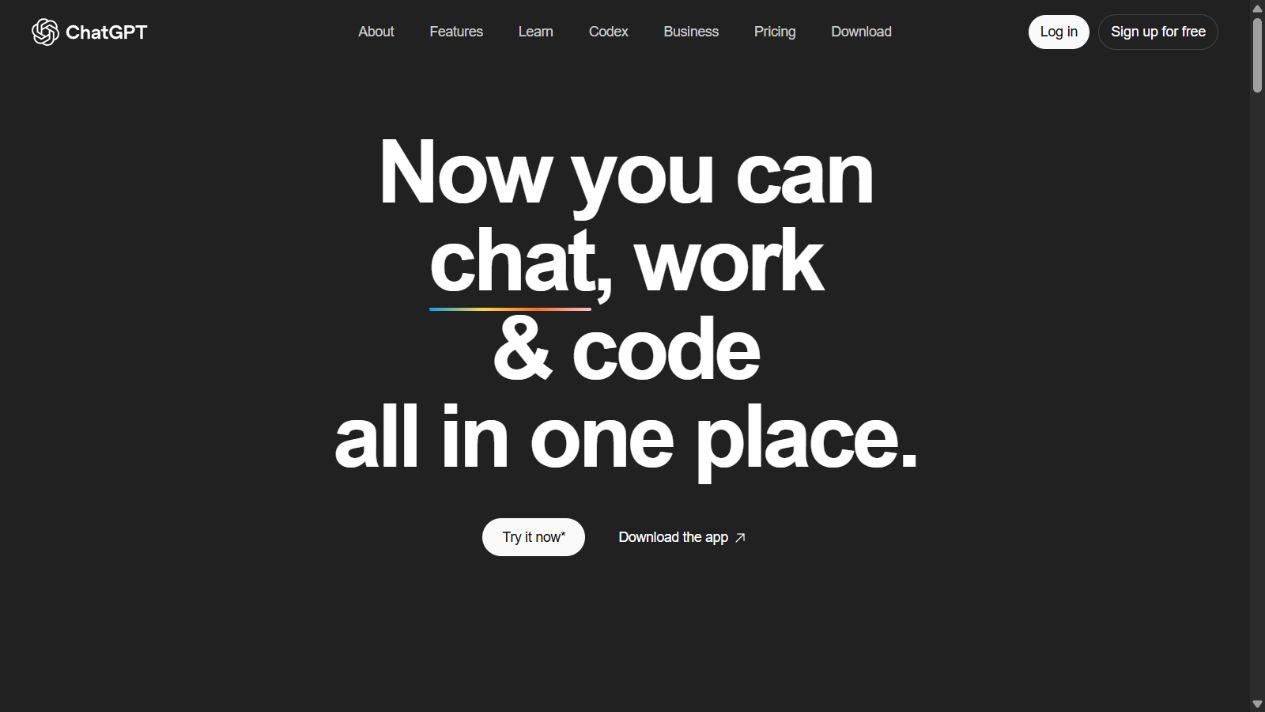
ChatGPT homepage captured August 15, 2026. Models, tools, plans, prices, limits, and interfaces can change.
Where ChatGPT fits
- Researching and synthesizing information from approved public or connected sources.
- Drafting, revising, summarizing, translating, and structuring content.
- Working with supported documents, spreadsheets, images, and other files.
- Performing data analysis and creating tables or charts where supported.
- Supporting coding, debugging, explanation, and technical documentation.
- Organizing recurring work in projects or reusable configurations.
- Providing a shared, managed AI workspace under Business or Enterprise controls.
ChatGPT strengths
The central strength is range. Writing teams often need more than a sentence generator. They need to inspect research, compare evidence, understand a spreadsheet, extract information from documents, explore alternative structures, and collaborate with specialists. ChatGPT can consolidate more of that work than a narrowly focused writing assistant.
The managed workspace is also relevant to organizations. OpenAI documents centralized billing and administration, dedicated Business workspaces, SAML SSO, MFA, usage and spend controls, connected apps, and business-data treatment. Enterprise adds further controls and sales-led terms. Exact entitlements change, so buyers should verify the current plan rather than rely on a historical feature matrix.
ChatGPT can adapt to writing guidance through instructions, examples, projects, memory, and custom configurations. That can approximate some persona workflows, although the user experience is not identical to HyperWrite’s writing-first tool and TypeAhead design. A successful pilot should compare the complete workflow, not just two responses pasted into a document.
ChatGPT limitations
Breadth can make the product feel less purpose-built for continuous browser writing. A user may need to move between ChatGPT and the target application unless an approved integration or app supports the workflow. ChatGPT can draft and rewrite, but it is not a direct replication of HyperWrite’s TypeAhead feature.
The large capability surface also creates governance work. Files, apps, search, projects, reusable agents, code, and external actions can expose different data and permission risks. Organizations must decide which features are enabled, what information users may submit, how connected permissions are preserved, and when human confirmation is mandatory.
Plan complexity deserves attention. Individual subscriptions, Business seats, Enterprise agreements, API usage, and credits are different purchasing units. A ChatGPT subscription does not automatically include OpenAI API usage. Model availability and usage limits can change, so procurement documentation should record the exact plan and verification date.
What buyers must verify
Confirm available models, limits, files, search, deep research, images, voice, code, projects, GPTs, apps, retention, residency, administration, identity, role controls, logs, support, and data commitments. Distinguish personal and organizational accounts. For connected sources, test least privilege, permission inheritance, citations, prompt-injection controls, and revocation.
Sources: ChatGPT overview, ChatGPT pricing , ChatGPT Business FAQ , and business data privacy .
Writing quality, tone, and autocomplete
Neither product can be declared the better writer from feature pages. Quality depends on task, prompt, source material, length, language, tone, model, settings, and human review. A fair trial should use the same briefs and source packets, hide product identity from reviewers where practical, and score factual accuracy, structure, clarity, voice, unsupported claims, and editing time.
HyperWrite has the clearer workflow advantage when the desired behavior is predictive completion inside browser writing. TypeAhead may reduce interruption because the user can accept or ignore suggestions while composing. Measure whether it actually saves time and whether suggestions preserve the user’s intent. Fast completion is counterproductive when it encourages generic language or introduces claims that require correction.
ChatGPT has an advantage when writing is downstream of analysis. It can help explore a source set, interrogate a file, organize findings, and then draft. The workflow may involve more explicit prompting, but it can accommodate broader context. Writers should still maintain a human-owned brief, source list, argument, and final edit.
For brand voice, compare HyperWrite personas with ChatGPT instructions or project context using approved examples. Score consistency across multiple formats and over time. Do not upload confidential writing samples until legal and security owners approve the product’s data handling.
Research and citations
HyperWrite explicitly promotes real-time research, citations, and Scholar access to scholarly articles. This can be useful for discovery and drafting. The critical control is source verification: open the cited item, confirm that it exists, check the author and publication, read the relevant passage, and ensure the draft does not overstate the evidence.
ChatGPT offers search and deep-research capabilities under plan-dependent limits. Its broader file and connected-source workflows may help a user combine web sources with internal material. The same verification rule applies. A citation is a navigation aid, not an accuracy guarantee.
For a research pilot, provide both products with the same question and source constraints. Record sources found, source quality, unsupported claims, citation completeness, quotation accuracy, time to verify, and whether the product distinguishes fact from inference. High-stakes decisions require subject-matter review regardless of the tool.
Privacy, security, and governance
HyperWrite’s privacy policy describes personal information, user-generated content, and writing samples users choose to share. Because the publicly linked policy shows an older update date, business buyers should ask for current security and data-handling documentation. Verify whether content is used for model improvement, which subprocessors receive it, how deletion works, and what controls apply to browser extension data.
OpenAI states that it does not train models on organization data from ChatGPT Business and Enterprise by default and documents encryption at rest and in transit. It also publishes business security and compliance information. These commitments apply to specified business offerings; consumer data controls and terms differ. Confirm the actual account type and current contract.
For either product, classify data before rollout. Prohibit credentials, regulated records, unreleased financial information, privileged material, personal data, and confidential customer content unless an approved use case and contract cover them. Use least privilege, separate testing from production data, train users to recognize prompt injection, and require human review before consequential communication or action.
Pricing and total cost
HyperWrite’s public pricing checked on August 31, 2026 listed Premium at $19.99 per month or $16 per month billed annually, with 250 AI messages, three personas, citations and real-time information, hundreds of tools, and unlimited TypeAheads. Ultra was listed at $44.99 monthly or $29 per month billed annually, with unlimited AI messages, ten personas, early experimental access, and unlimited TypeAheads. “Unlimited” remains subject to current terms and service controls.
ChatGPT offers Free and paid individual plans plus Business and Enterprise options. OpenAI’s current business materials describe different seat types and prices that have changed over time. Because this article is a workflow comparison rather than a pricing guide, verify current plan prices and limits on the official page at purchase.
Total cost is not subscription price alone. Include duplicate subscriptions, onboarding, prompt and template maintenance, security review, administration, fact-checking, editing, support, integration, and exit. A focused tool can be cheaper if it produces sustained writing adoption. A broader tool can be cheaper if it replaces several overlapping assistants. Measure active use and reviewed output, not seats purchased.
Which product should you choose?
Choose HyperWrite when
- The primary job is drafting, rewriting, email, and continuous browser writing.
- TypeAhead suggestions are central to the desired workflow.
- Writers want explicit personas and a catalog of specialist writing tools.
- Citation-supported research is useful and the team has a verification process.
- The organization has reviewed extension permissions and current data terms.
Choose ChatGPT when
- Users need one workspace for research, writing, files, analysis, images, voice, and code.
- Writing frequently depends on document or data analysis.
- The company needs a documented Business or Enterprise administration layer.
- Projects, reusable configurations, and connected sources matter.
- A broad assistant can replace several narrow AI subscriptions.
Use both when
Use both only when the workflows are distinct enough to justify the cost and governance. One example is HyperWrite for approved browser-based drafting and ChatGPT Business for broader analysis and shared knowledge work. Define which data can enter each system, who owns templates and personas, how citations are checked, and which product is the system of record for reusable context.
Avoid letting personal subscriptions proliferate without ownership. Overlap creates inconsistent data handling, duplicate spend, fragmented prompts, and uncertain retention. A documented exception process is better than an informal collection of AI accounts.
A practical pilot plan
Run a two-to-four-week pilot with representative users and tasks. Include short emails, long-form drafts, rewrites, source-based briefs, research questions, document analysis, and one recurring workflow. Keep source material and expected outcomes consistent.
Track:
- Time to an acceptable first draft.
- Human editing and verification time.
- Factual and citation errors.
- Brand-voice consistency.
- Acceptance and rejection of autocomplete suggestions.
- Success across the actual browser and applications used.
- User adoption after the novelty period.
- Data, permission, and policy exceptions.
- Subscription and administration cost per active user.
Do not select the winner from a polished demo. A useful product must perform repeatably under ordinary deadlines, imperfect prompts, real source material, and the organization’s review rules.
Final verdict
HyperWrite is the better specialist for a writer who values browser TypeAhead, personas, writing tools, and a focused drafting environment. ChatGPT is the better general platform for users and organizations that need writing alongside research, files, analysis, images, voice, coding, projects, apps, and managed workspace controls.
The products are not separated by a universal quality ranking. They are separated by workflow design. Test HyperWrite where people actually compose text and test ChatGPT across the wider set of tasks that feed the finished document. Then choose the smallest governed toolset that improves reviewed work rather than merely generating more words.
Frequently asked questions
Is HyperWrite better than ChatGPT?
HyperWrite is more focused on writing, autocomplete, personas, and browser assistance. ChatGPT is broader across research, files, analysis, images, voice, coding, projects, and organizational workspaces. The better choice follows the actual workflow.
Can HyperWrite replace ChatGPT?
It can replace ChatGPT for some drafting, email, rewriting, and citation-supported research tasks. It does not reproduce ChatGPT’s complete general-purpose feature and workspace surface.
Can ChatGPT replace HyperWrite?
ChatGPT can cover many output-oriented writing tasks, but it is not a direct substitute for HyperWrite’s TypeAhead workflow. Compare the products inside the browser and applications employees use.
Which is better for academic research?
HyperWrite explicitly promotes Scholar and scholarly research with citations; ChatGPT offers search and deep research under plan-dependent access. Verify every source and claim in the original material with either product.
Which is better for business teams?
ChatGPT Business or Enterprise is generally the clearer organizational starting point because OpenAI documents workspace administration and business security controls. Verify HyperWrite’s current business controls directly if its writing workflow is preferred.
How much does HyperWrite cost?
At the August 31, 2026 check, monthly Premium was $19.99 and Ultra was $44.99; annual billing was presented as $16 and $29 per month respectively. Confirm current pricing and limits before subscribing.
Should a company use both products?
Only when distinct workflows justify duplicate cost and governance. Define approved data, ownership, verification, retention, and success metrics for each product before rollout.
Sources
Frequently asked questions
Is HyperWrite better than ChatGPT?
HyperWrite is the more focused choice for writers who value browser-based TypeAhead suggestions, reusable writing personas, a dedicated editor, and a large library of writing tools. ChatGPT is the broader choice for research, files, data analysis, images, voice, coding, projects, connected apps, and organizational workspaces.
Can HyperWrite replace ChatGPT?
HyperWrite can replace ChatGPT for some drafting, rewriting, email, autocomplete, and citation-supported research workflows. It does not reproduce ChatGPT's complete general-purpose workspace, including its wider file, analysis, image, voice, coding, project, app, and business-administration surface.
Can ChatGPT replace HyperWrite?
ChatGPT can draft, edit, brainstorm, research, and adapt to instructions, so it can cover much of HyperWrite's output-oriented work. It is not a direct substitute for HyperWrite's browser TypeAhead experience or its specific persona and writing-tool workflow. Test the exact places where employees write before deciding.
Which is better for academic research?
HyperWrite explicitly promotes Scholar and real-time research across scholarly articles with citations. ChatGPT provides search and deep-research capabilities whose availability and limits depend on the plan. Neither product should be treated as an authority: verify every quotation, citation, author, date, and conclusion against the original source.
Which is better for business teams?
ChatGPT Business or Enterprise is usually the stronger organizational starting point because OpenAI documents dedicated workspaces, centralized administration, security controls, connected apps, and business-data commitments. HyperWrite may still fit individual writing-heavy roles, but buyers should verify current team administration and contractual controls directly.
How much does HyperWrite cost?
At the August 31, 2026 check, HyperWrite listed Premium at $19.99 monthly or $16 per month billed annually, and Ultra at $44.99 monthly or $29 per month billed annually. A limited free account was also described. Confirm current prices, taxes, currencies, limits, and promotions before purchase.
Should a company use HyperWrite and ChatGPT together?
It can, when roles and data boundaries are explicit. HyperWrite may support browser-based drafting and autocomplete while ChatGPT supports broader research, analysis, files, coding, and shared workspace tasks. Avoid paying twice for the same workflow without measuring adoption, quality, review time, and governance overhead.