Krisp vs ChatGPT: Which Is Better?
Compare Krisp and ChatGPT for meeting audio, transcription, notes, research, analysis, follow-up, privacy, pricing, and team workflows.
Direct answer
Krisp is better when the job happens during and immediately after a meeting: removing noise and echo, improving voice clarity, recording or transcribing permitted conversations, producing meeting notes, and organizing action items. ChatGPT is better for broad knowledge work: research, writing, analysis, files, planning, explanations, and turning reviewed meeting material into different deliverables.
These products are not direct substitutes. Krisp is a specialized voice and meeting layer. ChatGPT is a general AI assistant. A strong workflow may use both: Krisp captures cleaner, permissioned meeting evidence; a person verifies it; ChatGPT then helps transform approved information into a follow-up email, project brief, risk register, proposal outline, or decision memo.
This comparison combines a live review of current search results with official product, pricing, documentation, privacy, and security sources checked on September 3, 2026. We did not run a controlled microphone, noise, accent, transcription, latency, or model-quality benchmark.
Krisp vs ChatGPT at a glance
| Requirement | Better choice | Why |
|---|---|---|
| Live noise and echo cancellation | Krisp | Designed as a real-time voice-processing layer for calls |
| Meeting recording and transcription | Krisp | Purpose-built capture, transcript, notes, and action-item workflow |
| Bot-free meeting capture | Krisp | Desktop-based workflow can capture supported calls without a meeting participant bot |
| General research and writing | ChatGPT | Broader conversational, search, research, file, and drafting capabilities |
| Analyse a reviewed transcript | ChatGPT | Flexible instructions and output formats for approved material |
| Meeting follow-up automation | Depends | Krisp handles native notes and integrations; ChatGPT handles broader transformation |
| Contact-center voice workflows | Krisp | Dedicated voice, accent, translation, and contact-center positioning |
| Broad personal productivity | ChatGPT | Covers many tasks beyond meetings |
| Best combined workflow | Both | Capture and clean with Krisp, verify, then transform with ChatGPT |
The category difference matters
Many comparisons become misleading because they score two products against the same generic list. Krisp and ChatGPT operate at different points in the information lifecycle.
Krisp sits close to the audio source. It can improve what participants hear, capture a meeting where permitted, create a transcript, and produce structured notes. Its value depends on devices, microphones, room conditions, speakers, languages, conferencing tools, and recording governance.
ChatGPT sits primarily at the reasoning and content layer. It can work from instructions, files, web information, and other available tools to explain, synthesize, draft, analyse, or plan. Its value depends on model and plan access, source quality, instructions, review, and organizational controls.
Choosing one as a universal winner ignores the actual workflow. Ask whether the problem is poor live audio, lost meeting information, slow follow-up, or broad knowledge work. The answer usually identifies the product before a feature table does.
What is Krisp?
Krisp positions itself as voice AI for meetings, teams, call centers, and developers. Its current official homepage highlights noise cancellation, accent AI, translation, and an AI note taker. It also documents transcription, recording, summaries, action items, CRM synchronization, agenda assistance, and recording presets.
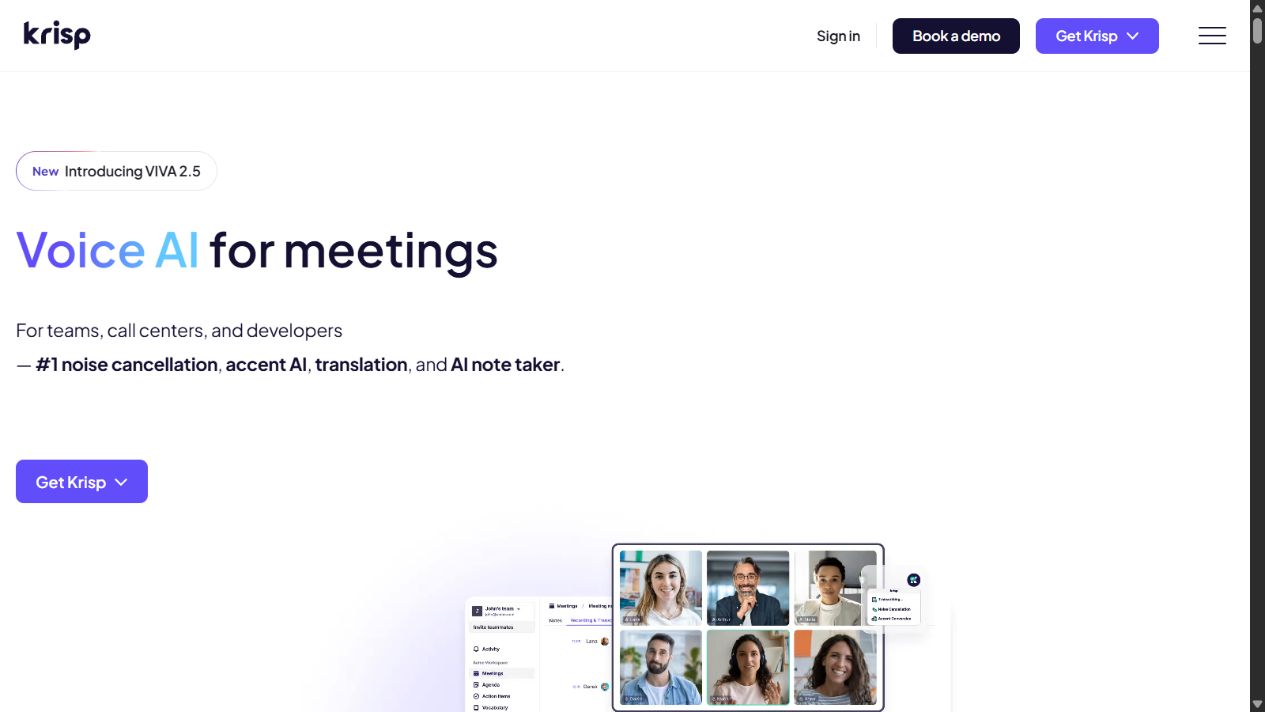
Krisp homepage captured September 3, 2026. Verify device support, plan entitlements, language coverage, recording modes, integrations, and data terms before rollout.
The product’s most distinctive role is real-time audio processing. A user configures Krisp with a supported calling application so background noise, echo, or nearby voices can be reduced. This addresses the meeting itself rather than only processing a file afterwards.
Krisp also offers a bot-free capture approach for supported workflows. That can reduce the visual interruption of an automated participant joining a meeting. It does not remove legal or ethical notification duties. Participants may still need clear notice and consent even when no bot is visible.
Where Krisp is strongest
Krisp deserves priority for remote workers in noisy environments, customer-facing teams, distributed meetings, interview or research teams with lawful capture, and contact centers that need voice clarity. Combining audio improvement and notes can reduce the number of tools in a meeting workflow.
Its post-meeting layer is useful when the desired output is a transcript, summary, action items, or CRM update. Because the tool starts with the meeting, it can produce these outputs without requiring a user to manually transfer the entire conversation into a separate assistant.
Krisp limitations to test
Audio and transcription performance can vary with hardware, operating system, connection, language, dialect, room acoustics, overlapping speech, technical vocabulary, and speaker behavior. Vendor positioning cannot replace a representative pilot.
Teams should test wired and wireless headsets, laptop microphones, softphones, conferencing platforms, virtual desktops, multiple languages, interruptions, music, nearby speakers, and poor connections. Evaluate whether audio processing removes useful speech or creates artifacts, not only whether obvious background noise disappears.
Transcripts and summaries require review. Names, numbers, commitments, dates, technical terms, negation, and speaker attribution can be wrong. A meeting assistant should not automatically create contractual, clinical, legal, financial, HR, or customer records without accountable verification.
Sources: Krisp official homepage , AI Meeting Assistant , and noise cancellation .
What is ChatGPT?
ChatGPT is a general-purpose conversational AI assistant from OpenAI. Depending on plan and availability, official materials describe capabilities spanning writing, search, deep research, files, data analysis, images, voice, projects, and other knowledge-work tools.
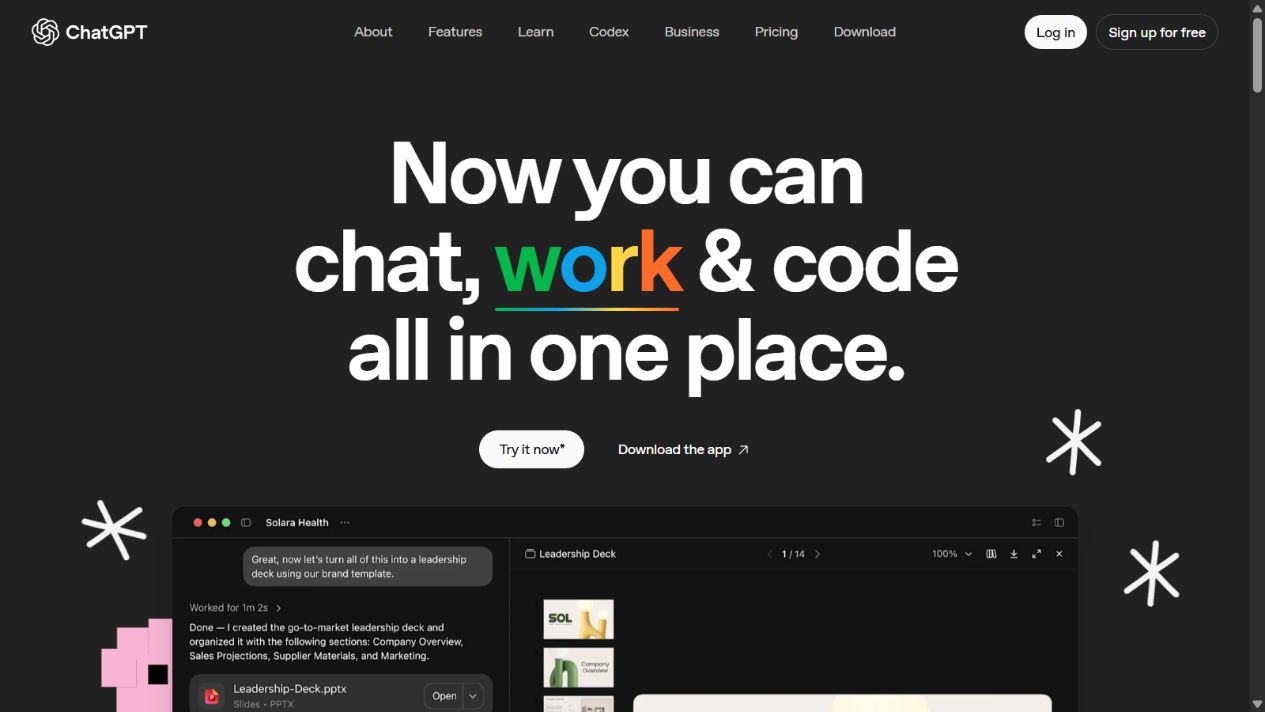
ChatGPT overview homepage captured September 3, 2026. Models, limits, tools, connectors, workspace controls, and data terms vary by plan and can change.
ChatGPT’s advantage is breadth. A user can provide reviewed meeting notes and request a concise summary, stakeholder-specific follow-ups, decision log, open-question list, project plan, FAQ, proposal structure, or analysis. The same assistant can also work on tasks unrelated to meetings.
Where ChatGPT is strongest
Choose ChatGPT when the primary need is reasoning over information, exploring a topic, drafting and revising content, analysing files or data, or producing multiple formats from approved source material. Its conversational interface supports iterative refinement: a user can challenge assumptions, change audience, add constraints, and request a different structure.
For meeting work, ChatGPT is best treated as a transformation layer. Provide a verified transcript or notes, explain the participants and purpose, identify what must not be inferred, and specify the desired output. It can help expose unanswered questions and inconsistent statements, but a person should confirm them against the source.
ChatGPT limitations to test
ChatGPT can produce inaccurate statements, miss context, infer commitments that were not made, or present a plausible interpretation too confidently. A transcript itself may already contain errors. Combining uncertain input with generated analysis can amplify mistakes.
Consumer and organizational plans differ. Businesses should evaluate workspace administration, identity, access, data use, retention, connectors, audit needs, legal terms, support, and regional requirements. Employees should not paste confidential meeting content into an unapproved account merely because the interface is convenient.
ChatGPT is also not a replacement for live system-level noise cancellation. Voice conversations and file transcription may be available in some contexts, but that does not make the product equivalent to a cross-application audio-processing layer.
Sources: ChatGPT overview, capabilities overview , and ChatGPT pricing .
Feature-by-feature comparison
Noise cancellation and live clarity
Krisp wins clearly. Real-time noise, echo, and background-voice cancellation is a core product function. This matters for sales calls, support conversations, interviews, training, and distributed teamwork because clarity affects participants before any transcript exists.
ChatGPT can help write a call plan or analyse notes, but it does not provide the same system-wide live audio layer. If poor audio is the problem, choosing a broad assistant instead of an audio tool solves the wrong issue.
Transcription and recording
Krisp is the more direct choice. It is designed to capture supported meetings, generate transcripts, and connect the output to notes and actions. The bot-free option can be less visually intrusive, though invisible capture makes explicit participant notice even more important.
ChatGPT can work with uploaded or connected material where supported, but teams must still determine how the meeting is captured and governed. It is stronger after reliable text exists than as the default capture mechanism for every call.
Summaries and action items
Krisp provides a native post-meeting path, reducing transfer steps. This can be best for standardized outputs such as summaries, action items, and CRM updates.
ChatGPT provides more flexible transformation. It can tailor the same verified material for an executive, project team, customer, or technical audience. Flexibility increases the need for clear prompts and review. The assistant may infer an owner or deadline that was never agreed.
Research and factual enrichment
ChatGPT wins. Its broader tools can investigate questions, compare documents, organize external context, and draft evidence-based outputs where sources and plan capabilities support the task. Krisp is not intended to be a general research platform.
Keep meeting evidence separate from external enrichment. Label what came from the conversation, what came from another source, and what is a model-generated suggestion. This prevents an enriched memo from misrepresenting speculation as a participant statement.
Integrations and workflow automation
Krisp documents meeting-assistant integrations for pushing notes and actions into supported CRM and collaboration tools. It is well placed to automate a narrow capture-to-record workflow.
ChatGPT’s connectors and organizational capabilities vary by plan. It can support broader workflows, but each data source and action needs permission, ownership, and testing. More possible connections do not automatically mean a safer process.
Contact-center use
Krisp is the stronger shortlist candidate because it offers dedicated voice and contact-center positioning. Real-time clarity, accent assistance, translation, transcription, and agent-side workflows require latency, telephony, security, and operational testing that a general assistant comparison does not capture.
ChatGPT can support adjacent knowledge tasks, such as drafting an approved response, summarizing a reviewed interaction, or analysing aggregate themes. It should not be inserted into live regulated customer interactions without a controlled architecture and human accountability.
Privacy, consent, and governance
Meeting tools process unusually sensitive material: customer information, employee discussions, commercial strategy, personal data, security incidents, legal advice, health information, and unreleased decisions. A useful feature can create serious exposure if recording is indiscriminate.
Before enabling Krisp capture or sending material to ChatGPT, define:
- Which meeting types may be recorded or transcribed.
- What notice and consent are required in each jurisdiction.
- Who can start capture and whether participants can object.
- Where audio, video, transcripts, summaries, prompts, and outputs are stored.
- Who can access, share, correct, export, or delete them.
- Retention periods and legal-hold requirements.
- Prohibited data and sensitive-meeting exclusions.
- Model-training and service-improvement terms for the selected plan.
- Subprocessors, data regions, security controls, and incident notification.
- Human review before records or actions reach systems of record.
Bot-free recording is not consent-free recording. The absence of a visible meeting participant can make capture less obvious, so teams should add explicit verbal or visual notification rather than rely on interface cues.
Pricing and total cost
Both products publish free and paid options, but the units of value differ. Krisp pricing can depend on voice features, meeting minutes or allowances, recording, notes, integrations, and team controls. ChatGPT pricing depends on individual or organizational plan, models, usage, tools, connectors, administration, and workspace features.
Compare total workflow cost rather than seat price alone:
- Users who require each product and occasional-user access.
- Audio or transcription limits and overages.
- Storage, retention, export, and recording requirements.
- Identity, administration, support, and compliance needs.
- CRM, calendar, conferencing, and data integrations.
- Implementation, policy, training, and internal support.
- Human review time for transcripts and generated outputs.
- Duplicate products already included in conferencing or productivity suites.
A company may already have native noise cancellation, transcription, or AI assistance through Microsoft, Google, Zoom, a contact-center platform, or another suite. Test whether Krisp materially improves the real environment and whether ChatGPT adds capabilities beyond approved existing tools.
When to choose Krisp
Choose Krisp when participants struggle with background noise, echo, nearby voices, accent comprehension, meeting capture, transcripts, summaries, or post-call actions. It is particularly relevant when the solution must work across supported calling applications without adding a participant bot.
Run a pilot with representative devices, languages, rooms, networks, meeting platforms, and sensitive scenarios. Measure participant-rated clarity, transcription corrections, missed action items, processing time, support tickets, CPU or battery impact, and the accuracy of CRM updates.
Do not select Krisp solely because its summary appears polished. The highest-value outcome may be clearer human conversation, while notes remain a secondary benefit requiring review.
When to choose ChatGPT
Choose ChatGPT when meetings are only one source within broader knowledge work. It is stronger for research, writing, planning, document analysis, structured synthesis, and creating different deliverables from approved information.
For a team deployment, test representative prompts, files, permissions, connectors, retention, identity lifecycle, source citation, and failure cases. Create approved templates that distinguish transcript facts, external evidence, assumptions, and recommendations.
Do not use ChatGPT as an unapproved repository for every meeting. Minimize inputs and provide only the information needed for the task.
When to use both
A controlled combined workflow can be stronger:
- Confirm that recording or transcription is permitted and notify participants.
- Use Krisp to improve live audio and capture the meeting where approved.
- Review the transcript, correct names and numbers, and confirm decisions.
- Remove unnecessary personal or confidential information.
- Transfer only approved excerpts into an authorized ChatGPT workspace.
- Ask for a specific output while prohibiting unsupported inference.
- Verify the result against the corrected source.
- Publish or synchronize the final human-approved record.
- Apply retention and deletion policies to intermediate files.
This sequence treats AI as an assistive chain with accountable checkpoints, not an invisible system that turns every spoken sentence into an official action.
Pilot scorecard
| Area | Krisp evidence | ChatGPT evidence |
|---|---|---|
| Core outcome | Clearer calls and reliable capture | Useful, accurate transformation |
| Quality | Artifacts, speech preservation, transcript corrections | Unsupported claims, omissions, instruction adherence |
| Workflow | Setup effort, automatic capture, integrations | Prompt effort, file handling, reusable templates |
| Governance | Consent, recording indicators, retention, access | Workspace controls, data use, retention, connectors |
| Adoption | Device compatibility and meeting friction | User confidence, review behavior, shadow use |
| Economics | Cost per useful meeting and corrected transcript | Cost per accepted deliverable and time saved |
| Resilience | Offline/failure behavior and manual fallback | Model/tool outage behavior and source preservation |
Require a pass on privacy and security controls before weighting convenience. A time-saving feature is not valuable if it creates unlawful recording, uncontrolled sharing, or inaccurate customer records.
Final verdict
Krisp wins for the meeting itself. It is the purpose-built choice for live voice clarity, noise and echo cancellation, transcription, recording, notes, and related voice workflows. ChatGPT wins for the broader work around the meeting: research, analysis, writing, planning, and flexible transformation of reviewed material.
For most buyers, the correct answer is not “which AI is more powerful?” It is “where does the problem occur?” Choose Krisp when the failure is audio or capture. Choose ChatGPT when the failure is synthesis or downstream knowledge work. Use both when each has a clearly governed role.
Whichever path you choose, test it with representative conditions, obtain lawful consent, minimize sensitive data, verify transcripts and generated claims, and keep a human accountable for the final record.
Document results explicitly.
Frequently asked questions
Is Krisp better than ChatGPT?
Krisp is better for real-time meeting audio cleanup, transcription, recording, notes, and voice workflows. ChatGPT is better for broad research, writing, file analysis, planning, and transforming reviewed meeting material into varied deliverables.
Can ChatGPT replace Krisp for noise cancellation?
No. ChatGPT is not a system-level live noise, echo, and background-voice cancellation layer for calls. Krisp is designed for that audio workflow across supported meeting and calling applications.
Can Krisp replace ChatGPT?
Not for general knowledge work. Krisp specializes in meetings and voice. ChatGPT covers broader writing, research, analysis, files, planning, images, and conversational tasks, subject to plan and tool availability.
Can Krisp and ChatGPT work together?
Yes. A team can use Krisp to improve and capture a lawful meeting, review the transcript and notes, then provide approved excerpts to ChatGPT for follow-up drafts, analysis, plans, or structured outputs under company data rules.
Which is better for meeting notes?
Krisp is the more direct choice for automatic meeting capture, transcription, summaries, and action items. ChatGPT is useful after the meeting when a reviewed transcript or notes need deeper restructuring, analysis, or communication.
Do I need consent to use Krisp for recording and transcription?
Consent and notice requirements depend on jurisdiction, participants, workplace policy, and data type. Organizations should establish lawful notice, consent, retention, access, deletion, and sensitive-meeting exclusions before recording or transcribing.
Which tool is better for a business?
Choose based on the controlled workflow. Krisp fits meeting and contact-center voice needs; ChatGPT fits broader knowledge work. Businesses should evaluate organizational plans, identity, administration, privacy, retention, audit, support, and contractual terms rather than relying on consumer accounts.