Looka vs ChatGPT: Which Is Better?
Compare Looka and ChatGPT for logo concepts, production files, brand kits, revisions, costs, and the practical work of launching a business identity.
Direct answer
Looka is the more direct choice when you need a logo package and coordinated brand materials. ChatGPT is better suited to exploring a brief, discussing design directions and developing visual concepts through conversation. Neither should be chosen simply because its first preview looks impressive. The important question is whether you can take the result into the places your business actually uses its identity.
A founder needing a website logo, print-ready files and matching collateral has a different problem from someone still deciding what the business should communicate. Looka addresses the packaged identity workflow. ChatGPT supports exploration. You may use both, but the handoff between an idea and a dependable production asset remains your responsibility.
This comparison uses official sources checked on September 4, 2026. We have not conducted a hands-on logo-quality benchmark, tested purchase flows or measured revision speed. The practical checklists below are our evaluation framework, not reported test results. Numeric prices are deliberately omitted because current amounts were not verified in the retrieved pricing content.
Looka vs ChatGPT at a glance
| Your immediate requirement | Start with | What to verify |
|---|---|---|
| A packaged logo purchase | Looka | Exact file formats and variations in the selected package |
| Clarifying an uncertain creative brief | ChatGPT | Whether the discussion produces specific, usable criteria |
| Matching collateral around a selected identity | Looka Brand Kit | Included templates, subscription conditions and exports |
| Exploring several visual directions | ChatGPT | Whether the directions are meaningfully different |
| Print and designer handoff | Looka Premium shortlist | Actual files against the recipient’s requirements |
| A highly distinctive custom identity | Consider a designer | Originality, refinement and production responsibility |
| A renamed business after purchase | Check Looka support first | Company-name editing restriction |
| Agency client delivery | A controlled workflow | Client ownership, approvals and agreed deliverables |
The table is intentionally task-based. A single numerical score would hide the difference between an exploratory assistant and a specialized brand product. Decide which stage is slowing you down before comparing subscriptions or generating more options.
What Looka does
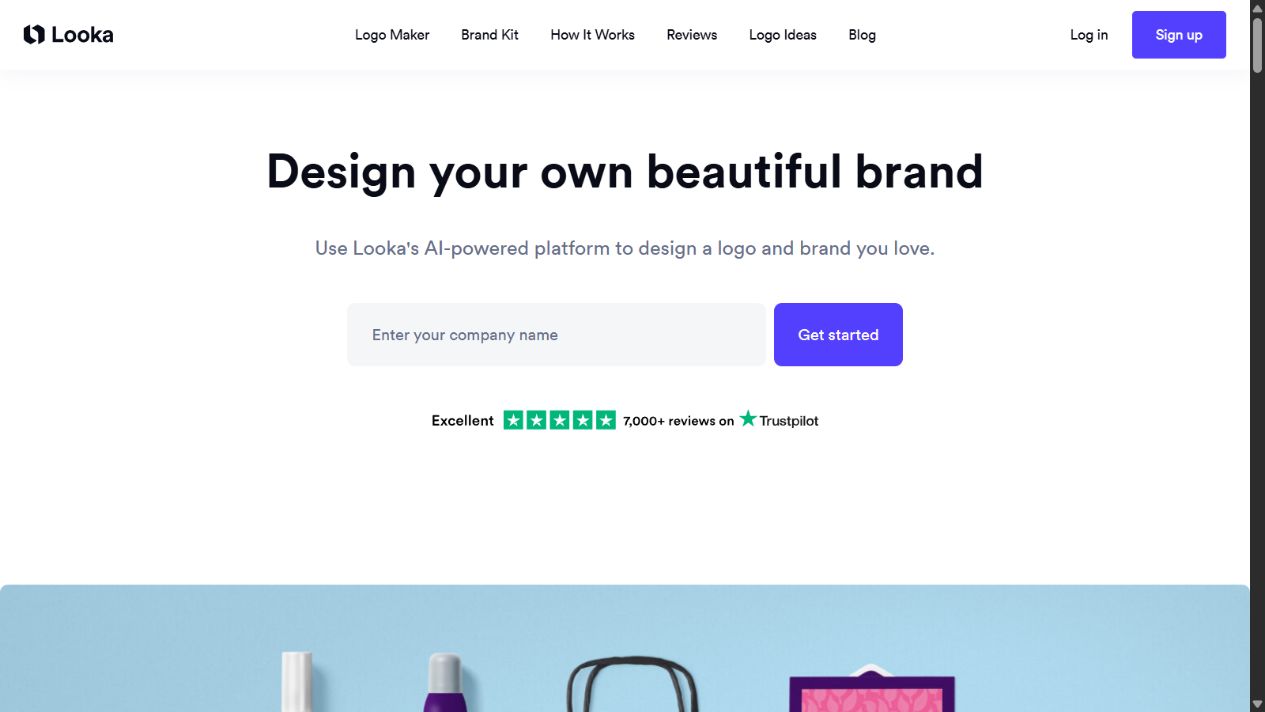
Official Looka homepage, captured September 4, 2026. This screenshot illustrates the product’s positioning, not a hands-on design test.
Looka presents a connected logo and brand-identity workflow. Its homepage describes generating logo options, adjusting the design and using a selected identity across branded templates. That structure is valuable when the user wants to move from a choice to a coordinated set of materials. See the official Looka homepage .
Think of the product as a bounded design environment. Instead of starting with an unrestricted conversation, you work toward a particular identity and its associated outputs. The advantage is not that every result will be distinctive or appropriate. It is that the workflow is organized around a recognizable deliverable.
That distinction matters for a small business without a designer. A visually appealing mark is only one component of launch readiness. The owner also needs versions that work on different backgrounds, sensible placement rules and files that another person can use. A structured package can make that operational work easier to understand.
However, structure also creates boundaries. Before buying, ask what can be changed, what remains editable and what happens if the business changes its name. Do not interpret broad marketing language about flexibility as permission to create unlimited separate client identities from one purchase.
What ChatGPT contributes
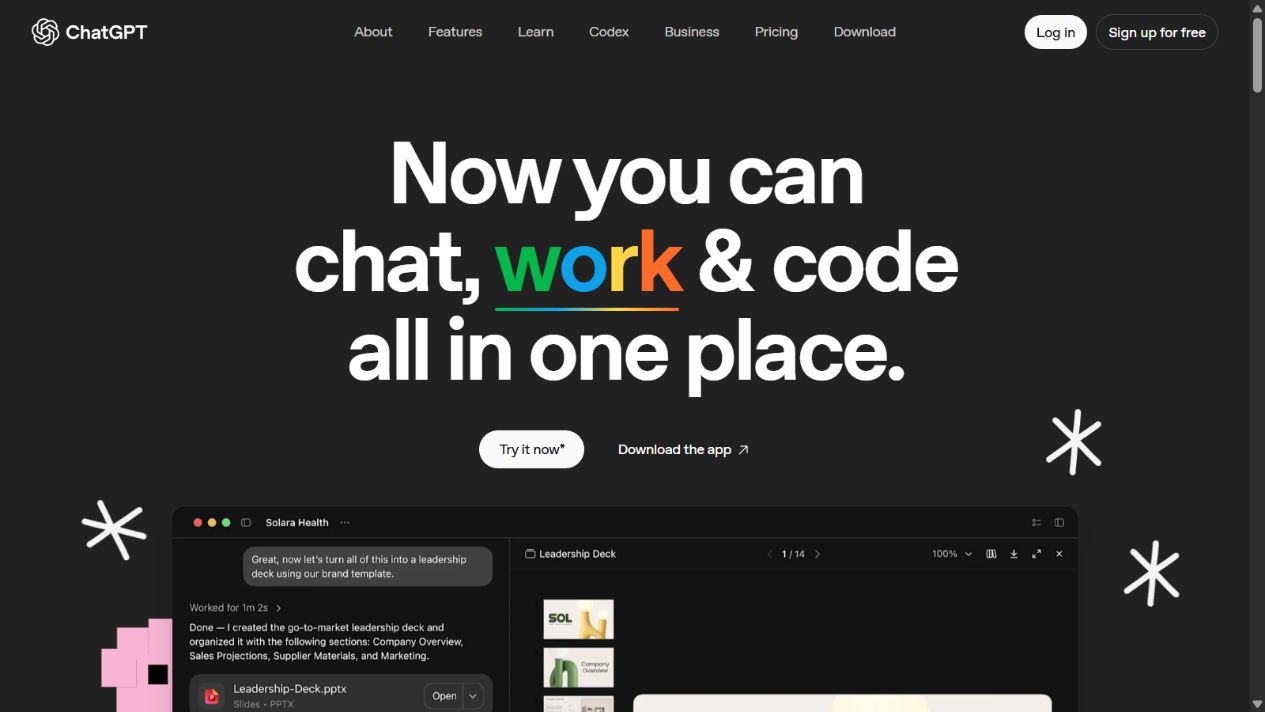
Official ChatGPT overview homepage, captured September 3, 2026. Product access and available tools depend on the account and current offering.
Official OpenAI documentation describes creating and editing images through natural-language requests and supplying reference images. It also recommends explaining what an image shows and what outcome you want rather than expecting the reference alone to communicate the task. See image generation and image inputs .
For this comparison, the useful implication is a flexible exploration process. You can start by defining the audience, tone, intended applications and constraints. Then evaluate whether a proposed visual direction expresses those decisions. This is different from assuming the conversation itself produces an approved brand system.
For example, a local bookkeeping business might need to appear calm and dependable without using another generic calculator symbol. A productive brief describes the audience, the desired impression and the places the identity will appear. It does not merely request something modern. The same brief helps a human designer, so the work remains useful even if no generated concept is selected.
ChatGPT should not become the sole judge of its own output. A persuasive explanation can make an ordinary concept sound more strategic than it is. Review the actual shape, spelling, proportions and small-size behavior separately from the accompanying rationale.
Concepts versus production deliverables
The largest buying mistake is treating a concept image as a complete logo delivery. A concept answers, roughly, what direction could work. A production package answers how the identity will be reproduced, shared and maintained. Those are related but different outcomes.
Looka’s official package documentation distinguishes a Basic PNG deliverable from Premium files that include vector formats and variations. Logo-only packages do not include the broader collateral associated with Brand Kit subscriptions. Use the logo-package breakdown to check the purchase against your actual requirements.
For either route, create a deliverables list before evaluating the price. Ask your web developer which file they need. Ask your printer about their requirements. Ask whoever manages social profiles what crops and dimensions they use. This avoids paying for an attractive preview and discovering that the downstream work is still unfinished.
Do not assume that changing a filename creates an editable vector. Likewise, a file opening successfully is not sufficient evidence that its contents are suitable for every use. The recipient should confirm that the supplied asset meets the job’s requirements before you approve a large print run or commission permanent signage.
Revision control and business-name changes
Looka’s support documentation allows post-purchase edits to design details such as colors, fonts, spacing, symbols and layout, but restricts normal company-name text changes. It directs customers with name-change requests to support. That qualification matters more than a general promise of unlimited revisions. See Looka’s post-purchase editing guidance .
If your company name is not final, delay the purchase decision. A founder testing several names is still working on strategy, not merely adjusting a logo. Buying too early can turn a simple naming change into a support dependency or a new commercial decision.
For a conversational design workflow, define revisions explicitly. Keep a record of the approved version and describe one change at a time. If the request is to alter spacing, check that the symbol, lettering and proportions have not also drifted. The quality criterion is the resulting asset, not whether the assistant says it preserved the design.
Agencies should distinguish exploration rounds from production corrections. A request for a completely different identity is not the same as correcting a spelling error. Without that distinction, apparently inexpensive tools can support an expensive, indefinite approval cycle.
Brand consistency across materials
A brand kit is useful when it reduces the number of independent design decisions people must make. The practical benefit is consistency: the same identity should not acquire a new color, type treatment or arrangement every time someone creates a document.
Evaluate a kit by selecting a few materials you genuinely need. A consultant might prioritize a proposal cover, email signature and social profile. A neighborhood service company might prioritize a business card, invoice and vehicle supplier handoff. Template quantity alone does not establish value if most of the library is irrelevant.
With a conversational approach, write a compact reference sheet after approving the identity. Record the permitted colors, type choices, clear space and intended variations. Have a competent reviewer check that the reference sheet matches the actual approved assets. A description of a design system is not a substitute for consistent files.
Whichever tool you choose, nominate one approved asset folder. Staff should not download slightly different versions from old messages. Consistency often fails because distribution is unmanaged, not because the original design tool lacked enough features.
Pricing: compare the complete job
Looka separates one-time logo purchases from annually billed Brand Kit subscriptions. Its pricing page also distinguishes the package contents. Current numerical charges were not verified in our retrieved page, so this comparison does not present a potentially stale dollar amount. Check Looka pricing at purchase.
The fair comparison is total project cost. Include the software purchase, time spent exploring, review time, any file preparation and the cost of correcting an unsuitable result. An existing assistant subscription may lower the incremental cost of brainstorming, but it does not make unfinished production work free.
Use a small worksheet with four columns: task, responsible person, expected time and additional charge. Include briefing, concept selection, revision, export verification and final handoff. This makes hidden work visible before a tool becomes the default simply because someone already has an account.
Also separate recurring need from one-time need. A business that only wants an approved logo has different economics from one producing new branded materials every week. Avoid maintaining a subscription for hypothetical future work, but do not discard a useful workflow solely because a one-time option looks cheaper in isolation.
A practical evaluation exercise
Use one real brief and a fixed decision window. The following exercise is a proposed evaluation, not a test we performed. Its purpose is to reveal whether the workflow can produce an acceptable business asset without endless exploration.
1. Define the brief
Write the exact business name, audience, desired impression, prohibited visual directions and three intended applications. Add any existing constraints, such as a sign shape or required background. Keep the brief stable during the exercise so you are comparing workflows rather than changing the problem midway.
2. Select a small shortlist
Choose no more than three directions for review. More options can feel productive while making the decision harder. Each direction should have a clear reason to exist. If two options differ only in a minor color change, treat them as variations of one concept rather than separate strategic choices.
3. Test actual contexts
Review the identity at a small size, on a plain light surface and on a dark surface where relevant. Put it into a realistic page header or document rather than only a dramatic presentation mockup. Ask whether the mark remains readable without the explanation that accompanied it.
4. Request a bounded revision
Choose one realistic change, such as simplifying detail or adjusting spacing. Record how much work it takes to obtain an acceptable result. The point is not to reward the fastest first response; it is to understand the effort required to reach a controlled final version.
5. Verify the handoff
Have the person receiving the files inspect them. Confirm the name, versions, intended uses and storage location. Do not approve the project while the recipient still needs to recreate essential parts. That final check is often more valuable than another hour spent generating alternatives.
Suggested acceptance checklist
| Check | Evidence to collect |
|---|---|
| Correct name | A person checks every character against the approved business name |
| Readability | Review at the smallest intended display size |
| Usable variations | Inspect light, dark and other required versions |
| Deliverable suitability | Printer or developer accepts the supplied files |
| Revision consistency | Compare approved and revised versions side by side |
| Account control | Record who owns the account and can retrieve assets |
| Rights questions | Resolve relevant usage questions before commercial launch |
| Final approval | Named decision-maker signs off on the exact version |
Treat failures as actionable findings. A weak small-size result might require simplification. A missing format might require another package or professional preparation. An unresolved ownership question should not be hidden behind a visually polished mockup.
Which is better for founders?
Start with Looka when the business name and positioning are stable and the immediate need is a bounded identity package. Its specialized workflow is easier to evaluate when you already know which outputs you need. Confirm the package, inspect the result and avoid assuming that every template is necessary.
Start with ChatGPT when the brief is unclear. Use it to articulate alternatives and challenge vague preferences before committing to a visual direction. The outcome of this stage can be a better brief rather than a final logo. That is still useful progress if it prevents an unsuitable purchase.
Consider professional design help when the identity carries substantial commercial importance, needs distinctive execution or must work across demanding applications. A small software bill is not the correct priority when an unsuitable identity will be expensive to replace later.
Which is better for agencies?
An agency should decide according to its service promise. If the engagement includes original identity development, strategy and production responsibility, tool-assisted exploration does not remove those obligations. Clients are buying a reviewed outcome, not simply access to the same software.
For a tightly scoped launch package, a structured brand tool may be appropriate if the client understands the deliverables and limitations. Document the selected package, account arrangement, revision boundaries and what happens after handoff. Avoid leaving the client’s core identity accessible only through an employee’s personal account.
For exploratory work, conversational assistance can help organize the discussion. Keep confidential client material out of unapproved workflows and do not present generated rationales as independently validated market research. The agency remains responsible for the recommendation it makes.
Can Looka and ChatGPT work together?
Yes, but combine them around a brief rather than assuming technical interoperability. Develop clear criteria, explore possible directions, then evaluate a specialized design against those criteria. A generated image should not be assumed to become an editable Looka project merely because both tools work with visual content.
Keep the approved design in its production environment. Repeatedly regenerating a selected identity in another tool creates another version to inspect. When consistency matters, request changes through the workflow responsible for the final files and verify the result before distribution.
The strongest combined process ends with fewer ambiguities: one approved name, one selected direction, an explicit file list and a responsible reviewer. If combining tools creates more disconnected versions, it is adding work rather than improving the outcome.
A delivery acceptance checklist
Before calling either workflow complete, ask the person receiving the identity to review the actual files. A founder approving a preview and a developer integrating the asset are checking different things. This is a proposed acceptance process, not a claim that we tested a purchased package.
| Deliverable | Acceptance question | Responsible reviewer |
|---|---|---|
| Selected identity | Does the spelling match the approved business name? | Business owner |
| Website asset | Does the supplied file work at the intended display size? | Website implementer |
| Print asset | Does the printer accept this format and production setup? | Print supplier |
| Social variant | Is the mark readable inside the platform’s actual crop? | Marketing owner |
| Handoff record | Can the client identify the approved version and access its source? | Project owner |
Name the final folder clearly and separate it from exploratory versions. Include a short readme identifying the approved mark, intended uses and any unresolved requests. Do not label every export final; that makes future changes harder to trace. Keep the original downloaded files alongside any implementation-specific derivatives so the team can distinguish a supplier asset from a resized copy.
If a recipient rejects a file, capture the exact requirement before returning to the tool. “Need an editable vector for this production process” is actionable; “send a better image” is not. Confirm that the selected package or a qualified designer can supply the requirement instead of repeatedly enlarging an unsuitable raster image.
For client work, record who owns the account, who can authorize another purchase and whether recurring access is needed after delivery. A handoff is incomplete when the client has an attractive mockup but cannot obtain its approved assets. Close the project only when the deliverable list and access arrangements are understood. Keep legal clearance separate: acceptance of a file does not establish trademark protection or exclusivity.
Final recommendation
Choose Looka for a defined logo-and-brand deliverable and ChatGPT for flexible exploration. For either approach, insist on a clear brief, a limited shortlist, a practical review and an accepted handoff. A successful identity is not merely an attractive image; it is a usable, approved asset that the business can apply consistently.
Frequently asked questions
Is Looka better than ChatGPT for logos?
Looka is the more direct option for a packaged logo workflow and the file formats included in its paid packages. ChatGPT is useful for exploring a brief and visual directions. Choose according to the final deliverable, not just the first attractive image.
Does Looka require a subscription?
Looka offers one-time logo-only purchases as well as annual Brand Kit subscriptions. A subscription is not required simply to buy a logo-only package. Check the specific package before paying.
Can I change my company name after buying a Looka logo?
Looka restricts normal post-purchase company-name changes. Its support documentation directs customers with a company-name change request to support, while allowing edits to other design elements.
Does the cheapest Looka package include vector files?
The Basic package lists a PNG file. Premium lists vector formats alongside other files. Check the current package description against your printer's or designer's requirements.
Can I use both tools in one project?
Yes. Use ChatGPT to clarify a brief or explore directions, then evaluate a Looka design against that brief. Do not assume a generated image can be imported as a fully editable Looka design.
Which tool is better for an agency?
ChatGPT can support early exploration, while Looka can suit bounded brand-kit work. An agency still needs clear client approval, file requirements, rights review, account ownership and a defined revision process.
Does a purchased logo guarantee trademark protection?
No such guarantee should be assumed from a software purchase. Ownership language, permission to use a file and trademark clearance are different issues. Seek appropriate advice when brand protection matters.