Luma Dream Machine vs ChatGPT: Which Is Better?
Compare Luma Dream Machine and ChatGPT for video generation, research, planning, iteration, rights, teamwork, and practical buying decisions.
Direct answer
Luma Dream Machine is the better starting point when the required output is visual: generated images, short video, visual transformations, controlled camera movement, keyframes, extensions, or reference-led iterations. ChatGPT is better when the work begins with research, planning, writing, files, analysis, questions, and decisions across many business tasks.
This is not a like-for-like contest. Luma is a creative-production environment. ChatGPT is a broad conversational assistant with plan-dependent tools, including image capabilities and access to other OpenAI creative experiences. A universal score hides that structural difference. The useful question is which system owns each stage of your workflow.
For many creative teams, the practical answer is both: use ChatGPT to develop and challenge the brief, then use Luma to produce and direct visual iterations. That paired workflow still needs human review, source permissions, licensing checks, brand controls, and a clear definition of an accepted deliverable.
This comparison uses live search discovery and official Luma and OpenAI sources checked September 5, 2026. We did not conduct a controlled generation benchmark. We therefore make no claim that one model produces more realistic motion, faster results, better characters, or lower costs.
Luma Dream Machine vs ChatGPT at a glance
| Requirement | Better starting point | Reason to test |
|---|---|---|
| Generate and direct visual assets | Luma | Its documented workflow centers on visual creation and modification |
| Research and structure a creative brief | ChatGPT | Broad conversational research, writing, file, and analysis tools |
| Organize related visual explorations | Luma | Boards and shared visual context |
| Work across text, data, files, and general questions | ChatGPT | Wider knowledge-work scope |
| Use reference images, keyframes, camera direction, and Extend | Luma | These are documented production controls |
| Produce commercial creative assets | Conditional | Verify current plan rights, inputs, client approvals, and output terms |
| Compare output quality | Neither by specification | Run the same approved brief and score blind where practical |
| Build a full campaign workflow | Often both | Planning and visual production are different jobs |
The table is a starting hypothesis, not a benchmark result. Actual availability can vary by account, region, plan, model, and product update.
What Luma Dream Machine is designed to do
Luma’s current product positioning describes a creative agent for producing visual work across cinematic effects, product visuals, social advertising, packaging concepts, brand exploration, model photography, animation, infographics, and storyboards. Its official learning material documents Boards for organizing projects and a workflow that carries related visual context across generations.

Source: Luma product page , captured September 5, 2026. This shows current vendor positioning, not independently measured output quality.
The production controls are the important distinction. Luma’s best-practices guide describes styles, character and visual references, camera motion, keyframes, Extend, loops, and visual modification. Its Extend guide explains that a video can continue naturally or toward a prompted endpoint. The Ray3 Modify guide covers video-to-video transformations and combinations of source video, keyframes, and character references.
These features make Luma more than a single prompt box. They support an iterative visual process in which a creator establishes references, explores directions, modifies a result, and carries selected material forward. Whether that process produces an acceptable asset for your brief remains an empirical question.
What ChatGPT is designed to do
ChatGPT is broader. OpenAI’s official capabilities overview describes plan-dependent tools for writing, reasoning, search, deep research, files, data analysis, images, and other conversational work. Projects can keep related chats, instructions, and files together, making ChatGPT useful before and around visual production.
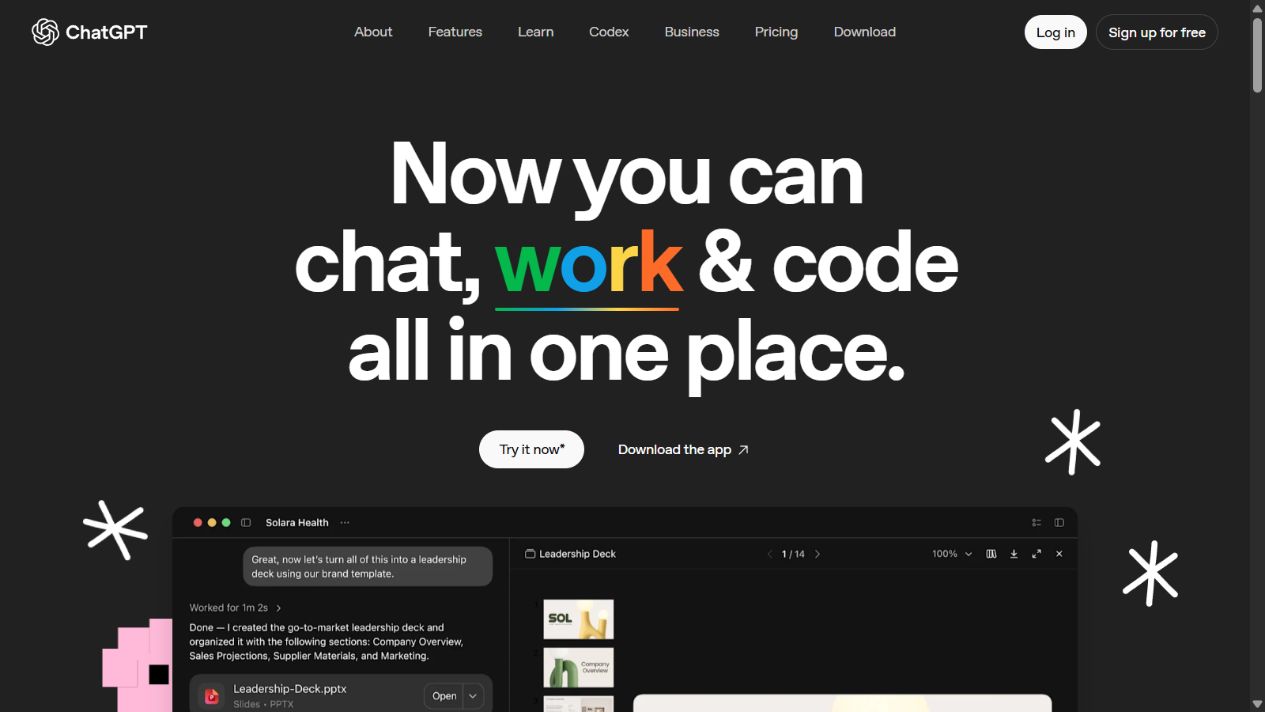
Source: ChatGPT overview, captured September 5, 2026. The interface and available tools can vary by account and plan.
ChatGPT can help a creative team turn a loose request into a structured brief, identify ambiguities, create shot requirements, draft scripts, review source files, prepare variant copy, and build an evaluation rubric. It can also generate and edit images where that capability is available. Those strengths do not prove that the ChatGPT interface provides the same video controls as Dream Machine.
OpenAI’s video system is Sora. Official Sora material documents text- and image-led video generation, safety controls, and provenance measures such as C2PA metadata. Access and product packaging have changed over time, so a buyer should inspect the exact experience available now rather than treating every OpenAI creative capability as a permanent ChatGPT feature.
The biggest difference: deliverable versus assistant
Dream Machine begins from the assumption that you are making visual media. Its interface and documentation organize work around boards, references, generated assets, motion, continuation, and modification. ChatGPT begins from a conversation and can help across many forms of reasoning and production.
That difference affects the evaluation. A useful Luma test ends with a visual deliverable that meets a shot or design requirement. A useful ChatGPT test may end with a better brief, a sourced explanation, a script, a decision, a data table, or a review checklist. Measuring both with “answer quality” or one feature count is not meaningful.
If your bottleneck is unclear requirements, ChatGPT may create more value before a generation begins. If your bottleneck is producing and directing visual variants, Luma may be closer to the actual work. Identify the bottleneck before buying another creative subscription.
Video generation and visual control
Luma has the clearer documented specialization. Camera-motion instructions, visual references, character references, start and end keyframes, loops, extension, and source-video modification all correspond to visual-production decisions. A creator can test whether those controls reduce random retries and preserve the intended subject, motion, framing, or style.
Do not mistake the existence of a control for reliable performance. Character reference does not guarantee identity continuity in every frame. A keyframe does not guarantee a natural transition. Extend can introduce drift. Modification can preserve some source characteristics while changing others. Luma’s own guidance notes practical constraints, and its terms acknowledge that generated output can contain errors or inconsistencies.
ChatGPT can contribute to video work by developing a shot list, tightening a prompt, checking continuity requirements, proposing alternatives, or reviewing a transcript and storyboard. If Sora access is relevant, evaluate Sora as the actual video product available to your account. Do not credit the ChatGPT chat interface with capabilities you have not confirmed.
Research, writing, and planning
ChatGPT has the stronger general-purpose position. A campaign team can use it to summarize approved research, transform a product brief into audience-specific messaging, compare stakeholder comments, examine uploaded documents, organize a production plan, and draft supporting copy.
This breadth creates its own risk. A confident response can still be inaccurate, incomplete, or unsupported. Search and deep-research features improve access to sources but do not remove the need to inspect them. Legal, scientific, financial, and brand-sensitive statements require accountable review.
Luma’s creative agent can help brainstorm and direct visual work, but its product orientation should not be treated as a replacement for a sourced research process. If a visual claim depends on current product facts or regulated information, verify that content outside the generated asset and retain approval evidence.
Image workflows and brand consistency
Both ecosystems can participate in image creation, but workflow fit matters more than a generic winner. ChatGPT can be useful when the image request emerges from a longer conversation containing research, writing, and constraints. Luma is useful when the team wants a visual workspace with references, variations, and a path into motion or modification.
For brand work, create an acceptance sheet. Include logo geometry, approved colors, product shape, packaging text, typography, prohibited claims, people and location permissions, and required aspect ratios. Score each generated asset against those requirements. Do not accept a visually attractive result that changes a product detail or invents readable copy.
Use generated text inside images cautiously. Dense labels, legal language, prices, ingredient lists, interface screenshots, and product specifications should normally be typeset or composited using controlled source material. Treat generation as a creative layer, not a system of record.
Iteration, project organization, and handoff
Luma’s Boards provide a natural place for related visual ideas. The benefit should be tested through retrieval and handoff: can another team member locate the approved reference, understand why a variant was rejected, reproduce the generation path, and export the selected asset?
ChatGPT Projects can organize chats, files, and instructions around a workstream. That is useful for the reasoning record, but it does not automatically create a visual asset-management system. A team may still need a separate repository for approved media, editable source files, versions, licenses, and final exports.
Define ownership before production. Record who owns the workspace, who can delete or share work, where final assets are stored, and what happens when a contractor leaves. A convenient history inside either tool is not a substitute for a controlled asset library.
Licensing, privacy, and input rights
Luma’s official licensing guide distinguishes rights by subscription tier and the status under which an asset was generated. It says Free and Lite generations have personal-use restrictions, while qualifying paid tiers include commercial usage rights. Its terms provide the controlling detail and explain rights and responsibilities around input, output, model improvement, watermarks, and third-party rights.
The operational lesson is simple: record the account and applicable terms at generation time. Upgrading later may not change the rights attached to an earlier asset. Keep the original input permissions, generation date, plan evidence, output file, and approval record together.
OpenAI likewise publishes product terms, privacy information, usage policies, business data commitments, and plan-specific controls. The correct policy depends on how ChatGPT is obtained and administered. A personal account and an organizational workspace should not be assumed to have identical data handling or governance.
Never upload a client face, confidential product, unreleased campaign, customer record, or licensed reference merely because the interface accepts it. Confirm authorization, retention, training choices, subprocessors, deletion, region, and contractual responsibilities first.
Pricing and production cost
This article intentionally excludes numerical plan prices and credit quantities. Creative-tool pricing changes, and nominal credits do not establish the cost of an accepted deliverable.
Build a workload model instead. Choose three representative tasks: for example, a five-shot concept sequence, a product-image variation set, and a short transformed clip. Record every generation, retry, failed job, human edit, review round, export, and storage step. Divide the total cost and labor by approved outputs.
For ChatGPT, include the value of planning, source work, scripts, and review—not only generated media. For Luma, include visual iterations and the time needed to correct drift or prepare source material. Also model a peak month, team seats, client separation, and commercial rights.
Which teams should choose Luma Dream Machine?
Choose Luma as the first trial when the central deliverable is visual and the team needs to direct motion or carry references through an iterative creative workspace. Likely candidates include creative studios, social-content teams, product-visual teams, filmmakers developing concepts, and agencies producing short visual variants.
It is a weaker standalone choice when most work is research, long-form writing, spreadsheet analysis, document review, coding, or general business assistance. It is also unsuitable as an unquestioned source of factual product imagery or regulated claims.
Which teams should choose ChatGPT?
Choose ChatGPT as the first trial when one assistant must support many knowledge tasks: research, writing, planning, files, analysis, ideation, and structured problem-solving. It can be especially useful to the strategists, writers, analysts, and project leads surrounding a creative-production team.
It is a weaker assumption when the requirement is a dedicated visual production environment with the exact reference, keyframe, extension, and video-modification controls documented by Luma. Verify current Sora access separately if AI video is the deciding requirement.
When using both is better
A paired workflow can separate reasoning from visual production:
- Use ChatGPT to interrogate the request and create an approved brief.
- Convert the brief into shots, visual invariants, prohibited changes, and acceptance criteria.
- Gather only references the team has permission to use.
- Build visual directions and iterations in Luma.
- Review outputs against the criteria, not against novelty.
- Return failed observations to the planning record and revise one variable at a time.
- Store approved exports, rights evidence, prompts, references, and human edits in the project repository.
Do not automate the handoff blindly. A generated prompt can include assumptions that were never approved, and a visually successful result can still violate brand or rights constraints.
Accessibility, disclosure, and provenance
Generated media should be reviewed as part of a complete publishing experience. A video may look polished while failing people who cannot hear its audio, cannot read low-contrast captions, or are sensitive to flashing motion. Define captions, transcripts, audio description, contrast, text size, reading order, reduced-motion alternatives, and mobile crops before generation begins. Add these requirements to the acceptance rubric rather than trying to repair every issue at the end.
ChatGPT can help draft transcripts, captions, alt-text candidates, and plain-language summaries, but a person must compare them with the final approved asset. It may describe an intended scene rather than what the exported media actually contains. Luma output likewise needs frame-level review for unintended text, gestures, identities, products, or background details.
Keep provenance information where the tools provide it. OpenAI documents C2PA metadata for Sora output, while Luma’s terms reserve the ability to include watermarks, content credentials, or provenance metadata. Do not remove required markers. Maintain an internal record linking the final export to its inputs, generation environment, human edits, license basis, and approval.
Disclosure should match the context and applicable rules. A behind-the-scenes concept may need different treatment from a realistic person endorsing a product. When an output could mislead viewers about a real person, event, product, or evidence, stop publication until the representation and disclosure are reviewed.
Reliability and failure recovery
Creative AI output is probabilistic. A successful first attempt does not prove the workflow will perform under deadlines, team concurrency, or a larger campaign. Test what happens when a job stalls, a reference is misread, an export fails, a character changes, or a revision damages a previously accepted detail.
Save accepted intermediate assets outside the generation history. Record enough context to reproduce the direction, but do not assume the same prompt will always create the same result. Establish a rollback point before modifying an approved clip or image. When a result fails, classify the failure: unclear brief, unsupported control, generation variability, source-quality problem, policy rejection, or platform incident. This prevents the team from spending credits repeatedly on a problem that requires a different source or method.
For client work, define a fallback that does not depend on last-minute generation. That may be a licensed stock asset, conventional edit, previously approved frame, or reduced-scope deliverable. The purchasing decision should include whether the team can still ship when the creative AI path does not cooperate.
A controlled comparison test
Run the tools against one approved brief over a fixed period. Do not use an easy prompt in one product and a difficult production job in the other.
Start with a source pack: objective, audience, deliverable, aspect ratio, duration, reference permissions, required elements, prohibited elements, exact copy, and acceptance rubric. Ask ChatGPT to identify missing information and produce a shot specification. Review it manually.
Then use Luma for the visual execution. Record the first acceptable concept, number of retries, reference fidelity, character or product continuity, motion, artifacts, export usability, and manual correction time. If Sora is part of the purchasing decision, run it as a separately identified product under the same criteria.
Score outcomes in four groups:
| Group | Example evidence |
|---|---|
| Brief quality | Missing constraints found, unsupported claims removed, instructions understood |
| Visual acceptance | Composition, motion, identity, product details, typography, artifacts |
| Operations | Time, retries, failed jobs, collaboration, export, version retrieval |
| Governance | Input permission, commercial rights, disclosure, data controls, approval record |
Use passed, failed, and not tested. Do not turn an untested criterion into an average score. The winner is the workflow that produces an approved result with acceptable risk and effort.
Final recommendation
Choose Luma Dream Machine for dedicated visual creation and direction. Choose ChatGPT for broad research, planning, writing, analysis, and conversational assistance. Evaluate Sora separately when OpenAI video generation is the actual requirement.
For campaign and studio work, the strongest setup may use ChatGPT to improve the brief and Luma to execute visual iterations. That combination is valuable only when the team controls sources, rights, factual claims, versions, and approvals. Test the complete path to an accepted deliverable before committing.
Frequently asked questions
Is Luma Dream Machine better than ChatGPT?
Luma is the stronger starting point when the deliverable is generated or transformed visual media and the workflow needs boards, visual references, keyframes, extension, camera direction, or video modification. ChatGPT is broader for research, planning, writing, analysis, files, and conversational problem-solving. Neither is universally better.
Can ChatGPT replace Luma Dream Machine for AI video?
Do not assume so from the ChatGPT name alone. OpenAI video creation is associated with Sora and access varies by product, plan, region, and current rollout. Compare the exact video experience available to your account against Luma using the same approved brief.
Can Luma Dream Machine replace ChatGPT?
Not for a team that needs a broad assistant for research, source review, writing, files, data analysis, or general planning. Luma is centered on creative visual production, even as its agent experience expands.
Which tool is better for marketing teams?
A marketing team producing visual concepts, product imagery, social clips, or transformations may start with Luma. A team developing briefs, campaign structure, research, copy, and analysis may start with ChatGPT. Many teams should test a paired workflow with clear approval gates.
Can Luma generations be used commercially?
Luma's official licensing guide ties commercial-use rights to qualifying paid subscription status when an asset is generated. Free and Lite generations have different restrictions. Review the current terms for the exact account before publishing client or commercial work.
How should buyers compare AI creative-tool pricing?
Use a fixed workload and calculate the cost per approved deliverable, including retries, discarded outputs, human editing, review time, storage, collaboration, and rights. A subscription amount or credit allowance alone is not a comparable production cost.
What should a team test before choosing?
Test a representative brief, reference fidelity, revision control, identity consistency, text accuracy, motion, exports, rights, safety review, collaboration, and recovery from failed generations. Record accepted outputs and total effort rather than choosing from a polished demo.