v0 vs ChatGPT: Which Is Better?
Compare v0 and ChatGPT for app planning, interfaces, backend work, deployment and maintenance, including the documented subscription connection.
Choose between v0 and ChatGPT by the complete development workflow you need to operate. v0’s official documentation describes prompt-driven interface and full-stack application work connected to Vercel. ChatGPT provides a broader conversational workspace for reasoning, writing and account-dependent coding tools. The strongest choice is the one that helps your team produce an understandable, testable application and maintain it after the first preview.
Research scope and limitations
- Research type
- Official-source documentation review and editorial analysis
- Sources reviewed
- 5
- Hands-on tested
- No
- Last verified
- November 5, 2026
- Limitations
- No paid-account test, listening benchmark, coding benchmark or account-entitlement audit. Exercises and fit judgments are editorial recommendations. Numerical paid prices are not assessed.

Table of contents
Direct answer
Choose between v0 and ChatGPT by the complete development workflow you need to operate. v0’s official documentation describes prompt-driven interface and full-stack application work connected to Vercel. ChatGPT provides a broader conversational workspace for reasoning, writing and account-dependent coding tools. The strongest choice is the one that helps your team produce an understandable, testable application and maintain it after the first preview.
This comparison uses official documentation checked on November 5, 2026. We did not build a benchmark application, compare generated-code quality or test paid account limits. Suggested scenarios are editorial evaluation methods. Current prices, individual entitlements and production suitability need verification in the configuration you intend to use.
Who this comparison is for
This guide is for a founder planning an internal tool, a designer exploring an interactive concept, or a small team deciding how to turn requirements into a working application. Those readers need more than an attractive screen. They need to know where data lives, who can use the application, what happens when a dependency fails and how another person will continue maintaining it.
It is also useful for a developer choosing where assistance belongs in an existing process. An idea may benefit from conversational clarification before it becomes a repository change. A visually focused prototype may need a more direct path from a prompt to a preview. Define those stages before assuming that either product must own every part of the project.
v0 vs ChatGPT at a glance
| Requirement | v0 documentation points to | ChatGPT documentation points to | Acceptance question |
|---|---|---|---|
| Clarifying the idea | Prompted app development | Broad reasoning and drafting | Are requirements and unknowns explicit? |
| Interface exploration | UI generation and live app workflow | Coding and creative tools vary by account | Does the proposed interface support the real task? |
| Backend work | Full-stack application guidance | Coding assistance depends on the available tools | Is data handling understood and tested? |
| Project ownership | Project, integration and repository settings | Project context and account-dependent coding surfaces | Can another maintainer continue the work? |
| Deployment | Documented Vercel connection | No universal deployment entitlement assumed here | Who controls the destination and release? |
The table compares documented workflow orientation, not measured output quality. A product can support a step without automatically completing it correctly. Use the AI tools evaluation guide when defining the task, access boundary and evidence you want before choosing a subscription or changing the team’s development process.
What v0 is designed to connect
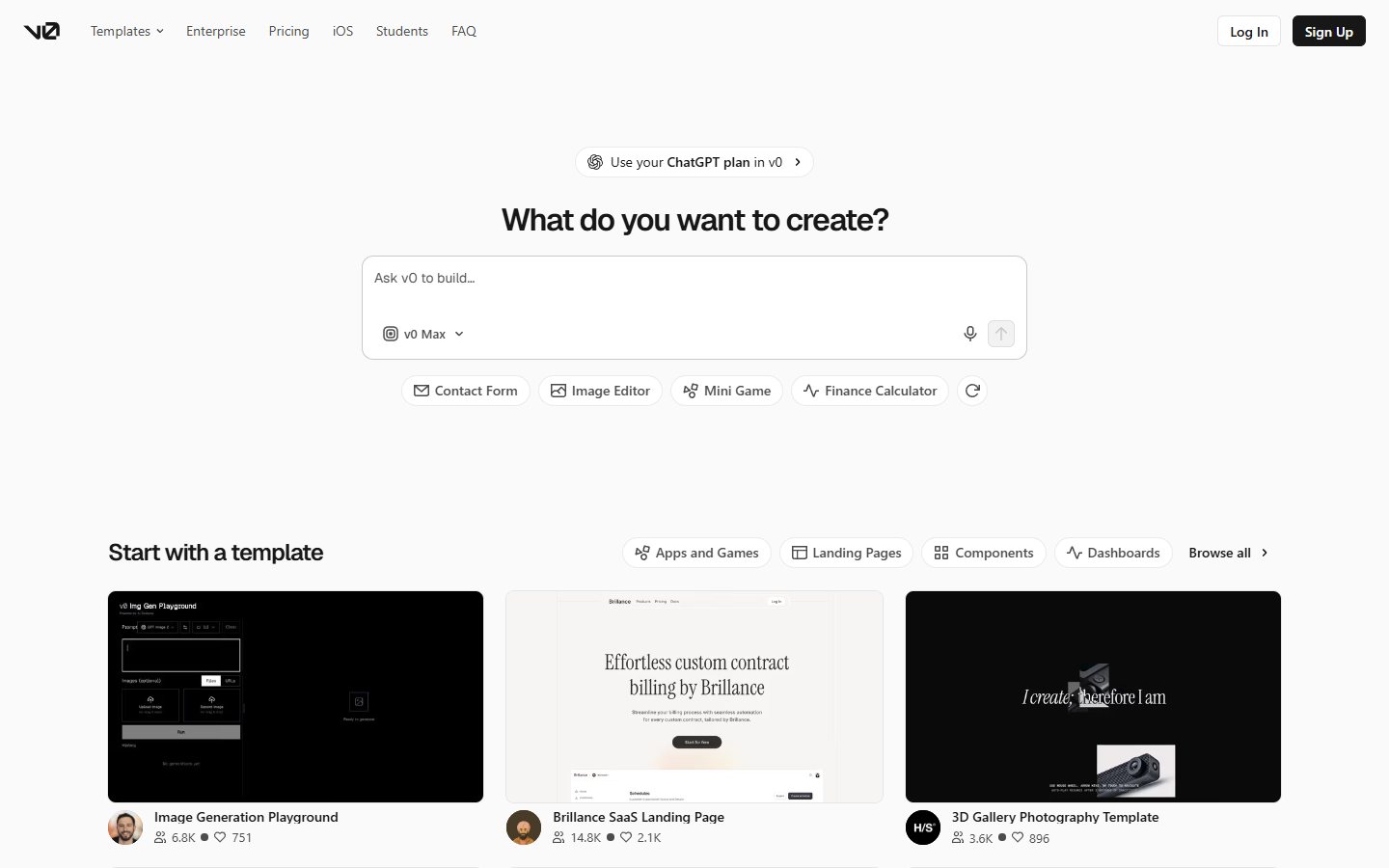
The official v0 overview describes creating interfaces and applications from prompts, connecting backend functionality and deploying through Vercel. This makes the route from an application idea to a working preview a central part of the product’s documented workflow. It is relevant when the team wants to evaluate the interface and application together rather than obtain isolated code snippets.
For a trial, choose one small application with a clear user and purpose. Describe what the user is trying to accomplish and what a successful result looks like. Include an empty state and a failure state in the brief. A preview showing only the most convenient route can conceal whether the application supports the work that will actually occur.
Ask the evaluator to explain the generated structure before extending it. They should identify the main screens, the authoritative data source and the components responsible for a meaningful action. If that explanation depends entirely on asking the assistant another question, record the documentation or handoff work still required before treating the project as maintainable.
What ChatGPT contributes to the same project
OpenAI’s capabilities overview describes broad reasoning, drafting and account-dependent tools. For an application project, those capabilities can help organise requirements, examine tradeoffs, draft explanations and review proposed approaches. The actual coding environment, file access and execution capability should be verified rather than assumed from a general product description.
Use a brief containing an ambiguous requirement, such as who may edit a shared record. Ask for the unresolved decisions before requesting code. Then provide an answer and inspect whether later instructions preserve that decision. This is a useful test of the planning interaction even before the team compares implementation workflows.
Do not evaluate a tool the user does not actually have. A conversation that proposes code, an editing surface and a coding agent with repository access represent different working conditions. Record the surface, permissions and available tools used in the trial. The ChatGPT review provides broader product-selection context without establishing a universal entitlement for every account.
Begin with requirements that survive a convincing demo
Define the intended user, required action and authoritative record. Include what the system must prevent as well as what it should allow. For a sample request tracker, the important outcome might be that each request has a visible owner and status while one user cannot edit another user’s restricted information. A colourful list of sample records is insufficient evidence for that requirement.
Write acceptance conditions in ordinary language before choosing the interface. Include a new user with no records, an invalid submission, a changed record and a temporarily unavailable dependency. Decide what should remain visible when an action cannot complete. These conditions help the reviewer judge the application rather than react primarily to its visual finish.
Keep business and technical uncertainty visible. If the team has not decided who approves a request or how long data should be retained, ask for clarification. Software generation can move quickly while carrying an unresolved policy into many components. Resolving it after a convincing demonstration can require substantial rework that belongs in the evaluation.
Compare interface iteration through a specific change
Use the same short design brief with both candidate workflows. Describe the hierarchy, content and intended user action. After the first result, introduce one meaningful change: for example, a user must review a summary before confirming a request. State which existing behaviour and layout decisions should remain intact.
Inspect the new result for the requested change and for unintended changes elsewhere. Check keyboard use, narrow-screen layout and the clarity of labels. A design that looks good on one screen can still be difficult for a user who is completing the task with different input methods or incomplete information.
Record the manual work required to reach an acceptable result. Do not compare a carefully revised result from one product with an untouched first response from another. The useful question is how predictably the workflow supports deliberate iteration under the team’s normal review standard. We have not performed that comparison and do not declare a visual-quality winner.
Full-stack support needs data and failure tests
The official full-stack guide describes backend endpoints and connections to services. This is relevant capability evidence, but a connected database is not proof that the application implements the intended access rules or preserves records correctly. The evaluator should understand the actual service configuration and the assumptions represented in the generated code.
Use approved fictional data. Create, read, change and remove a sample record according to the intended permissions. Test an unavailable service and a submission repeated after a timeout. Inspect whether the application reports uncertainty, duplicates an operation or silently appears to succeed. Those outcomes can be more consequential than the initial interface response.
Apply the same acceptance conditions to any ChatGPT-assisted implementation. A well-written explanation or plausible code example still needs to be executed and reviewed in the intended environment. Compare the resulting application and operational evidence rather than assume that one workflow is inherently production-ready because its documentation includes full-stack development.
Authentication and permissions need independent review
Describe the roles the application actually needs: perhaps a requester, a reviewer and an administrator. State which records and actions each role should access. Test with separate identities in an authorised development environment, including a user who knows another record’s address but should not be able to read or change it.
Review server-side behaviour as well as the visible interface. Hiding a button does not itself establish an access boundary. Ask a qualified reviewer to inspect the relevant implementation and test the important cases. This article does not certify the security of generated software or recommend using a real customer’s data to make a trial more realistic.
Keep a record of unresolved requirements and the person responsible for deciding them. If the team cannot explain how permissions are enforced, narrow the trial or obtain the necessary review before external use. An assistant can help gather and organise evidence, but an attractive preview should not become the only basis for an access-sensitive release decision.
Repository and project ownership
The v0 project documentation describes settings for integrations, environment variables and GitHub connections. These are relevant to the question of where the application lives and who maintains its surrounding resources. Confirm the actual ownership arrangement in the trial rather than assume that a shareable preview transfers the complete project.
Ask another developer to open the approved project, identify configuration requirements and continue a small change. Preserve a record of the revision being reviewed. If the project depends on credentials or services owned by one person, establish how those resources are managed when that person is unavailable or leaves.
For a ChatGPT-assisted workflow, identify the equivalent durable project artifacts outside the conversation. The team should know which repository or workspace is authoritative and how approved changes reach it. Our ChatGPT usage guide helps frame the conversation, while the Cursor review provides an adjacent repository-centred evaluation approach.
Deployment is a responsibility, not just a button
v0’s documented Vercel connection is relevant when that deployment path fits the organisation. Before using it, identify who owns the project, domain, secrets and connected services. Separate a review environment from the production destination. A person approving a visual change should understand whether an action will merely update a preview or change what real users can access.
Test a limited release and a recovery route using approved sample content. Record the version deployed and how the reviewer can confirm it. Include a case where a service is unavailable or a configuration value is missing. The useful evidence is that an accountable person can recognise and recover from the problem, not only that the first deployment returns a page.
Apply the same discipline to a ChatGPT-assisted project. Verify the actual hosting and execution arrangement instead of inventing a general deployment promise for every account. The assistant’s contribution to planning or coding may be useful even when another established tool remains responsible for release and operational control.
Cost: include the surrounding application
Check the documented ChatGPT subscription connection
The current v0 ChatGPT integration guide says eligible ChatGPT Plus and Pro subscribers can connect their subscription for supported AI responses in v0. It also says v0 credits remain necessary for a platform fee and some other work. This makes the decision more nuanced than simply buying one unrelated subscription instead of another.
Verify eligibility and the active billing option in the account being evaluated. Do not interpret the connection as unlimited v0 usage, free hosting or the removal of every separate charge. This article does not quote numerical fees or allowances. Keep the account connection and any usage boundary in the same acceptance record as the development workflow, so a useful trial does not depend on an assumed entitlement.
This comparison does not quote current paid prices or numerical usage allowances. Check the present offer, account configuration and relevant provider terms before committing. Separate the assistant subscription from the services required to operate the application, including hosting, storage or external APIs where applicable to your design.
Include internal review, correction and maintenance in the comparison. A rapid prototype can create useful learning without being the cheapest route to a maintained production system. Conversely, an existing engineering process may need only a narrow conversational or coding aid rather than a change to the whole deployment workflow.
Record costs against accepted outcomes. Count the time needed to clarify requirements, inspect generated code, resolve exceptions and prepare a maintainable handoff. Avoid presenting the number of generated screens or prompts as proof of value. Those activity measures do not establish that the application solves the intended user’s problem or can be operated responsibly.
A worked internal-tool evaluation
Consider an illustrative team building a small equipment-request application. An employee submits a request, a reviewer accepts or rejects it, and the employee sees the outcome. The sample uses fictional people and records. The team defines the roles, required information and permitted changes before asking either workflow to propose an implementation.
The evaluator first checks the ordinary route, then an empty queue, an incomplete form and a rejected request. Next, the team changes the requirement: requests above an internally defined threshold need a second review. The evaluator records how the workflow preserves existing cases while introducing the new step and how clearly the change is explained.
The handoff includes a repository or authoritative workspace, configuration instructions, a record of connected resources and the tests used to verify the roles. Another maintainer then changes a label and investigates an intentional sample failure. This exposes the work needed after the initial creator has left the conversation.
The exercise does not predict which product will win. It creates a common standard for comparing them. A useful outcome might be a v0-centred prototype and deployment route, a ChatGPT-assisted requirements and coding process, a combination of tools, or a decision to keep the existing stack because it already meets the requirement with less change.
When each workflow is the stronger candidate
Include a second review after the application has been left untouched for a short period. Ask a maintainer to identify the current version, run the relevant checks and explain how a sample request moves through the system. This exposes dependencies on the creator’s memory that may not be apparent during a continuous demonstration. Keep the expected environment and service configuration documented alongside the project.
Then make a small requirement change with a deliberately limited scope. Inspect whether the workflow preserves unrelated behaviour and whether the reviewer can account for every changed component. Record any manual correction needed. Repeatable, understandable change is a useful maintenance outcome even when the initial application took longer to create. A one-time impressive preview should not substitute for evidence that the team can continue operating the project.
Consider v0 when the documented prompt-to-interface, application and Vercel workflow matches the task your team wants to evaluate. Make data handling, project ownership and release control part of that trial. The documented path is a reason to investigate fit, not a measured promise of correctness or maintainability.
Consider ChatGPT when the need spans clarification, writing, reasoning and coding assistance within the tools actually available to the user. Keep the execution and deployment arrangements explicit. The broader conversational scope can be useful even when another service remains authoritative for code, tests and hosting.
Use both when the handoff reduces ambiguity without creating duplicate sources of truth. The Replit comparison offers another application-workflow perspective. Our review methodology explains how we distinguish official product descriptions, editorial fit judgments and actual first-hand testing.
Frequently asked questions
Is v0 better than ChatGPT for building a website?
v0 documents a direct app and interface workflow connected to Vercel, making it a relevant candidate for that route. ChatGPT supports broader planning and account-dependent coding work. Compare the complete accepted application, review effort and maintenance handoff using the same brief rather than declaring a universal winner from feature descriptions.
Can v0 build backend functionality?
The official full-stack documentation describes backend endpoints and service connections. That establishes a documented capability, not proof that a particular generated application handles data or permissions correctly. Test the intended configuration and have the relevant implementation reviewed before relying on it with real users or sensitive records.
Does every ChatGPT account include the same coding and deployment tools?
No universal entitlement is established here. OpenAI’s documentation makes tool availability dependent on subscription and settings. Record the actual surface, repository access and execution environment used in your trial. Confirm the hosting and release path separately rather than assuming it follows from a general ChatGPT subscription.
What should we test after the first preview looks correct?
Test empty and invalid states, role boundaries, a failed dependency and a repeated submission. Ask another maintainer to continue a small change and explain the configuration. The first visual result is only one part of acceptance; data behaviour, recovery and ownership determine whether the application can be operated after the demonstration.
Can we use v0 and ChatGPT together?
Yes, a team can evaluate a workflow where one helps clarify requirements and another supports implementation. Decide which record owns the approved brief and which repository owns the code. Keep unresolved decisions visible and include the handoff effort in the comparison so using both creates useful continuity rather than conflicting versions of the project.