VEED AI vs ChatGPT: Which Is Better?
Compare VEED AI and ChatGPT for scripts, video editing, subtitles, exports and review, with official evidence and a practical production pilot.
VEED AI is the more direct starting point when the required deliverable is an edited video with a timeline, subtitles and an export. ChatGPT is a candidate for developing the brief, script, questions and revision plan. Choose by the artifact you must deliver and the controls your account provides, rather than asking which product is generally more intelligent.
Research scope and limitations
- Research type
- Official-source documentation review and editorial analysis
- Sources reviewed
- 6
- Hands-on tested
- No
- Last verified
- November 5, 2026
- Limitations
- No authenticated account or performance benchmark. Examples and fit recommendations are editorial analysis. Paid prices and unlisted account entitlements not verified.

Table of contents
VEED AI is the more direct starting point when the required deliverable is an edited video with a timeline, subtitles and an export. ChatGPT is a candidate for developing the brief, script, questions and revision plan. Choose by the artifact you must deliver and the controls your account provides, rather than asking which product is generally more intelligent.
This VEED AI vs ChatGPT comparison uses official documentation checked November 5, 2026. It separates documented capabilities from editorial recommendations. We have not run a paid-account rendering, editing or model benchmark. The workflows and sample assignments below are proposed evaluation exercises; no speed, quality or commercial-rights outcome is implied.
The useful comparison is the complete handoff: source material, approved script, edited sequence, captions, export and the next person’s ability to revise the work. A convincing draft is not equivalent to a publishable video. Equally, an export button does not establish that the underlying message is accurate or approved. Your team needs both kinds of acceptance criteria.
VEED AI vs ChatGPT: begin with the deliverable
Imagine a small software company turning a product webinar into a short educational video. The raw recording contains pauses, a demonstration and several statements that need factual review. The editor must produce a useful clip, correct its captions and deliver an approved file. The marketing owner must confirm that the chosen excerpt still represents the speaker’s meaning.
The brief should name the audience, destination, intended length, source permissions and required output. It should also identify who checks product claims and who approves the final media. Without these boundaries, a tool evaluation becomes a contest between impressive demonstrations that do not solve the same problem. Write the acceptance conditions before importing material or asking either assistant for ideas.
| Work stage | VEED’s documented direction | ChatGPT’s documented direction | Acceptance question |
|---|---|---|---|
| Brief and script | Video-oriented creation tools | Chats, files and contextual project work | Is the message supported and useful? |
| Editing | Browser video editor | Available tools depend on the environment | Can the required media be revised directly? |
| Subtitles | Subtitle generation and editing guidance | Can assist with text through available inputs | Are words, timing and meaning correct? |
| Delivery | Export and watermark rules matter | A conversation is not an export entitlement | Can the required final artifact be delivered? |
This table describes workflow categories. It does not claim that every feature is included in a free plan, that all accounts have the same tools or that one product is always more efficient. Verify the actual account and output requirements when you run the pilot. Retain evidence of limitations instead of filling gaps with assumptions from another subscription.
VEED AI: a video-centered workspace
VEED’s official video-editor page describes browser-based video editing and related creation capabilities. Its product surface is organized around media work. That makes it a relevant candidate when the task begins with a recording and ends with an edited video. This is a task-fit inference from the documented product, not a quality ranking.
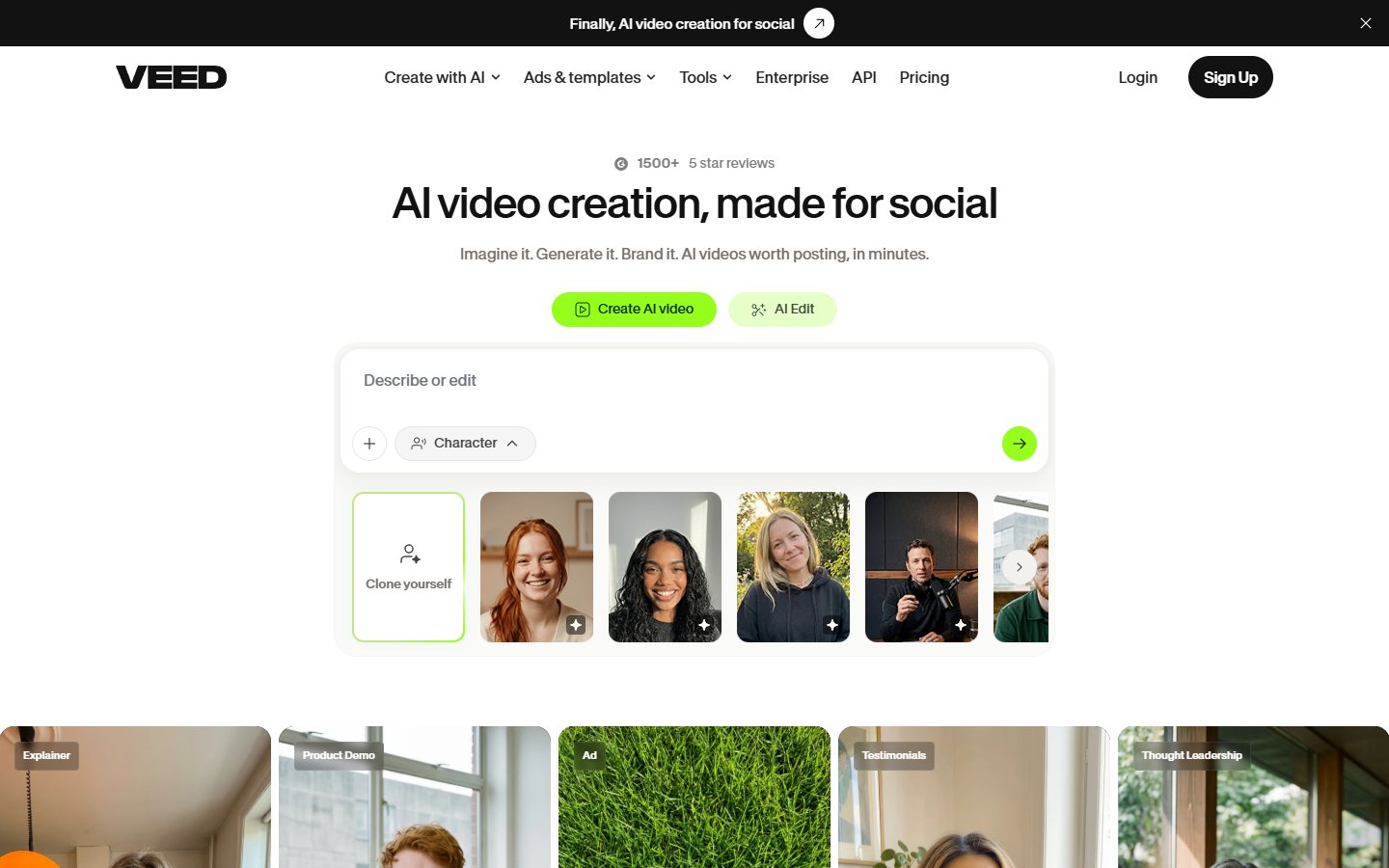
Start the evaluation with a short, rights-cleared recording. Choose a segment with speech, a screen demonstration and one pause you intend to remove. The goal is not to show every AI feature. It is to see whether your team can locate the useful passage, preserve its meaning, make the necessary edits and deliver the format required by the destination.
Keep a change list alongside the media: remove the opening pause, retain the product caveat, correct a misheard term and preserve the closing instruction. This list gives the reviewer something concrete to check. A visually polished clip can still be unacceptable if it removes the sentence that explains an important limitation or changes the order of a demonstration.
The potential strength is working close to the media artifact. The limitation is that editing convenience does not eliminate factual, rights or brand review. Do not treat a generated scene or caption as evidence of what a product can do. If an example depicts a feature that does not exist, change the example rather than relying on a disclaimer to repair misleading content.
ChatGPT: context, scripts and revision reasoning
ChatGPT’s features documentation describes conversations, projects, files and tools. The practical comparison here is planning and text iteration with the context the user supplies or connects. It is not a claim that every ChatGPT account provides a conventional video-editing timeline or the same media-generation and export capabilities.
For the webinar example, supply a permitted transcript excerpt and a clear assignment: identify one self-contained teaching point, propose a concise script and list any claims requiring source review. Ask the assistant to preserve the speaker’s caveats and identify where the transcript lacks enough information. A useful response should make uncertainty visible rather than inventing a smoother but unsupported story.
Use the result as a working draft. Check every product name, figure and quoted statement against the recording or approved documentation. If a transcript says “may reduce setup time,” a rewrite that says “cuts setup time in half” has introduced an unsupported result. The reviewer should reject that change even if the stronger wording sounds more persuasive.
The potential pro is iterative development of the message before expensive editing work begins. The con is that a polished conversation output can be mistaken for an accepted production asset. Maintain an explicit handoff: approved wording, required evidence, unresolved questions and the person responsible for implementation. A draft script should not silently become an authorization to publish.
Projects help retain context, but context needs boundaries
ChatGPT’s project documentation describes carrying files and context across related chats. It also explains that a project does not directly provide access to a folder on the user’s computer. Upload or connect only the material you intend to make available. Do not assume a project automatically knows which local file is the current approved version.
For a recurring video series, maintain a short source pack: audience definition, approved terminology, a current feature note and the latest script. Mark superseded versions clearly. This is an editorial operating recommendation. It reduces the chance that a later revision draws on an outdated offer, but it does not guarantee that every response will select the correct source without review.
Keep confidential material out of a general-purpose test. A public webinar or synthetic transcript can expose the essential workflow without involving private customer calls. If private material is necessary, use the organization’s approved account and controls. Account permission, source permission and publication permission are separate questions; one does not automatically establish the others.
Subtitles: check more than spelling
VEED’s subtitle guidance describes generating subtitles and moving into the subtitle editor. It also states that translation has limitations and requires AI credits. Do not interpret the presence of a translation feature as unlimited access in every plan or guaranteed suitability for every language and audience.
Use a review pass with three layers. First, compare words against the source audio, especially names, negations and technical terms. Second, check timing so captions appear with the intended speech. Third, examine meaning after edits: a grammatically correct caption can still become misleading if the preceding context was removed. These are acceptance checks, not claims of measured error rates.
ChatGPT can be part of a text-review process when appropriate inputs are available, but a rewritten transcript does not establish synchronized caption quality in the final file. The final reviewer must inspect the rendered video. Preserve specialized terms in a small glossary and make corrections at the stage that controls the actual delivered captions, rather than only fixing a separate planning document.
For a translated clip, involve someone qualified to assess the target language and context. Check product terminology, tone and culturally specific references. A literal translation may fit the transcript while failing the audience. Neither the tool’s feature label nor a fluent-looking paragraph provides sufficient evidence that the finished subtitle track is suitable for publication.
Short clips need a new editorial boundary
VEED’s AI Clips documentation describes turning longer material into shorter clips and opening selected clips for further editing. That is a relevant workflow when repurposing a webinar. It does not establish that automated selection will consistently identify the most accurate or useful excerpt for your particular audience.
Review each proposed clip as a standalone publication. Does the opening make sense without the webinar introduction? Is the example complete? Does the speaker’s conclusion depend on a caveat outside the cut? If the clip needs a new opening sentence, have the editorial owner approve it rather than allowing an invented transition to impersonate the original speaker.
ChatGPT can help propose titles or a short contextual introduction from approved material. Keep those additions labeled in the production notes. The audience should not be given a fabricated quote. If the new introduction contains a product claim, verify it independently. Repurposing changes the context in which statements appear, so it requires more than trimming silence.
Free access and delivery restrictions
VEED’s watermark notice states that exports made without a logged-in account or with a free account carry a VEED watermark. If your deliverable requires no vendor watermark, treat that as a decision gate before spending hours editing. A free editing session is not evidence of an acceptable final export.
This comparison does not quote paid prices or establish current plan-level credit allowances. Obtain the actual offer for the account you intend to use, including any export, generation, collaboration or usage restrictions relevant to the task. Keep the offer date with the evaluation. Historical screenshots and search snippets can describe a different product arrangement from the one available today.
Apply the same discipline to ChatGPT. Confirm which tools and limits are available in the intended account and workspace. Do not build a production process around a capability demonstrated in someone else’s environment. A plan name alone is not a complete specification for media work, and this article does not promise a particular model, export path or file allowance.
Compare the cost of an accepted deliverable
The useful budget includes subscriptions or consumption, editorial work, factual review, media correction and the time needed to revise the output later. Keep vendor charges separate from internal effort. This article provides a budgeting framework, not an ROI calculation. Without representative observations, a numerical productivity claim would be guesswork.
For the webinar pilot, record how much effort goes into finding the segment, correcting the script, editing captions and reviewing the final file. Identify where work is repeated. If a script correction requires recreating media, that is a handoff cost. If the final file cannot be revised by another editor, that is a maintenance concern even when the initial output looks good.
Avoid comparing a text draft in one product with a finished export in the other as though they were the same outcome. Define one accepted deliverable and include every necessary step to reach it. A tool can be a valuable part of the process without being a complete replacement for the rest of the production stack.
A practical two-stage pilot
Stage one is message approval. Use a short permitted transcript, write the brief and produce a script with source references for material claims. Ask a second person to review it without relying on the original conversation. Acceptance means the script is accurate, understandable and specific enough for an editor to implement without inventing missing product details.
Stage two is media delivery. Create the proposed video, correct captions and inspect the actual exported artifact. Check the required destination format, readable text, audio consistency and the treatment of the approved caveats. Record any watermark or account restriction. Do not mark the pilot successful merely because the editor preview looks correct.
After delivery, request one realistic revision: change a product term and shorten the opening while preserving the main example. Ask another team member to make that revision from the handoff notes. This reveals whether the process is maintainable or depends on the original operator remembering decisions that were never documented. The exercise is proposed evaluation work, not a report of our testing.
Keep a decision register with three possible outcomes: suitable for the specified workflow, suitable with a named companion tool, or unsuitable because a required condition fails. Record the condition rather than an unexplained overall score. A watermark requirement, inaccessible account capability or missing review path can be more decisive than a long list of attractive features.
Who should choose which approach?
Shortlist VEED when the central requirement is working directly with video and producing an edited media artifact. Shortlist ChatGPT when the immediate bottleneck is developing an accurate brief, script or revision plan. Consider using them together when the approved text must become a video and the handoff is clear. These are editorial recommendations based on task shape.
Avoid treating either product as an automatic publisher. The responsible owner still needs to verify claims, rights, captions and the final artifact. If no one can perform that review, simplify the project or retain the current production process. More automation does not resolve a missing acceptance owner; it can simply move the unresolved decision closer to publication.
Related guidance includes our AI Tools evaluation guide , ChatGPT review , ChatGPT tutorial and AI agent governance checklist . Browse the AI Tools category for adjacent workflow comparisons. Use these to structure the evaluation, then base the final choice on your approved account and accepted output.
Frequently asked questions
Is VEED AI better than ChatGPT for editing a video?
VEED is the more direct candidate when the job requires a video editor and a finished media export. ChatGPT can support the brief and script through available tools and inputs. Confirm the specific account capabilities and evaluate the actual deliverable. This comparison does not report a rendering benchmark or claim a universal quality advantage.
Are VEED’s free exports watermark-free?
The official notice checked for this article says exports from free accounts or without a logged-in account carry a VEED watermark. Treat an unwatermarked deliverable as a requirement to verify before production. Do not assume that editing for free includes every delivery condition your brand or client needs.
Can ChatGPT replace the whole video-production process?
Do not assume that from general AI capabilities. Define the required artifact and confirm the tools available in the intended environment. A script, suggested scene list or conversation output does not establish a complete editing and export workflow. Keep the media implementation and final review responsibilities explicit.
Can I trust automatically generated subtitles?
Review them against the recording and inspect their timing in the final video. Technical words, negations and names deserve particular attention. Translation needs appropriate language review as well. The existence of a subtitle feature does not establish a particular accuracy rate for your source material, speaker or terminology.
Should I subscribe to both products?
Only if the pilot establishes a useful role for each and the handoff is maintainable. Start with the bottleneck and the actual offers attached to your accounts. Include review and revision effort in the decision. Two tools are worthwhile when they solve defined requirements, not simply because both can generate something related to the project.