VPS vs. Dedicated Server: Cost, Control, And Scalability Compared
Compare VPS and dedicated hosting on cost, control, and scalability to choose the right server for your website.
Is a VPS still enough for your website, or do you need a dedicated server? Many website owners have to face this question once traffic surges or an application starts using more resources than the current plan allows. A virtual private server (VPS) splits one physical server into several isolated virtual servers, and each one gets its own reserved share of resources. Dedicated hosting gives a single customer the entire physical server. Both are a big step up from shared hosting, but they suit different businesses.
Is a VPS still enough for your website, or do you need a dedicated server? Many website owners have to face this question once traffic surges or an application starts using more resources than the current plan allows. A virtual private server (VPS) splits one physical server into several isolated virtual servers, and each one gets its own reserved share of resources. Dedicated hosting gives a single customer the entire physical server. Both are a big step up from shared hosting, but they suit different businesses.
Here is a detailed comparison of VPS vs. dedicated server that covers cost, control, and scalability.
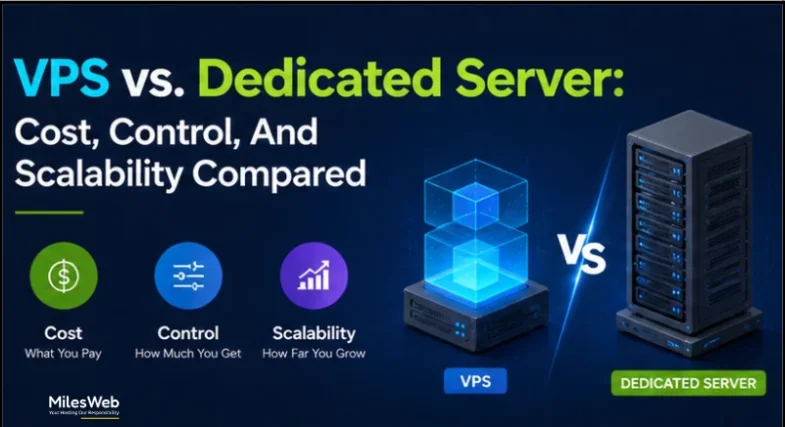
VPS vs Dedicated Server: Key Differences
1. Cost
Downtime has a price tag. ITIC’s 2024 survey found that one hour offline costs more than $300,000 for over 90% of mid-size and large enterprises. A small business will lose far less, but the principle is the same: the server behind your website has a direct effect on your revenue.
VPS is an affordable hosting option because multiple users share the resources of one physical server. You can choose a plan based on your website’s needs and upgrade it as your traffic grows.
A dedicated server gives you an entire physical server with its own CPU, RAM, and storage resources and hence comes at a higher price than a VPS. It is a good choice for websites with high traffic, large databases, or applications that need more resources and control. For smaller websites and businesses with moderate hosting needs, a VPS may provide enough resources without the need for a dedicated server.
Pros
- VPS: You pay for the plan you select, so a small site does not have to pay for a whole server.
- Dedicated: The monthly price is fixed, regardless of the load the server carries. That makes budgeting simple for workloads that use a lot of CPU, memory, and storage all the time.
Cons
- VPS: Extra CPU and memory add to the price, and a heavily upgraded plan can end up close to dedicated pricing without matching its performance.
- Dedicated: The rental fee is only part of the bill. A control panel such as cPanel or Plesk may add a separate licensing fee, depending on the provider and plan.
2. Control
Both a VPS and a dedicated server give you administrator-level access. You choose the operating system, install your own software, and adjust server settings to suit your site. For most small businesses, that level of control is sufficient to meet their hosting needs.
A reliable dedicated server gives you more control over the hardware. You can choose the processor, RAM, storage type, and network setup to suit your needs. This is useful if you run demanding applications, work with large databases, or have specific software and security requirements.
Pros
- VPS: You get admin rights without having to manage any physical hardware.
- Dedicated: You choose the drives and the RAID layout. RAID links several disks together for extra speed, for protection if one disk fails, or for both. No other customer shares the server, which can make it easier to meet certain compliance requirements.
Cons
- VPS: You can configure only the virtual environment, not the physical hardware underneath it.
- Dedicated: On an unmanaged plan, you handle patching, software maintenance, monitoring, and backups yourself. An unmanaged VPS asks the same of you. A managed plan has the provider take care of that work.
3. Scalability
Growing a business changes how you handle your servers. A VPS is adjusted through software, so it is flexible. A dedicated server is tied to its physical hardware, so growth means upgrading the hardware itself.
In case of a sudden spike in traffic, a VPS provides more RAM or processing power right from a control panel in seconds.
Pros
- VPS: A VPS lets you add memory or processing power for a few days during a sale or campaign, when there is a sudden rush of traffic, and lower the plan afterwards, so the added cost ends when the traffic does. One check first: some providers do not allow downgrades.
- Dedicated: The whole server is yours from day one, so a big workload doesn’t need constant adjusting. Once it’s set up properly, it can run for years.
Cons
- VPS: A single VPS has a maximum resource limit. A very large workload may eventually need a bigger server or several VPS instances.
- Dedicated: Depending on the server and provider, larger upgrades may involve scheduled downtime.
Conclusion
Neither option is better in every case. A VPS suits most growing businesses, since it keeps costs low and lets you add capacity when you need it. A dedicated server earns its price when a site carries heavy, constant traffic, handles sensitive data, or needs hardware set up in a particular way.
The simplest test is to look at your numbers. If your VPS bill is close to the price of a dedicated plan, or you still hit limits after upgrading, it’s time to compare the two properly. If not, you’re probably paying for the right amount of server already.
Choose the site you run today, and pick a provider that makes the next upgrade easy. Your hosting should never be the reason your business slows down.